Puzzles Lib Needed by Health Bars [FABRIC] [26.1.x] v26.1.1
requiredMatching file found Matched file: [FABRIC] [26.1.x] v26.1.12

CurseForge · Minecraft mod
See every mob's health in style. In the HUD and in-world. Clean, colorful, and customizable!
This page is having a moment, so a few details may be a little behind.
Quick answer
Health Bars [FABRIC] [26.1.x] v26.1.1 targets 26.1, 26.1.1, 26.1.2 with Fabric. The project page does not say whether it belongs on the client. The project page does not say whether it belongs on the dedicated server. All 3 required mods have matching files.
Where it goes
The project page does not say whether it belongs on the client. The project page does not say whether it belongs on the dedicated server.
The source does not explicitly classify this release as client-only or server-only.
[FABRIC] [26.1.x] v26.1.1. Change the file and its required mods may change too.
Install Puzzles Lib, Forge Config API Port, Fabric API first. We found matching files for this game-version and loader setup. 2 come through another mod in the chain.
2 extra mods were pulled in by other dependencies. Indented rows show who needs each one. We only count dependency files that match this setup. A file for another loader does not fill the gap.
Before you install it
Built for Health Bars [FABRIC] [26.1.x] v26.1.1. Pick another file and the loader, install side or required mods may change.
Use [FABRIC] [26.1.x] v26.1.1. It targets 26.1, 26.1.1, 26.1.2 with Fabric; another release may have different loader, side or dependency requirements.
Install Puzzles Lib, Forge Config API Port, Fabric API first. We found matching files for this game-version and loader setup. 2 come through another mod in the chain.
The project page does not say whether it belongs on the client. The project page does not say whether it belongs on the dedicated server.
Use the “Get this file” button beside [FABRIC] [26.1.x] v26.1.1. It opens that exact file at the source.
About this project








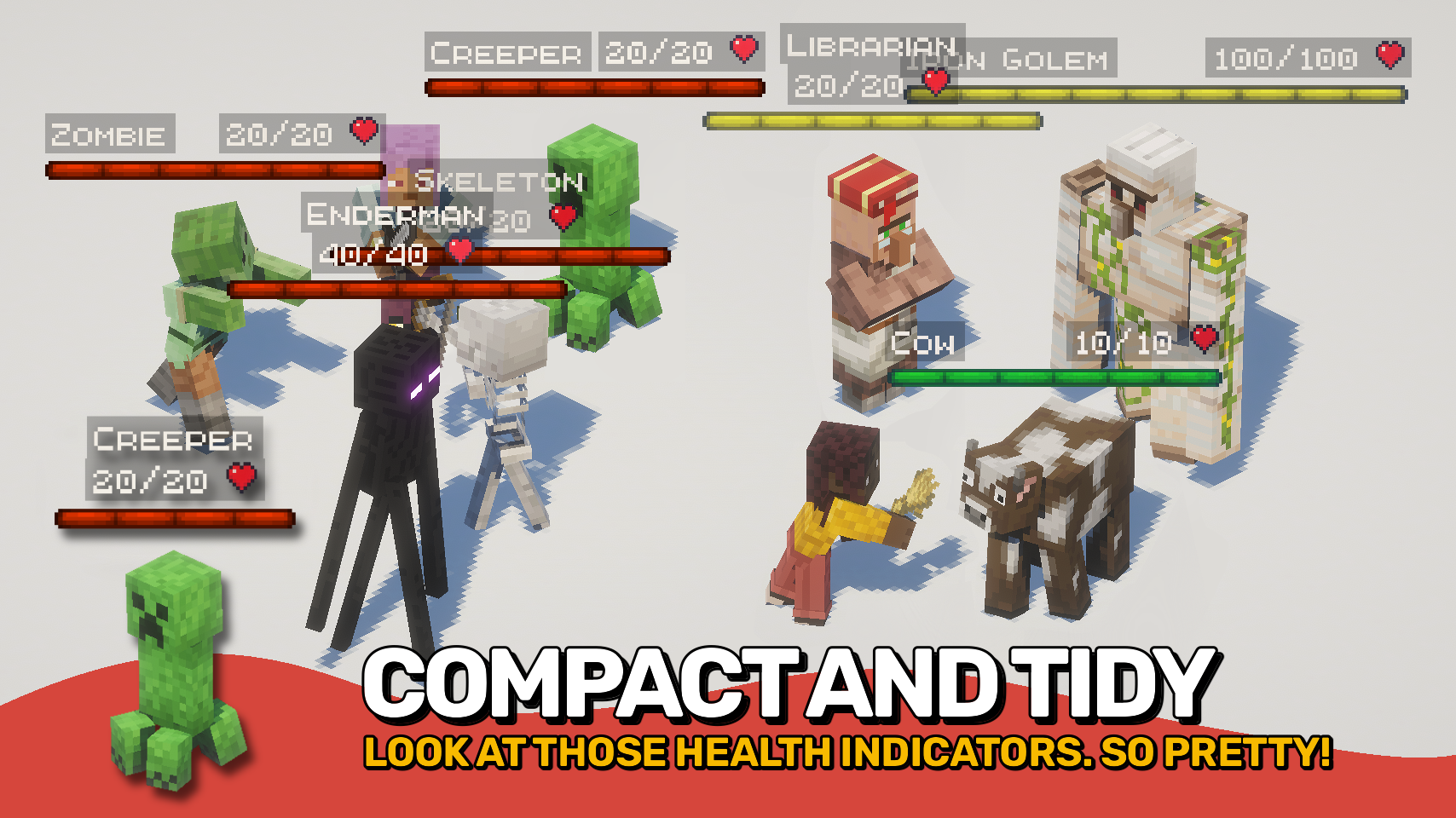
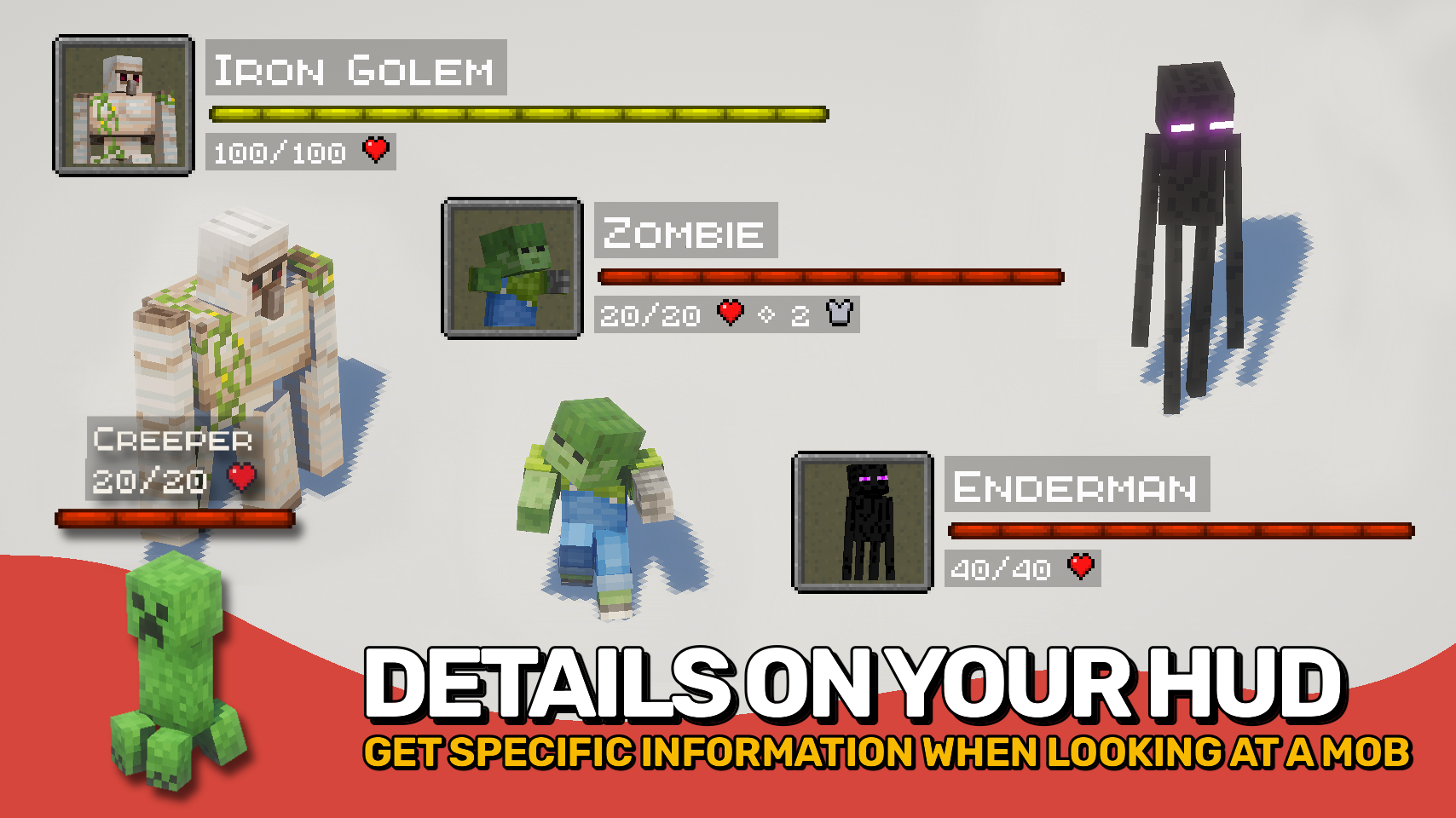
Health Bars adds smooth, colorful health displays that make it easy to track the condition of every mob around you. A clear, animated bar shows each mob's name, health, armor, and damage taken right on your screen, helping you stay informed during combat and exploration. ❤️
The mod also supports in-world health bars that appear directly above entities, providing quick visual feedback. From passive animals to powerful bosses, important information is always easy to read at a glance. 👁️
With extensive customization options, flexible display modes, and support for all kinds of mobs, this mod can be tailored to fit almost any UI style or gameplay experience. ⚙️



⏩ INSTALLATION REQUIRED ON CLIENT
⏩ REQUIRES PUZZLES LIB TO BE INSTALLED (FABRIC & NEOFORGE)
⏩ REQUIRES FABRIC API TO BE INSTALLED (FABRIC)
⏩ REQUIRES FORGE CONFIG API PORT TO BE INSTALLED (FABRIC)

If available for a mod, configuration is possible directly from in-game using the mod menu (requires Mod Menu by Prospector to be installed on Fabric).
For manual configuration using an external text editor all files are found at .minecraft/config, named as MOD_ID-client.toml, MOD_ID-common.toml, or MOD_ID-server.toml, depending on the type of config. Not all types might exist for a mod, if any at all.

🌟 Big thanks to ToroCraft for their timeless ToroHealth Damage Indicators mod, which served as the main inspiration for this project. As a solid foundation, it made it possible for this mod to grow far beyond with exciting new features.
🌟 Several configuration options and customization ideas were inspired by Vazkii's excellent Neat mod.
 |
 |
|
|---|---|---|
 |
 |
|
 |
 |
|
 |
 |
|
 |
 |
|

Project description from CurseForge.
Pick your setup
Choose the version and loader you play, then open the matching release.
Check the dependencies, then try the file in a copied instance before changing a world you care about.
Recent files
HealthBars-v26.1.1-mc26.1.x-Fabric.jar
19 Jun 2026
HealthBars-v26.1.1-mc26.1.x-NeoForge.jar
19 Jun 2026
HealthBars-v26.2.0-mc26.2.x-Fabric.jar
19 Jun 2026
HealthBars-v26.2.0-mc26.2.x-NeoForge.jar
19 Jun 2026
HealthBars-v26.1.0-mc26.1.x-Fabric.jar
28 Apr 2026
HealthBars-v26.1.0-mc26.1.x-NeoForge.jar
28 Apr 2026
HealthBars-v21.11.0-mc1.21.11-Fabric.jar
13 Dec 2025
HealthBars-v21.11.0-mc1.21.11-NeoForge.jar
13 Dec 2025
HealthBars-v21.8.0-1.21.8-NeoForge.jar
18 Oct 2025
HealthBars-v21.8.0-1.21.8-Fabric.jar
18 Oct 2025
HealthBars-v21.5.0-1.21.5-NeoForge.jar
18 Oct 2025
HealthBars-v21.5.0-1.21.5-Fabric.jar
18 Oct 2025
Looking for an older file? The official CurseForge project page is in Resources.
 mod
modA Minecraft mod that automatically generates beautiful roads between structures like villages and outposts.
 mod
modView Wynncraft trademarket data, lootrun and raid lootpools!
 mod
modAdds controller support and enhanced controls overall.
