Mod Menu Optional for Tools On My Back (TOMB) [fabric/26.3] Tools On My Back (TOMB) v1.1.2
optionalMatching file found Matched file: v21.0.0 for 26.3
CurseForge · Minecraft mod
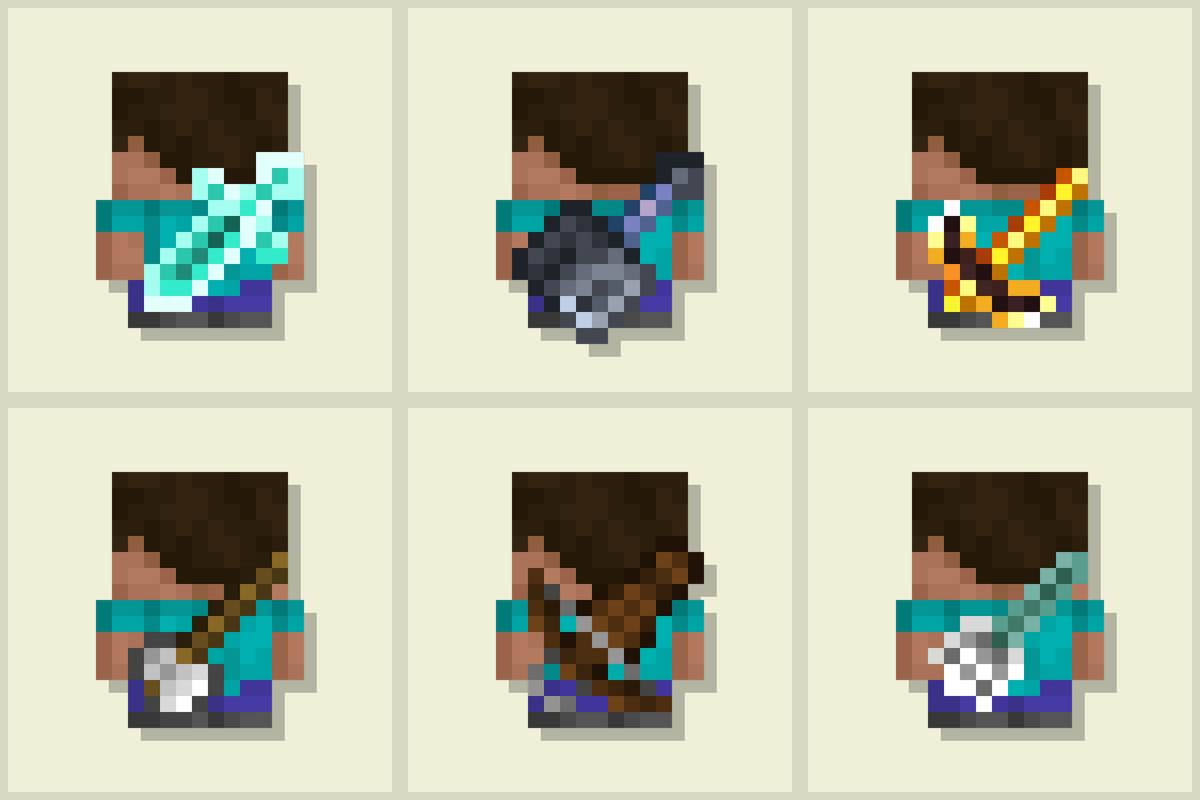
Displays the last used tool on the player's back. Adds immersive style to your adventures! 🪄 Now with an in-game editor and profile sharing! 🪄
Quick answer
Tools On My Back (TOMB) [fabric/26.3] Tools On My Back (TOMB) v1.1.2 targets 26.3 with Fabric. The project page does not say whether this file belongs on the client, dedicated server, or both. All 1 required mods have matching files.
Where it goes
The project page does not say whether this file belongs on the client, dedicated server, or both.
The source does not explicitly classify this release as client-only or server-only.
[fabric/26.3] Tools On My Back (TOMB) v1.1.2. Change the file and its required mods may change too.
Install Fabric API first. We found matching files for this game-version and loader setup. 2 come through another mod in the chain.
2 extra mods were pulled in by other dependencies. Indented rows show who needs each one. We only count dependency files that match this setup. A file for another loader does not fill the gap.
Before you install it
Built for Tools On My Back (TOMB) [fabric/26.3] Tools On My Back (TOMB) v1.1.2. Pick another file and the loader, install side or required mods may change.
Use [fabric/26.3] Tools On My Back (TOMB) v1.1.2. It targets 26.3 with Fabric; another release may have different loader, side or dependency requirements.
Install Fabric API first. We found matching files for this game-version and loader setup. 2 come through another mod in the chain.
The project page does not say whether this file belongs on the client, dedicated server, or both.
Use the “Get this file” button beside [fabric/26.3] Tools On My Back (TOMB) v1.1.2. It opens that exact file at the source.
About this project
 |
      |
|---|


Tools On My Back — A client-side mod that visually displays the last used tool on the player's back. Adds immersion and style to your adventures, giving you the look of a seasoned traveler.

Everything is set up in-game, from Mod Menu — no config files to edit by hand. The middle panel is your own character, so every change shows up as you make it.

For example, I'll give you this profile for belt swords:[TOMB|iron_sword|a=1|s=.85|rx=-90|ry=90|ox=.34|oy=-.6|oz=-.22]


[TOMB | Import] chip.
Right Hand
Left Hand

Yeah, you got it right. Just by advertising, you will support the mod and the creators well. The more people will know about this mod, the more downloads it will have, more downloads will give good motivation to authors and increase income from the site (literally free donation). Remember, advertising must not be intrusive and annoiyng!
Every mention matters — thank you for helping the community grow 🤍

The license terms for this project are defined in the LICENSE file in this repository. That file always takes precedence over any license shown anywhere else.
Project description from CurseForge.
Pick your setup
Choose the version and loader you play, then open the matching release.
Showing the newest 12 of 17 game versions. Older files are in the list below.
Check the dependencies, then try the file in a copied instance before changing a world you care about.
Recent files
tools-on-my-back-1.1.2+26.3+fabric.jar
15 Oct 2026
tools-on-my-back-1.1.2+26.2+fabric.jar
15 Oct 2026
tools-on-my-back-1.1.2+26.1+fabric.jar
15 Oct 2026
tools-on-my-back-1.1.2+1.21.11+fabric.jar
15 Oct 2026
tools-on-my-back-1.1.2+1.21.4+fabric.jar
15 Oct 2026
tools-on-my-back-1.1.2+1.21.1+fabric.jar
15 Oct 2026
tools-on-my-back-1.1.2+1.20.1+fabric.jar
15 Oct 2026
tools-on-my-back-1.1.2+26.3+neoforge.jar
15 Oct 2026
tools-on-my-back-1.1.2+26.2+neoforge.jar
15 Oct 2026
tools-on-my-back-1.1.2+26.1+neoforge.jar
15 Oct 2026
tools-on-my-back-1.1.2+1.21.11+neoforge.jar
15 Oct 2026
tools-on-my-back-1.1.2+1.21.4+neoforge.jar
15 Oct 2026
Looking for an older file? The official CurseForge project page is in Resources.
 mod
modClient-side radial quick-action menu with configurable wheels, profiles, shortcuts, and multiplayer-safe command and keybind access.
 mod
modCircle of Craft is a massive Lion King–inspired total conversion. Explore three new dimensions — the Pride Lands, Outlands, and Upendi — befriend and battle savanna wildlife, and follow a story-driven questline with Rafiki, Simba, Scar, and more.
 mod
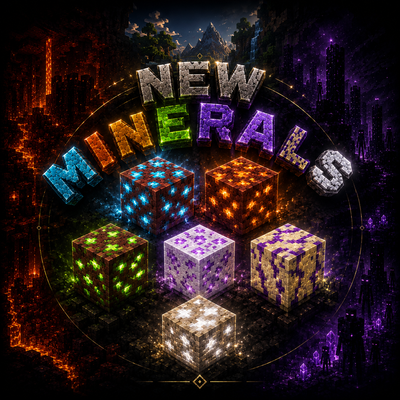
modEvery ingot tells a story. Every upgrade marks a journey. Every powerful item must be earned. Discover 6 rare ores, 30 tools and 24 armor pieces in a challenging, vanilla-friendly adventure beyond Netherite.

