Minecraft version
Back to mods 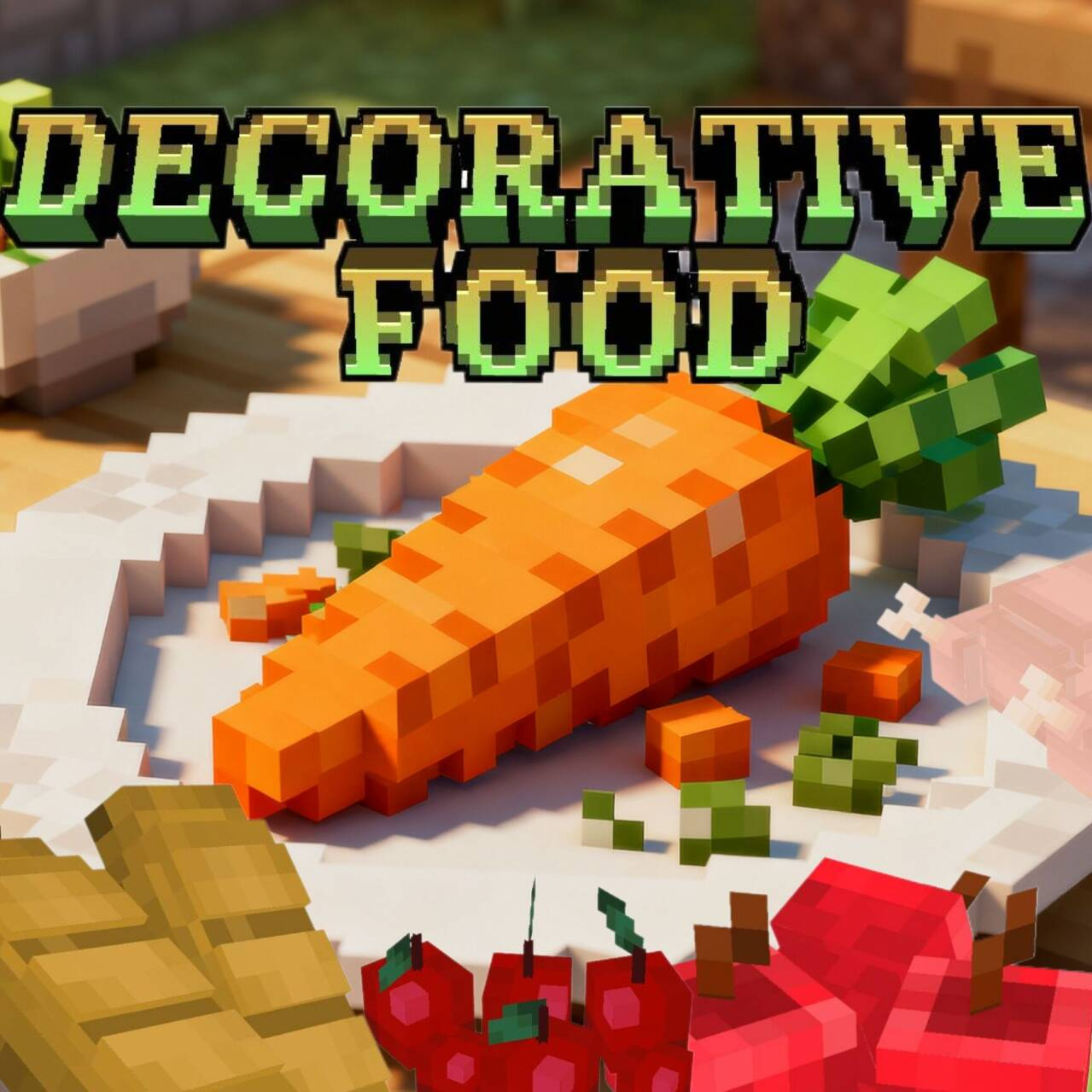
CurseForge · Minecraft mod
TW’s Decorative Food
Make the food placeable.Decorate your world!
Choose a version Pick your version below, then grab the matching file.
Quick answer
Which TW’s Decorative Food release should I use?
Latest stable file TW's Decorative Food 1.21.1-2.0.1-forge
Game version 1.21.1
Loader Forge
TW’s Decorative Food TW's Decorative Food 1.21.1-2.0.1-forge targets 1.21.1 with Forge. The project page does not say whether this file belongs on the client, dedicated server, or both. No extra mods listed for this file.
Where it goes
Is TW’s Decorative Food required on the client, server, or both?
The project page does not say whether this file belongs on the client, dedicated server, or both.
Client Source doesn’t say
Dedicated server Source doesn’t say
Loader for this release Forge
Required install it here Optional supported, not mandatory Not supported do not install here Source doesn’t say do not assume
The source does not explicitly classify this release as client-only or server-only.
What else does TW’s Decorative Food TW's Decorative Food 1.21.1-2.0.1-forge need?
TW's Decorative Food 1.21.1-2.0.1-forge. Change the file and its required mods may change too.
This file does not list any required mods. Do not add a library just because a different file uses it.
This file does not list any required or optional mods.
Before you install it
Add TW’s Decorative Food without breaking your instance.
Built for TW’s Decorative Food TW's Decorative Food 1.21.1-2.0.1-forge. Pick another file and the loader, install side or required mods may change.
- 01
Stick to this file
Use TW's Decorative Food 1.21.1-2.0.1-forge. It targets 1.21.1 with Forge; another release may have different loader, side or dependency requirements.
- 02
Bring the mods it needs
This file does not list any required mods. Do not add a library just because a different file uses it.
- 03
Put it on the correct side
The project page does not say whether this file belongs on the client, dedicated server, or both.
- 04
Pick the file you checked
Use the “Get this file” button beside TW's Decorative Food 1.21.1-2.0.1-forge. It opens that exact file at the source.
About this project
What does TW’s Decorative Food add?
TW's Decorative Food
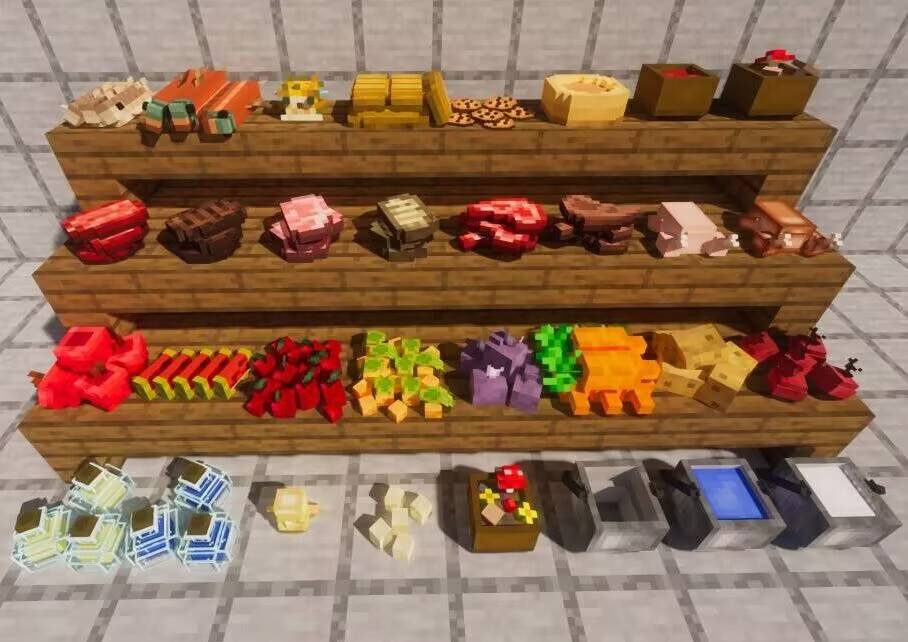
Make your food placeable. Decorate your world with edible blocks — stack your snacks, line up your stews and bottles, and turn a kitchen corner into a proper food display.
Overview
Decorative Food is a lightweight, vanilla-flavored mod that lets food items be placed in the world as 3D blocks. Drop an apple on the table, pile up some bread, or leave a bowl of stew at the counter — everything keeps the original Minecraft pixel-art look and fits right into your builds.
It adds no new game rules and doesn't disturb existing gameplay. The original food items are still real items; they're simply made placeable and stackable on top of one another.
Features
- Place any food as a block — hold the item and right-click a surface, just like placing a normal block.
- Stackable food — sneak-right-click a placed pile with the same food to add one more; each food has its own maximum stack size (apples up to 5, cookies up to 7, etc.).
- Sneak-to-interact — you can still add to / take from a food block while sneaking, so stacking never fights with placing.
- Vanilla art style — models and textures deliberately match the original Minecraft look.
Supported food
The following vanilla items can be placed and stacked (over 45 food types in total):
- Snacks: Cookie, Apple, Melon Slice, Bread, Dried Kelp
- Vegetables: Beetroot, Potato, Baked Potato, Poisonous Potato, Carrot, Sweet Berries, Glow Berries
- Golden foods: Golden Apple, Enchanted Golden Apple, Golden Carrot, Glistering Melon Slice
- Meats: Chicken, Cooked Chicken, Beef, Cooked Beef, Mutton, Cooked Mutton, Porkchop, Cooked Porkchop, Rabbit, Cooked Rabbit
- Fish: Cod, Cooked Cod, Salmon, Cooked Salmon, Pufferfish, Tropical Fish
- Stews & bowls: Rabbit Stew, Mushroom Stew, Beetroot Soup, Suspicious Stew, Bowl
- Buckets: Bucket, Water Bucket, Milk Bucket, Lava Bucket
- Other: Pumpkin Pie, Chorus Fruit, Egg, Spider Eye, Totem of Undying, Potion, Glass Bottle, Honey Bottle
How to use
- Place — hold a food item and right-click on a surface (e.g. the ground or a table).
- Stack — sneak-right-click the placed food with the same item to add one more, up to that food's max.
- Take — sneak-right-click the pile with any other item or an empty hand to pull one food back out.
Project description from CurseForge.
Pick your setup
TW’s Decorative Food by Minecraft version and loader
Choose the version and loader you play, then open the matching release.
Minecraft version
1.21.5
1 loader buildMinecraft version
1.21.1
3 loader buildsMinecraft version
1.20.1
2 loader buildsCheck the dependencies, then try the file in a copied instance before changing a world you care about.
Recent files
TW’s Decorative Food versions and loaders
TW's Decorative Food 1.21.1-2.0.1-forge
tw-decorative-food-1.21.1-2.0.1-forge.jar
13 Sept 2026
Client Source doesn’t say Server Source doesn’t say Dependencies No extras listed Listed on Release listing
Check the 1.21.1 · Forge setup Forge1.21.1 release
TW's Decorative Food 1.21.1-2.0.1-neoforge
tw-decorative-food-1.21.1-2.0.1-neoforge.jar
13 Sept 2026
Client Source doesn’t say Server Source doesn’t say Dependencies No extras listed Listed on Release listing
Check the 1.21.1 · NeoForge setup 1.21.1NeoForge release
TW's Decorative Food 1.20.1-2.0.1-forge
tw-decorative-food-1.20.1-2.0.1-forge.jar
12 Sept 2026
Client Source doesn’t say Server Source doesn’t say Dependencies No extras listed Listed on Release listing
Check the 1.20.1 · Forge setup 1.20.1Forge release
TW's Decorative Food 1.21.1-2.0.1
tw-decorative-food-1.21.1-2.0.1.jar
12 Sept 2026
Client Source doesn’t say Server Source doesn’t say Dependencies 1 required · 1 unchecked Listed on Release listing
Check the 1.21.1 · Fabric setup Fabric1.21.1 release
TW's Decorative Food 1.20.1-2.0.1.jar
tw-decorative-food-1.20.1-2.0.1.jar
12 Sept 2026
Client Source doesn’t say Server Source doesn’t say Dependencies No extras listed Listed on Release listing
Check the 1.20.1 · Fabric setup Fabric1.20.1 release
TW's Decorative Food 1.20.1-2.0.0.jar
tw-decorative-food-1.20.1-2.0.0.jar
29 Aug 2026
Client Source doesn’t say Server Source doesn’t say Dependencies No extras listed Listed on Release listing
Check the 1.20.1 · Fabric setup Fabric1.20.1 release
TW's Decorative Food 1.21.1-1.1.8.jar
tw-decorative-food-1.21.1-1.1.8.jar
24 Jun 2026
Client Source doesn’t say Server Source doesn’t say Dependencies No extras listed Listed on Release listing
Check the 1.21.1 · Fabric setup Fabric1.21.1 release
TW`s Decorative Food 1.21.1-1.1.8-neoforge.jar
tw-decorative-food-1.21.1-1.1.8-neoforge.jar
28 May 2026
Client Source doesn’t say Server Source doesn’t say Dependencies No extras listed Listed on Release listing
Check the 1.21.1 · NeoForge setup 1.21.1NeoForge release
TW`s Decorative Food 1.21.1-1.1.7-forge.jar
tw-decorative-food-1.21.1-1.1.7-forge.jar
20 May 2026
Client Source doesn’t say Server Source doesn’t say Dependencies No extras listed Listed on Release listing
Check the 1.21.1 · Forge setup Forge1.21.1 release
TW`s Decorative Food 1.20.1-1.1.7-forge.jar
tw-decorative-food-1.20.1-1.1.7-forge.jar
18 May 2026
Client Source doesn’t say Server Source doesn’t say Dependencies No extras listed Listed on Release listing
Check the 1.20.1 · Forge setup 1.20.1Forge release
TW`s Decorative Food 1.21.1-1.1.7.jar
tw-decorative-food-1.21.1-1.1.7.jar
18 May 2026
Client Source doesn’t say Server Source doesn’t say Dependencies No extras listed Listed on Release listing
Check the 1.21.1 · Fabric setup Fabric1.21.1 release
TW`s Decorative Food 1.20.1-1.1.7.jar
tw-decorative-food-1.20.1-1.1.7.jar
15 May 2026
Client Source doesn’t say Server Source doesn’t say Dependencies No extras listed Listed on Release listing
Check the 1.20.1 · Fabric setup Fabric1.20.1 release
Looking for an older file? The official CurseForge project page is in Resources.
 mod
mod CurseForge + Modrinth · Minecraft
Crops 'n' Corpses: Survival Additions (CNC: Survival Additions)
A Mod that add to Crops n Corpses´s Mod new things like recipes, loot, and items. For the Survival Experience
 mod
mod CurseForge · Minecraft
Open Modular Lighting
Adds modular lights to Minecraft. Floodlights, industrial lights and more!
 mod
mod CurseForge · Minecraft
Mahou Tsukai
A magic mod focused on special effects and spell uniqueness