Bookling Gear Needed by Altar Config Compact v1.1 - 1.21.1
requiredMatching file found Matched file: Bookling Gear - 1.21.1 - 5.2
CurseForge · Minecraft mod
Altar Config Compact: Lets the Aether mod’s Altar repair third-party items by registering them via Bookling Gear. Lightweight; requires Aether and Bookling Gear. Adds unsupported mod items to altar repair.
Quick answer
Altar Config Compact v1.1 - 1.21.1 targets 1.21.1 with NeoForge. The project page does not say whether this file belongs on the client, dedicated server, or both. All 3 required mods have matching files.
Where it goes
The project page does not say whether this file belongs on the client, dedicated server, or both.
The source does not explicitly classify this release as client-only or server-only.
Altar Config Compact v1.1 - 1.21.1. Change the file and its required mods may change too.
Install Bookling Gear, The Aether, oωo (owo-lib) first. We found matching files for this game-version and loader setup. 1 comes through another mod in the chain.
1 extra mod was pulled in by another dependency. Indented rows show who needs each one. We only count dependency files that match this setup. A file for another loader does not fill the gap.
Before you install it
Built for Altar Config Compact v1.1 - 1.21.1. Pick another file and the loader, install side or required mods may change.
Use Altar Config Compact v1.1 - 1.21.1. It targets 1.21.1 with NeoForge; another release may have different loader, side or dependency requirements.
Install Bookling Gear, The Aether, oωo (owo-lib) first. We found matching files for this game-version and loader setup. 1 comes through another mod in the chain.
The project page does not say whether this file belongs on the client, dedicated server, or both.
Use the “Get this file” button beside Altar Config Compact v1.1 - 1.21.1. It opens that exact file at the source.
About this project
Altar Config Compact expands the Aether mod’s Altar by allowing it to repair third-party items. Using Bookling Gear, you can easily register custom tools, weapons, and equipment so they’re treated as valid repairable items by the Altar.
This mod doesn’t change core gameplay or rebalance anything it simply adds support for items that the Altar normally can’t recognize. Perfect for modpacks that integrate lots of gear from different mods and want a consistent repair system.
Lightweight, configurable, and designed for compatibility with the Aether.
Note: The mod does not automatically detect 3rd party items (aka mods that adds new gear), you'll have to add it yourself using bookling gear.
How to use, using a Deeper and Darker warden sword (for example this is not limited to Deeper and Darker):
deeperdarker:warden_sword/800
"deeperdarker:" Is the mod id.
"warden_sword" Is the name of the tool.
"/800" Is the amount of time it will take to repair the item, you can choose this.
You can find all this information via using F3+H and hovering over the the item you want to add.
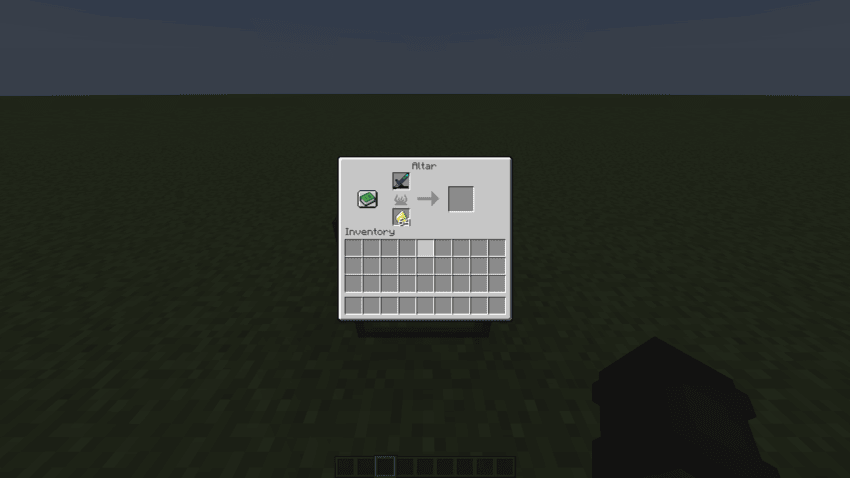
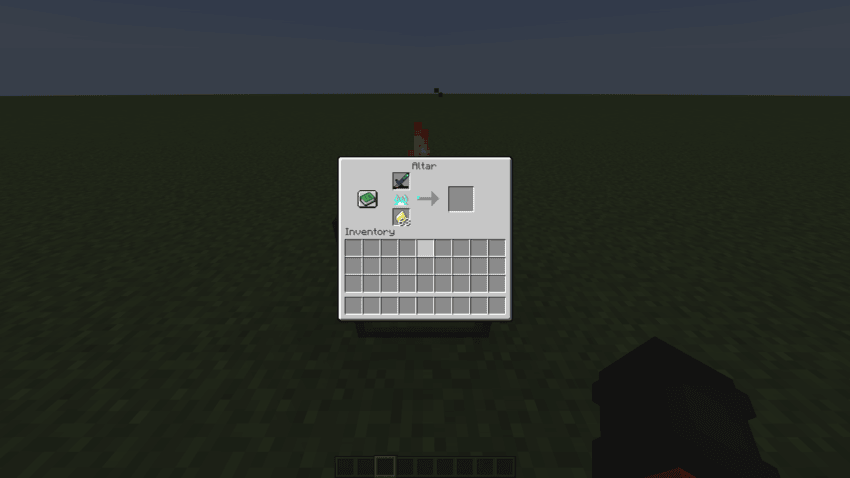
example mod used: Deeper and Darker, item used: warden sword
Before:
After:
Project description from CurseForge.
Pick your setup
Choose the version and loader you play, then open the matching release.
Check the dependencies, then try the file in a copied instance before changing a world you care about.
Recent files
aetherconfigcompact-1.21.1-2.1.jar
6 Jul 2026
aetherconfigcompact-1.20.1-1.1.jar
6 Jul 2026
altarconfigcompact-1.21.1-2.0.jar
14 Nov 2025
altarconfigcompact-1.20.1-1.0.jar
14 Nov 2025
Looking for an older file? The official CurseForge project page is in Resources.
 mod
A mod that adds decorative consoles, perfect for maps and more.
 mod
Carefully tested, configurable fixes for unresolved mod bugs and cross-mod compatibility conflicts.
 mod
a mod that adds new emotes, and various assets