Minecraft version
Back to mods 
CurseForge · Minecraft mod
Dynamic Border
This mod lets you fully customize the Minecraft world border - set its starting size, adjust its growth or shrink speed per player, and make your world feel truly alive and responsive.
Choose a version Pick your version below, then grab the matching file.
Quick answer
Which Dynamic Border release should I use?
Latest stable file DynamicBorder 1.21.10 [1.0]
Game version 1.21.10
Loader NeoForge
Dynamic Border DynamicBorder 1.21.10 [1.0] targets 1.21.10 with NeoForge. The project page does not say whether this file belongs on the client, dedicated server, or both. No extra mods listed for this file.
Where it goes
Is Dynamic Border required on the client, server, or both?
The project page does not say whether this file belongs on the client, dedicated server, or both.
Client Source doesn’t say
Dedicated server Source doesn’t say
Loader for this release NeoForge
Required install it here Optional supported, not mandatory Not supported do not install here Source doesn’t say do not assume
The source does not explicitly classify this release as client-only or server-only.
What else does Dynamic Border DynamicBorder 1.21.10 [1.0] need?
DynamicBorder 1.21.10 [1.0]. Change the file and its required mods may change too.
This file does not list any required mods. Do not add a library just because a different file uses it.
This file does not list any required or optional mods.
Before you install it
Add Dynamic Border without breaking your instance.
Built for Dynamic Border DynamicBorder 1.21.10 [1.0]. Pick another file and the loader, install side or required mods may change.
- 01
Stick to this file
Use DynamicBorder 1.21.10 [1.0]. It targets 1.21.10 with NeoForge; another release may have different loader, side or dependency requirements.
- 02
Bring the mods it needs
This file does not list any required mods. Do not add a library just because a different file uses it.
- 03
Put it on the correct side
The project page does not say whether this file belongs on the client, dedicated server, or both.
- 04
Pick the file you checked
Use the “Get this file” button beside DynamicBorder 1.21.10 [1.0]. It opens that exact file at the source.
About this project
What does Dynamic Border add?
🌐 DynamicBorder - Mod
A Smarter, Living World Border
DynamicBorder gives you full control over the Minecraft world border and turns it into a dynamic gameplay mechanic instead of a static limit

Customize how your world expands or contracts over time, whether you want a harsh survival challenge, a progressive exploration experience, or a multiplayer-driven world that grows with your community.
✨ Features:
- 📏 Custom Starting Size:
- Define exactly how large (or small) your world should begin. Perfect for challenge maps, SMP progression, or controlled exploration.
- ⬆️⬇️ Growth & Shrink Behavior:
- Choose whether the border should grow, shrink, or stay still.
- You can make the world slowly open up… or close in for increased tension.
- 👥 Blocks per Player per Minute:
- The border can react to your player count!
- Set how many blocks the border expands or contracts per player per minute, allowing multiplayer servers to scale automatically as people join or leave.
- ⚙️ Base Movement (Global Growth/Shrink):
- Add a constant growth or shrink value that affects the border at all times - with or without players contributing additional movement.
- 🕒 Player-Dependent Activity:
- To keep things fair and performance-friendly, the border only moves while at least one player is online.
- No offline inflation of your world!
🧩 Why Use Dynamic Border?
- Great for SMP progression
- Perfect for adventure maps and survival challenges
- Ensures controlled exploration
- Adds tension and strategy
- Fully configurable to fit any playstyle and of course everything can be changed via commands during a game
Whether you want your world to slowly unfold like a story or tighten around players like a survival cage… Dynamic Border gives you the tools.

Project description from CurseForge.
Pick your setup
Dynamic Border by Minecraft version and loader
Choose the version and loader you play, then open the matching release.
Check the dependencies, then try the file in a copied instance before changing a world you care about.
Recent files
Dynamic Border versions and loaders
DynamicBorder 1.21.10 [1.0]
dynamicborder-1.21.10-1.0.jar
18 Nov 2025
Client Source doesn’t say Server Source doesn’t say Dependencies No extras listed Listed on Release listing
Check the 1.21.10 · NeoForge setup NeoForge1.21.10 release
Looking for an older file? The official CurseForge project page is in Resources.
 mod
CurseForge · Minecraft
into-the-abyss
Into the Abyss extends the Overworld to Y −512 with deeper caves, new ore deposits, and mobs that grow stronger as you descend.
 mod
CurseForge · Minecraft
Assorted Multitools
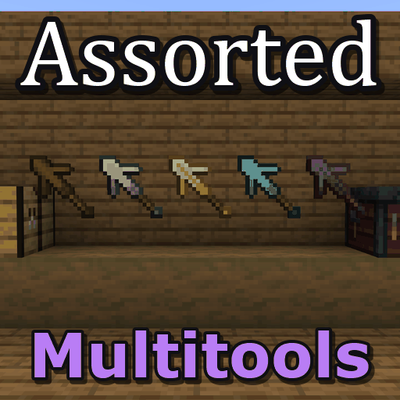
Adds one tool that works as a pickaxe, shovel, axe, hoe and sword.
 mod
CurseForge · Minecraft
The Nether was Rubbish
The Nether was rubbish, so we fixed it: a whole new look, far less lava, new mobs, deadly plants, new places and a properly eerie atmosphere.