GeckoLib Needed by Ridiculous Weapons ridiculous_weapons_1.21.1(v.1.115).jar
requiredMatching file found Matched file: NeoForge 1.21.1 4.9.3
CurseForge · Minecraft mod
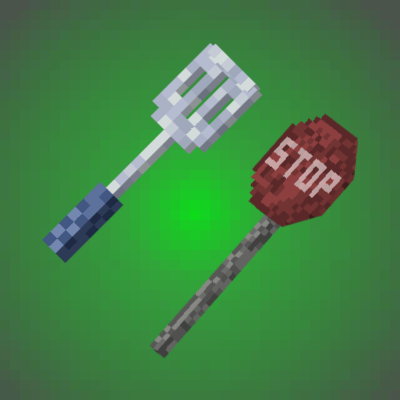
Adds a few fancy weapons balanced for survival
Quick answer
Ridiculous Weapons ridiculous_weapons_1.21.1(v.1.115).jar targets 1.21.1 with NeoForge. The project page does not say whether this file belongs on the client, dedicated server, or both. All 1 required mods have matching files.
Where it goes
The project page does not say whether this file belongs on the client, dedicated server, or both.
The source does not explicitly classify this release as client-only or server-only.
ridiculous_weapons_1.21.1(v.1.115).jar. Change the file and its required mods may change too.
Install GeckoLib first. We found matching files for this game-version and loader setup.
We only count dependency files that match this setup. A file for another loader does not fill the gap.
Before you install it
Built for Ridiculous Weapons ridiculous_weapons_1.21.1(v.1.115).jar. Pick another file and the loader, install side or required mods may change.
Use ridiculous_weapons_1.21.1(v.1.115).jar. It targets 1.21.1 with NeoForge; another release may have different loader, side or dependency requirements.
Install GeckoLib first. We found matching files for this game-version and loader setup.
The project page does not say whether this file belongs on the client, dedicated server, or both.
Use the “Get this file” button beside ridiculous_weapons_1.21.1(v.1.115).jar. It opens that exact file at the source.
About this project
Adds 5 fancy weapons balanced for survival.

Recipes:


Recipe:


Recipe:


Recipe:


Recipe:

If you want to support me and help me creating even more mods consider buying me a glass of milk ;D
Yeah, you can use it in your modpack! 😇

Project description from CurseForge.
Pick your setup
Choose the version and loader you play, then open the matching release.
Check the dependencies, then try the file in a copied instance before changing a world you care about.
Recent files
31 Jan 2026
31 Jan 2026
20 Jan 2026
20 Jan 2026
Looking for an older file? The official CurseForge project page is in Resources.
 mod
Explore eight station types and earn artifacts inspired by the Aeons of Honkai: Star Rail, from a bow that can erase its target to a mask that can rewind time.
 mod
A mod for my modpack that creates a quick tutorial for Epic Fight and ParCool
 mod
Restores the classic look of Minecraft's achievement interface, with new additions and quality-of-life improvements. Brings back the nostalgic feel of the old days while making achievements more convenient to use.