YetAnotherConfigLib Needed by Sounds Sounds 2.6.0 for 26.3 NeoForge
requiredMatching file found Matched file: 3.9.7 for neoforge 26.3

CurseForge · Minecraft mod
Adds a wide range of new and improved sound effects to Minecraft, letting you customize everything from block interactions to UI events. Easily tweak or expand the sounds with resource packs and data generation for a fully personalized audio experience.
Quick answer
Sounds Sounds 2.6.0 for 26.3 NeoForge targets 26.3 with NeoForge. The project page does not say whether this file belongs on the client, dedicated server, or both. All 2 required mods have matching files.
Where it goes
The project page does not say whether this file belongs on the client, dedicated server, or both.
The source does not explicitly classify this release as client-only or server-only.
Sounds 2.6.0 for 26.3 NeoForge. Change the file and its required mods may change too.
Install YetAnotherConfigLib, MRU first. We found matching files for this game-version and loader setup.
We only count dependency files that match this setup. A file for another loader does not fill the gap.
Before you install it
Built for Sounds Sounds 2.6.0 for 26.3 NeoForge. Pick another file and the loader, install side or required mods may change.
Use Sounds 2.6.0 for 26.3 NeoForge. It targets 26.3 with NeoForge; another release may have different loader, side or dependency requirements.
Install YetAnotherConfigLib, MRU first. We found matching files for this game-version and loader setup.
The project page does not say whether this file belongs on the client, dedicated server, or both.
Use the “Get this file” button beside Sounds 2.6.0 for 26.3 NeoForge. It opens that exact file at the source.
About this project

Sounds is a mod that adds a variety of new sound effects to the game, whilst improving existing ones that didn't quite fit. It's a game-changer, it makes vanilla feel incomplete in comparison.
The mod is also a spiritual continuation of ExtraSounds, Auditory and QualitySounds; the majority of features from these mods have been expanded upon to be highly configurable.
As mentioned, Sounds is highly customizable - the simple effects can be edited either through the configuration found in the config/sounds/ folder of your game instance, or though the configuration screen.
Mod Menu is required to access the configuration screen for the Fabric version of the mod.
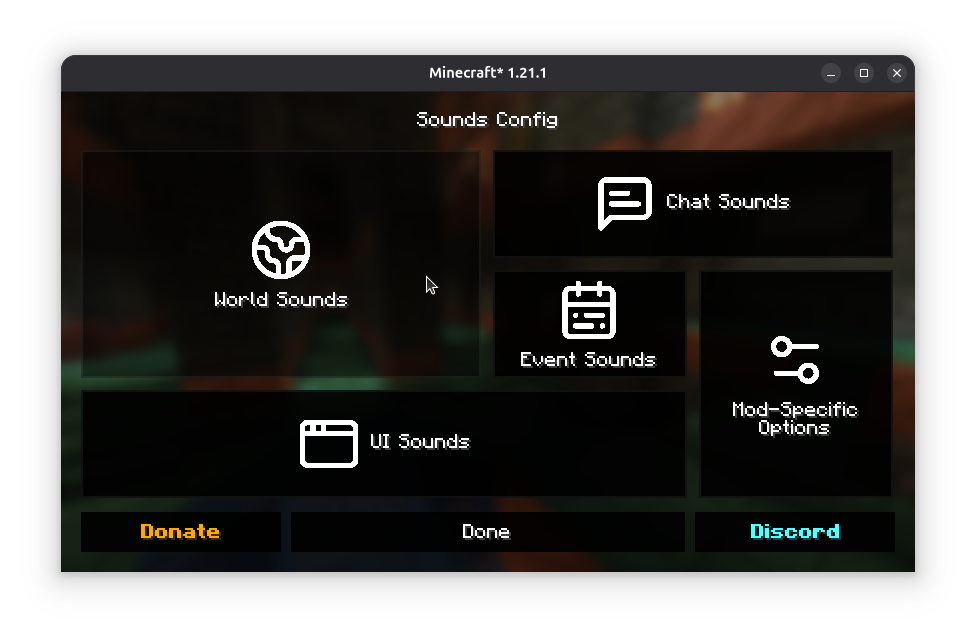
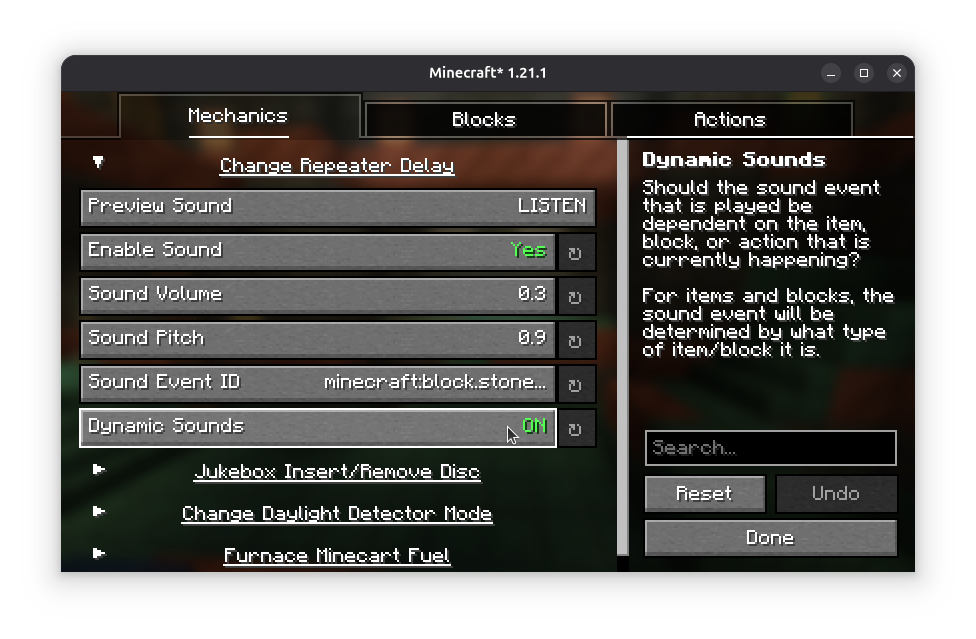
Refer to the Sounds Documentation for more information on creating dynamic sound definitions for items, screens and blocks.
Custom sound effects obtained from Zapsplat under ZapSplat Standard License for Gold Members.
By using my mods, you agree to the End User License Agreement. You are free to use this mod within your Modrinth & CurseForge modpacks as long as the EULA is respected.
Project description from CurseForge.
Pick your setup
Choose the version and loader you play, then open the matching release.
Showing the newest 12 of 15 game versions. Older files are in the list below.
Check the dependencies, then try the file in a copied instance before changing a world you care about.
Recent files
sounds-2.6.0+26.3-neoforge.jar
4 Oct 2026
sounds-2.6.0+26.1.2-fabric.jar
4 Oct 2026
sounds-2.6.0+26.1.2-neoforge.jar
4 Oct 2026
sounds-2.6.0+26.3-fabric.jar
4 Oct 2026
sounds-2.5.2+lts+26.1.2-neoforge.jar
9 Sept 2026
sounds-2.5.2+lts+26.1.2-fabric.jar
9 Sept 2026
sounds-2.5.1+edge+26.2-fabric.jar
29 Jun 2026
sounds-2.5.1+lts+26.1.2-neoforge.jar
29 Jun 2026
sounds-2.5.1+lts+26.1.2-fabric.jar
29 Jun 2026
27 Jun 2026
sounds-2.5.0+lts+26.1.2-fabric.jar
27 May 2026
sounds-2.5.0+lts+26.1.2-neoforge.jar
27 May 2026
Looking for an older file? The official CurseForge project page is in Resources.
 mod
modAdds Scythe to harvesting crops
 mod
modAdds rarities and modifiers to items. Random chances on crafting, looting, trading, fishing, etc. Highly configurable.
 mod
modUniversal durability multiplier [default 3x] for all items; configurable