Minecraft version
Back to mods 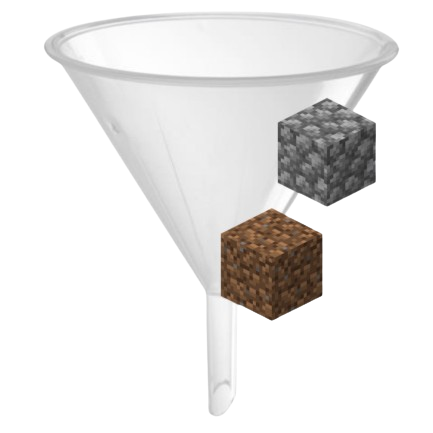
CurseForge · Minecraft mod
Smart Filter
Take control of your inventory! Smart Filter lets you filter which items you want to pick up. Avoid inventory clutter by whitelisting ores or blacklisting junk like
Choose a version Pick your version below, then grab the matching file.
Quick answer
Which Smart Filter release should I use?
Latest stable file smartfilter-1.0.3
Game version 1.20.2, 1.20.5, 1.20.1
Loader Forge
Smart Filter smartfilter-1.0.3 targets 1.20.2, 1.20.5, 1.20.1 with Forge. The project page does not say whether this file belongs on the client, dedicated server, or both. No extra mods listed for this file.
Where it goes
Is Smart Filter required on the client, server, or both?
The project page does not say whether this file belongs on the client, dedicated server, or both.
Client Source doesn’t say
Dedicated server Source doesn’t say
Loader for this release Forge
Required install it here Optional supported, not mandatory Not supported do not install here Source doesn’t say do not assume
The source does not explicitly classify this release as client-only or server-only.
What else does Smart Filter smartfilter-1.0.3 need?
smartfilter-1.0.3. Change the file and its required mods may change too.
This file does not list any required mods. Do not add a library just because a different file uses it.
This file does not list any required or optional mods.
Before you install it
Add Smart Filter without breaking your instance.
Built for Smart Filter smartfilter-1.0.3. Pick another file and the loader, install side or required mods may change.
- 01
Stick to this file
Use smartfilter-1.0.3. It targets 1.20.2, 1.20.5, 1.20.1 with Forge; another release may have different loader, side or dependency requirements.
- 02
Bring the mods it needs
This file does not list any required mods. Do not add a library just because a different file uses it.
- 03
Put it on the correct side
The project page does not say whether this file belongs on the client, dedicated server, or both.
- 04
Pick the file you checked
Use the “Get this file” button beside smartfilter-1.0.3. It opens that exact file at the source.
About this project
What does Smart Filter add?
📦 Smart Filter The ultimate inventory management utility for organized adventurers.

Tired of your inventory filling up with cobblestone, dirt, seeds, and junk while mining or farming? Smart Filter is a lightweight, high-performance utility mod for NeoForge 1.21.1 that gives you full control over what items you pick up.
With the Smart Filter item, you decide exactly what enters your inventory — no more manual cleanup.
✨ FEATURES
Visual GUI Interface Clean and intuitive Simple Chest–style interface with a 9-slot filter bar.
Ghost Slot System Configure your filter without consuming items. Click an item into the GUI and the filter remembers it — the item stays in your hand.
Whitelist & Blacklist Modes Instantly switch between: • Whitelist (Green): pick up ONLY selected items • Blacklist (Red): pick up EVERYTHING except selected items
High Performance & Lightweight Built using Minecraft 1.21 Data Components and NeoForge TriState logic. Zero lag, even in large modpacks.
Multiple Filters Support Carry multiple Smart Filters at once: • One for mining • One for farming • One for building All active simultaneously.
Duplicate Protection The filter automatically prevents duplicate entries and keeps everything organized.
🎮 HOW TO USE
Opening & Configuring:
- Hold the Smart Filter and Right-Click while standing.
- Add items: Click an item into one of the 9 slots.
- Remove items: Click the slot with an empty hand.
- Items are registered visually only — nothing is consumed.
Switching Modes:
- Hold the filter and Shift + Right-Click.
- Whitelist Mode: pick up ONLY listed items.
- Blacklist Mode: pick up everything EXCEPT listed items.
Automatic Filtering:
- Keep the Smart Filter anywhere in your inventory.
- Allowed items are picked up automatically.
- Blocked items stay on the ground.
💡 PRO TIP
You can quick-configure items directly in the world: Hold the filter and Shift + Right-Click on a block to add or remove it from the filter instantly — no GUI needed.
Project description from CurseForge.
Pick your setup
Smart Filter by Minecraft version and loader
Choose the version and loader you play, then open the matching release.
Minecraft version
1.21.10
1 loader buildMinecraft version
1.21.9
1 loader buildMinecraft version
1.21.8
1 loader buildMinecraft version
1.21.7
1 loader buildMinecraft version
1.21.6
1 loader buildMinecraft version
1.21.5
1 loader buildMinecraft version
1.21.4
1 loader buildMinecraft version
1.21.3
1 loader buildMinecraft version
1.21.2
1 loader buildMinecraft version
1.21.1
1 loader buildMinecraft version
1.21
1 loader buildShowing the newest 12 of 19 game versions. Older files are in the list below.
Check the dependencies, then try the file in a copied instance before changing a world you care about.
Recent files
Smart Filter versions and loaders
smartfilter-1.0.3
smartfilter-1.0.3.jar
20 Dec 2025
Client Source doesn’t say Server Source doesn’t say Dependencies No extras listed Listed on Release listing
Check the 1.20.6 · Forge setup 1.20.21.20.51.20.1Forge release
smartfilter-1.0.3
smartfilter-1.0.3.jar
18 Dec 2025
Client Source doesn’t say Server Source doesn’t say Dependencies No extras listed Listed on Release listing
Check the 1.21.11 · NeoForge setup 1.211.21.81.21.51.21.4 release
Looking for an older file? The official CurseForge project page is in Resources.
 mod
CurseForge + Modrinth · Minecraft
Graveless
Not just another grave mod... Your ghost waits at your death site under a beacon of light, holding every item for a one-click restore to its original slot. Spirit Compass tracking, a 3D grave browser, mob protection, and no physical grave block to lose.
 mod
CurseForge + Modrinth · Minecraft
OmniVault
All-in-one storage that grows from a chest network on day one to channel-free cell drives, autocrafting and quantum bridges, plus vaults, drawers and backpacks.
 mod
CurseForge + Modrinth · Minecraft
Core Utilities
A futuristic tech-meets-automation mod for Minecraft, designed to expand the game’s core functionality with high-efficiency tools, modular machines, and directional logic systems.