Minecraft version
Back to mods 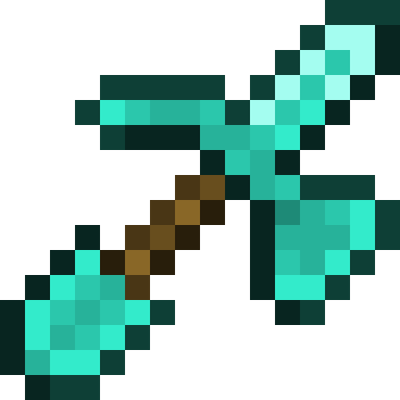
CurseForge · Minecraft mod
m2paxel
Add a multi-tool "Paxel" to free up hotbar space.
Choose a version Pick your version below, then grab the matching file.
Quick answer
Which m2paxel release should I use?
Latest stable file m2paxel 1.7.10-forge-v2.3.0
Game version 1.7.10
Loader Forge
m2paxel 1.7.10-forge-v2.3.0 targets 1.7.10 with Forge. The project page does not say whether this file belongs on the client, dedicated server, or both. No extra mods listed for this file.
Where it goes
Is m2paxel required on the client, server, or both?
The project page does not say whether this file belongs on the client, dedicated server, or both.
Client Source doesn’t say
Dedicated server Source doesn’t say
Loader for this release Forge
Required install it here Optional supported, not mandatory Not supported do not install here Source doesn’t say do not assume
The source does not explicitly classify this release as client-only or server-only.
What else does m2paxel 1.7.10-forge-v2.3.0 need?
m2paxel 1.7.10-forge-v2.3.0. Change the file and its required mods may change too.
This file does not list any required mods. Do not add a library just because a different file uses it.
This file does not list any required or optional mods.
Before you install it
Add m2paxel without breaking your instance.
Built for m2paxel 1.7.10-forge-v2.3.0. Pick another file and the loader, install side or required mods may change.
- 01
Stick to this file
Use m2paxel 1.7.10-forge-v2.3.0. It targets 1.7.10 with Forge; another release may have different loader, side or dependency requirements.
- 02
Bring the mods it needs
This file does not list any required mods. Do not add a library just because a different file uses it.
- 03
Put it on the correct side
The project page does not say whether this file belongs on the client, dedicated server, or both.
- 04
Pick the file you checked
Use the “Get this file” button beside m2paxel 1.7.10-forge-v2.3.0. It opens that exact file at the source.
About this project
What does m2paxel add?
m2paxel
GitHub | CurseForge | Modrinth
A Mod that adds "Paxel", a multi-tool combining Sword, Pickaxe, Shovel, and Axe functionalities, and "Phaxel", which also includes a Hoe.
English
Features
- 🔨 Can mine any block
- 💪 4 times the durability of regular tools (5 times for Phaxels)
- 🪓 Attack power equivalent to an axe
- ⚔️ Attack speed equivalent to a sword, with sweeping attacks
- 🌱 Phaxels can strip logs, create dirt paths, and till soil with right-click
Recipe
Place a sword, pickaxe, shovel, and axe of the same material in the crafting grid (in any order).
Add a hoe to craft a Phaxel, or combine a Paxel with a hoe.
Craft a Phaxel alone to turn it back into a Paxel.
Supported Versions
- 1.7.10 Forge
- 1.21.1 NeoForge
- 26.1.2 NeoForge
Contributing
Very welcome!
日本語
剣、ツルハシ、シャベル、斧の機能を併せ持つ「パクセル」と、さらにクワを統合した「ファクセル」を追加するMod。
特徴
- 🔨 どんなブロックも採掘可能
- 💪 通常のツールの4倍の耐久値(ファクセルは5倍)
- 🪓 斧と同等の攻撃力
- ️⚔️ 剣と同等の攻撃速度と薙ぎ払い攻撃
- 🌱 ファクセルは右クリックで原木の皮剥ぎ・道作り・耕作が可能
レシピ
同じ材料の剣・ツルハシ・シャベル・斧をクラフトグリッドに配置(順不同)。
クワも加えるとファクセルに。パクセル+クワでも作成可能。
ファクセルを単体でクラフトするとパクセルに戻せます。
対応バージョン
- 1.7.10 Forge
- 1.21.1 NeoForge
- 26.1.2 NeoForge
貢献
大歓迎!
Project description from CurseForge.
Pick your setup
m2paxel by Minecraft version and loader
Choose the version and loader you play, then open the matching release.
Minecraft version
26.1.1
1 loader buildMinecraft version
26.1
1 loader buildMinecraft version
1.21.1
1 loader buildMinecraft version
1.7.10
1 loader buildCheck the dependencies, then try the file in a copied instance before changing a world you care about.
Recent files
m2paxel versions and loaders
m2paxel 1.7.10-forge-v2.3.0
m2paxel-1.7.10-forge-v2.3.0.jar
1 Nov 2026
Client Source doesn’t say Server Source doesn’t say Dependencies No extras listed Listed on Release listing
Check the 1.7.10 · Forge setup Forge1.7.10 release
m2paxel 1.21.1-neoforge-v2.3.0
m2paxel-1.21.1-neoforge-v2.3.0.jar
1 Nov 2026
Client Source doesn’t say Server Source doesn’t say Dependencies No extras listed Listed on Release listing
Check the 1.21.1 · NeoForge setup 1.21.1NeoForge release
m2paxel 1.21.1-neoforge-v2.2.0
m2paxel-1.21.1-neoforge-v2.2.0.jar
1 Nov 2026
Client Source doesn’t say Server Source doesn’t say Dependencies No extras listed Listed on Release listing
Check the 1.21.1 · NeoForge setup 1.21.1NeoForge release
m2paxel 1.7.10-forge-v2.2.0
m2paxel-1.7.10-forge-v2.2.0.jar
1 Nov 2026
Client Source doesn’t say Server Source doesn’t say Dependencies No extras listed Listed on Release listing
Check the 1.7.10 · Forge setup Forge1.7.10 release
m2paxel 26.1.2-neoforge-v2.2.0
m2paxel-26.1.2-neoforge-v2.2.0.jar
1 Nov 2026
Client Source doesn’t say Server Source doesn’t say Dependencies No extras listed Listed on Release listing
Check the 26.1.2 · NeoForge setup NeoForge26.1.2 release
m2paxel 26.1.2-neoforge-v2.1.1
m2paxel-26.1.2-neoforge-v2.1.1.jar
30 Oct 2026
Client Source doesn’t say Server Source doesn’t say Dependencies No extras listed Listed on Release listing
Check the 26.1.2 · NeoForge setup NeoForge26.1.2 release
m2paxel 1.21.1-neoforge-v2.1.1
m2paxel-1.21.1-neoforge-v2.1.1.jar
30 Oct 2026
Client Source doesn’t say Server Source doesn’t say Dependencies No extras listed Listed on Release listing
Check the 1.21.1 · NeoForge setup 1.21.1NeoForge release
m2paxel 1.7.10-forge-v2.1.1
m2paxel-1.7.10-forge-v2.1.1.jar
30 Oct 2026
Client Source doesn’t say Server Source doesn’t say Dependencies No extras listed Listed on Release listing
Check the 1.7.10 · Forge setup Forge1.7.10 release
m2paxel-26.1.2-neoforge-v2.0.2.jar
26 Jun 2026
Client Source doesn’t say Server Source doesn’t say Dependencies No extras listed Listed on Release listing
Check the 26.1.2 · NeoForge setup NeoForge26.1.2 release
m2paxel-1.21.1-neoforge-v2.0.2.jar
26 Jun 2026
Client Source doesn’t say Server Source doesn’t say Dependencies No extras listed Listed on Release listing
Check the 1.21.1 · NeoForge setup 1.21.1NeoForge release
m2paxel-1.21.1-neoforge-v2.0.0.jar
18 Jun 2026
Client Source doesn’t say Server Source doesn’t say Dependencies No extras listed Listed on Release listing
Check the 1.21.1 · NeoForge setup 1.21.1NeoForge release
m2paxel-26.1.2-neoforge-v2.0.0.jar
18 Jun 2026
Client Source doesn’t say Server Source doesn’t say Dependencies No extras listed Listed on Release listing
Check the 26.1.2 · NeoForge setup NeoForge26.1.2 release
Looking for an older file? The official CurseForge project page is in Resources.