Patchouli Needed by Project Resonance for MineColonies projectresonance-1.21.1 v1.5.8.1.jar
requiredMatching file found Matched file: Patchouli-1.21.1-93-NEOFORGE.jar

CurseForge · Minecraft mod
A blueprint pack aimed to restoring the Ancient City using MineColonies
Quick answer
Project Resonance for MineColonies projectresonance-1.21.1 v1.5.8.1.jar targets 1.21.1 with NeoForge. The project page does not say whether this file belongs on the client, dedicated server, or both. All 7 required mods have matching files.
Where it goes
The project page does not say whether this file belongs on the client, dedicated server, or both.
The source does not explicitly classify this release as client-only or server-only.
projectresonance-1.21.1 v1.5.8.1.jar. Change the file and its required mods may change too.
Install Patchouli, MineColonies, Domum Ornamentum, TownTalk and 3 more first. We found matching files for this game-version and loader setup. 5 come through another mod in the chain.
5 extra mods were pulled in by other dependencies. Indented rows show who needs each one. We only count dependency files that match this setup. A file for another loader does not fill the gap.
Before you install it
Built for Project Resonance for MineColonies projectresonance-1.21.1 v1.5.8.1.jar. Pick another file and the loader, install side or required mods may change.
Use projectresonance-1.21.1 v1.5.8.1.jar. It targets 1.21.1 with NeoForge; another release may have different loader, side or dependency requirements.
Install Patchouli, MineColonies, Domum Ornamentum, TownTalk and 3 more first. We found matching files for this game-version and loader setup. 5 come through another mod in the chain.
The project page does not say whether this file belongs on the client, dedicated server, or both.
Use the “Get this file” button beside projectresonance-1.21.1 v1.5.8.1.jar. It opens that exact file at the source.
About this project
Latest update 1.5.4.: New Guardhouse Building Added!
Project Resonance is a MineColonies blueprint pack centered on reclaiming the Ancient City and uncovering the story of a civilization that listened too deeply.
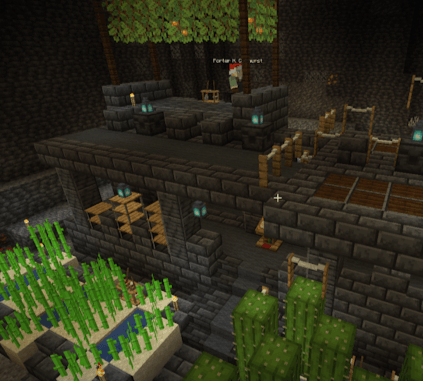
The vast halls of the Deep Dark are transformed into residential districts, guard towers, farms, plantations, and infrastructure, all built directly into the original ruins. Corridors become homes. Intersections become watch posts. Forgotten chambers grow food again.
Mountainous biomes have a significantly higher chance of generating Ancient Cities.
Tools like Xaero’s World Map, Xaero’s Minimap, or Nature’s Compass can greatly speed up the search.
Tips:
Begin by clearing sculk veins and shriekers without triggering the Wardens.
You may choose to:
Secure a small area first, or
Fully cleanse the city before building
Both approaches are valid — choose your own level of risk.
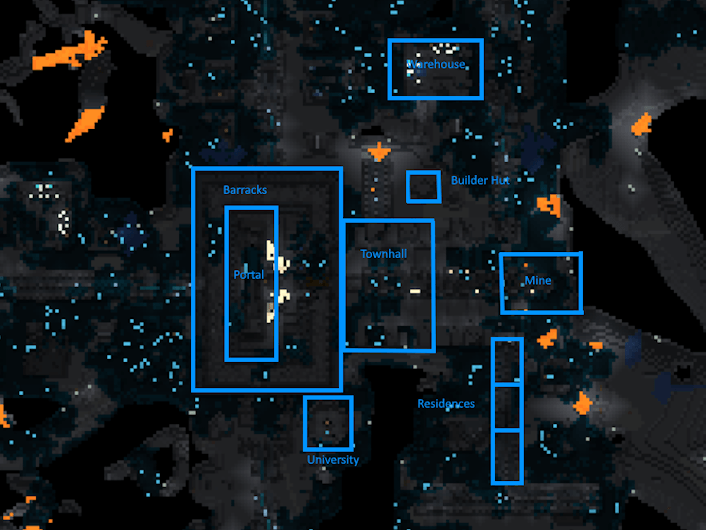
The recommended starting area is near the main tunnel with pillar structures leading toward the city center.
Many early-game buildings are located here, including:
This area provides the smoothest early progression.
Not every Ancient City is ideal for rebuilding.
Before committing long-term, check whether the ruin supports:
If key structures are missing or poorly placed, consider locating a different Ancient City for a better overall experience.
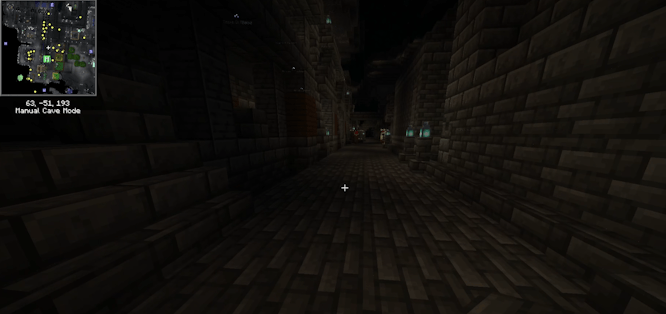
Not all buildings require the same amount of intact ruins.
The Town Hall uses multiple pillar structures and connected hallways
Most other buildings rely on smaller, localized ruins
If a specific ruin appears to be missing:
Look for highly decrepit remnants — some ruins consist of only a few remaining blocks
These fragments are still valid foundations for reconstruction
Alternatively, you may:
Clear a duplicate ruin and rebuild a different structure in its place
Be aware that this approach is more resource-intensive, as you lose the advantage of blocks already pre-placed by the ruined variant.
Each structure evolves through five narrative-driven levels:
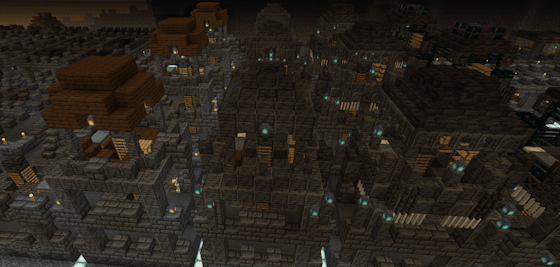
Level 1 – Ruin
Broken stone, cracked bricks, fences, torches, and bare essentials — barely functional, but survivable.
Level 2 – Repair
Structural damage removed, walls sealed, stability restored.
Level 3 – Restoration
Roofs, decoration, full functionality, and light use of Domum Ornamentum blocks.
Level 4 – Prosperity
Heavy decoration, architectural detail, and carefully placed rare blocks.
Level 5 – Resonant Decay
Sculk-integrated designs and very rare blocks — not excessive, but deliberate.
This stage represents the city’s fall, where sculk was once used as a regenerative material before it seeped into the foundations, multiplying with every echo.
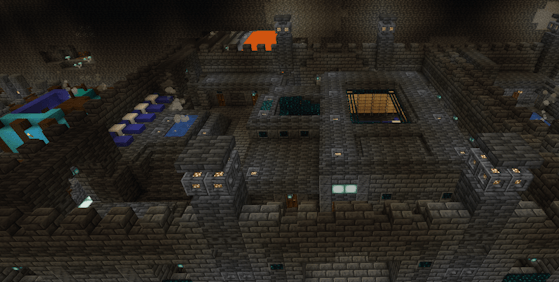
Lore is not optional flavor — it is built into the structures themselves.
Many buildings can contain lecterns with written books, revealing fragments of the city’s history as you upgrade:
Why the city was built
How sculk was first discovered and used
How progress turned into obsession
How the city ultimately fell
As the colony grows, new fragments appear — written by scholars, builders, guards, children, and leaders who once walked these halls.
Your choices determine whether you repeat their mistakes or carve a more sustainable future from the same stone.
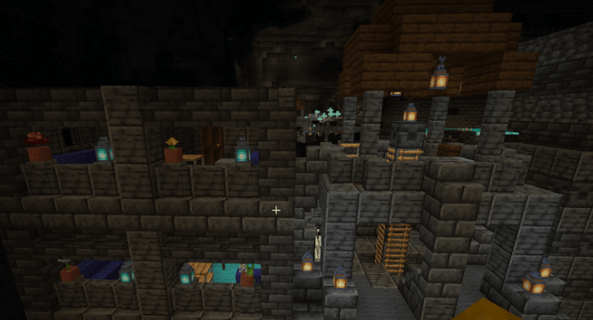
The city sustains itself through:
Underground farms and plantations
Vertical agriculture and water-integrated growth
Practical layouts adapted to cavern life
Everything is designed to feel grown into the ruins, not placed on top of them.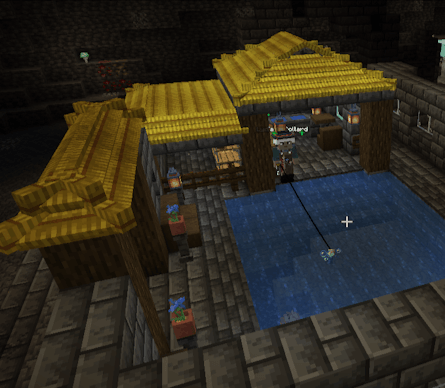
**Newly added 1.4:**A Guide book containing ALL the ruins needed for each building! Plan your Ancient City accordingly
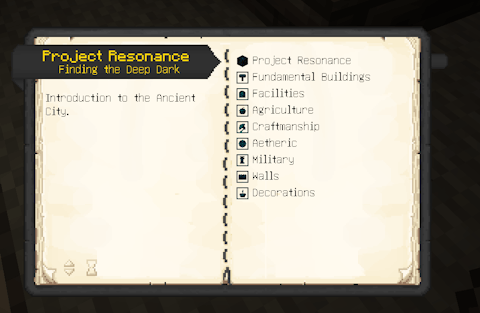
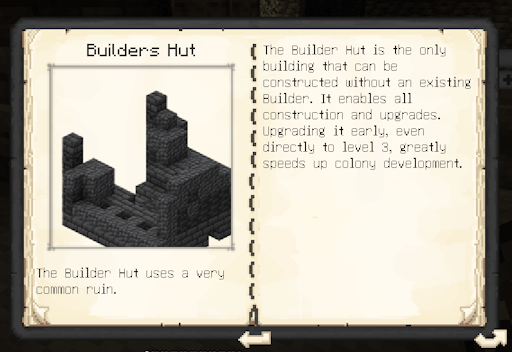
Project description from CurseForge.
Pick your setup
Choose the version and loader you play, then open the matching release.
Check the dependencies, then try the file in a copied instance before changing a world you care about.
Recent files
21 Aug 2026
21 Aug 2026
10 Jul 2026
25 Apr 2026
25 Apr 2026
19 Apr 2026
19 Apr 2026
19 Apr 2026
15 Feb 2026
15 Feb 2026
4 Feb 2026
4 Feb 2026
Looking for an older file? The official CurseForge project page is in Resources.
 mod
A Create mod addon that supports FTB Ultimine functionality
 mod
Adds compatibility between several mining-related mods
 mod
Farm mobs with style!