Minecraft version
Back to mods 
CurseForge · Minecraft mod
Legacy Mechanics
Brings back nostalgic mechanics and quirks from the console versions of Minecraft!
Choose a version Pick your version below, then grab the matching file.
Quick answer
Which Legacy Mechanics release should I use?
Latest stable file legacy-mechanics-cf-1.1.0.jar
Game version 1.21, 1.21.8, 1.21.5
Loader Fabric, Forge, NeoForge
Legacy Mechanics legacy-mechanics-cf-1.1.0.jar targets 1.21, 1.21.8, 1.21.5 with Fabric, Forge, NeoForge. The project page does not say whether this file belongs on the client, dedicated server, or both. No extra mods listed for this file.
Where it goes
Is Legacy Mechanics required on the client, server, or both?
The project page does not say whether this file belongs on the client, dedicated server, or both.
Client Source doesn’t say
Dedicated server Source doesn’t say
Loader for this release Fabric, Forge, NeoForge
Required install it here Optional supported, not mandatory Not supported do not install here Source doesn’t say do not assume
The source does not explicitly classify this release as client-only or server-only.
What else does Legacy Mechanics legacy-mechanics-cf-1.1.0.jar need?
legacy-mechanics-cf-1.1.0.jar. Change the file and its required mods may change too.
This file does not list any required mods. Do not add a library just because a different file uses it.
This file does not list any required or optional mods.
Before you install it
Add Legacy Mechanics without breaking your instance.
Built for Legacy Mechanics legacy-mechanics-cf-1.1.0.jar. Pick another file and the loader, install side or required mods may change.
- 01
Stick to this file
Use legacy-mechanics-cf-1.1.0.jar. It targets 1.21, 1.21.8, 1.21.5 with Fabric, Forge, NeoForge; another release may have different loader, side or dependency requirements.
- 02
Bring the mods it needs
This file does not list any required mods. Do not add a library just because a different file uses it.
- 03
Put it on the correct side
The project page does not say whether this file belongs on the client, dedicated server, or both.
- 04
Pick the file you checked
Use the “Get this file” button beside legacy-mechanics-cf-1.1.0.jar. It opens that exact file at the source.
About this project
What does Legacy Mechanics add?
📖 Description
Legacy Mechanics is a mod/datapack that aims to bring back the quirky mechanics and nostalgic features from the Legacy Console Editions of Minecraft.
This mod is designed for players who want the console-era gameplay feel, complete with small world options, unique mob behaviors, and classic item quirks, all blended with modern Minecraft’s content so nothing feels missing.
Some of the features include:
- Legacy Console Achievements restored.
- Coming Soon: Small world type for a more compact console-style survival experience.
- Coming Soon: Closer structure spacing to replicate console exploration.
- Craftable Enchanted Golden Apples with 8 gold blocks + 1 apple.
- Fortune on melons can drop up to 10 slices with Fortune III.
- Sand and Red Sand now smeltable in blast furnaces.
- Coming Soon: Phantoms have half their normal health.
- Coming Soon: Vindicators deal reduced damage (console values).
- Coming Soon: Wandering Traders can sell lilacs, rose bushes, sunflowers, peonies, and red sandstone.
For the complete experience, make sure to install Legacy Mechanics: Addon
🌌 Nostalgia
For the best nostalgic experience, Legacy Mechanics pairs well with resource packs and mods that restore classic visuals and console-era gameplay, such as:
- Legacy4J to bring back every aspect of Legacy Console Edition to modern versions.
- Golden Days by PoeticRainbow for authentic pre-1.14 textures.
- Nostalgic Tweaks by Adrenix to bring back old fog, lighting, skies, and combat.
- Moderner Beta for terrain generation in a console-like style.
⚙️ Compatibility
- ✅ Works in Minecraft 1.21.x.
- 🔧 Safe for multiplayer if all players have the mod installed.
📦 Installation
- Download the mod.
- Place it in your
mods/folder. - Launch Minecraft with your preferred loader.
- Generate a new world (or new chunks) to see console-style mechanics in action.
📸 Screenshots
💡 Notes
- Some features require new worlds or new chunks to generate properly.
- Balancing is based directly on the Legacy Console Edition values.
🤝 Support
Project description from CurseForge.
Pick your setup
Legacy Mechanics by Minecraft version and loader
Choose the version and loader you play, then open the matching release.
Minecraft version
26.1.1
4 loader buildsMinecraft version
26.1
4 loader buildsMinecraft version
1.21.11
4 loader buildsMinecraft version
1.21.10
4 loader buildsMinecraft version
1.21.9
4 loader buildsMinecraft version
1.21.8
4 loader buildsMinecraft version
1.21.7
4 loader buildsMinecraft version
1.21.6
4 loader buildsMinecraft version
1.21.5
4 loader buildsMinecraft version
1.21.4
4 loader buildsMinecraft version
1.21.3
4 loader buildsShowing the newest 12 of 15 game versions. Older files are in the list below.
Check the dependencies, then try the file in a copied instance before changing a world you care about.
Recent files
Legacy Mechanics versions and loaders
legacy-mechanics-cf-1.1.0.jar
4 Jan 2026
Client Source doesn’t say Server Source doesn’t say Dependencies No extras listed Listed on Release listing
Check the 26.1.2 · Fabric setup 1.21Fabric1.21.81.21.5 release
Looking for an older file? The official CurseForge project page is in Resources.
 mod
mod CurseForge + Modrinth · Minecraft
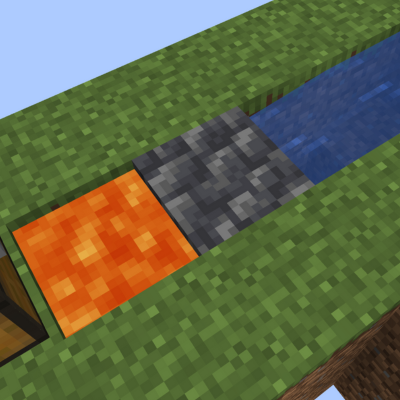
Deepslate Cobble Gen
Makes lava and water generate deepslate at y=0 and below
 mod
mod CurseForge · Minecraft
Legendary Bosses
Legendary Bosses with herobrine Entity303 ......more
 mod
mod CurseForge · Minecraft
Fantasy DNA
Our mod is based off of the fantasy universe; Naruto, Marvel and God of War ETX