Minecraft version
Back to mods 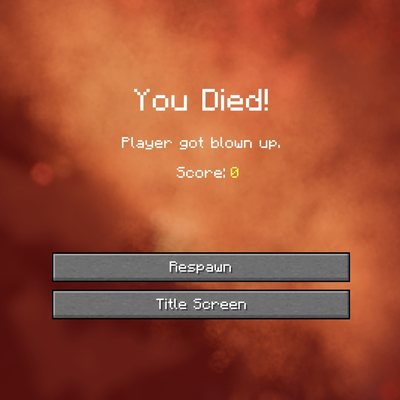
CurseForge · Minecraft mod
Loading Protection
Protect players from unfair spawn/join damage while the world (or server) finishes loading.
Choose a version Pick your version below, then grab the matching file.
Quick answer
Which Loading Protection release should I use?
Latest stable file loadingprotection-1.0.2-fabric-1.21.1.jar
Game version 1.21.1
Loader Fabric
Loading Protection loadingprotection-1.0.2-fabric-1.21.1.jar targets 1.21.1 with Fabric. The project page does not say whether this file belongs on the client, dedicated server, or both. No extra mods listed for this file.
Where it goes
Is Loading Protection required on the client, server, or both?
The project page does not say whether this file belongs on the client, dedicated server, or both.
Client Source doesn’t say
Dedicated server Source doesn’t say
Loader for this release Fabric
Required install it here Optional supported, not mandatory Not supported do not install here Source doesn’t say do not assume
The source does not explicitly classify this release as client-only or server-only.
What else does Loading Protection loadingprotection-1.0.2-fabric-1.21.1.jar need?
loadingprotection-1.0.2-fabric-1.21.1.jar. Change the file and its required mods may change too.
This file does not list any required mods. Do not add a library just because a different file uses it.
This file does not list any required or optional mods.
Before you install it
Add Loading Protection without breaking your instance.
Built for Loading Protection loadingprotection-1.0.2-fabric-1.21.1.jar. Pick another file and the loader, install side or required mods may change.
- 01
Stick to this file
Use loadingprotection-1.0.2-fabric-1.21.1.jar. It targets 1.21.1 with Fabric; another release may have different loader, side or dependency requirements.
- 02
Bring the mods it needs
This file does not list any required mods. Do not add a library just because a different file uses it.
- 03
Put it on the correct side
The project page does not say whether this file belongs on the client, dedicated server, or both.
- 04
Pick the file you checked
Use the “Get this file” button beside loadingprotection-1.0.2-fabric-1.21.1.jar. It opens that exact file at the source.
About this project
What does Loading Protection add?
Loading Protection
Are you tired of dying while loading into your server?
Protect players from spawn/join damage while the world (or server) finishes loading.
Loading Protection gives players a short, configurable window of safety when they join a world or server. During this time they can’t take damage, mobs won’t target them, and (to avoid abuse) they also can’t deal damage. Protection ends when the timer runs out or when the player moves.
Features
- Invulnerability on Join: Players are immune to damage for a configurable duration after joining.
- Mob Protection: Hostile mobs can’t target protected players.
- Anti Abuse: Protected players cannot deal damage to other players or mobs.
- Adaptive Timer: Protection lasts up to the configured maximum, but ends instantly once the player moves.
- Countdown Alerts (Optional): Optional per-player chat messages show how many seconds of protection remain and warn when it ends. Messages are sent only to the affected player and appear once per 5 seconds at most to avoid spam.
Requirements (Fabric)
Configuration
The mod creates a configuration file at:
config/loadingprotection-common.toml
Settings:
protectionDuration- Duration of protection in seconds after joining (default: 60, range: 1–300)showMessages- Show countdown + expiration notice in chat (default: true)
Notes:
- Countdown messages are per-player only
- Shown at most once every 5 seconds
- A notice is also shown if protection ends early due to movement
Project description from CurseForge.
Pick your setup
Loading Protection by Minecraft version and loader
Choose the version and loader you play, then open the matching release.
Minecraft version
1.20.1
2 loader buildsMinecraft version
1.19.2
2 loader buildsMinecraft version
1.18.2
2 loader buildsMinecraft version
1.16.5
2 loader buildsCheck the dependencies, then try the file in a copied instance before changing a world you care about.
Recent files
Loading Protection versions and loaders
loadingprotection-1.0.2-fabric-1.21.1.jar
17 Jan 2026
Client Source doesn’t say Server Source doesn’t say Dependencies No extras listed Listed on Release listing
Check the 1.21.1 · Fabric setup Fabric1.21.1 release
loadingprotection-1.0.2-fabric-1.20.1.jar
17 Jan 2026
Client Source doesn’t say Server Source doesn’t say Dependencies No extras listed Listed on Release listing
Check the 1.20.1 · Fabric setup Fabric1.20.1 release
loadingprotection-1.0.2-fabric-1.19.2.jar
17 Jan 2026
Client Source doesn’t say Server Source doesn’t say Dependencies No extras listed Listed on Release listing
Check the 1.19.2 · Fabric setup Fabric1.19.2 release
loadingprotection-1.0.2-fabric-1.18.2.jar
17 Jan 2026
Client Source doesn’t say Server Source doesn’t say Dependencies No extras listed Listed on Release listing
Check the 1.18.2 · Fabric setup Fabric1.18.2 release
loadingprotection-1.0.2-fabric-1.16.5.jar
17 Jan 2026
Client Source doesn’t say Server Source doesn’t say Dependencies No extras listed Listed on Release listing
Check the 1.16.5 · Fabric setup 1.16.5Fabric release
loadingprotection-1.0.2-forge-1.16.5.jar
17 Jan 2026
Client Source doesn’t say Server Source doesn’t say Dependencies No extras listed Listed on Release listing
Check the 1.16.5 · Forge setup 1.16.5Forge release
loadingprotection-1.0.2-forge-1.18.2.jar
17 Jan 2026
Client Source doesn’t say Server Source doesn’t say Dependencies No extras listed Listed on Release listing
Check the 1.18.2 · Forge setup Forge1.18.2 release
loadingprotection-1.0.2-forge-1.19.2.jar
17 Jan 2026
Client Source doesn’t say Server Source doesn’t say Dependencies No extras listed Listed on Release listing
Check the 1.19.2 · Forge setup Forge1.19.2 release
loadingprotection-1.0.2-1.20.1.jar
15 Jan 2026
Client Source doesn’t say Server Source doesn’t say Dependencies No extras listed Listed on Release listing
Check the 1.20.1 · Forge setup 1.20.1Forge release
loadingprotection-1.0.2-1.21.1.jar
15 Jan 2026
Client Source doesn’t say Server Source doesn’t say Dependencies No extras listed Listed on Release listing
Check the 1.21.1 · NeoForge setup 1.21.1NeoForge release
loadingprotection-1.0.1-1.20.1.jar
7 Jan 2026
Client Source doesn’t say Server Source doesn’t say Dependencies No extras listed Listed on Release listing
Check the 1.20.1 · Forge setup 1.20.1Forge release
loadingprotection-1.0.1-1.21.1.jar
7 Jan 2026
Client Source doesn’t say Server Source doesn’t say Dependencies No extras listed Listed on Release listing
Check the 1.21.1 · NeoForge setup 1.21.1NeoForge release
Looking for an older file? The official CurseForge project page is in Resources.
 mod
mod CurseForge + Modrinth · Minecraft
Easy Model Entities
Turn Blockbench models into simple Minecraft entities without writing Java code.
 mod
mod CurseForge · Minecraft
Stealthy kills
Stealth and takedowns in Minecraft
 mod
mod CurseForge · Minecraft
VeinShift: Timber & Ore
Mine whole ore veins and chop down entire trees effortlessly just by sneaking! Supports both Forge and Fabric.