Particle Storm Needed by Three-D Particle ThreeDimensionParticle-forge-1.20.1-1.2.1
requiredMatching file found Matched file: forge-1.20.1-1.5.5
CurseForge · Minecraft mod
Immerse yourself in Minecraft like never before with breathtaking 3D particles
Quick answer
Three-D Particle ThreeDimensionParticle-forge-1.20.1-1.2.1 targets 1.20.1 with Forge. The project page does not say whether this file belongs on the client, dedicated server, or both. All 1 required mods have matching files.
Where it goes
The project page does not say whether this file belongs on the client, dedicated server, or both.
The source does not explicitly classify this release as client-only or server-only.
ThreeDimensionParticle-forge-1.20.1-1.2.1. Change the file and its required mods may change too.
Install Particle Storm first. We found matching files for this game-version and loader setup. 1 comes through another mod in the chain.
1 extra mod was pulled in by another dependency. Indented rows show who needs each one. We only count dependency files that match this setup. A file for another loader does not fill the gap.
Before you install it
Built for Three-D Particle ThreeDimensionParticle-forge-1.20.1-1.2.1. Pick another file and the loader, install side or required mods may change.
Use ThreeDimensionParticle-forge-1.20.1-1.2.1. It targets 1.20.1 with Forge; another release may have different loader, side or dependency requirements.
Install Particle Storm first. We found matching files for this game-version and loader setup. 1 comes through another mod in the chain.
The project page does not say whether this file belongs on the client, dedicated server, or both.
Use the “Get this file” button beside ThreeDimensionParticle-forge-1.20.1-1.2.1. It opens that exact file at the source.
About this project
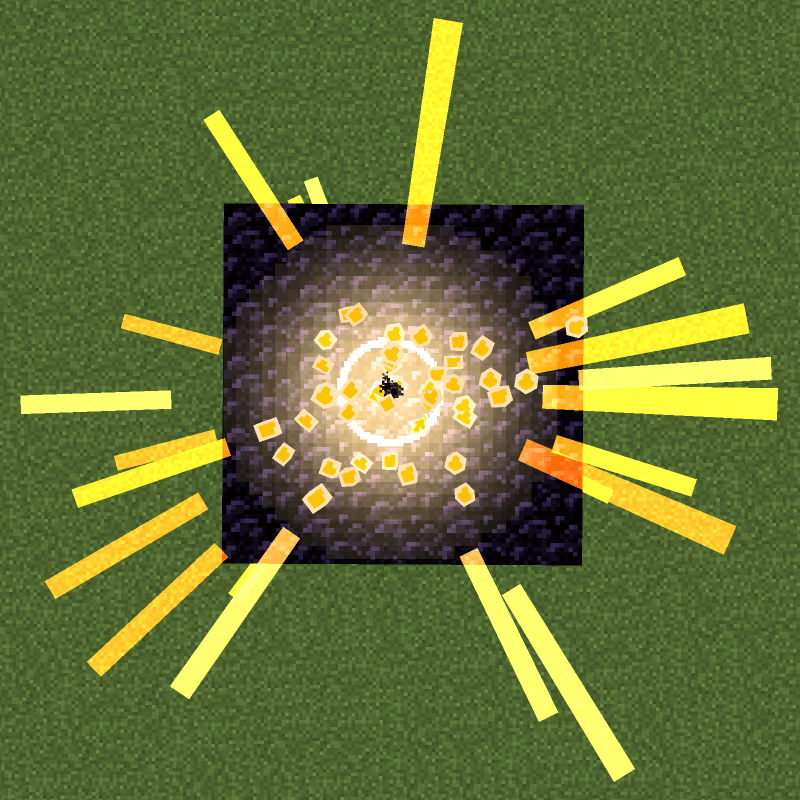
Enhance your Minecraft experience with stunning 3D particles that replace vanilla visual effects, all while maintaining excellent performance and customization.
This mod transforms Minecraft's default particles into immersive 3D versions, adding depth and realism to your game. Designed with optimization in mind, it ensures smooth gameplay even with high particle counts, and offers extensive customization options. Perfect for players who want visually appealing effects without compromising performance.
F3+T reload shortcut.Encounter issues or have suggestions? Report them on the mod's CurseForge/Modrinth page. Your feedback helps improve the mod!
Project description from CurseForge.
Pick your setup
Choose the version and loader you play, then open the matching release.
Check the dependencies, then try the file in a copied instance before changing a world you care about.
Recent files
ThreeDimensionParticle-forge-1.20.1-1.2.1.jar
25 Sept 2026
ThreeDimensionParticle-neoforge-1.21.1-1.2.1.jar
25 Sept 2026
ThreeDimensionParticle-core-1.1.2-forge.jar
3 Jun 2026
ThreeDimensionParticle-core-1.1.1.jar
27 May 2026
ThreeDimensionParticle-core-1.0.1.jar
13 Jan 2026
ThreeDimensionParticle-1.0.1.jar
11 Jan 2026
Looking for an older file? The official CurseForge project page is in Resources.
 mod
Replaces the static vanilla main menu with a panoramic view of your actual in-game locations.
 mod
Euphoria Patches is an add-on for Complementary Shaders, extending it with more optional features and settings.
 mod
In-game advancement editing and improvements to the advancement screen!