Minecraft version
Back to mods 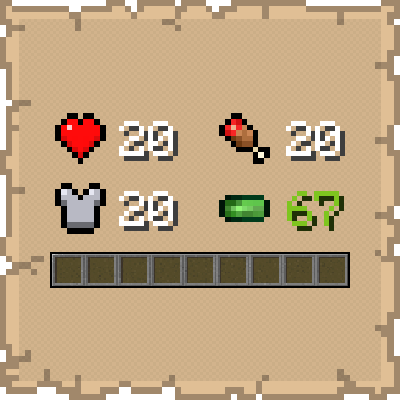
CurseForge · Minecraft mod
Numerical HUD
This mod replaces vanilla status bars with clean, animated numerical values and dynamic icons.
Choose a version Pick your version below, then grab the matching file.
Quick answer
Which Numerical HUD release should I use?
Latest stable file numericalhud-26.3-4.2.0.jar
Game version 26.3
Loader Fabric
Numerical HUD numericalhud-26.3-4.2.0.jar targets 26.3 with Fabric. The project page does not say whether this file belongs on the client, dedicated server, or both. No extra mods listed for this file.
Where it goes
Is Numerical HUD required on the client, server, or both?
The project page does not say whether this file belongs on the client, dedicated server, or both.
Client Source doesn’t say
Dedicated server Source doesn’t say
Loader for this release Fabric
Required install it here Optional supported, not mandatory Not supported do not install here Source doesn’t say do not assume
The source does not explicitly classify this release as client-only or server-only.
What else does Numerical HUD numericalhud-26.3-4.2.0.jar need?
numericalhud-26.3-4.2.0.jar. Change the file and its required mods may change too.
This file does not list any required mods. Do not add a library just because a different file uses it.
This file does not list any required or optional mods.
Before you install it
Add Numerical HUD without breaking your instance.
Built for Numerical HUD numericalhud-26.3-4.2.0.jar. Pick another file and the loader, install side or required mods may change.
- 01
Stick to this file
Use numericalhud-26.3-4.2.0.jar. It targets 26.3 with Fabric; another release may have different loader, side or dependency requirements.
- 02
Bring the mods it needs
This file does not list any required mods. Do not add a library just because a different file uses it.
- 03
Put it on the correct side
The project page does not say whether this file belongs on the client, dedicated server, or both.
- 04
Pick the file you checked
Use the “Get this file” button beside numericalhud-26.3-4.2.0.jar. It opens that exact file at the source.
About this project
What does Numerical HUD add?
Now with Resource Pack Compatibility! (See below)

Numerical HUD declutters your screen by replacing the bulky vanilla health, hunger, armor, and experience bars with a sleek, compact numerical interface. Designed for players who want precise information without sacrificing screen real estate, this mod provides real-time data with smooth animations and context-aware visuals.
| FEATURES |
|---|
| Dynamic Health Tracking | Displays absorption, poison, wither, and freezing effects through unique icon variants and color changes |
|---|---|
| Enhanced XP Display | Shows your exact experience level as a decimal (e.g., 67.67) so you know exactly how close you are to the next level |
| Visual Feedback | Icons "blink" upon taking damage or changing stats, and low health/hunger triggers a recurring blink animation |
| Saturation Text | The hunger number turns brown when saturation is active, and returns to white when it runs out |
| Resource Pack Compatible | Custom resource packs that retexture hearts, food, armor, and XP bars are automatically reflected |
| HOW TO USE |
|---|
Once installed, the mod automatically replaces the following vanilla HUD elements:
- Health & Absorption
- Armor
- Hunger & Saturation
- Experience Level & Progress
- Oxygen, Mount Health, & Jump (appear only when relevant)
- Boss Bar (appears when a boss/raid is nearby)
- Potion Effects (appear on the right edge of the screen when active)
Simply play the game as usual. The values update in real time as you take damage, eat food, or gain experience.
| CONFIGURATION |
|---|
Open Mod Menu in-game to access the settings screen:
| Show Armor at Zero | Toggle whether the Armor module is visible when no armor is worn |
|---|---|
| Text Style | Switch between Shadow and Outline |
| Shift Modules Down | Move all modules 6 pixels down |
| Dynamic Health Tracking | |
| Decimal | Values count up/down with decimal precision, turning Green when increasing and Red when decreasing |
| Fade | The number snaps instantly while the text color fades from Green/Red back to White |
| Popup | A delta label (e.g. +2, -3) floats beside the module, traveling upward for heals and downward for damage |
| REQUIREMENTS |
|---|
| Minecraft Version | Fabric Loader |
|---|---|
| 1.21 - 26.2 | 0.18.6 |
| 26.3 | 0.19.5 |
- Fabric API
- Cloth Config API (1.21.x)
- YetAnotherConfigLib (26.x)
- Mod Menu (recommended for easy in-game configuration)
| CLIENT-SIDE ONLY |
|---|
All functionality is done client-side and is compatible with vanilla servers.
| FREE & OPEN SOURCE |
|---|
This is a completely free project. I'm not asking for donations or "buy me a coffee" contributions. If you enjoy the mod, the best way to support it is by:
- Leaving a rating/review
- Sharing it with friends
- Reporting any bugs you find
| GALLERY |
|---|
- Health Icons:
Poisoned / Withered / Frozen / Absorbing / Hardcore / Ridden Mob's Health
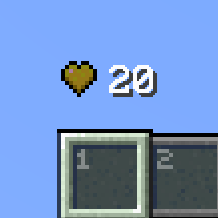
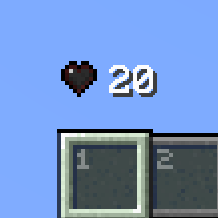
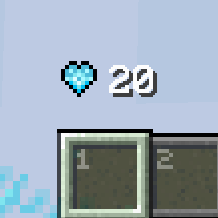
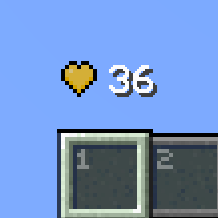
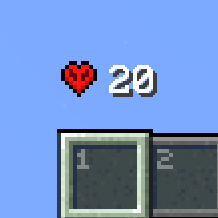
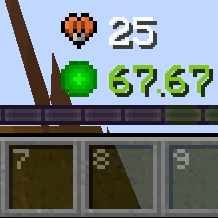
Damaged / Healing (with Fade animation)


- Armor Icons:
(Removing / Breaking) / Wearing (with Popup animation)


- Hunger Icons
Starving / Full / Saturated

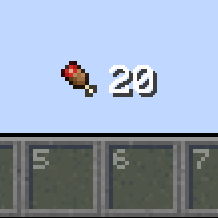

Note: The recurring blink animation is triggered every N seconds (N = the current hunger value) only when Hunger < 20. Also applies to the Health icons.
- XP Icons
No XP / (Gaining / Losing XP)


- Oxygen Icons
No Air / Infinite
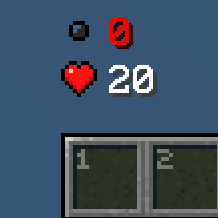
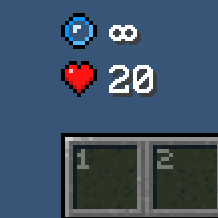
Drowning / Breathing (with Decimal animation)
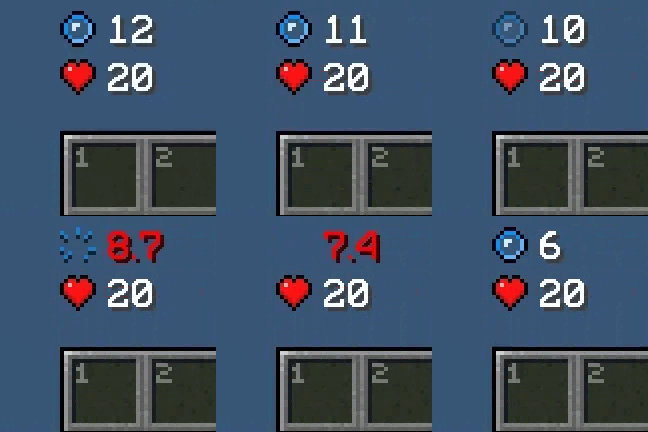
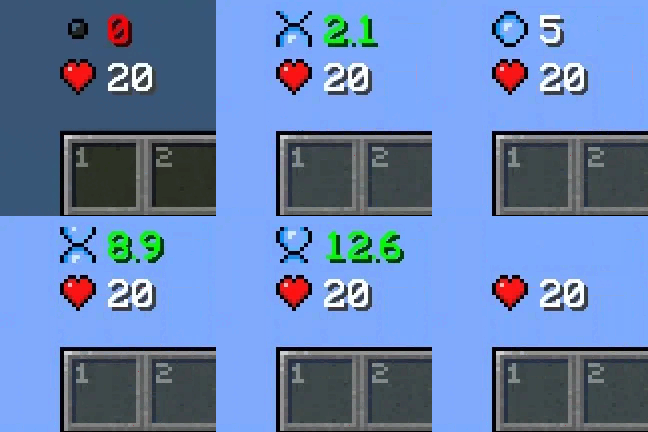
- Jump Icon

- Resource Packs:
Jirniy's Pink HUD

Gui's HUD & UI Edition

Note: The quality of the GIF doesn't match the texture in-game.
Project description from CurseForge.
Pick your setup
Numerical HUD by Minecraft version and loader
Choose the version and loader you play, then open the matching release.
Minecraft version
26.2
1 loader buildMinecraft version
26.1.2
1 loader buildMinecraft version
26.1.1
1 loader buildMinecraft version
26.1
1 loader buildMinecraft version
1.21.11
1 loader buildMinecraft version
1.21.10
1 loader buildMinecraft version
1.21.9
1 loader buildMinecraft version
1.21.8
1 loader buildMinecraft version
1.21.7
1 loader buildMinecraft version
1.21.6
1 loader buildMinecraft version
1.21.5
1 loader buildShowing the newest 12 of 17 game versions. Older files are in the list below.
Check the dependencies, then try the file in a copied instance before changing a world you care about.
Recent files
Numerical HUD versions and loaders
numericalhud-26.3-4.2.0.jar
11 Nov 2026
Client Source doesn’t say Server Source doesn’t say Dependencies No extras listed Listed on Release listing
Check the 26.3 · Fabric setup Fabric26.3 release
numericalhud-26.2-4.1.0.jar
19 Jul 2026
Client Source doesn’t say Server Source doesn’t say Dependencies No extras listed Listed on Release listing
Check the 26.2 · Fabric setup Fabric26.2 release
numericalhud-26.1.x-4.1.0.jar
19 Jul 2026
Client Source doesn’t say Server Source doesn’t say Dependencies No extras listed Listed on Release listing
Check the 26.1.2 · Fabric setup Fabric26.126.1.126.1.2 release
numericalhud-26.1.x-4.0.0.jar
21 May 2026
Client Source doesn’t say Server Source doesn’t say Dependencies No extras listed Listed on Release listing
Check the 26.1.2 · Fabric setup Fabric26.126.1.126.1.2 release
numericalhud-1.21.6_1.21.11-3.1.2.jar
19 May 2026
Client Source doesn’t say Server Source doesn’t say Dependencies No extras listed Listed on Release listing
Check the 1.21.11 · Fabric setup Fabric1.21.81.21.61.21.7 release
numericalhud-1.21.2_1.21.5-3.1.2.jar
19 May 2026
Client Source doesn’t say Server Source doesn’t say Dependencies No extras listed Listed on Release listing
Check the 1.21.5 · Fabric setup Fabric1.21.51.21.41.21.3 release
numericalhud-1.21_1.21.1-3.1.2.jar
19 May 2026
Client Source doesn’t say Server Source doesn’t say Dependencies No extras listed Listed on Release listing
Check the 1.21.1 · Fabric setup 1.21Fabric1.21.1 release
numericalhud-1.21.6_1.21.11-3.1.1.jar
8 May 2026
Client Source doesn’t say Server Source doesn’t say Dependencies No extras listed Listed on Release listing
Check the 1.21.11 · Fabric setup Fabric1.21.81.21.61.21.7 release
numericalhud-1.21.6_1.21.11-3.1.0.jar
2 May 2026
Client Source doesn’t say Server Source doesn’t say Dependencies No extras listed Listed on Release listing
Check the 1.21.11 · Fabric setup Fabric1.21.81.21.61.21.7 release
numericalhud-1.21.2_1.21.5-3.1.0.jar
2 May 2026
Client Source doesn’t say Server Source doesn’t say Dependencies No extras listed Listed on Release listing
Check the 1.21.5 · Fabric setup Fabric1.21.51.21.41.21.3 release
numericalhud-1.21_1.21.1-3.1.0.jar
2 May 2026
Client Source doesn’t say Server Source doesn’t say Dependencies No extras listed Listed on Release listing
Check the 1.21.1 · Fabric setup 1.21Fabric1.21.1 release
numericalhud-1.21.5_1.21.11-3.0.0.jar
12 Apr 2026
Client Source doesn’t say Server Source doesn’t say Dependencies No extras listed Listed on Release listing
Check the 1.21.11 · Fabric setup Fabric1.21.81.21.51.21.6 release
Looking for an older file? The official CurseForge project page is in Resources.
 mod
CurseForge + Modrinth · Minecraft
Diamond Glass
Glass made with Diamonds with the Attributes of Obsidian [Forge]
 mod
Modrinth · Minecraft
No Item Bounce
This mod disables item drop scatter by centering items on the block grid.
 mod
CurseForge · Minecraft
Resource World
A server side mod to create resource worlds