EMI Optional for Ultimate Fake Block ultimatefakeblockmod_beta_0.1.jar
optionalMatching file found Matched file: 1.1.24+1.20.1+forge

CurseForge · Minecraft mod
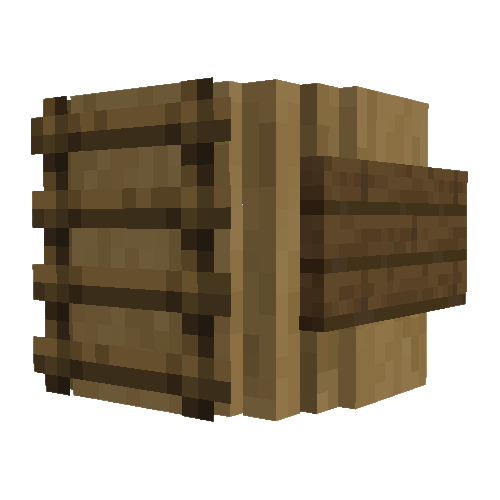
A feature-packed, redstone controllable, all-in-one invisible block, ghost block, and copycat.
Quick answer
Ultimate Fake Block ultimatefakeblockmod_beta_0.1.jar targets 1.20.1 with Forge. The project page does not say whether this file belongs on the client, dedicated server, or both. No extra mods listed for this file.
Where it goes
The project page does not say whether this file belongs on the client, dedicated server, or both.
The source does not explicitly classify this release as client-only or server-only.
ultimatefakeblockmod_beta_0.1.jar. Change the file and its required mods may change too.
This file does not list any required mods. Do not add a library just because a different file uses it.
2 extra mods were pulled in by other dependencies. Indented rows show who needs each one. We only count dependency files that match this setup. A file for another loader does not fill the gap.
Before you install it
Built for Ultimate Fake Block ultimatefakeblockmod_beta_0.1.jar. Pick another file and the loader, install side or required mods may change.
Use ultimatefakeblockmod_beta_0.1.jar. It targets 1.20.1 with Forge; another release may have different loader, side or dependency requirements.
This file does not list any required mods. Do not add a library just because a different file uses it.
The project page does not say whether this file belongs on the client, dedicated server, or both.
Use the “Get this file” button beside ultimatefakeblockmod_beta_0.1.jar. It opens that exact file at the source.
About this project

Disappearing walls, nifty decorations, and secret doors galore- that's what I had in mind when I made this mod.
It's like it says on the packaging: The Ultimate Fake Block is a versatile tool. It merges behaviors such as being able to turn invisible, take the texture and model of any block, and to turn into a ghost block that you can walk straight through. These behaviors can be controlled with redstone, mixed and matched to suit your needs, and come with an intuitive UI that can be used to control a huge number of these blocks at once.
Each feature of the block can be configured in the UI, which is accessed by crouch-clicking on an Ultimate Fake Block with an empty hand.
Intangibility, invisibility and redstone control can be turned on and off, and can be set to affect all Ultimate Fake Blocks connected to the one you're using the UI of. This will turn it into a controller for that group of blocks- if you're wondering which one it is, just hold a Fake Block in your hand, and it will highlight the controller.
With a button in the UI, you can set the block to be intangible- meaning, you can walk through it. You can set the redstone mode to control this too, making for some neat secret doors.
This feature can be used alongside invisibility and the copycat behavior.

With the button or with redstone, you can make the block invisible. Like all the other behaviors, it can be mixed and matched how you see fit.

When you click on an Ultimate Fake Block with any block in hand, it will copy that block's default texture and model without consuming it. There are buttons in the UI to clear the texture, clear the textures of neighboring blocks, or to apply the texture to neighboring blocks.

This mod works with almost any modded block- with a few catches. Solid, standard blocks are all guaranteed to work, but your milage may vary with custom models- when it doubt, test it. It doesn't consume the block you're using and it's simple to clear.
Another current limitation is that you can't rotate the copied texture and model. Fixing that is high on my to-do list.
A small catch that might not be to obvious to fix is that the settings on adjacent fake blocks will stay locked when you break the controller. To fix it, just place a new fake block next to them, and use it as a new controller to disable the locked settings.
TL;DR This mod is in beta, and still needs some work.
If you're publishing it, it needs to be on either Modrinth or CurseForge.
Get the first one free here: Seven Systems - Google Play Books
In the stars above, an ancient evil stirs.
An artifact of vast power will shake the foundations of the seven star systems inhabited by all living beings. In the coming storm, only those who have lived in its shadow can stand against evil. A group tied together by the threads of fate and prophesy embark on a quest through the vast worlds of The Seven Systems, and fight those who would succumb to the temptation of darkness. The prince. His brother. The twin guards. The thief. The one who changed, and will change. Will they stand together long enough to do what is necessary… or pay the price? Will the worlds see their next sunrise, the dawn of a new age, or will all fall to the forces of evil? As the scales of power tip and swing, the worlds will never be the same.
With the new day, The Seven Systems are cast into the flames…
Project description from CurseForge.
Pick your setup
Choose the version and loader you play, then open the matching release.
Check the dependencies, then try the file in a copied instance before changing a world you care about.
Recent files
15 Jan 2026
Looking for an older file? The official CurseForge project page is in Resources.
 mod
A Minecraft jobs and professions mod featuring action-based XP, profession leveling, unique skill, and unlockable perks.
 mod
Prevents z-fighting between wall signs, ladders, torches and round tree texture packs by shifting them forward when placed on logs.
 mod
Share Lootr container inventories globally or per team (FTB Teams / vanilla teams) while keeping Lootr protections, visuals, advancements, and refresh.