Minecraft version
Back to mods 
CurseForge · Minecraft mod
Shel's MineChat
This mod redesigns the original chat system to make it more modern and immersive
Choose a version Pick your version below, then grab the matching file.
Quick answer
Which Shel's MineChat release should I use?
Latest stable file MineChat-1.2.3-forge-1.20.1.jar
Game version 1.20.1
Loader Forge
Shel's MineChat MineChat-1.2.3-forge-1.20.1.jar targets 1.20.1 with Forge. The project page does not say whether this file belongs on the client, dedicated server, or both. No extra mods listed for this file.
Where it goes
Is Shel's MineChat required on the client, server, or both?
The project page does not say whether this file belongs on the client, dedicated server, or both.
Client Source doesn’t say
Dedicated server Source doesn’t say
Loader for this release Forge
Required install it here Optional supported, not mandatory Not supported do not install here Source doesn’t say do not assume
The source does not explicitly classify this release as client-only or server-only.
What else does Shel's MineChat MineChat-1.2.3-forge-1.20.1.jar need?
MineChat-1.2.3-forge-1.20.1.jar. Change the file and its required mods may change too.
This file does not list any required mods. Do not add a library just because a different file uses it.
This file does not list any required or optional mods.
Before you install it
Add Shel's MineChat without breaking your instance.
Built for Shel's MineChat MineChat-1.2.3-forge-1.20.1.jar. Pick another file and the loader, install side or required mods may change.
- 01
Stick to this file
Use MineChat-1.2.3-forge-1.20.1.jar. It targets 1.20.1 with Forge; another release may have different loader, side or dependency requirements.
- 02
Bring the mods it needs
This file does not list any required mods. Do not add a library just because a different file uses it.
- 03
Put it on the correct side
The project page does not say whether this file belongs on the client, dedicated server, or both.
- 04
Pick the file you checked
Use the “Get this file” button beside MineChat-1.2.3-forge-1.20.1.jar. It opens that exact file at the source.
About this project
What does Shel's MineChat add?
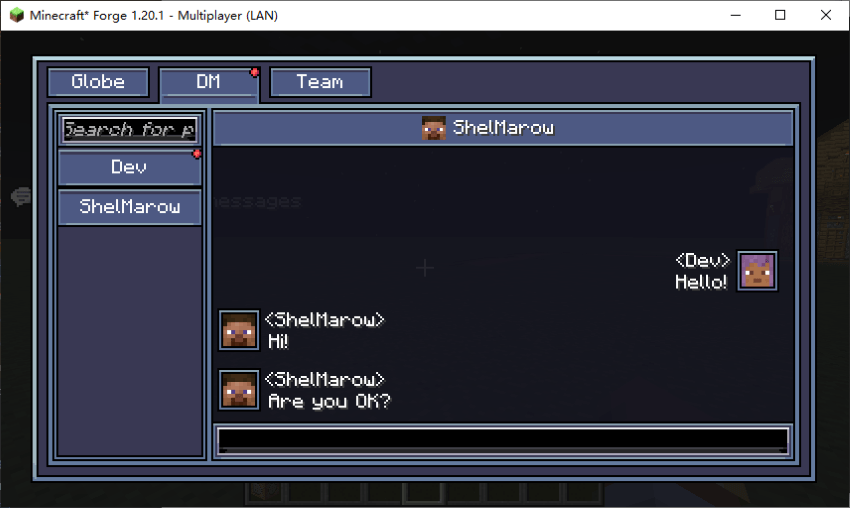
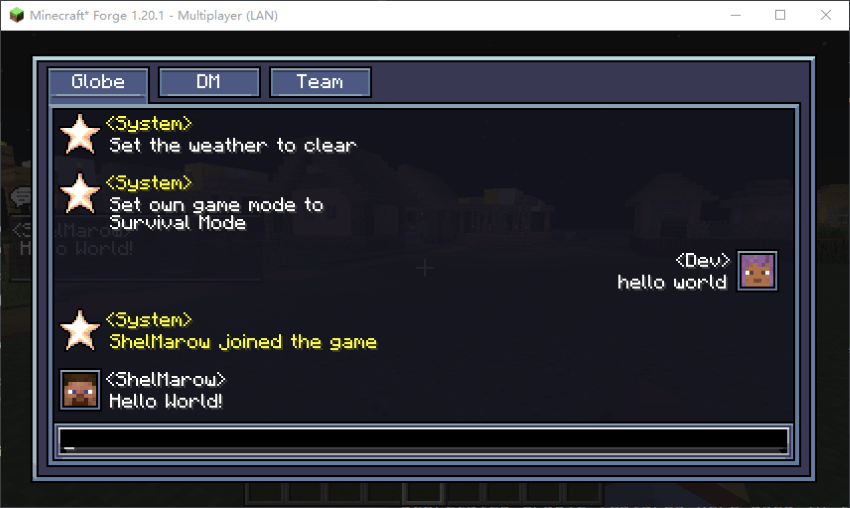
This mod is designed with a more immersive chat interface system and can working without requiring server installation. - Redesigned chat GUI and HUD - Categorize global messages, private chats, and team messages - Better message animations as well as more reasonable private chat features 本模组设计了一套更有沉浸感的聊天界面系统,并能够在不要求服务端安装的情况下也能正常运行。 -重新设计了聊天GUI和HUD -将全局消息,私聊,队伍消息分类处理 -更好的消息动画以及更合理的私聊功能 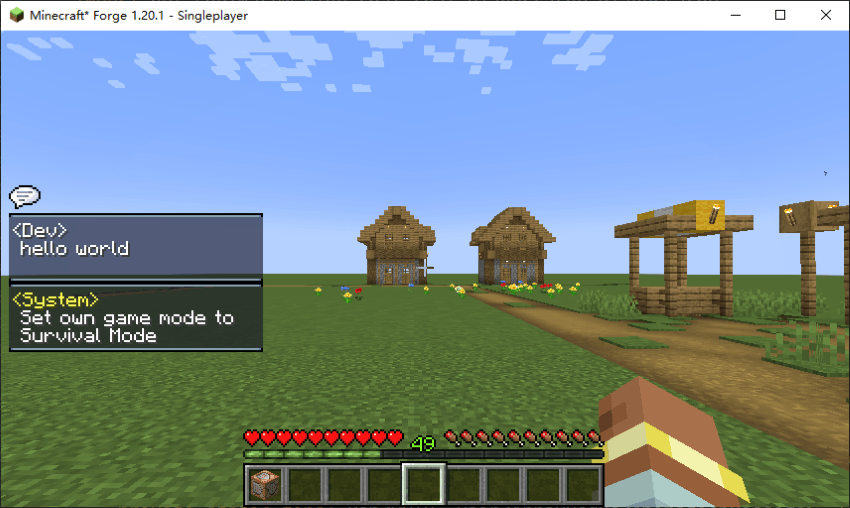
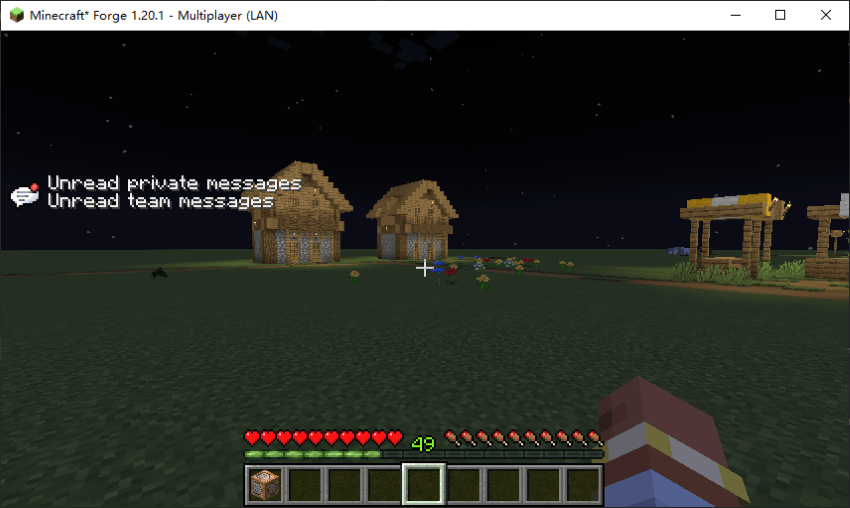
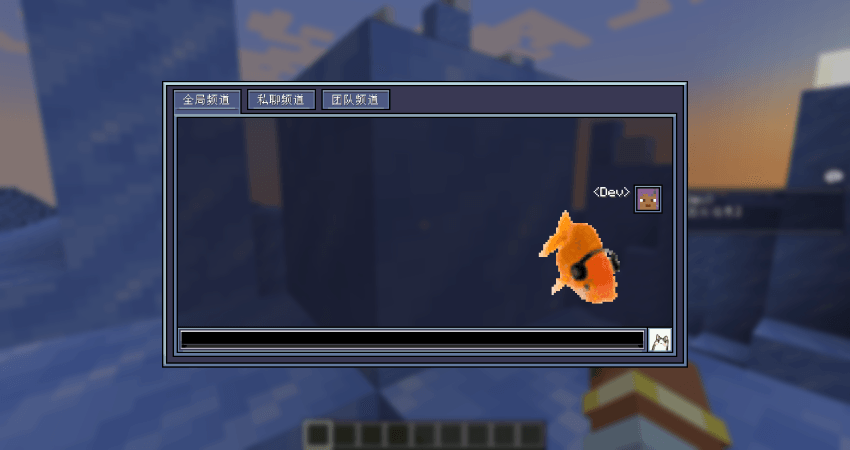
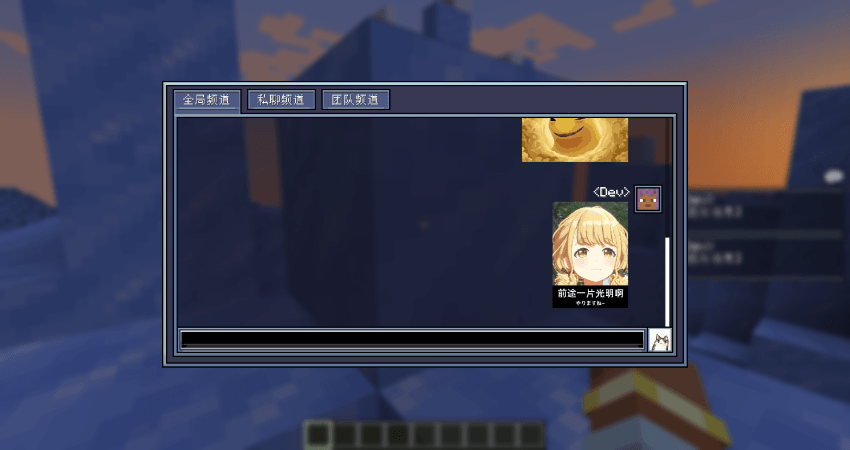
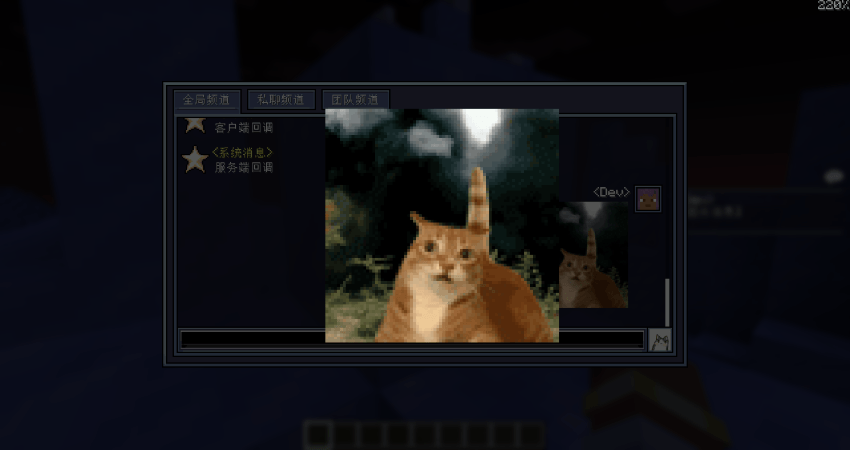
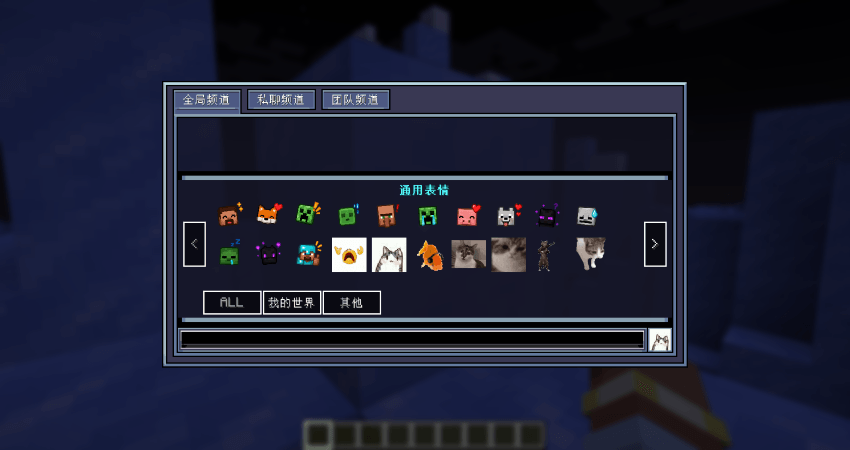
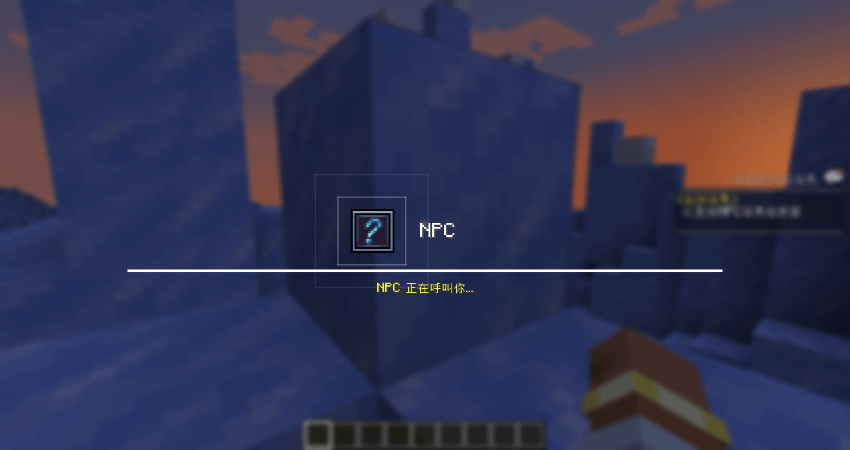
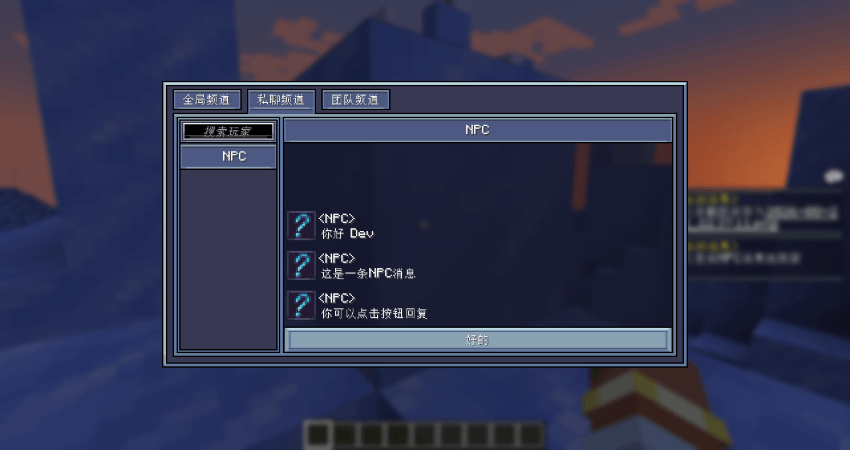
如何通过数据包添加自己的NPC对话:
首先在数据包文件夹下创建json文件
分别为消息发送者和对话内容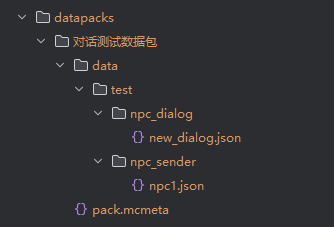
NPC的json内容如下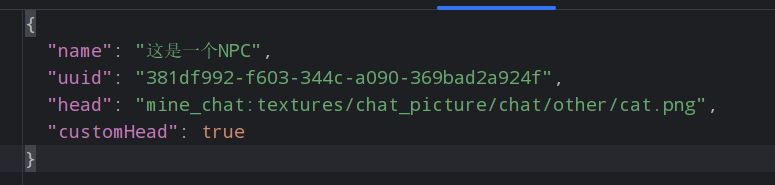
其中head和customHead为可选项
不填写head会使用默认问号头像
customHead表示使用玩家皮肤还是自定义图片
false时为自定义图片,true时为玩家皮肤
区别在于是否会自动裁剪头像
NPC对话的内容如下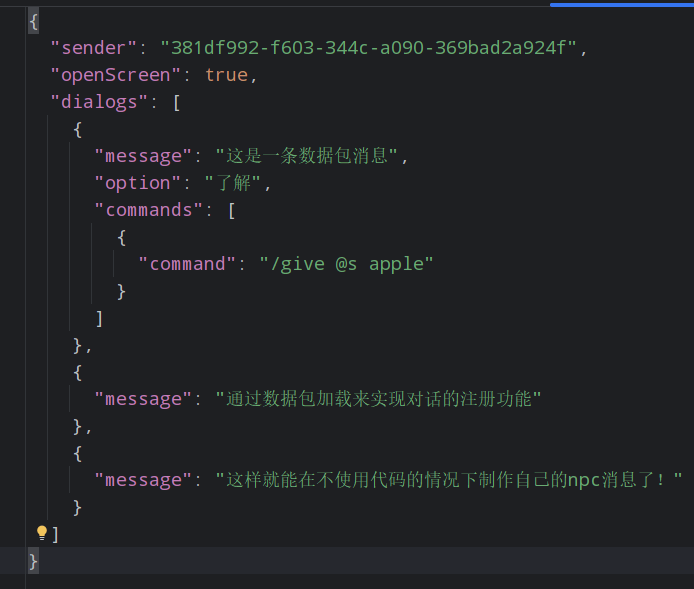
其中sender为发送的NPC
openScreen表示是否弹窗显示
option为玩家点击的回复消息按钮的内容,可选项
commands为执行完这条消息后一同执行的指令集,可选项
全部注册完毕后使用指令/mine_chat dialog send <id>即可向自己发生NPC消息
Project description from CurseForge.
Pick your setup
Shel's MineChat by Minecraft version and loader
Choose the version and loader you play, then open the matching release.
Minecraft version
1.20.1
1 loader buildCheck the dependencies, then try the file in a copied instance before changing a world you care about.
Recent files
Shel's MineChat versions and loaders
MineChat-1.2.3-forge-1.20.1.jar
1 Sept 2026
Client Source doesn’t say Server Source doesn’t say Dependencies No extras listed Listed on Release listing
Check the 1.20.1 · Forge setup 1.20.1Forge release
mine_chat-1.2.3-NeoForge-1.21.1.jar
1 Sept 2026
Client Source doesn’t say Server Source doesn’t say Dependencies No extras listed Listed on Release listing
Check the 1.21.1 · NeoForge setup 1.21.1NeoForge release
mine_chat-1.2.2-NeoForge-1.21.1.jar
28 Aug 2026
Client Source doesn’t say Server Source doesn’t say Dependencies No extras listed Listed on Release listing
Check the 1.21.1 · NeoForge setup 1.21.1NeoForge release
MineChat-1.2.2-forge-1.20.1.jar
28 Aug 2026
Client Source doesn’t say Server Source doesn’t say Dependencies No extras listed Listed on Release listing
Check the 1.20.1 · Forge setup 1.20.1Forge release
MineChat-1.2.1-forge-1.20.1.jar
27 Aug 2026
Client Source doesn’t say Server Source doesn’t say Dependencies No extras listed Listed on Release listing
Check the 1.20.1 · Forge setup 1.20.1Forge release
MineChat-1.2.1-NeoForge-1.21.1.jar
mine_chat-1.2.1-NeoForge-1.21.1.jar
27 Aug 2026
Client Source doesn’t say Server Source doesn’t say Dependencies No extras listed Listed on Release listing
Check the 1.21.1 · NeoForge setup 1.21.1NeoForge release
MineChat-1.2.0-NeoForge-1.21.1.jar
mine_chat-1.2.0-NeoForge-1.21.1.jar
23 Aug 2026
Client Source doesn’t say Server Source doesn’t say Dependencies No extras listed Listed on Release listing
Check the 1.21.1 · NeoForge setup 1.21.1NeoForge release
MineChat-1.2-forge-1.20.1.jar
23 Aug 2026
Client Source doesn’t say Server Source doesn’t say Dependencies No extras listed Listed on Release listing
Check the 1.20.1 · Forge setup 1.20.1Forge release
MineChat-1.0.6.1-forge-1.20.1.jar
5 Jul 2026
Client Source doesn’t say Server Source doesn’t say Dependencies No extras listed Listed on Release listing
Check the 1.20.1 · Forge setup 1.20.1Forge release
mine_chat-1.0.6.1-NeoForge-1.21.1.jar
29 Jun 2026
Client Source doesn’t say Server Source doesn’t say Dependencies No extras listed Listed on Release listing
Check the 1.21.1 · NeoForge setup 1.21.1NeoForge release
MineChat-1.0.5-forge-1.20.1.jar
5 Apr 2026
Client Source doesn’t say Server Source doesn’t say Dependencies No extras listed Listed on Release listing
Check the 1.20.1 · Forge setup 1.20.1Forge release
MineChat-1.0.4-forge-1.20.1.jar
25 Mar 2026
Client Source doesn’t say Server Source doesn’t say Dependencies No extras listed Listed on Release listing
Check the 1.20.1 · Forge setup 1.20.1Forge release
Looking for an older file? The official CurseForge project page is in Resources.
 mod
mod CurseForge · Minecraft
Econimize
This Mod is the primary driving currency system featuring a 15 teir base 8 currency system that is item based with a storage system in the form of the coin purse, this si compliemnted by a econimy system consisting of weekly item quests with decay settings
 mod
mod CurseForge · Minecraft
Cobblemon Info for REI / EMI / JEI
Adds a fully in-game, datapack-driven info panel for Cobblemon that shows exactly how Pokémon spawn and evolve, directly inside REI / EMI / JEI. No wikis. No outdated guides. Everything pulls live from the pack’s actual spawn + evolution data.
 mod
mod CurseForge · Minecraft
Create: Station Voices
A Create addon that brings automated, customizable Text-to-Speech announcements to your railway network.