Minecraft version
Back to mods 
CurseForge · Minecraft mod
Festering Portal
Crying Obsidian nether portals spread nether corruption to the overworld
Choose a version Pick your version below, then grab the matching file.
Quick answer
Which Festering Portal release should I use?
Latest stable file festering-portal-1.2.2.jar
Game version 26.3
Loader Fabric
Festering Portal festering-portal-1.2.2.jar targets 26.3 with Fabric. The project page does not say whether this file belongs on the client, dedicated server, or both. No extra mods listed for this file.
Where it goes
Is Festering Portal required on the client, server, or both?
The project page does not say whether this file belongs on the client, dedicated server, or both.
Client Source doesn’t say
Dedicated server Source doesn’t say
Loader for this release Fabric
Required install it here Optional supported, not mandatory Not supported do not install here Source doesn’t say do not assume
The source does not explicitly classify this release as client-only or server-only.
What else does Festering Portal festering-portal-1.2.2.jar need?
festering-portal-1.2.2.jar. Change the file and its required mods may change too.
This file does not list any required mods. Do not add a library just because a different file uses it.
This file does not list any required or optional mods.
Before you install it
Add Festering Portal without breaking your instance.
Built for Festering Portal festering-portal-1.2.2.jar. Pick another file and the loader, install side or required mods may change.
- 01
Stick to this file
Use festering-portal-1.2.2.jar. It targets 26.3 with Fabric; another release may have different loader, side or dependency requirements.
- 02
Bring the mods it needs
This file does not list any required mods. Do not add a library just because a different file uses it.
- 03
Put it on the correct side
The project page does not say whether this file belongs on the client, dedicated server, or both.
- 04
Pick the file you checked
Use the “Get this file” button beside festering-portal-1.2.2.jar. It opens that exact file at the source.
About this project
What does Festering Portal add?
- Crying Obsidian Portals: Build nether portal frames using Crying Obsidian instead of (or mixed with) regular Obsidian
- Organic Corruption Spread: Corruption spreads slowly and organically, one block at a time, like grass spreading
- Scalable Radius: Each Crying Obsidian block in the frame, corners included, adds 64 blocks to the maximum corruption radius (a minimum-size frame holds up to 14, for a 64-896 block radius; larger frames hold more)
- Block Transformations: Over 200 block types transform into nether equivalents:
- Grass/Dirt → Netherrack/Soul Soil
- Stone → Basalt/Blackstone
- Surface water → Lava (with containment walls), except within 3 blocks of anything lava could set alight, which stays water
- Trees → Crimson/Warped stems
- And many more…
- Mob Corruption: Mobs standing on corrupted ground may transform:
- Pig → Zombified Piglin
- Villager → Zombie Villager
- Slime → Magma Cube
- Horse → Skeleton Horse
- State-Preserving Swaps: Every swap keeps the properties the old and new block share (facing, half, axis, lit, connections), so stairs, doors, torches and panes stay put
- Maturation System: Nether blocks evolve over time - netherrack becomes nylium, magma blocks melt into lava
- Depth Limit: Corruption only spreads near the surface (configurable depth)
- Entity Trigger: Entities arriving through a portal within 10 blocks of a festering portal trigger a corruption burst (at most once every 5 seconds)
- Overworld Only: Only portals lit in the overworld fester
Learning It
Crying obsidian in a lit frame corrupts sixty-four blocks of overworld per stone. Nobody finds that out by accident, and nobody should find it out beside their own house.
With village-quests installed, a cleric who trusts you a great deal admits they built a frame a long way out of town, stopped halfway, and have not been back. They hand you three obsidian, one crying stone and a flint and steel, tell you roughly which direction, and ask you to finish it and come back and describe what you saw.
They are not being generous with the materials. Four stones and exactly one of them crying is the smallest festering portal there is, and they are still not going themselves.
Optional and guarded: without village-quests the mod behaves exactly as before.
Usage
- Build a nether portal frame using Crying Obsidian (regular obsidian corners are fine)
- Light the portal with Flint and Steel
- Watch as the nether corruption slowly spreads outward
- The more Crying Obsidian in the frame, the further the corruption will spread
Configuration
Configuration options can be found in config/festeringportal.json (generated on first run):
spreadIntervalTicks: How often corruption spreads (default: 60 ticks = 3 seconds; 20 was the original default and proved far too fast in play)radiusPerCryingObsidian: Blocks of radius per crying obsidian (default: 64)maxDepthBelowSurface: How deep below surface corruption can spread (default: 4)corruptMobs: Enable/disable mob corruption (default: true)mobCorruptionChance: Chance per spread cycle that mobs within 20 blocks of the portal are corrupted (default: 0.05)transformWaterToLava: Enable/disable turning water into contained lava (default: true)maxPortalsPerTick: How many festering portals spread per cycle; the rest take turns (default: 10)
Project description from CurseForge.
Pick your setup
Festering Portal by Minecraft version and loader
Choose the version and loader you play, then open the matching release.
Minecraft version
26.3
1 loader buildMinecraft version
1.21.11
1 loader buildMinecraft version
1.21.1
1 loader buildCheck the dependencies, then try the file in a copied instance before changing a world you care about.
Recent files
Festering Portal versions and loaders
festering-portal-1.2.2.jar
17 Sept 2026
Client Source doesn’t say Server Source doesn’t say Dependencies No extras listed Listed on Release listing
Check the 26.3 · Fabric setup Fabric26.3 release
festering-portal-1.2.0.jar
27 Aug 2026
Client Source doesn’t say Server Source doesn’t say Dependencies No extras listed Listed on Release listing
Check the 26.3-snapshot · Fabric setup Fabric26.3-snapshot release
festering-portal-1.1.1.jar
16 Aug 2026
Client Source doesn’t say Server Source doesn’t say Dependencies No extras listed Listed on Release listing
Check the 26.3-snapshot · Fabric setup Fabric26.3-snapshot release
festering-portal-1.1.0.jar
17 Jan 2026
Client Source doesn’t say Server Source doesn’t say Dependencies No extras listed Listed on Release listing
Check the 1.21.11 · Fabric setup Fabric1.21.11 release
festering-portal-1.0.0.jar
17 Jan 2026
Client Source doesn’t say Server Source doesn’t say Dependencies No extras listed Listed on Release listing
Check the 1.21.1 · Fabric setup Fabric1.21.1 release
Looking for an older file? The official CurseForge project page is in Resources.
 mod
mod CurseForge · Minecraft
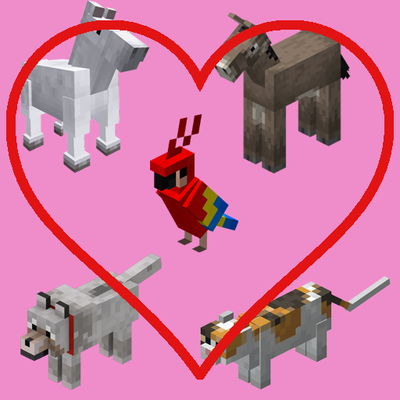
Friendly Fire (tamed mobs & mounts)
Prevents players from accidentally hitting, hurting, or knocking back their tamed pets (wolves, cats, parrots) and mounts (horses, donkeys, llamas) during combat.
 mod
mod CurseForge · Minecraft
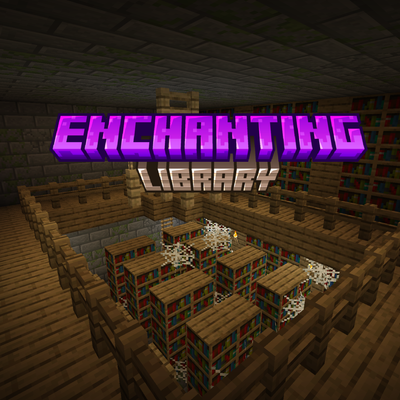
Enchanting Library
Enchanting Tables now have a 15 block radius for bookshelves. Also allows for chiseled bookshelves to be used to increase enchanting power when all 6 slots are full
 mod
mod CurseForge · Minecraft
Bedrock Entity Models
Allows Bedrock Edition entity models to be used natively in Java Edition.