smartbuildLib Needed by smartbuild-1.5.jar
requiredMatching file found Matched file: smartbuildlib-3.0.0.jar
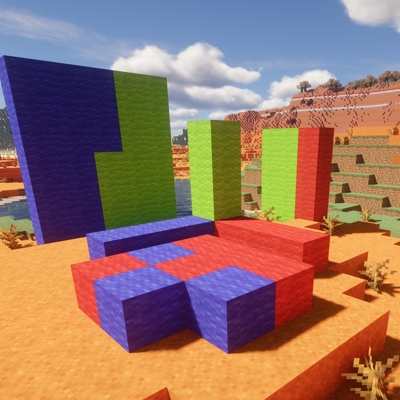
CurseForge · Minecraft mod
Significantly simplifies the construction process...
Quick answer
smartbuild-1.5.jar targets 26.2 with NeoForge. The project page does not say whether this file belongs on the client, dedicated server, or both. All 1 required mods have matching files.
Where it goes
The project page does not say whether this file belongs on the client, dedicated server, or both.
The source does not explicitly classify this release as client-only or server-only.
smartbuild-1.5.jar on 26.2 NeoForge. Every mod below is checked against that same setup.
Install smartbuildLib first. We found matching files for this game-version and loader setup. 2 come through another mod in the chain.
2 extra mods were pulled in by other dependencies. Indented rows show who needs each one. We only count dependency files that match this setup. A file for another loader does not fill the gap.
Before you install it
Built for smartbuild-1.5.jar on 26.2 NeoForge. Pick another file and the loader, install side or required mods may change.
Use smartbuild-1.5.jar. It targets 26.2 with NeoForge; another release may have different loader, side or dependency requirements.
Install smartbuildLib first. We found matching files for this game-version and loader setup. 2 come through another mod in the chain.
The project page does not say whether this file belongs on the client, dedicated server, or both.
Use the “Get this file” button beside smartbuild-1.5.jar. It opens that exact file at the source.
About this project
Hello, everyone. First of all, I strongly recommend that you download projects through the official curseforge and modrinth launchers—this will increase the reward for the creators. Thank you all very much for your support!!!


It will save you from the routine of creating large structures of the same type. Simply turn on selection mode, place the first block, then the second block, and the entire selected area will be filled with the same blocks as the first.
Go to settings. Set the key to activate selection mode. There are 3 modes in total:
First mode - "1D"
Second mode - 2D
Third mode - 3D.
After that, set the first block, move to the other side and set the second block, after which the selected area will be filled with the same blocks as the first one in exactly the same position.
In addition, when switching to selection mode, the range of interaction with blocks increases to 20. This can be configured in the configuration file.
Please note that the creation of structures depends on the position of the first and last blocks you click. If you click on the first block and move in a direction where there are no blocks, pay attention to the position of the mouse pointer. If you move the cursor slightly below or slightly to the side, instead of creating a single line, you'll create a wall or floor.



Please note that the creation of structures depends on the position of the first and last blocks you click. If you click on the first block and move in a direction where there are no blocks, pay attention to the position of the mouse pointer. If you move the cursor slightly below or slightly to the side, instead of creating a single line, you'll create a wall or floor.
In addition, when squatting, the range of interaction with the blocks increases to 20. This can be configured in the configuration file.
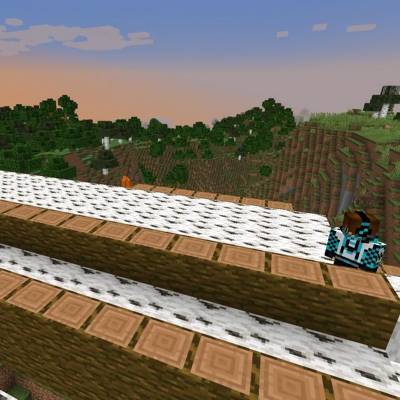

Project description from CurseForge.
Pick your setup
Choose the version and loader you play, then open the matching release.
Check the dependencies, then try the file in a copied instance before changing a world you care about.
Recent files
4 Jul 2026
Looking for an older file? The official CurseForge project page is in Resources.
 mod
Change and configure your creative and spectator fly speed with the scroll wheel to fly up to 1000x faster.
 mod
Adds compact, easy-to-type command shortcuts for gamemodes, teleportation, items, time, weather, healing, and custom aliases.
 mod
An API to add custom villager professions and villager biome types with custom trades without writing code.