Minecraft version
Back to mods 
CurseForge · Minecraft mod
PVP Optimizer
This mod removes the Delay you got from swinging a sword axe pickaxe or any item even if you have a lot of ping almost like you have 0 ping this mod helps with pvp and helps you fight like your on 0 ping no mater what ping you use
Choose a version Pick your version below, then grab the matching file.
Quick answer
Which PVP Optimizer release should I use?
Latest stable file PVP OPTIMIZER 1.21.8
Game version 1.21.8
Loader Fabric
PVP OPTIMIZER 1.21.8 targets 1.21.8 with Fabric. The project page does not say whether this file belongs on the client, dedicated server, or both. No extra mods listed for this file.
Where it goes
Is PVP Optimizer required on the client, server, or both?
The project page does not say whether this file belongs on the client, dedicated server, or both.
Client Source doesn’t say
Dedicated server Source doesn’t say
Loader for this release Fabric
Required install it here Optional supported, not mandatory Not supported do not install here Source doesn’t say do not assume
The source does not explicitly classify this release as client-only or server-only.
What else does PVP OPTIMIZER 1.21.8 need?
PVP OPTIMIZER 1.21.8. Change the file and its required mods may change too.
This file does not list any required mods. Do not add a library just because a different file uses it.
This file does not list any required or optional mods.
Before you install it
Add PVP Optimizer without breaking your instance.
Built for PVP OPTIMIZER 1.21.8. Pick another file and the loader, install side or required mods may change.
- 01
Stick to this file
Use PVP OPTIMIZER 1.21.8. It targets 1.21.8 with Fabric; another release may have different loader, side or dependency requirements.
- 02
Bring the mods it needs
This file does not list any required mods. Do not add a library just because a different file uses it.
- 03
Put it on the correct side
The project page does not say whether this file belongs on the client, dedicated server, or both.
- 04
Pick the file you checked
Use the “Get this file” button beside PVP OPTIMIZER 1.21.8. It opens that exact file at the source.
About this project
What does PVP Optimizer add?
Before reading the descirption download from modrinth if you want more updates and better updates https://modrinth.com/mod/pvp-optmizer/versions Pls download from modrinth because curseforge only lets me put 2 versions for this mod when i made it for 1.21.8-1.21.11 and flags it as a duplicate
so download from modrinth instead pls

PVP optmizer is a lightweight client-side PvP optimization mod focused on improving hit responsiveness and reducing perceived latency during combat. It helps your attacks feel smoother and more immediate, especially on higher ping connections, by optimizing swing timing and client-side responsiveness.
Features
Faster and smoother attack swing feedback
Reduced visual delay when clicking to hit
Lightweight and performance-friendly
Client-side only – no server install required
Designed for PvP combat consistency
Compatibility
Works alongside most performance mods (Sodium, Lithium, etc.)
Fabric support depending on build
Does not modify server mechanics
Goal
PVP optmizer aims to make combat feel more responsive and consistent without adding intrusive visuals or heavy features — just clean, optimized hit timing for smoother PvP.
Project description from CurseForge.
Pick your setup
PVP Optimizer by Minecraft version and loader
Choose the version and loader you play, then open the matching release.
Minecraft version
1.21.8
1 loader buildCheck the dependencies, then try the file in a copied instance before changing a world you care about.
Recent files
PVP Optimizer versions and loaders
PVP OPTIMIZER 1.21.8
pvpoptimizer1.21.8-1.0.0.jar
18 Feb 2026
Client Source doesn’t say Server Source doesn’t say Dependencies No extras listed Listed on Release listing
Check the 1.21.8 · Fabric setup Fabric1.21.8 release
PVP OPTIMIZER 1.21.11
pvpoptimizer1.21.11-1.0.0 (1).jar
18 Feb 2026
Client Source doesn’t say Server Source doesn’t say Dependencies No extras listed Listed on Release listing
Check the 1.21.11 · Fabric setup Fabric1.21.11 release
Looking for an older file? The official CurseForge project page is in Resources.
 mod
CurseForge · Minecraft
The Mighty Architectury
Design elaborate buildings within a minute. A maintained port of simibubi's The Mighty Architect for Fabric, NeoForge and Forge — Minecraft 1.19.4 to 26.3.
 mod
CurseForge + Modrinth · Minecraft
More Banner Features
Banners on Horses, Boats, Happy Ghasts, as Capes, Hats, more layers and more!
 mod
CurseForge · Minecraft
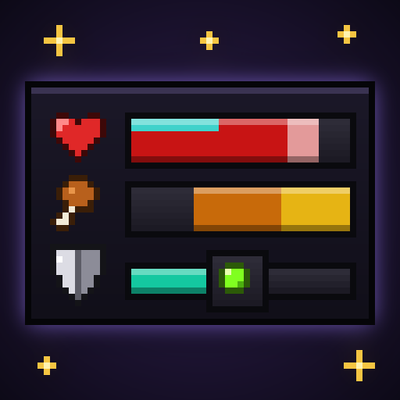
Better UX
Better User Experience, health bar, hunger bar, no more fire all over the screen, customize the HUD how ever you like and more.