Minecraft version
Back to mods 
CurseForge · Minecraft mod
ArcBuilder
ArcBuilder is a feature-rich mod built on the M-Arch library, providing advanced building, destruction, and world management tools.
Choose a version Pick your version below, then grab the matching file.
Quick answer
Which ArcBuilder release should I use?
Latest stable file ArcBuilder - 1.21.11
Game version 1.21.11
Loader Fabric
ArcBuilder - 1.21.11 targets 1.21.11 with Fabric. The project page does not say whether this file belongs on the client, dedicated server, or both. No extra mods listed for this file.
Where it goes
Is ArcBuilder required on the client, server, or both?
The project page does not say whether this file belongs on the client, dedicated server, or both.
Client Source doesn’t say
Dedicated server Source doesn’t say
Loader for this release Fabric
Required install it here Optional supported, not mandatory Not supported do not install here Source doesn’t say do not assume
The source does not explicitly classify this release as client-only or server-only.
What else does ArcBuilder - 1.21.11 need?
ArcBuilder - 1.21.11. Change the file and its required mods may change too.
This file does not list any required mods. Do not add a library just because a different file uses it.
This file does not list any required or optional mods.
Before you install it
Add ArcBuilder without breaking your instance.
Built for ArcBuilder - 1.21.11. Pick another file and the loader, install side or required mods may change.
- 01
Stick to this file
Use ArcBuilder - 1.21.11. It targets 1.21.11 with Fabric; another release may have different loader, side or dependency requirements.
- 02
Bring the mods it needs
This file does not list any required mods. Do not add a library just because a different file uses it.
- 03
Put it on the correct side
The project page does not say whether this file belongs on the client, dedicated server, or both.
- 04
Pick the file you checked
Use the “Get this file” button beside ArcBuilder - 1.21.11. It opens that exact file at the source.
About this project
What does ArcBuilder add?
【 ✦ 🏗️ ᴀʀᴄʙᴜɪʟᴅᴇʀ ✦ 】
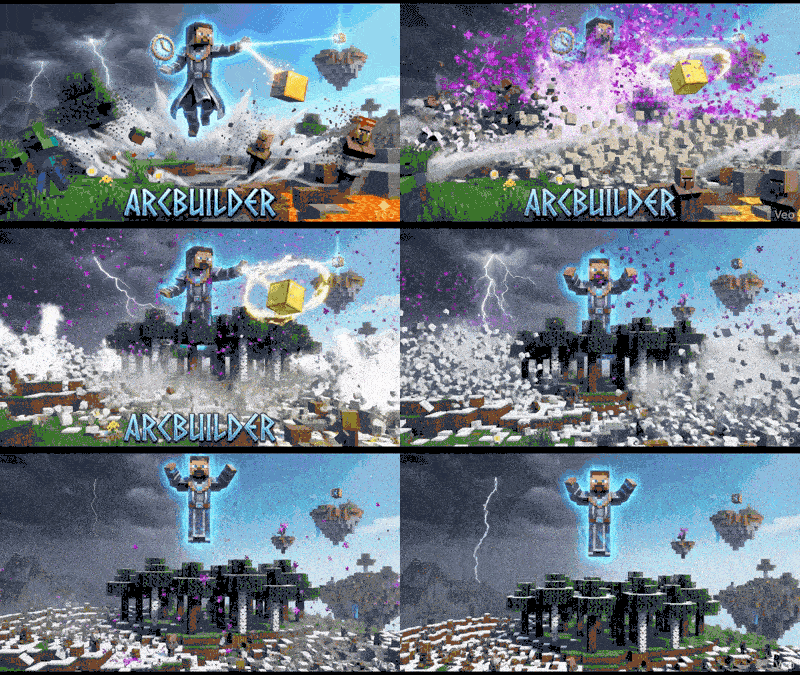
ArcBuilder is a comprehensive, high-performance feature mod designed for modern Minecraft versions. ArcBuilder is engineered to maximize creativity, efficiency, and user experience.
 **M-Arch Library Integration: Leverages a robust technical core for stable configuration loading, efficient event handling, and cross-mod compatibility.**
M-Arch Library Integration: M-Arch Library
【 🌳 ᴛʀᴇᴇ | 🍃 ʟᴇᴀꜰ | 🌾 ɢʀᴀꜱꜱ | 🌼 ꜰʟᴏᴡᴇʀ ✦ DESTROY ✦ 】
🧹Dedicated modules for Trees, Grass, Flowers, and Entities. Clear vast areas of clutter or unwanted mobs instantly without harming desired structures.
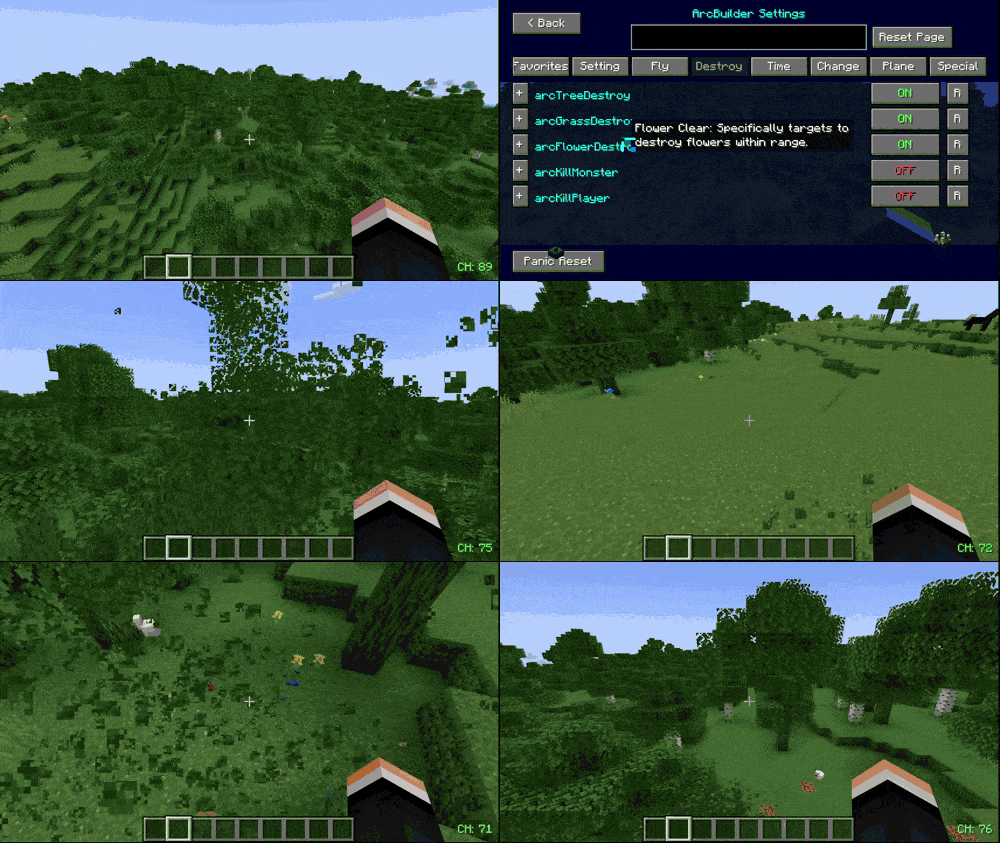
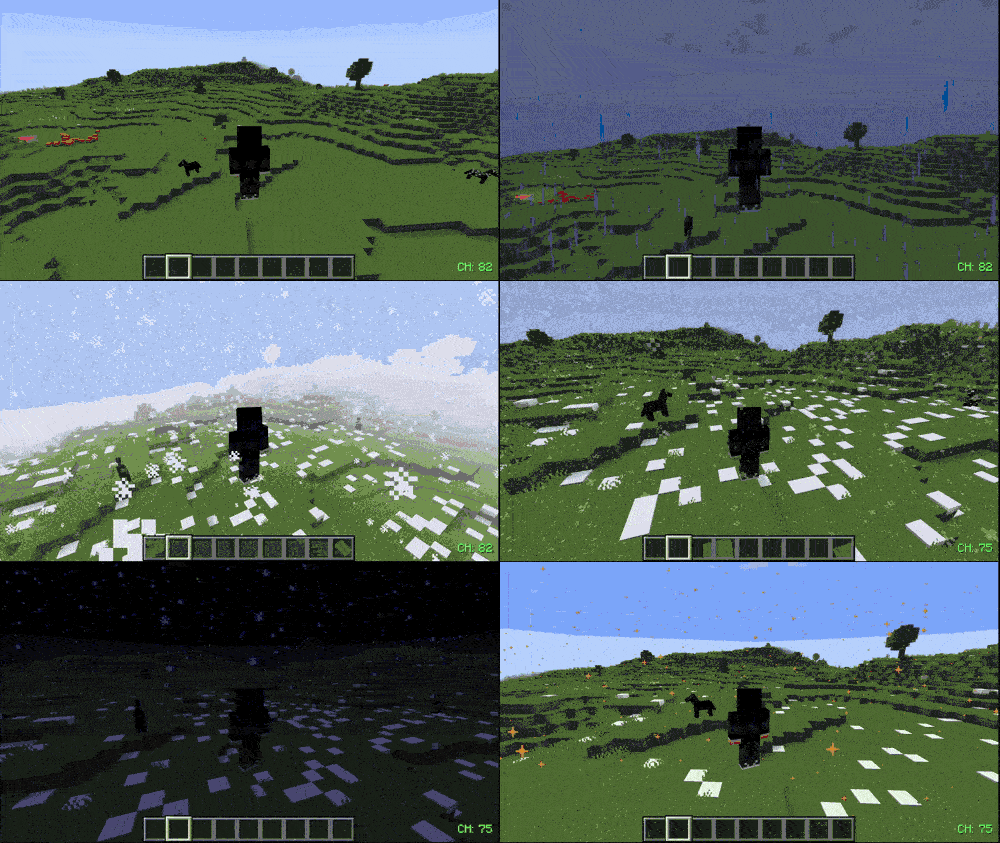
【 🌧 ʀᴀɪɴ | ⚡ ᴛʜᴜɴᴅᴇʀ | ❄️ sɴᴏᴡꜰᴀʟʟ | ❄️🌪 ᴛʜᴜɴᴅᴇʀsᴛᴏʀᴍ | 🏜️💨 sᴀɴᴅsᴛᴏʀᴍ | 💮 ᴇɴᴅ-ᴇꜰꜰᴇᴄᴛ | ✨ sᴛᴀʀs-ᴇꜰꜰᴇᴄᴛ ✦ ACTIVATE ✦ 】
You can activate all of these effects in the game with a single button.
Additionally, we have a feature that allows you to quickly adjust the in-game time, as well as a feature to stop the game time completely.
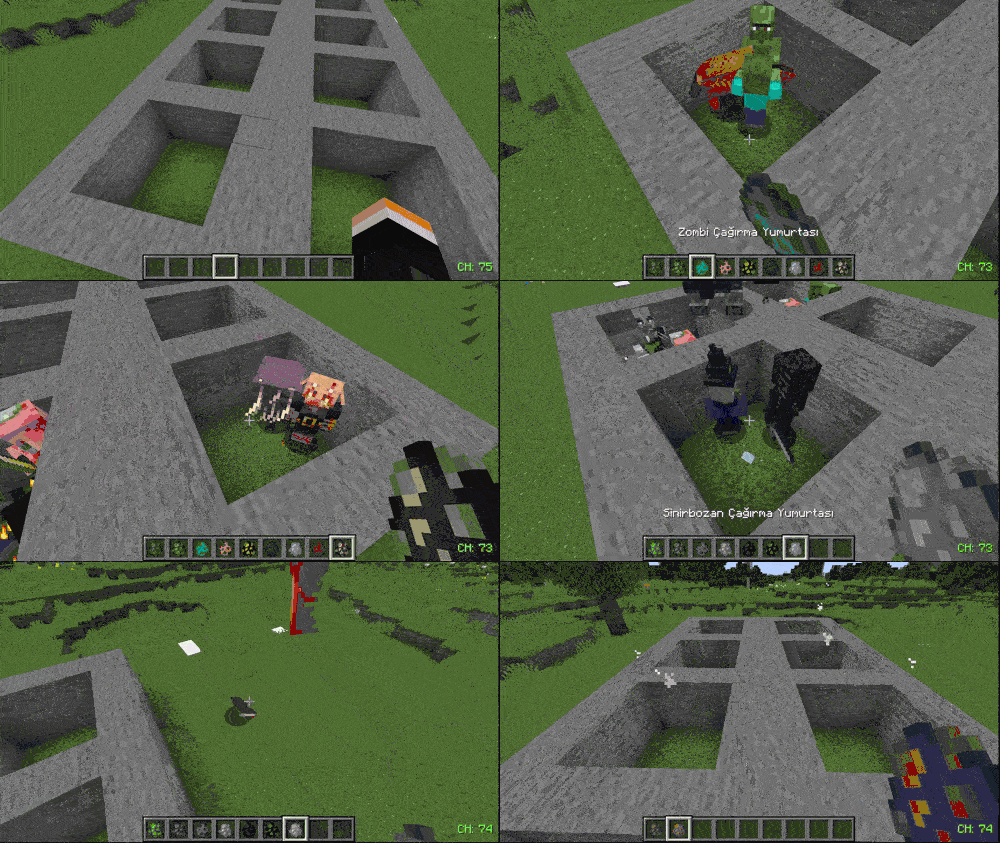
【 🥚 ᴇɢɢ ꜱᴘᴀᴡɴ | 👾 ᴍᴏɴꜱᴛᴇʀ ᴋɪʟʟ | 🧍♂️⚔️ ᴘʟᴀʏᴇʀ ᴋɪʟʟ ✦ ACTIVATE ✦ 】
You can spawn any mob that normally cannot spawn in daylight, and we also have an option to kill them.
Additionally, there is an option to kill villagers and traders as well.
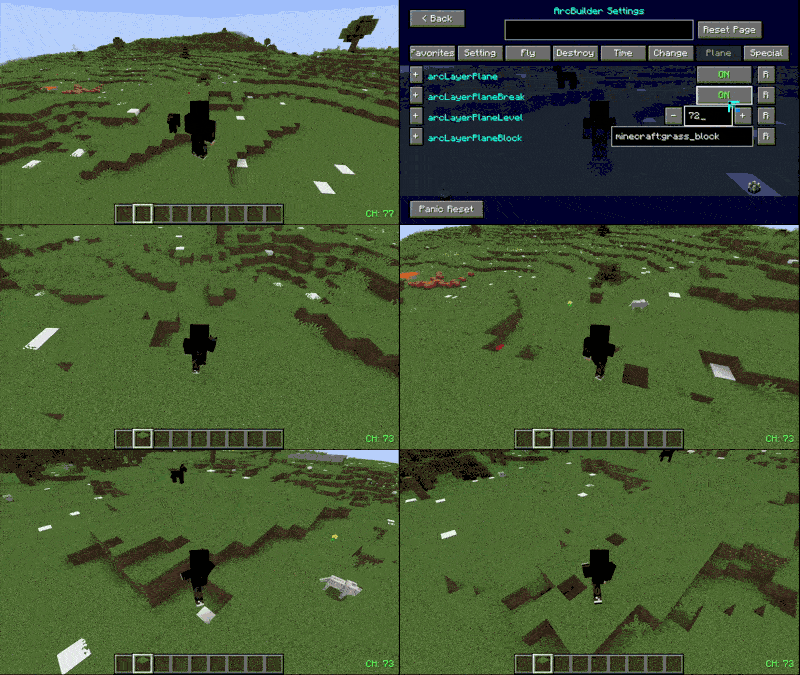
【 ⛏️ ʙʀᴇᴀᴋꜱ-ʙʟᴏᴄᴋꜱ | 🧱 ʟᴀʏᴇʀ-ʀᴇᴘʟᴀᴄᴇ | 📐 ꜱᴍᴏᴏᴛʜ-ꜱᴜʀꜰᴀᴄᴇ ✦ ACTIVATE ✦ 】
It breaks blocks down to a specified layer and replaces all blocks in that layer with the selected block, creating a smooth and clean surface.
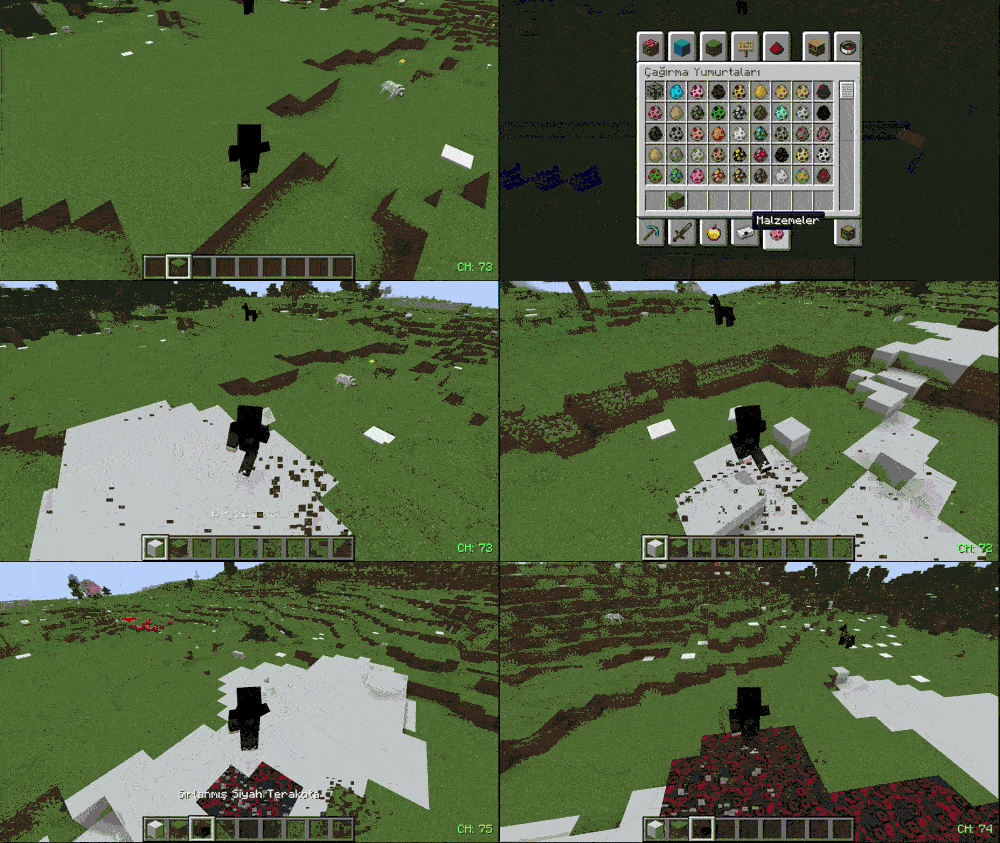
【 🔴🔄⚪🔄🟢 ʙʟᴏᴄᴋ-ᴄʜᴀɴɢᴇ | ✦ ACTIVATE ✦ 】
You can replace the block you are holding with any other block.
If there are blocks you do not want to change, you can mask them using our feature with minecraft:blockname.
You can even chain masking like this: minecraft:1.blockname,2.blockname,3.blockname...
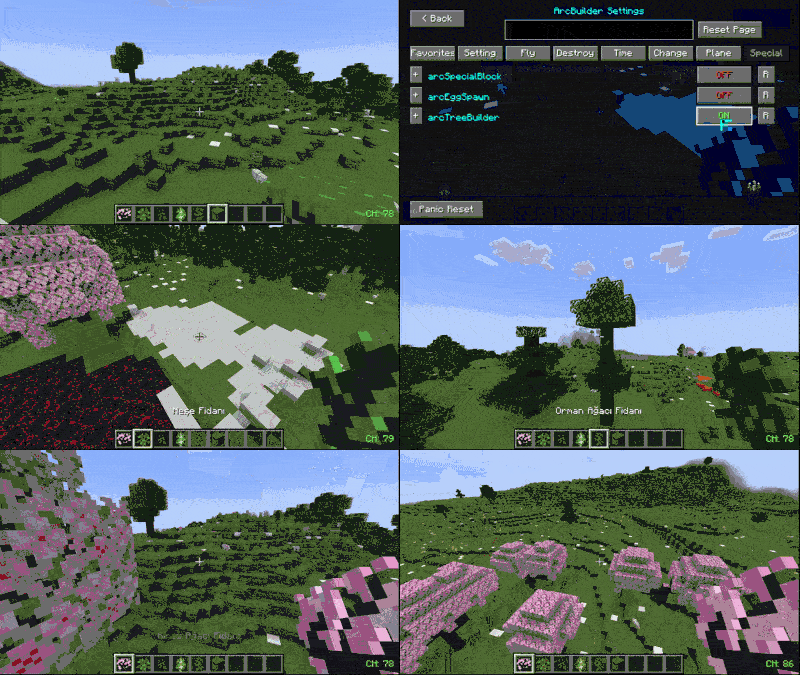
 【 🌱 ʀᴀᴘɪᴅ-ᴛʀᴇᴇ-ᴘʟᴀɴᴛ | 🌳 ʙʟᴏᴄᴋ-ɢʀᴏᴡ ✦ ACTIVATE ✦ 】
We have a feature that allows the trees we plant to instantly grow to their full size.
This feature allows us to plant any type of crop or plant in its fully grown state.
Note: If you enable block placement while this feature is active, the plants on the placed blocks will also appear fully grown.
For example, when placing a grass_block, any plants on it will grow to their full size.
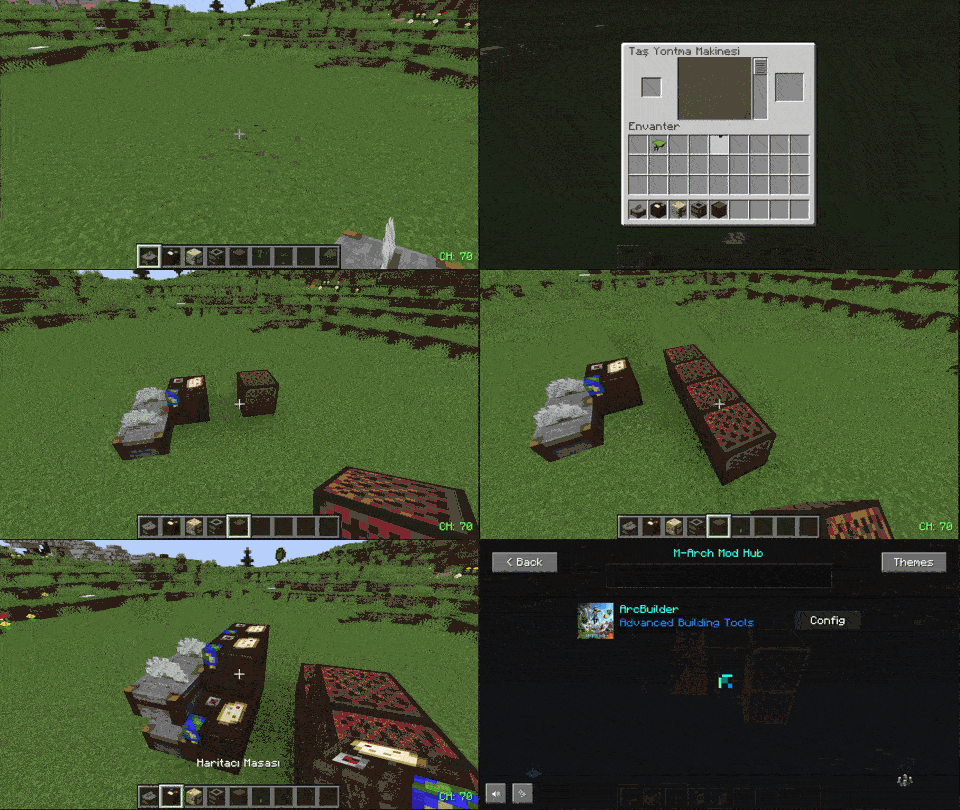
【 🧱✨ SPECIAL BLOCK MANIPULATION | ✦ ACTIVATE ✦ 】
This feature allows you to stack special blocks in the game without opening their menu.
It can be a useful option if you want to use these blocks for construction.
【 🏗️📏 BLOCK PLACE RANGE | 🛠️ BLOCK-BREAK ✦ ACTIVATE ✦ 】
Do you want to increase your block placing range in the game? This feature does exactly that, and it also allows you to break blocks from a distance.
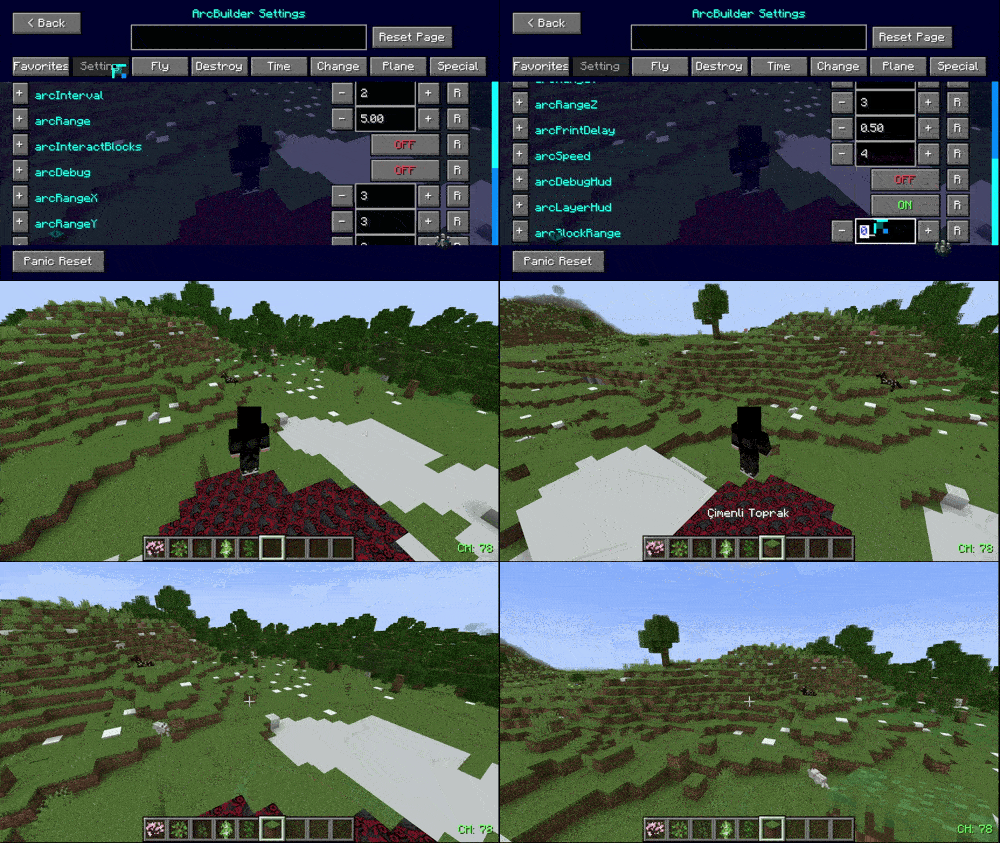
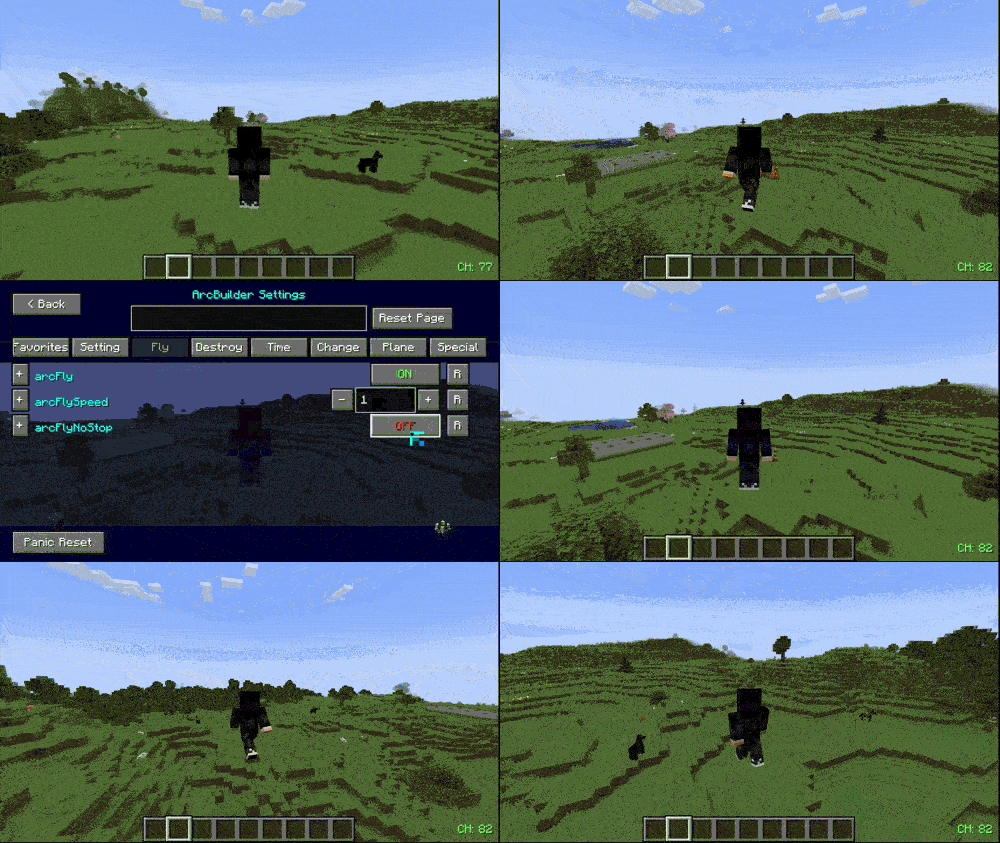
【 🕊️💨 FLY SPEED BOOST | ⛔ NO STOP ✦ ACTIVATE ✦ 】
You can adjust your flying speed as you wish, and we also have a feature that prevents you from getting stuck on obstacles while flying, allowing smooth movement without touching the ground.
Project description from CurseForge.
Pick your setup
ArcBuilder by Minecraft version and loader
Choose the version and loader you play, then open the matching release.
Minecraft version
1.21.10
1 loader buildMinecraft version
1.21.9
1 loader buildMinecraft version
1.21.8
1 loader buildMinecraft version
1.21.7
1 loader buildMinecraft version
1.21.6
1 loader buildMinecraft version
1.21.5
1 loader buildMinecraft version
1.21.4
1 loader buildMinecraft version
1.21.3
1 loader buildMinecraft version
1.21.2
1 loader buildMinecraft version
1.21.1
1 loader buildMinecraft version
1.21
1 loader buildShowing the newest 12 of 19 game versions. Older files are in the list below.
Check the dependencies, then try the file in a copied instance before changing a world you care about.
Recent files
ArcBuilder versions and loaders
ArcBuilder - 1.21.11
arcbuilder-1.0.8.jar
14 Feb 2026
Client Source doesn’t say Server Source doesn’t say Dependencies No extras listed Listed on Release listing
Check the 1.21.11 · Fabric setup Fabric1.21.11 release
ArcBuilder - 1.21.10
arcbuilder-1.0.8.jar
14 Feb 2026
Client Source doesn’t say Server Source doesn’t say Dependencies No extras listed Listed on Release listing
Check the 1.21.10 · Fabric setup Fabric1.21.10 release
ArcBuilder - 1.21.9
arcbuilder-1.0.8.jar
14 Feb 2026
Client Source doesn’t say Server Source doesn’t say Dependencies No extras listed Listed on Release listing
Check the 1.21.9 · Fabric setup Fabric1.21.9 release
ArcBuilder - 1.21.8
arcbuilder-1.0.8.jar
14 Feb 2026
Client Source doesn’t say Server Source doesn’t say Dependencies No extras listed Listed on Release listing
Check the 1.21.8 · Fabric setup Fabric1.21.8 release
ArcBuilder - 1.21.7
arcbuilder-1.0.8.jar
14 Feb 2026
Client Source doesn’t say Server Source doesn’t say Dependencies No extras listed Listed on Release listing
Check the 1.21.7 · Fabric setup Fabric1.21.7 release
ArcBuilder - 1.21.6
arcbuilder-1.0.8.jar
14 Feb 2026
Client Source doesn’t say Server Source doesn’t say Dependencies No extras listed Listed on Release listing
Check the 1.21.6 · Fabric setup Fabric1.21.6 release
ArcBuilder - 1.21.5
arcbuilder-1.0.8.jar
13 Feb 2026
Client Source doesn’t say Server Source doesn’t say Dependencies No extras listed Listed on Release listing
Check the 1.21.5 · Fabric setup Fabric1.21.5 release
ArcBuilder - 1.21.4
arcbuilder-1.0.8.jar
13 Feb 2026
Client Source doesn’t say Server Source doesn’t say Dependencies No extras listed Listed on Release listing
Check the 1.21.4 · Fabric setup Fabric1.21.4 release
ArcBuilder - 1.21.3
arcbuilder-1.0.8.jar
13 Feb 2026
Client Source doesn’t say Server Source doesn’t say Dependencies No extras listed Listed on Release listing
Check the 1.21.3 · Fabric setup Fabric1.21.3 release
ArcBuilder - 1.21.2
arcbuilder-1.0.8.jar
13 Feb 2026
Client Source doesn’t say Server Source doesn’t say Dependencies No extras listed Listed on Release listing
Check the 1.21.2 · Fabric setup Fabric1.21.2 release
ArcBuilder - 1.21.1
arcbuilder-1.0.8-1.20.6.jar
13 Feb 2026
Client Source doesn’t say Server Source doesn’t say Dependencies No extras listed Listed on Release listing
Check the 1.21.1 · Fabric setup Fabric1.21.1 release
ArcBuilder - 1.21.0
arcbuilder-1.0.8.jar
13 Feb 2026
Client Source doesn’t say Server Source doesn’t say Dependencies No extras listed Listed on Release listing
Check the 1.21 · Fabric setup 1.21Fabric release
Looking for an older file? The official CurseForge project page is in Resources.
 mod
CurseForge · Minecraft
ArcadiaGuard
Standalone zone protection mod with in-game GUI, wand tool, 60+ configurable flags, 3D zone rendering, and third-party mod integration.
 mod
GitHub · Minecraft
modpacks-ch-github-test
Disposable public fixture for testing the Modpacks.ch GitHub catalogue flow
 mod
CurseForge · Minecraft
Zombies With Totems
Zombies that can use Totems of Undying to survive fatal damage.