Station Decoration Optional for Station Builder stationbuilder-FORGE-0.2.0+1.20.1.jar
optionalMatching file found Matched file: MSD-forge-1.20.1-4.0.5-1.4.5.jar
CurseForge · Minecraft mod
Create decorated railways and stations with few clicks!
Quick answer
Station Builder stationbuilder-FORGE-0.2.0+1.20.1.jar targets 1.20.1 with Forge. The project page does not say whether this file belongs on the client, dedicated server, or both. 1 required mod needs a matching file.
Where it goes
The project page does not say whether this file belongs on the client, dedicated server, or both.
The source does not explicitly classify this release as client-only or server-only.
stationbuilder-FORGE-0.2.0+1.20.1.jar. Change the file and its required mods may change too.
Install Fabric API first, but 1 required mod has no matching file for this setup. Do not mix loader builds to force a match. 1 comes through another mod in the chain.
1 extra mod was pulled in by another dependency. Indented rows show who needs each one. We only count dependency files that match this setup. A file for another loader does not fill the gap.
Before you install it
Built for Station Builder stationbuilder-FORGE-0.2.0+1.20.1.jar. Pick another file and the loader, install side or required mods may change.
Use stationbuilder-FORGE-0.2.0+1.20.1.jar. It targets 1.20.1 with Forge; another release may have different loader, side or dependency requirements.
Install Fabric API first, but 1 required mod has no matching file for this setup. Do not mix loader builds to force a match. 1 comes through another mod in the chain.
The project page does not say whether this file belongs on the client, dedicated server, or both.
Use the “Get this file” button beside stationbuilder-FORGE-0.2.0+1.20.1.jar. It opens that exact file at the source.
About this project
Create decorated railways and stations for Create, MTR, Vanilla Minecraft with few clicks!
Build a station (with vanilla, Create, and MTR rails) 
Build parallel rails (in vanilla, Create, and MTR mode) 
Station Builder provides 2 tools for convenient construction of continuous rails and train stations.
.schem files (//schem save building_name).Tunnel 
Bridge 
Station Builder GUI 
To select building in Station Builder GUI 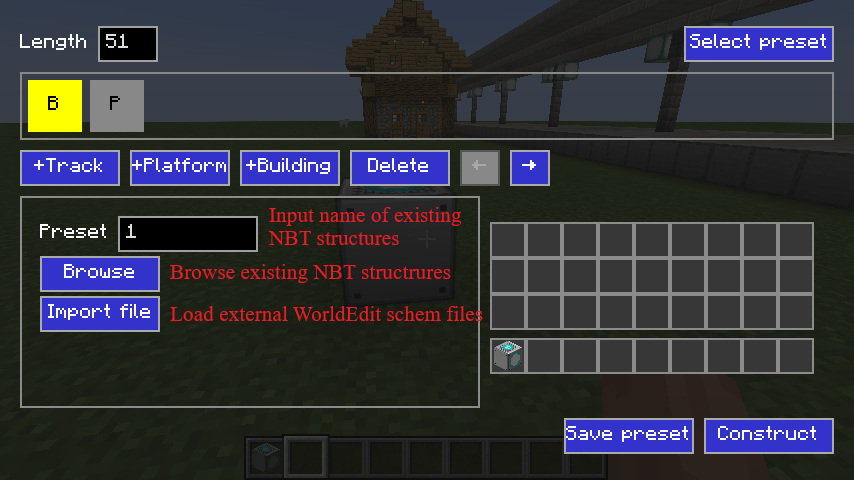
Rail Builder GUI 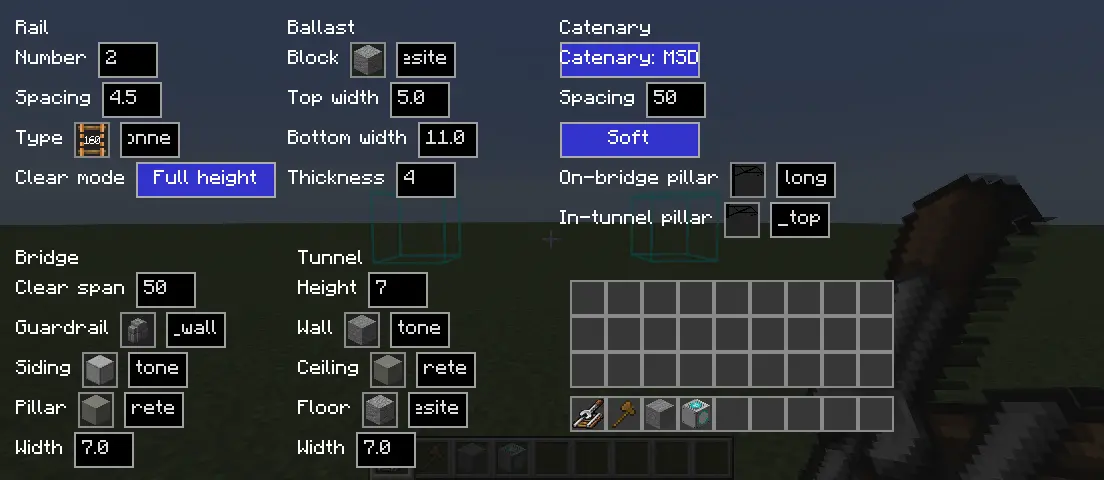
Different "Rail -> Clear Mode": 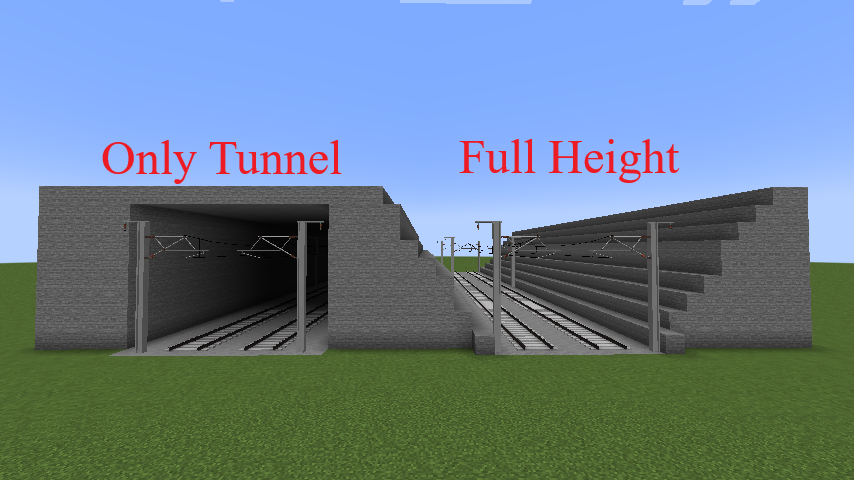
One-way rail settings 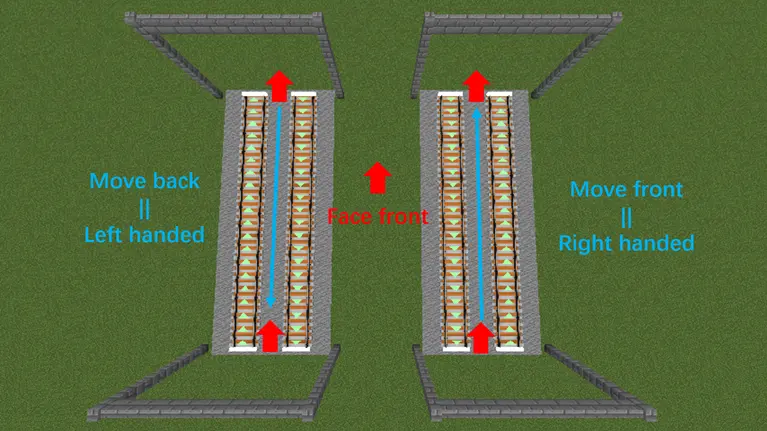
Project description from CurseForge.
Pick your setup
Choose the version and loader you play, then open the matching release.
Check the dependencies, then try the file in a copied instance before changing a world you care about.
Recent files
7 Oct 2026
7 Oct 2026
7 Oct 2026
7 Oct 2026
7 Oct 2026
7 Oct 2026
7 Oct 2026
7 Oct 2026
4 Oct 2026
3 Oct 2026
26 Sept 2026
29 Aug 2026
Looking for an older file? The official CurseForge project page is in Resources.
 mod
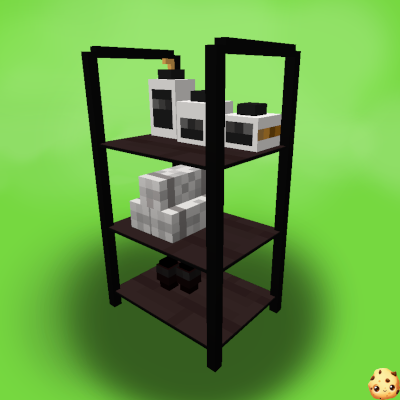
modA mod that adds decorative furniture such as kitchen sets, bathroom accessories, office, etc.
 mod
modThis mod adds tons of new Furniture to the game!
 mod
modCountdown timer on top of screen to know exactly when that TNT is going to explode without need to see the TNT client-side. Renders a timer over primed TNT (starting from v2.0)