Minecraft version
Back to mods 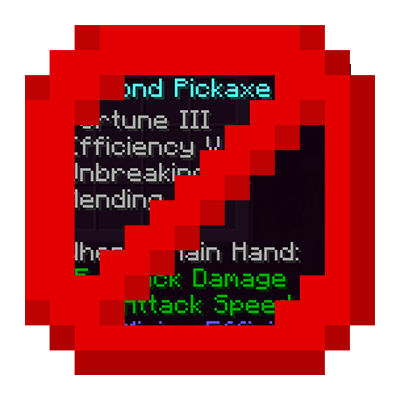
CurseForge · Minecraft mod
HideTooltip
Mod hides item tooltips by default, showing them only when you actually need to see them.
Choose a version Pick your version below, then grab the matching file.
Quick answer
Which HideTooltip release matches 1.20.1 Forge?
Best match for your filters hidetooltip-1.0.6-Forge-1.20.1.jar
Game version 1.20.1
Loader Forge
hidetooltip-1.0.6-Forge-1.20.1.jar targets 1.20.1 with Forge. The project page does not say whether this file belongs on the client, dedicated server, or both. No extra mods listed for this file.
Where it goes
Is HideTooltip required on the client, server, or both?
The project page does not say whether this file belongs on the client, dedicated server, or both.
Client Source doesn’t say
Dedicated server Source doesn’t say
Loader for this release Forge
Required install it here Optional supported, not mandatory Not supported do not install here Source doesn’t say do not assume
The source does not explicitly classify this release as client-only or server-only.
What else does hidetooltip-1.0.6-Forge-1.20.1.jar need?
hidetooltip-1.0.6-Forge-1.20.1.jar on 1.20.1 Forge. Every mod below is checked against that same setup.
This file does not list any required mods. Do not add a library just because a different file uses it.
This file does not list any required or optional mods.
Before you install it
Add HideTooltip without breaking your instance.
Built for hidetooltip-1.0.6-Forge-1.20.1.jar on 1.20.1 Forge. Pick another file and the loader, install side or required mods may change.
- 01
Stick to this file
Use hidetooltip-1.0.6-Forge-1.20.1.jar. It targets 1.20.1 with Forge; another release may have different loader, side or dependency requirements.
- 02
Bring the mods it needs
This file does not list any required mods. Do not add a library just because a different file uses it.
- 03
Put it on the correct side
The project page does not say whether this file belongs on the client, dedicated server, or both.
- 04
Pick the file you checked
Use the “Get this file” button beside hidetooltip-1.0.6-Forge-1.20.1.jar. It opens that exact file at the source.
About this project
What does HideTooltip add?
A lightweight mod that hides item tooltips for a cleaner UI.
HideToolTip

About
Tired of massive item descriptions blocking your entire inventory view? HideToolTip cleans up your UI by hiding tooltips when you don't need them. Whether you prefer holding a key to peek at stats or toggling the visibility entirely, this mod has you covered. 
🌟 Key Features
- Two Interaction Modes: * Hold to Show: Keep tooltips hidden and only see them while holding Left Alt.
- Toggle Mode: Use V to switch between "Always Hidden" and "Always Visible" modes instantly.
- Inventory Compatibility: Full support for working inside any inventory or container screen.
- Status Overlay: Get instant feedback with a clean status message above your hotbar whenever you switch modes.
- Custom Category: All keybindings are neatly organized in their own "Hide Tooltip" category in the standard Controls menu.
🛠 Technical Details
- Client-Side Only: No server-side installation required. Works perfectly on any server or single-player world.
- Optimized for Fabric: Supports Minecraft versions from 1.21.1 up to 1.21.11.
- Languages: Includes full support for English and Ukrainian.
Project description from CurseForge.
Pick your setup
HideTooltip by Minecraft version and loader
Choose the version and loader you play, then open the matching release.
Minecraft version
26.1.2
1 loader buildMinecraft version
26.1.1
1 loader buildMinecraft version
26.1
1 loader buildMinecraft version
1.21.11
1 loader buildMinecraft version
1.21.10
1 loader buildMinecraft version
1.21.9
1 loader buildMinecraft version
1.21.8
1 loader buildMinecraft version
1.21.7
1 loader buildMinecraft version
1.21.6
1 loader buildMinecraft version
1.21.5
1 loader buildMinecraft version
1.21.4
1 loader buildShowing the newest 12 of 16 game versions. Older files are in the list below.
Check the dependencies, then try the file in a copied instance before changing a world you care about.
Recent files
HideTooltip versions and loaders
hidetooltip-1.0.6-Forge-1.20.1.jar
2 Mar 2026
Client Source doesn’t say Server Source doesn’t say Dependencies No extras listed Listed on Release listing
Check the 1.20.1 · Forge setup 1.20.1Forge release
Looking for an older file? The official CurseForge project page is in Resources.
 mod
CurseForge · Minecraft
Armor Set Bonuses (Fabric)
Adds bonuses for wearing a full set of vanilla armors, with tons of customization options for both vanilla and modded armor sets!
 mod
CurseForge · Minecraft
Armor Set Bonuses (NeoForge /Forge)
Adds bonuses for armor sets, and is fully customizable
 mod
CurseForge + Modrinth · Minecraft
Glassential Renewed
Various types of glass to aid in your building. Updated to new MC.