Fabric API Needed by hidetooltip-1.0.6-Fabric-26.2.jar
requiredMatching file found Matched file: [26.2] Fabric API 0.161.0+26.2
CurseForge · Minecraft mod
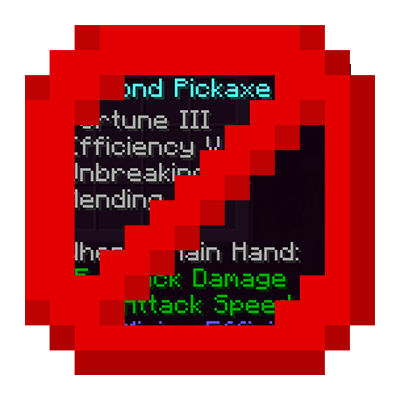
Mod hides item tooltips by default, showing them only when you actually need to see them.
Quick answer
hidetooltip-1.0.6-Fabric-26.2.jar targets 26.2 with Fabric. The project page does not say whether this file belongs on the client, dedicated server, or both. All 1 required mods have matching files.
Where it goes
The project page does not say whether this file belongs on the client, dedicated server, or both.
The source does not explicitly classify this release as client-only or server-only.
hidetooltip-1.0.6-Fabric-26.2.jar. Change the file and its required mods may change too.
Install Fabric API first. We found matching files for this game-version and loader setup.
We only count dependency files that match this setup. A file for another loader does not fill the gap.
Before you install it
Built for hidetooltip-1.0.6-Fabric-26.2.jar. Pick another file and the loader, install side or required mods may change.
Use hidetooltip-1.0.6-Fabric-26.2.jar. It targets 26.2 with Fabric; another release may have different loader, side or dependency requirements.
Install Fabric API first. We found matching files for this game-version and loader setup.
The project page does not say whether this file belongs on the client, dedicated server, or both.
Use the “Get this file” button beside hidetooltip-1.0.6-Fabric-26.2.jar. It opens that exact file at the source.
About this project

Tired of massive item descriptions blocking your entire inventory view? HideToolTip cleans up your UI by hiding tooltips when you don't need them. Whether you prefer holding a key to peek at stats or toggling the visibility entirely, this mod has you covered. 
Project description from CurseForge.
Pick your setup
Choose the version and loader you play, then open the matching release.
Showing the newest 12 of 16 game versions. Older files are in the list below.
Check the dependencies, then try the file in a copied instance before changing a world you care about.
Recent files
17 Aug 2026
16 May 2026
8 Apr 2026
2 Mar 2026
2 Mar 2026
1 Mar 2026
1 Mar 2026
1 Mar 2026
22 Feb 2026
Looking for an older file? The official CurseForge project page is in Resources.
 mod
Remove, Add and Extend duration of potion effects. Can only use potions discovered by the Core Mod, QDC CORE 4.5, which is required for the mod.
 mod
A complete wind system featuring realistic wind behavior, atmospheric effects, interactive blocks, and integration with other mods.
 mod
See any build as see-through ghost blocks in your world, with a materials list, layers and build copying.