Back to mods
Living Wind project artwork

CurseForge · Minecraft mod

Living Wind

A complete wind system featuring realistic wind behavior, atmospheric effects, interactive blocks, and integration with other mods.

Choose a version Pick your version below, then grab the matching file.

Quick answer

Which Living Wind release should I use?

Updated today
Latest stable file v1.1.1 - [Forge 1.20.1]
Game version 1.20.1
Loader Forge

Living Wind v1.1.1 - [Forge 1.20.1] targets 1.20.1 with Forge. The project page does not say whether this file belongs on the client, dedicated server, or both. No extra mods listed for this file.

Where it goes

Is Living Wind required on the client, server, or both?

The project page does not say whether this file belongs on the client, dedicated server, or both.

Client Source doesn’t say
Dedicated server Source doesn’t say
Loader for this release Forge
Required install it here Optional supported, not mandatory Not supported do not install here Source doesn’t say do not assume

The source does not explicitly classify this release as client-only or server-only.

What else does Living Wind v1.1.1 - [Forge 1.20.1] need?

v1.1.1 - [Forge 1.20.1]. Change the file and its required mods may change too.

No extra mods listed for this file

This file does not list any required mods. Do not add a library just because a different file uses it.

8 listed on this file 16 pulled in by those mods
Particle Rain Optional for Living Wind v1.1.1 - [Forge 1.20.1]
optional
Matching file found Matched file: v4.0.2 for 1.20.1-forge

Create Optional for Living Wind v1.1.1 - [Forge 1.20.1]
optional
Matching file found Matched file: Create 6.0.8 for mc1.20.1
Supplementaries Optional for Living Wind v1.1.1 - [Forge 1.20.1]
optional
Matching file found Matched file: supplementaries-1.20-3.1.44-forge.jar
Fancy World Animations Optional for Living Wind v1.1.1 - [Forge 1.20.1]
optional
Matching file found Matched file: fwa+1.20.1-forge-1.2.31.jar
Euphoria Patches Optional for Living Wind v1.1.1 - [Forge 1.20.1]
optional
Matching file found Matched file: Euphoria Patcher 1.10.5-r5.9.3-forge
Windy: Configurable Optional for Living Wind v1.1.1 - [Forge 1.20.1]
optional
Matching file found Matched file: v1.2.1 - [Forge 1.20.1]
Pretty Rain Optional for Living Wind v1.1.1 - [Forge 1.20.1]
optional
Matching file found Matched file: Pretty Rain-1.20.1-Forge-1.1.3.jar
Swinging Lanterns Optional for Living Wind v1.1.1 - [Forge 1.20.1]
optional
Matching file found Matched file: swinginglanterns-forge-1.20.1-2.0.4
Flan (Forge, NeoForge) Needed by Supplementaries
pulled in
Matching file found Matched file: flan-1.20.1-1.11.16-forge.jar
CC: Tweaked Needed by Supplementaries
pulled in
Matching file found Matched file: cc-tweaked-1.20.1-forge-1.113.1.jar
Map Atlases [Forge] Needed by Supplementaries
pulled in
Matching file found Matched file: map_atlases-1.20-6.0.20.jar
Configured Needed by Supplementaries
pulled in
Matching file found Matched file: Configured 2.2.3
Snowy Spirit Needed by Supplementaries
pulled in
Matching file found Matched file: snowyspirit-1.20-3.0.10.jar
Waystones Needed by Supplementaries
pulled in
Matching file found Matched file: waystones-forge-1.20.1-14.1.21.jar
Haunted Harvest Needed by Supplementaries
pulled in
Matching file found Matched file: hauntedharvest-1.20-3.2.0.jar
Moonlight Lib Needed by Supplementaries
pulled in
Matching file found Matched file: moonlight-1.20-2.16.37-forge
Quark Needed by Supplementaries
pulled in
Matching file found Matched file: Quark-4.0-462.jar
Farmer's Delight Needed by Supplementaries
pulled in
Matching file found Matched file: Farmer's Delight 1.3.4 - 1.20.1
Decorative Blocks Needed by Supplementaries
pulled in
Matching file found Matched file: [ Forge 1.20.1 ] v4.1.3
Just Enough Items (JEI) Needed by Supplementaries
pulled in
Matching file found Matched file: 15.71.0.224 for Forge 1.20.1
Model Gap Fix Needed by Supplementaries
pulled in
Matching file found Matched file: modelfix-1.15.jar

16 extra mods were pulled in by other dependencies. Indented rows show who needs each one. We only count dependency files that match this setup. A file for another loader does not fill the gap.

Before you install it

Add Living Wind without breaking your instance.

Built for Living Wind v1.1.1 - [Forge 1.20.1]. Pick another file and the loader, install side or required mods may change.

  1. 01

    Stick to this file

    Use v1.1.1 - [Forge 1.20.1]. It targets 1.20.1 with Forge; another release may have different loader, side or dependency requirements.

  2. 02

    Bring the mods it needs

    This file does not list any required mods. Do not add a library just because a different file uses it.

  3. 03

    Put it on the correct side

    The project page does not say whether this file belongs on the client, dedicated server, or both.

  4. 04

    Pick the file you checked

    Use the “Get this file” button beside v1.1.1 - [Forge 1.20.1]. It opens that exact file at the source.

About this project

What does Living Wind add?

DividerLivingWind - Title BannerDivider

About

Living Wind brings a dynamic wind system to Minecraft, making the world feel more alive through atmospheric particles, immersive sounds, and realistic wind behavior.

Rather than simply blowing in one direction at a constant speed, wind naturally changes throughout the day, responds to weather and environmental conditions, and interacts with the world around you.

Features

  • Dynamic wind simulation – Wind direction and strength continuously evolve based on weather, biomes, time of day, altitude, and approaching storms.
  • Gusts & windy periods – From brief, unpredictable gusts to longer stretches of strong, turbulent wind, no two days feel quite the same.
  • Atmospheric particles – Leaves, grass, petals, dust, and other particles drift naturally through the air, reacting to the wind's direction and strength.
  • Immersive wind audio – Gentle breezes, powerful gusts, and howling winds blend dynamically, with different sounds depending on the environment.
  • Smart shelter detection – Wind effects become quieter and weaker inside buildings and sheltered areas, while the world outside continues to experience the weather.
  • Wind-powered decorations & redstone – Place wind vanes and animated miniature windmills that follow the wind, including redstone variants that respond to its direction or strength.
  • Extensive customization – Fine-tune the wind simulation, audio, particles, and compatibility features through in-game configuration menus.

One of Living Wind's key features is its ability to distinguish between exposed and sheltered areas. Step inside a cosy cabin, and the wind gradually fades away while leaves continue blowing past your windows outside.
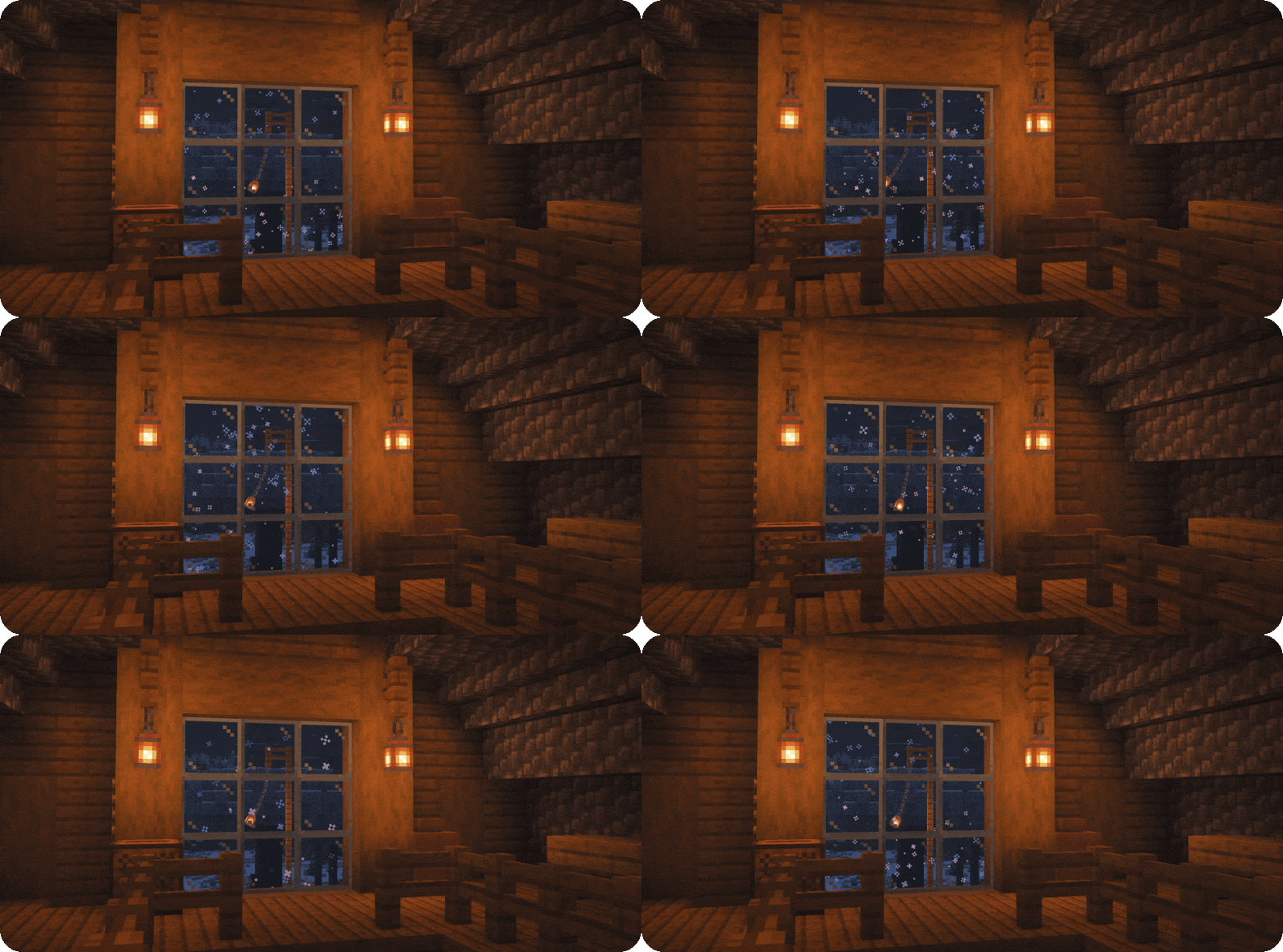
LivingWind-Showcase-CozyIndoor

Living Wind also integrates with numerous other mods, allowing wind to influence everything from environmental animations to machinery. See the Mod Integrations section below for details.

Dimension support: Natural wind is currently limited to the Overworld. The Nether has its own atmospheric wind sounds, with further wind integration potentially coming in a future update.

Divider

Wind Instruments & Redstone

Living Wind adds four decorative and functional blocks that interact with the world's wind simulation. Watch them respond naturally to changing wind conditions, or use their redstone variants to bring wind-powered automation into your builds!
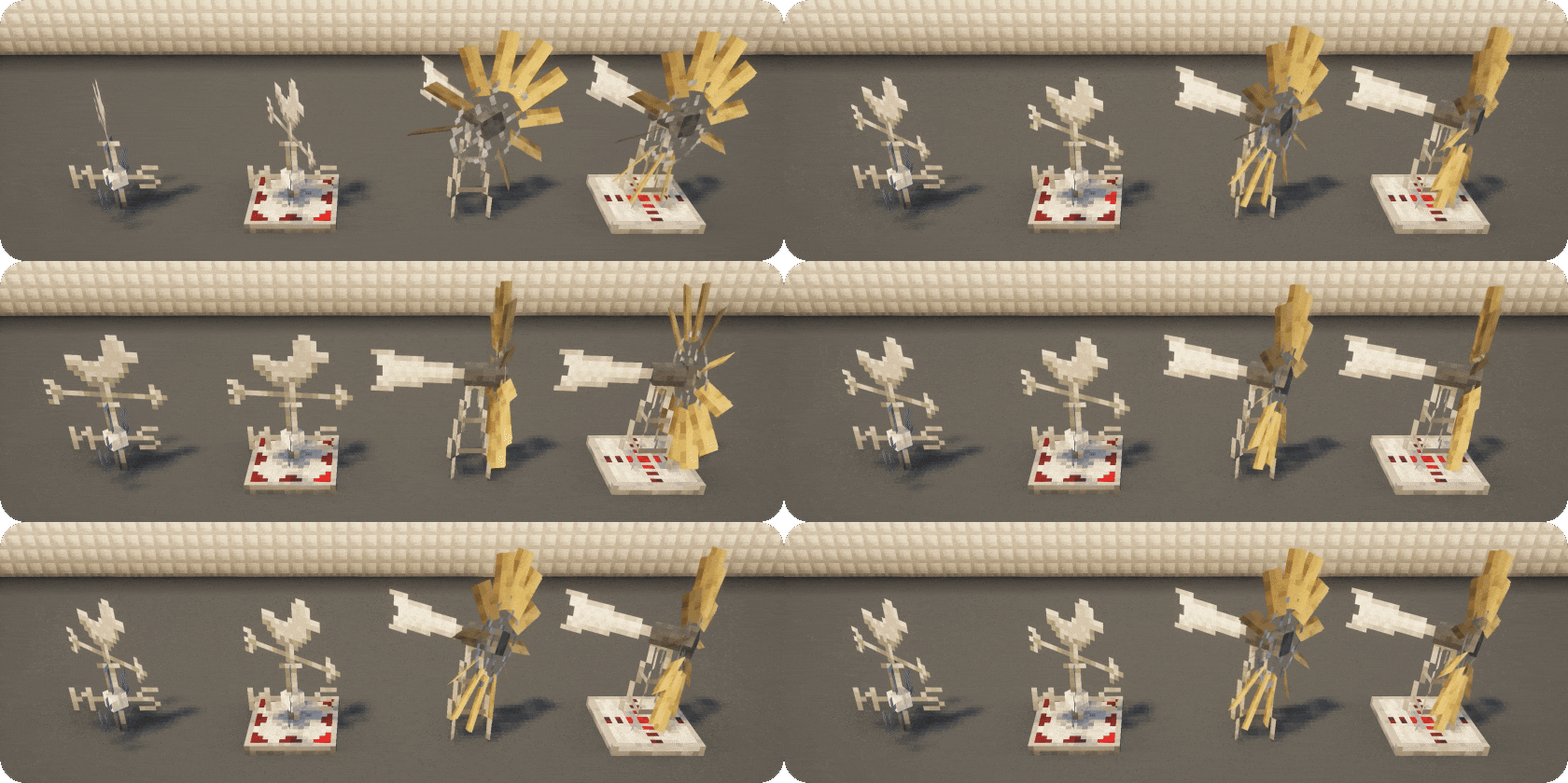
LivingWind-Showcase-Blocks
  • Wind Vane – A decorative bird-shaped weather vane that smoothly rotates to indicate the current wind direction.
  • Redstone Wind Vane – A functional variant featuring illuminated directional indicators and redstone outputs that change depending on which way the wind is blowing.
  • Windmill – A miniature windmill with a rotating head and animated blades. Its blades spin faster or slower depending on wind strength, while the windmill turns to follow the changing wind direction.
  • Redstone Windmill – Combines the animated windmill with a redstone signal that scales with wind strength. Its illuminated indicators also change as the wind grows stronger, making it useful for wind-powered contraptions and automation.

All four blocks respond to Living Wind's dynamic wind system, allowing you to build everything from cosy weather stations to functional redstone machinery.

Divider

Mod Integrations

Living Wind integrates with popular mods, bringing dynamic wind interactions to animations, particles, audio, and gameplay. Most integrations can be customized or disabled in the config.

  1. Visual & Gameplay Integrations

LivingWind-Showcase-Compat-Create

Create - Windmill Bearings generate RPM based on wind strength, making wind power less predictable.


LivingWind-Showcase-Compat-FancyWorldAnimations

Fancy World Animations / Swinging Lanterns - Lanterns, chains, and bells sway with the wind's direction and intensity.


LivingWind-Showcase-Compat-PrettyRain

Particle Rain / Pretty Rain - Rain, snow, sand, and tumbleweeds react to changing wind conditions.


LivingWind-Showcase-Compat-Windy

Windy (v1.2.1+) - Particle direction, density, and animation respond to Living Wind's simulation.


LivingWind-Showcase-Compat-Supplementaries

Supplementaries - Wind vanes follow the simulated wind direction.


LivingWind-Showcase-Compat-EuphoriaPatches

Euphoria Patches + Complementary Reimagined (NeoForge 1.21.1 only) - Experimental integration adjusts foliage waving speed based on wind strength.


  1. Sound & Particle Integrations
  • Ambient Sounds – Choose Living Wind's wind audio, Ambient Sounds' wind audio, or both. Defaults to Living Wind, without disabling other ambient sounds.
  • Particular – Choose Living Wind's falling leaves, Particular's, or both. Particular's leaves can also respond to wind strength through their movement and spawn density.
  • Dynamic Surroundings - Choose Living Wind's wind sounds, Dynamic Surroundings' wind sounds, or both (default: Living Wind). Other ambient sounds remain unaffected, while fireflies, waterfall mist, foam, and ripples are protected from unwanted wind movement.
Divider

Automatic Particle Compatibility

Living Wind includes a customizable particle blacklist and wind-response multipliers, allowing you to exclude particles from wind or make them react more or less strongly.

It also automatically protects underwater particles, gameplay indicators, potion effects, and other specialized animations from inappropriate wind movement.

Built-in compatibility includes:

  • Create - Encased Fan airflow remains unaffected.
  • Cosy Critters & Creepy Crawlies - Moths, birds, and spiders retain their intended movement.
  • Wavify & Coastal Waves - Water and wave effects retain their original behavior.
  • SkyLands - Clouds receive reduced wind influence.
  • Explosive Enhancement - Explosion animations remain unaffected.
  • Footprint Particle - Footprints and surface effects remain in place.
  • Visuality - Crystal sparkles, slime, mob-hit effects, and more are protected.
  • Particle Effects Reforged - Potion and status-effect particles remain unaffected.
  • Effectual - Minecart sparks, footprints, light-source glows, and other position-dependent effects are protected.
  • Subtle Effects - Splashes, waterfalls, fireflies, and various specialized effects retain their intended behavior.
  • Streams Reflowing - Stream particles follow their water-flow physics instead of atmospheric wind.
Divider

Performance

Despite its detailed wind simulation and atmospheric effects, Living Wind is designed to be lightweight and performance-conscious.

The mod uses several optimizations to minimize unnecessary work, including cached particle colors, limited particle-spawning budgets, and calculations that are spread across multiple game ticks instead of running continuously.

Most visual and audio effects are optional and can be adjusted or disabled through the in-game configuration, making it easy to balance atmosphere and performance to suit your system.

For additional performance improvements, I recommend:

Divider

Configuration & Commands

Living Wind comes with an in-game configuration menu, allowing you to customize nearly every aspect of the mod without manually editing config files.

Adjust wind behavior, particle density and movement, audio, shelter detection, visual effects, and integrations with other mods. You can also configure particle blacklists and individual wind-response multipliers.

Commands are available for testing and manually controlling the wind:
(Require operator permissions or cheats enabled.)

  • /livingwind status – View current wind conditions.
  • /livingwind strength <value> – Set wind strength (0–2.5) for 30 seconds.
  • /livingwind direction <degrees> – Change wind direction (0–360°).
  • /livingwind gust – Trigger a wind gust.
  • /livingwind windyperiod start/stop – Start or stop a windy period.
  • /livingwind natural – Return to natural wind simulation.

Project description from CurseForge.

Pick your setup

Living Wind by Minecraft version and loader

Choose the version and loader you play, then open the matching release.

2 available setups

Check the dependencies, then try the file in a copied instance before changing a world you care about.

Recent files

Living Wind versions and loaders

6 of 6 releases match

Looking for an older file? The official CurseForge project page is in Resources.