Architectury API Needed by Dynamic Surroundings dynamicsurroundings-neoforge-1.21.11-5.0.0.jar
requiredMatching file found Matched file: [NeoForge 1.21.11] v19.0.1
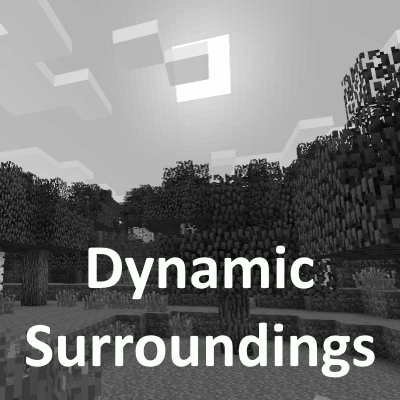
CurseForge · Minecraft mod
Alters the fabric of Minecraft experience by weaving a tapestry of sound and visual effects
Quick answer
Dynamic Surroundings dynamicsurroundings-neoforge-1.21.11-5.0.0.jar targets 1.21.11 with NeoForge. The project page does not say whether this file belongs on the client, dedicated server, or both. All 1 required mods have matching files.
Where it goes
The project page does not say whether this file belongs on the client, dedicated server, or both.
The source does not explicitly classify this release as client-only or server-only.
dynamicsurroundings-neoforge-1.21.11-5.0.0.jar. Change the file and its required mods may change too.
Install Architectury API first. We found matching files for this game-version and loader setup.
We only count dependency files that match this setup. A file for another loader does not fill the gap.
Before you install it
Built for Dynamic Surroundings dynamicsurroundings-neoforge-1.21.11-5.0.0.jar. Pick another file and the loader, install side or required mods may change.
Use dynamicsurroundings-neoforge-1.21.11-5.0.0.jar. It targets 1.21.11 with NeoForge; another release may have different loader, side or dependency requirements.
Install Architectury API first. We found matching files for this game-version and loader setup.
The project page does not say whether this file belongs on the client, dedicated server, or both.
Use the “Get this file” button beside dynamicsurroundings-neoforge-1.21.11-5.0.0.jar. It opens that exact file at the source.
About this project
As an FYI there are other versions of my mod floating around the various mod distribution sites. They appear to be forks from various versions of my mod, and have had AI extensively used to rework to fit modern Minecraft/loaders, and extend the feature set. I cannot attest to the quality, and I have no involvement with those efforts. The source of my mod is licensed MIT so they are free to do this with proper attribution.
If you are looking for a Fabric 1.20.x versions, please refer to the Dynamic Surroundings: Fabric Edition project.
Dynamic Surroundings is a 100% client side mod that alters the fabric of Minecraft experience by weaving a tapestry of sound and visual effects.
/dsconfig preset, set groups of options in one go, for the look of the game or for performance; modpacks can add their own (1.21.1-0.4.9+)Starting with 1.21.1-0.4.6, AI is being used to help with:
Project description from CurseForge.
Pick your setup
Choose the version and loader you play, then open the matching release.
Check the dependencies, then try the file in a copied instance before changing a world you care about.
Recent files
4 Nov 2026
4 Nov 2026
3 Nov 2026
3 Nov 2026
28 Oct 2026
28 Oct 2026
21 Oct 2026
21 Oct 2026
10 Oct 2026
10 Oct 2026
24 Sept 2026
24 Sept 2026
Looking for an older file? The official CurseForge project page is in Resources.
 mod
modWireless energy networks — no cables, no limits.
 mod
modAuto-fill JEI recipes with inventory, dimension network, and ProjectE EMC.
 mod
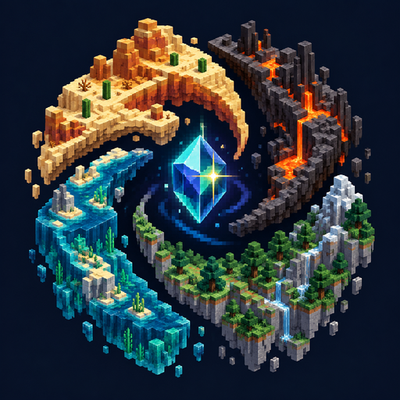
modExplore a spiral dimension suspended above the void, where deserts, volcanic landscapes, forested mountains, and oceans form four winding regions.