Fabric API Needed by CustomHopperSpeed hoppermod1.20.5-1.21.11.jar
requiredMatching file found Matched file: [1.21.11] Fabric API 0.141.6+1.21.11
CurseForge · Minecraft mod
This Fabric mod lets you change how fast hoppers transfer items and how much at once
Quick answer
CustomHopperSpeed hoppermod1.20.5-1.21.11.jar targets 1.21, 1.21.8, 1.20.5 with Fabric. The project page does not say whether this file belongs on the client, dedicated server, or both. All 1 required mods have matching files.
Where it goes
The project page does not say whether this file belongs on the client, dedicated server, or both.
The source does not explicitly classify this release as client-only or server-only.
hoppermod1.20.5-1.21.11.jar. Change the file and its required mods may change too.
Install Fabric API first. We found matching files for this game-version and loader setup.
We only count dependency files that match this setup. A file for another loader does not fill the gap.
Before you install it
Built for CustomHopperSpeed hoppermod1.20.5-1.21.11.jar. Pick another file and the loader, install side or required mods may change.
Use hoppermod1.20.5-1.21.11.jar. It targets 1.21, 1.21.8, 1.20.5 with Fabric; another release may have different loader, side or dependency requirements.
Install Fabric API first. We found matching files for this game-version and loader setup.
The project page does not say whether this file belongs on the client, dedicated server, or both.
Use the “Get this file” button beside hoppermod1.20.5-1.21.11.jar. It opens that exact file at the source.
About this project
Control hopper speed and item transfer amount with simple commands — no restart, no config file.
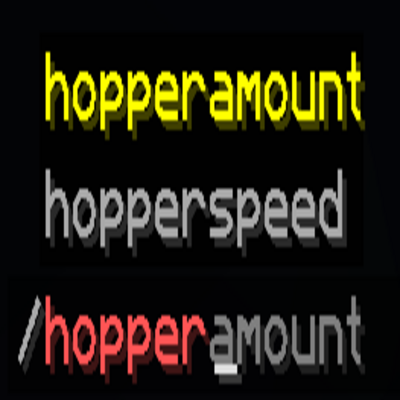
/hopperspeed <ticks> — How many ticks between each transfer (Vanilla = 8). Lower = faster. Set it to 1 for maximum speed!/hopperamount <items> — How many items are moved per transfer (Vanilla = 1). Set it to 64 for bulk item movement!| Command | Description |
|---|---|
/hopperspeed |
Shows the current setting |
/hopperspeed <1–1200> |
Sets the ticks between transfers |
/hopperamount |
Shows the current setting |
/hopperamount <1–64> |
Sets the items per transfer |
| Goal | Commands |
|---|---|
| Twice as fast as Vanilla | /hopperspeed 4 |
| Maximum speed | /hopperspeed 1 |
| 8 items at once | /hopperamount 8 |
| Ultra-Hopper (Turbo mode) | /hopperspeed 1 + /hopperamount 64 |
| Reset to Vanilla | /hopperspeed 8 + /hopperamount 1 |
Project description from CurseForge.
Pick your setup
Choose the version and loader you play, then open the matching release.
Showing the newest 12 of 14 game versions. Older files are in the list below.
Check the dependencies, then try the file in a copied instance before changing a world you care about.
Recent files
22 Feb 2026
Looking for an older file? The official CurseForge project page is in Resources.
 mod
modThis mod adds fully interactable and customizable terrarium and aquarium blocks!
 mod
modThe shipping box, gold coin, purse and pricing system are added, and the embedded economy and store functions can be switched to ViScriptShop/SDMshop's economy and store system as the front.
 mod
modA lightweight and configurable automatic item cleaner for NeoForge servers.