Simple Voice Chat Optional for Bodycam 3.0 for Neoforge
optionalMatching file found Matched file: [NEOFORGE][1.21.1] Simple Voice Chat 1.21.1-2.6.27

CurseForge · Minecraft mod
This mod introduces a bodycam ecosystem that, among other things, allows you to spectate other players in real-time
Quick answer
Bodycam 3.0 for Neoforge targets 1.21.1 with NeoForge. The project page does not say whether this file belongs on the client, dedicated server, or both. All 1 required mods have matching files.
Where it goes
The project page does not say whether this file belongs on the client, dedicated server, or both.
The source does not explicitly classify this release as client-only or server-only.
Bodycam 3.0 for Neoforge. Change the file and its required mods may change too.
Install Architectury API first. We found matching files for this game-version and loader setup. 1 comes through another mod in the chain.
1 extra mod was pulled in by another dependency. Indented rows show who needs each one. We only count dependency files that match this setup. A file for another loader does not fill the gap.
Before you install it
Built for Bodycam 3.0 for Neoforge. Pick another file and the loader, install side or required mods may change.
Use Bodycam 3.0 for Neoforge. It targets 1.21.1 with NeoForge; another release may have different loader, side or dependency requirements.
Install Architectury API first. We found matching files for this game-version and loader setup. 1 comes through another mod in the chain.
The project page does not say whether this file belongs on the client, dedicated server, or both.
Use the “Get this file” button beside Bodycam 3.0 for Neoforge. It opens that exact file at the source.
About this project
This mod introduces a Bodycam Monitor item that allows you to spectate other players in real-time.
For all 1.21 versions use Modrinth: https://modrinth.com/project/11M48eGM
Observation Spyglass (formerly Monitor Compass):

Right-click the monitor to open a list of active players. Simply select a name from the menu to instantly view the world through their perspective
Player Locator:

Track down other players in real time! Right-click the compass to open a GUI and select a target player. Features 5 dynamic needle states:
🔵 Idle (Spins randomly when no target is locked)
🟢 Active Tracking (Points directly to the target when in range)
🟡 Out of Range (Spins wildly when the player is too far away)
🟠 Cross-Dimension (Points to the nearest portal/gateway to guide you to their dimension)
🔴 Jammed (Spins wildly if the target uses a Jammer to hide)
Reach Enchantment:

The standard Observation Spyglass and Player Locator have a limited range.
Apply the custom Reach enchantment to bypass the Observation Spyglasses distance limit and connect to players even across different dimensions or for the Player Locator point to the nearest portal/gateway and bypass the distance limit
Observation Crystal:

This crystal is strictly required as a core component to craft all bodycam items and blocks
Observation Crystal Block:

A compact storage and decorative block made of Observation Crystals (Light Level 5) Jammer:

Blocks signals to prevent being observed
Features 3 dynamic modes:
🔴 Off (everyone can observe you)
🟢 On (no one can observe you)
🔵 Limited (observation range is limited (std: 500 Blocks))
Anonymizer:
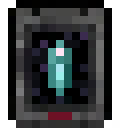
The perfect stealth tool. Hides your own observer status from others. If you have this item active, you won't show up as Blue in other players' menus, but will remain an inconspicuous White or Red\ Features 2 modes:
🔴 Off
🟢 On
Dimension Locator:

Opens the player menu and displays the current dimension of every player on the server. Names are properly localized
Hologram Block:

Allows starting an observation directly from the world. Just sneak on it, right-click, and the menu opens. This leaves behind a special Hologram Dummy that is completely immortal and cannot be attacked
 Apply the Observation Crystal to your armor at a Smithing Table for a new fresh look. This comes also with a new feature:
 Makes your armour glow in the dark and even cooler (Note: looks even better with shaders)
While you are spectating, a physical dummy of your character remains exactly where you left it, keeping your inventory and armor in the world.\ This features 2 variants:
This mod is fully compatible with Simple Voice Chat. When you are in the camera view, hearing will behave as if you are at the location of the player you are spectating
Interacting with the Monitor Compass or Hologram Block will open a selection menu window with smooth scrolling. It will show all players on the server with name and player face:\ 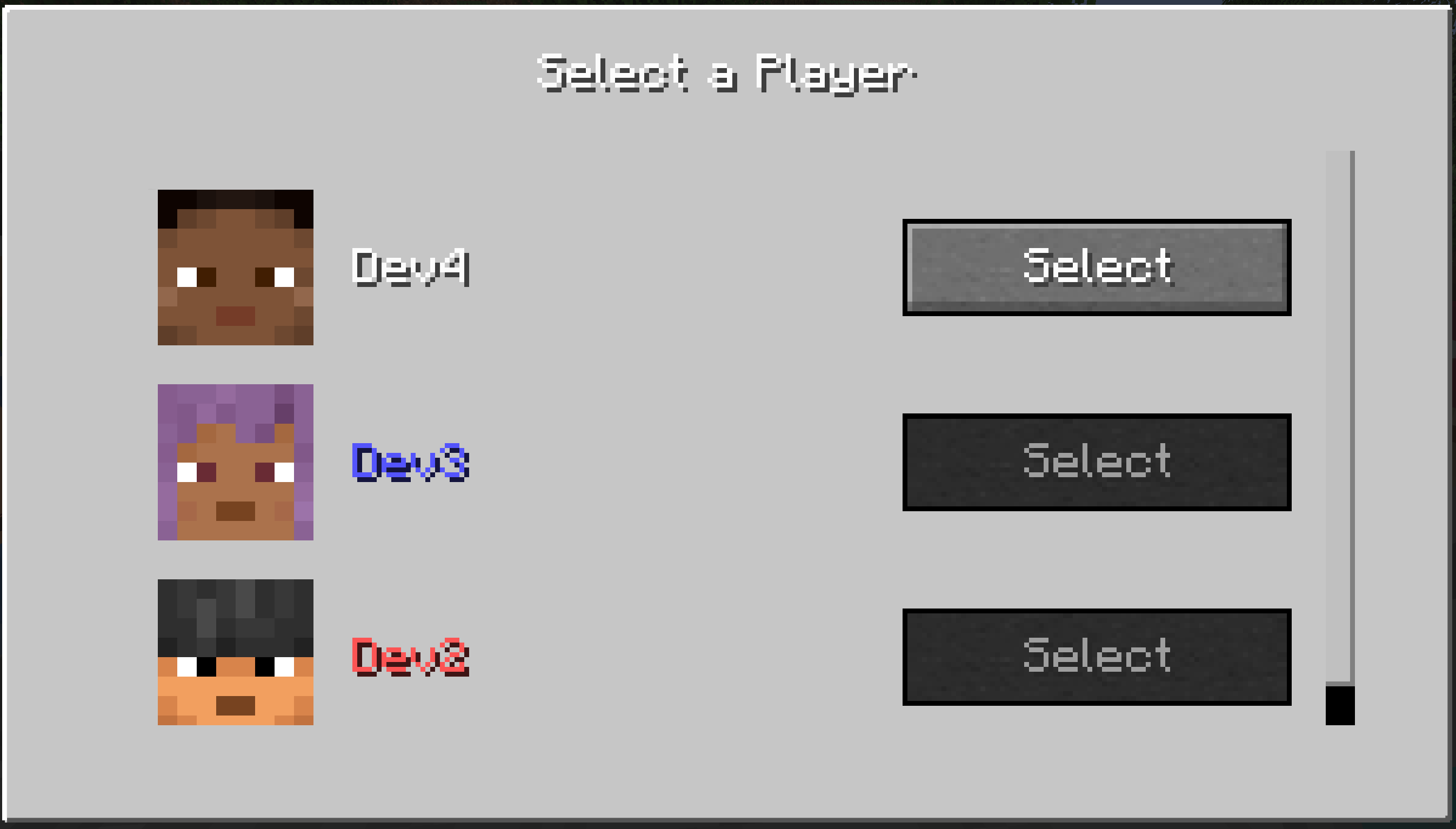
Smart Button System: Observation buttons are dynamically grayed out when:
Dynamic Status Colors: Playernames in the menu are automatically color coded:
Interacting with the Player locator will open a selection menu window like the observing variant:\ 
 Players can also be deselected or changed
Adds a slightly transparent, darkened frame around the edge of the screen heavily enhances the authentic camera aesthetic. HUD elements (name of the observed player, your health, and sneak status) are seamlessly integrated and clearly visible:\ 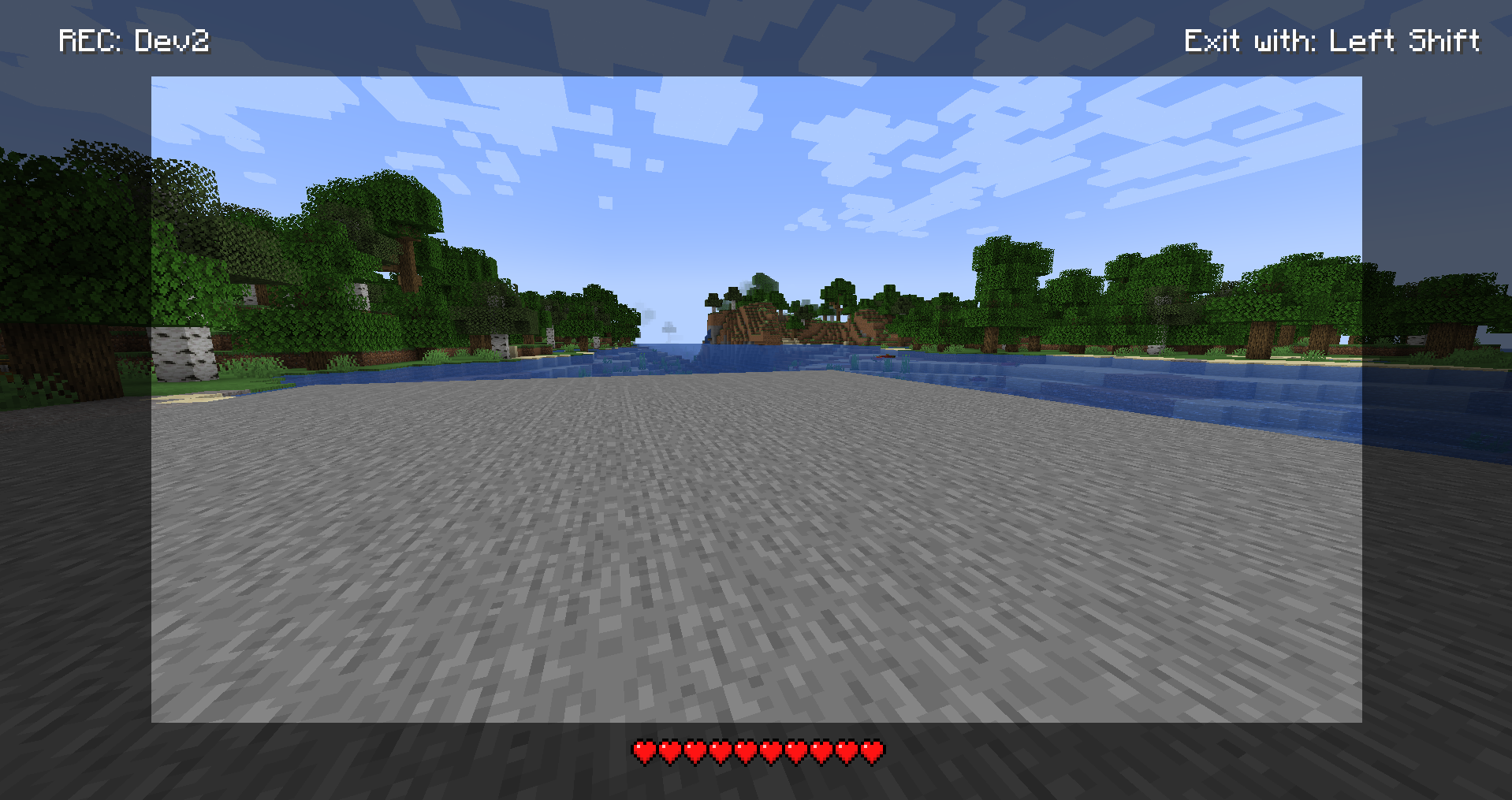
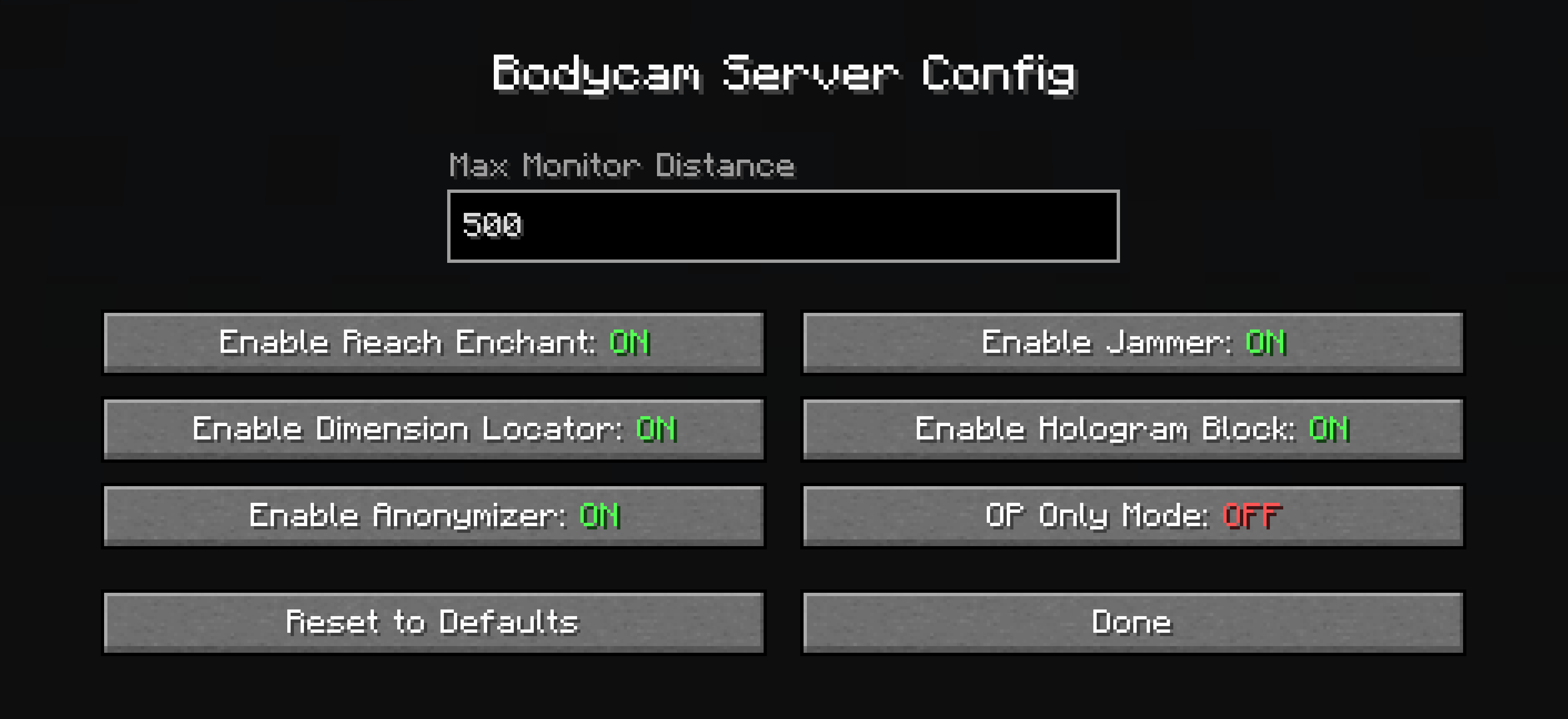
/bodycam - Main command for the mod/bodycam config - Opens or manages the server configuration in-game/bodycam give <item> <player> - Gives specific bodycam items to a player/bodycam tp dummy - Teleports a dummy to a specific location or player/bodycam remove dummy - Removes the targeted dummy/bodycam remove all dummies - Removes all active dummies from the world/bodycam tp cam - Teleports you to a dummy or player position (formerly /camtp)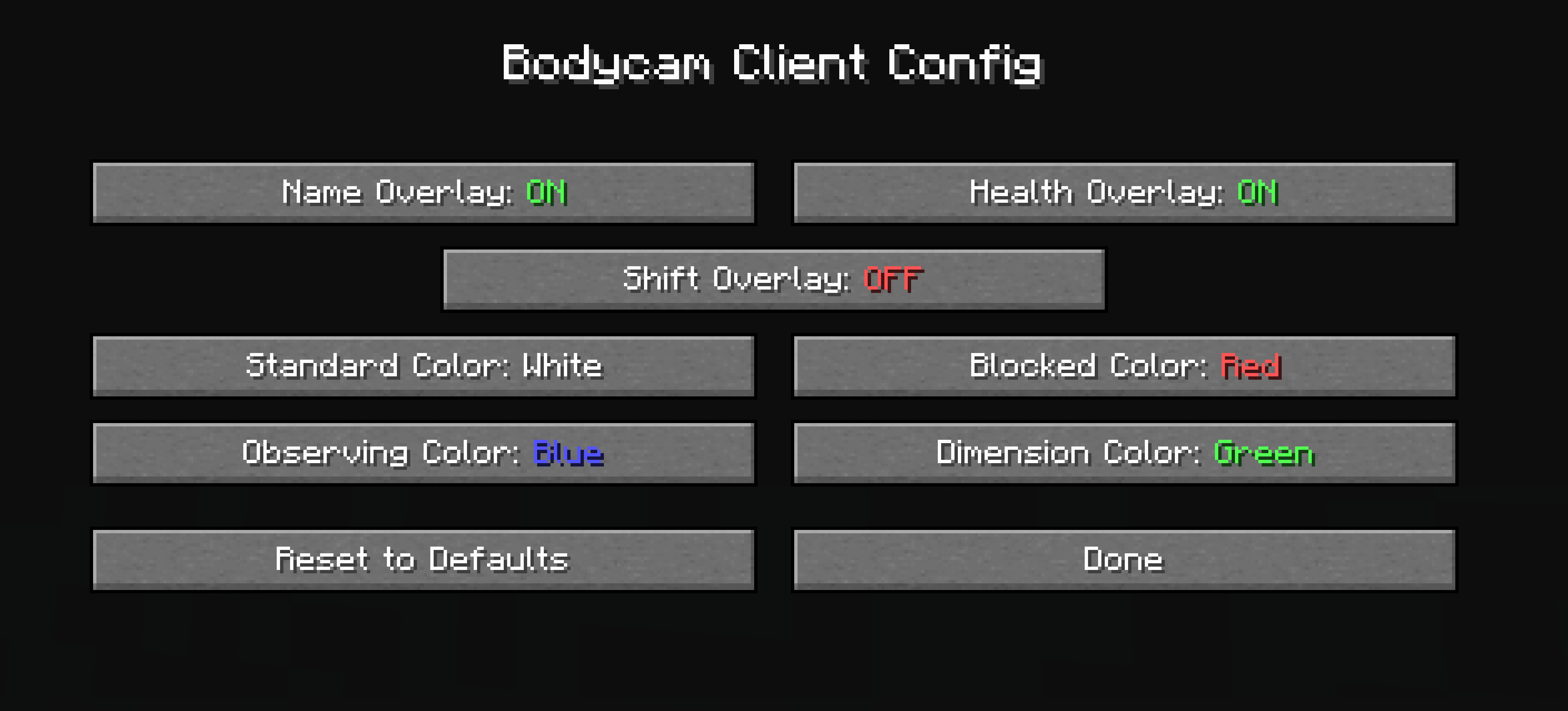
Project description from CurseForge.
Pick your setup
Choose the version and loader you play, then open the matching release.
Check the dependencies, then try the file in a copied instance before changing a world you care about.
Recent files
bodycam-neoforge-1.21.1-3.0.jar
14 Nov 2026
bodycam-fabric-1.21.1-3.0.jar
14 Nov 2026
bodycam-forge-1.20.1-3.0.jar
14 Nov 2026
bodycam-forge-1.20.1-2.5.jar
16 Jun 2026
bodycam-forge-1.20.1-2.2.jar
5 Jun 2026
bodycam-neoforge-1.21.11-2.1.2a.jar
3 Jun 2026
bodycam-fabric-1.21.1-2.1.2a.jar
3 Jun 2026
bodycam-fabric-1.21.11-2.1.2a.jar
3 Jun 2026
bodycam-neoforge-1.21.1-2.1.2a.jar
3 Jun 2026
bodycam-fabric-1.21.10-2.1.2a.jar
28 May 2026
bodycam-fabric-1.21.9-2.1.2a.jar
28 May 2026
bodycam-fabric-1.21.8-2.1.2a.jar
28 May 2026
Looking for an older file? The official CurseForge project page is in Resources.
 mod
一个简单而强大的 Minecraft 待办事项模组,支持单人和多人模式。 A simple and powerful todo list mod for Minecraft, supporting both single-player and multiplayer.
 mod
Ariente - a high-tech exploration and tech mod
 mod
Altitude ores, alloys, cold and insulation, Create cabin pressurizers and armor plating for the Steam & Stratosphere: Skybound modpack.