Minecraft version
Back to mods 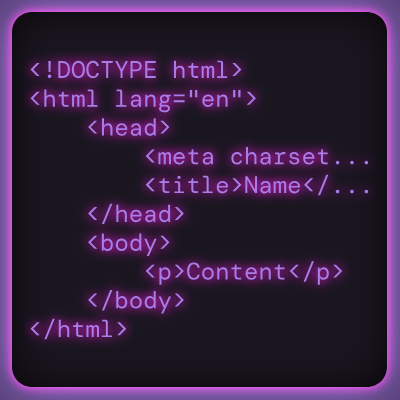
CurseForge · Minecraft mod
WebLib
lets you write Minecraft GUI screens using HTML, CSS, and a lightweight JavaScript bridge that calls back into your Java mod code.
Choose a version Pick your version below, then grab the matching file.
Quick answer
Which WebLib release should I use?
Latest stable file Web Lib v1.0.1
Game version 1.21
Loader NeoForge
WebLib Web Lib v1.0.1 targets 1.21 with NeoForge. The project page does not say whether this file belongs on the client, dedicated server, or both. No extra mods listed for this file.
Where it goes
Is WebLib required on the client, server, or both?
The project page does not say whether this file belongs on the client, dedicated server, or both.
Client Source doesn’t say
Dedicated server Source doesn’t say
Loader for this release NeoForge
Required install it here Optional supported, not mandatory Not supported do not install here Source doesn’t say do not assume
The source does not explicitly classify this release as client-only or server-only.
What else does WebLib Web Lib v1.0.1 need?
Web Lib v1.0.1. Change the file and its required mods may change too.
This file does not list any required mods. Do not add a library just because a different file uses it.
This file does not list any required or optional mods.
Before you install it
Add WebLib without breaking your instance.
Built for WebLib Web Lib v1.0.1. Pick another file and the loader, install side or required mods may change.
- 01
Stick to this file
Use Web Lib v1.0.1. It targets 1.21 with NeoForge; another release may have different loader, side or dependency requirements.
- 02
Bring the mods it needs
This file does not list any required mods. Do not add a library just because a different file uses it.
- 03
Put it on the correct side
The project page does not say whether this file belongs on the client, dedicated server, or both.
- 04
Pick the file you checked
Use the “Get this file” button beside Web Lib v1.0.1. It opens that exact file at the source.
About this project
What does WebLib add?
WebLib — HTML/CSS/JS GUIs for Minecraft NeoForge 1.21
WebLib (web_lib) is a lightweight library mod that lets mod developers build fully-featured Minecraft GUI screens using standard HTML and CSS, with a simple JavaScript-to-Java callback bridge — all rendered natively via Minecraft's own GuiGraphics, with zero external browser dependencies.
Stop wrestling with Minecraft's widget system. Write your mod's menus the way web developers write interfaces.
Features
- HTML rendering — Supports a rich set of elements:
div,p,h1–h6,span,button,input,select,img,ul/ol/li,pre,hr,code, and more. - Full CSS engine — Cascade, inheritance, specificity, and a broad property set including:
- Box model (
margin,padding,border,width,height) - Flexbox (
flex-direction,justify-content,align-items,flex-wrap,gap) - Colors (
#RGB,#RRGGBB,#RRGGBBAA,rgb(),rgba(), named colors) - Text styling, overflow, z-index, relative positioning, and more
- Selectors: type, class, ID, attribute, pseudo-classes (
:hover,:active,:focus,:nth-child,:not, etc.), and all combinators
- Box model (
- JavaScript bridge — Fire Java callbacks directly from HTML
onclick/onchangeevents. Pass arguments, access and mutate the DOM from Java. - Built-in JS functions —
alert(),navigate(),reload(),setStyle(),setInnerText(),toggleClass(),setVar(),console.log()— no registration needed. - Multi-page navigation — Build multi-screen UIs with back ◀ / forward ▶ / reload ↺ browser chrome, or go headless.
- External CSS & JS files — Reference stylesheet and script files from your mod's assets using the standard
namespace:pathResourceLocation convention. - Resource-based pages — Load HTML pages directly from your mod's resource pack with
WebLibApi.openPageFromResource(...). - Advanced
WebPageAPI — Build, inject CSS, mutate, and layout pages programmatically before opening them.
For Mod Developers
Adding WebLib to your mod is a single dependency declaration:
[[dependencies.yourmod]]
    modId = "web_lib"
    type = "required"
    versionRange = "[1.0,)"
    ordering = "AFTER"
    side = "CLIENT"
Then open any screen with a single call:
WebLibApi.openPage("<html><body><h1>Hello, Minecraft!</h1></body></html>");
Register Java functions that HTML can call:
WebLibApi.registerFunction("myMod.openShop", (args, ctx) -> {
    Minecraft.getInstance().tell(() -> Minecraft.getInstance().setScreen(new MyShopScreen()));
    return null;
});
Requirements
- Minecraft: 1.21
- Mod Loader: NeoForge
- Side: Client-only
- License: Apache 2.0




Source Code
Available on GitHub under the Apache 2.0 License. Contributions welcome!

Project description from CurseForge.
Pick your setup
WebLib by Minecraft version and loader
Choose the version and loader you play, then open the matching release.
Check the dependencies, then try the file in a copied instance before changing a world you care about.
Recent files
WebLib versions and loaders
Web Lib v1.0.1
web_lib-1.0.1.jar
2 Mar 2026
Client Source doesn’t say Server Source doesn’t say Dependencies No extras listed Listed on Release listing
Check the 1.21 · NeoForge setup 1.21NeoForge release
Looking for an older file? The official CurseForge project page is in Resources.