Architectury API Needed by Simply Tooltips SimplyTooltips-neoforge-0.1.5-1.20.1
requiredNo matching file
CurseForge · Minecraft mod
Modern data driven tooltip rendering
Quick answer
Simply Tooltips SimplyTooltips-neoforge-0.1.5-1.20.1 targets 1.20.1 with NeoForge. The project page does not say whether this file belongs on the client, dedicated server, or both. 1 required mod needs a matching file.
Where it goes
The project page does not say whether this file belongs on the client, dedicated server, or both.
The source does not explicitly classify this release as client-only or server-only.
SimplyTooltips-neoforge-0.1.5-1.20.1. Change the file and its required mods may change too.
Install Architectury API, Fzzy Config, Kotlin for Forge first, but 1 required mod has no matching file for this setup. Do not mix loader builds to force a match. 1 comes through another mod in the chain.
1 extra mod was pulled in by another dependency. Indented rows show who needs each one. We only count dependency files that match this setup. A file for another loader does not fill the gap.
Before you install it
Built for Simply Tooltips SimplyTooltips-neoforge-0.1.5-1.20.1. Pick another file and the loader, install side or required mods may change.
Use SimplyTooltips-neoforge-0.1.5-1.20.1. It targets 1.20.1 with NeoForge; another release may have different loader, side or dependency requirements.
Install Architectury API, Fzzy Config, Kotlin for Forge first, but 1 required mod has no matching file for this setup. Do not mix loader builds to force a match. 1 comes through another mod in the chain.
The project page does not say whether this file belongs on the client, dedicated server, or both.
Use the “Get this file” button beside SimplyTooltips-neoforge-0.1.5-1.20.1. It opens that exact file at the source.
About this project
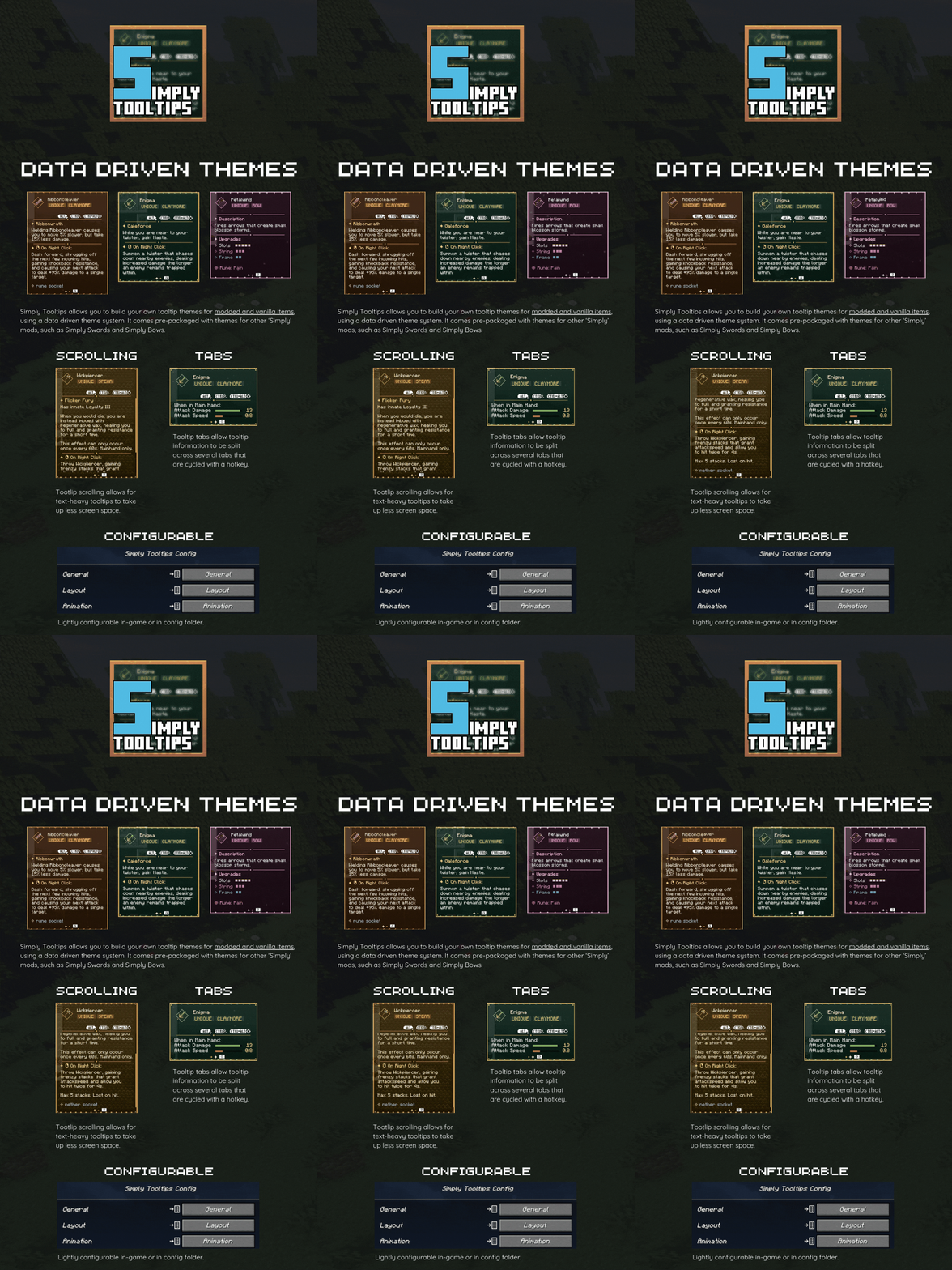
Note: By default, Simply Tooltips will only render for modded items that have valid Simply Tooltip theme files created (such as Simply Swords and Simply Bows).
Simply Tooltips allows you to create your own tooltip themes, and apply them to any item in the game (modded or vanilla). This is entirely data driven, allowing these themes to be applied via resourcepacks.
For information on how to create and assign these themes, please see the GitHub page.
Simply Tooltips allows you to generate gifs of any on-screen tooltip by pressing the hotkey ('H' by default). This saves a short gif of the tooltip to the screenshots folder. Useful for showcasing your custom themes.
Project description from CurseForge.
Pick your setup
Choose the version and loader you play, then open the matching release.
Check the dependencies, then try the file in a copied instance before changing a world you care about.
Recent files
SimplyTooltips-neoforge-0.1.5-1.20.1.jar
23 Aug 2026
SimplyTooltips-forge-0.1.5-1.20.1.jar
23 Aug 2026
SimplyTooltips-fabric-0.1.5-1.20.1.jar
23 Aug 2026
SimplyTooltips-neoforge-0.1.5.jar
23 Aug 2026
SimplyTooltips-fabric-0.1.5.jar
23 Aug 2026
21 Apr 2026
21 Apr 2026
6 Mar 2026
6 Mar 2026
6 Mar 2026
6 Mar 2026
3 Mar 2026
Looking for an older file? The official CurseForge project page is in Resources.
 mod
modShared library for Mine Mine no Mi to help creating addons
 mod
modAdds floating damage numbers above every target you hit, and your own incoming damage too — color-coded by damage type.
 mod
modLet the sake fox do the grape-stomping for you — brewing has never been so graceful.