Minecraft version
Back to mods 
CurseForge · Minecraft mod
Konfig
Ergonomic multiloader configuration library with sync support.
Choose a version Pick your version below, then grab the matching file.
Quick answer
Which Konfig release should I use?
Latest stable file konfig-neoforge-0.7.0+26.2
Game version 26.2
Loader NeoForge
konfig-neoforge-0.7.0+26.2 targets 26.2 with NeoForge. The project page does not say whether this file belongs on the client, dedicated server, or both. No extra mods listed for this file.
Where it goes
Is Konfig required on the client, server, or both?
The project page does not say whether this file belongs on the client, dedicated server, or both.
Client Source doesn’t say
Dedicated server Source doesn’t say
Loader for this release NeoForge
Required install it here Optional supported, not mandatory Not supported do not install here Source doesn’t say do not assume
The source does not explicitly classify this release as client-only or server-only.
What else does konfig-neoforge-0.7.0+26.2 need?
konfig-neoforge-0.7.0+26.2. Change the file and its required mods may change too.
This file does not list any required mods. Do not add a library just because a different file uses it.
This file does not list any required or optional mods.
Before you install it
Add Konfig without breaking your instance.
Built for konfig-neoforge-0.7.0+26.2. Pick another file and the loader, install side or required mods may change.
- 01
Stick to this file
Use konfig-neoforge-0.7.0+26.2. It targets 26.2 with NeoForge; another release may have different loader, side or dependency requirements.
- 02
Bring the mods it needs
This file does not list any required mods. Do not add a library just because a different file uses it.
- 03
Put it on the correct side
The project page does not say whether this file belongs on the client, dedicated server, or both.
- 04
Pick the file you checked
Use the “Get this file” button beside konfig-neoforge-0.7.0+26.2. It opens that exact file at the source.
About this project
What does Konfig add?
Konfig
Konfig is a multiloader configuration library for Minecraft mods.
It lets mods declare typed config values in common code, save them as commented TOML, sync selected values to clients, and generate config screens for Fabric, Forge, and NeoForge.
Konfig is built for shared common code. Loader-specific integration stays in the loader roots, while config declaration, validation, migration, sync metadata, and screen metadata can live beside the rest of your mod logic.
What You Get
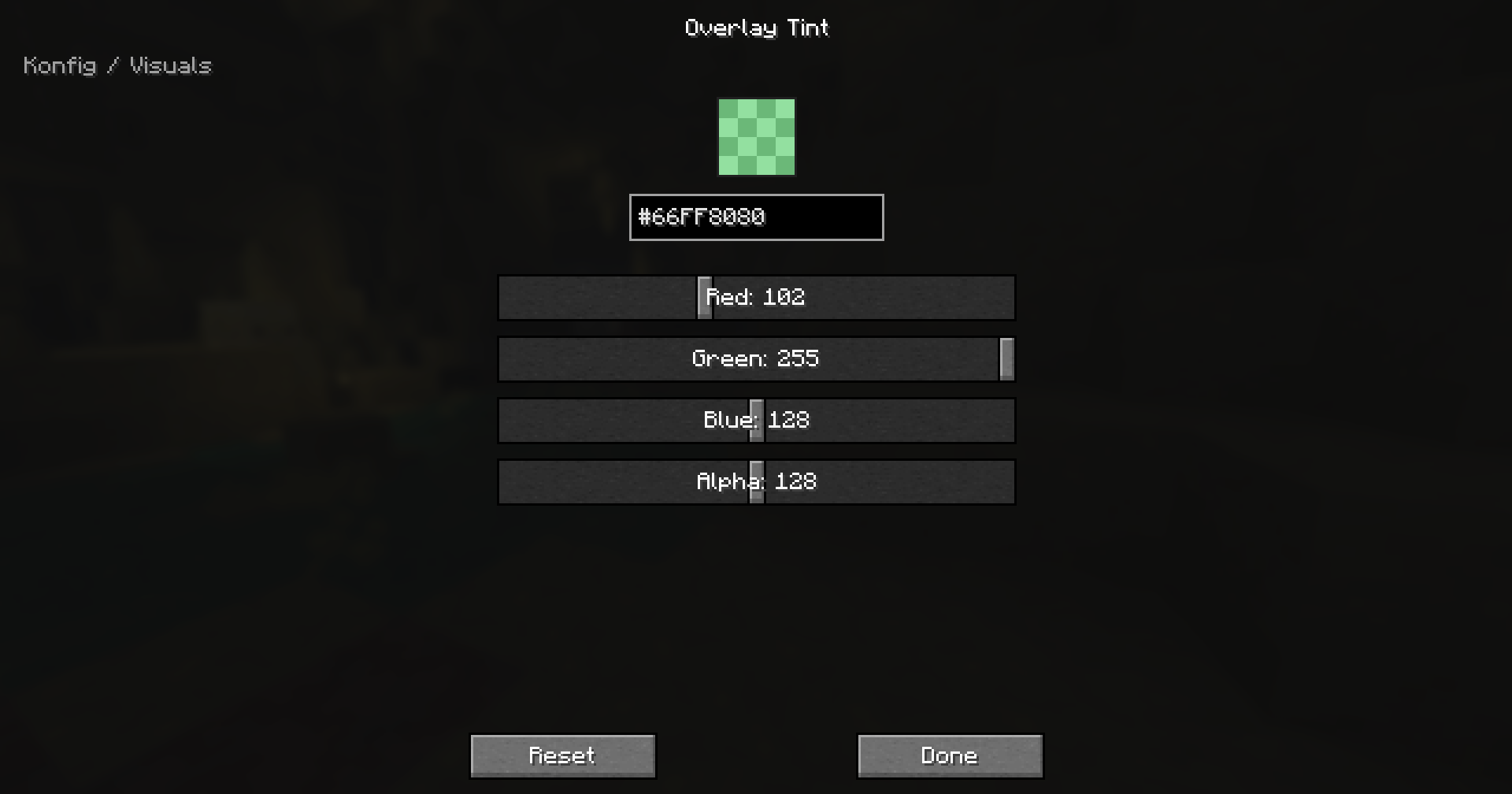
- Typed config values for booleans, numbers, enums, strings, string lists, RGB/ARGB colors, and custom codecs
- Side-aware config scopes:
CLIENT,COMMON, andSERVER - Commented TOML files at
config/<modid>/<name>.toml - Built-in sync modes:
NONE,LOGIN, andLOGIN_AND_RELOAD - Schema versioning and step-by-step migrations
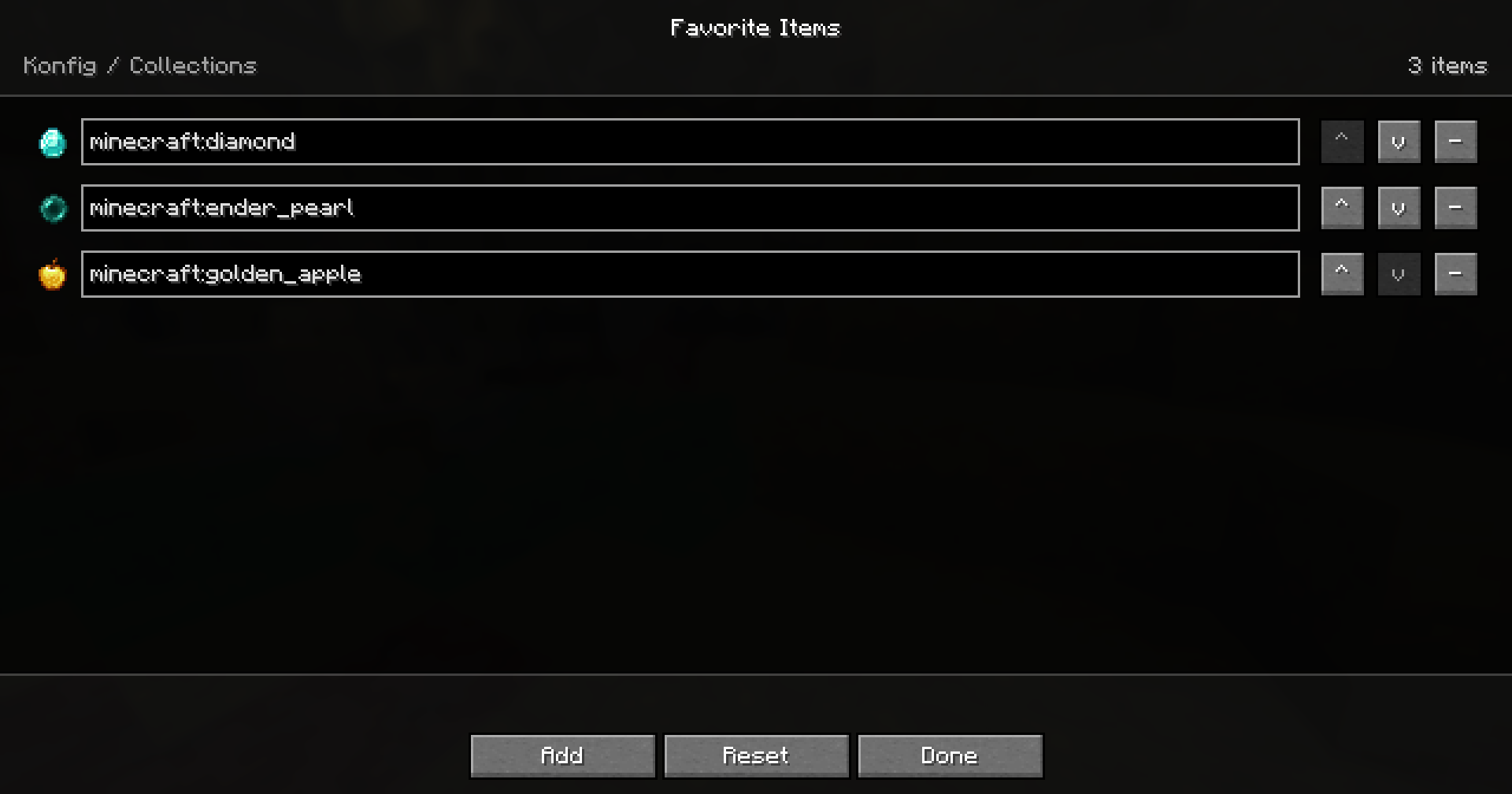
- Generated config screens for registered handles
- Inline screen decorations: headers, images, descriptive text, and clickable URLs
- Explicit tooltips for generated screen rows
- Rich hover info panels for global, category, and value-specific help
- Fabric Mod Menu integration
- Forge and NeoForge config button helpers
Pics
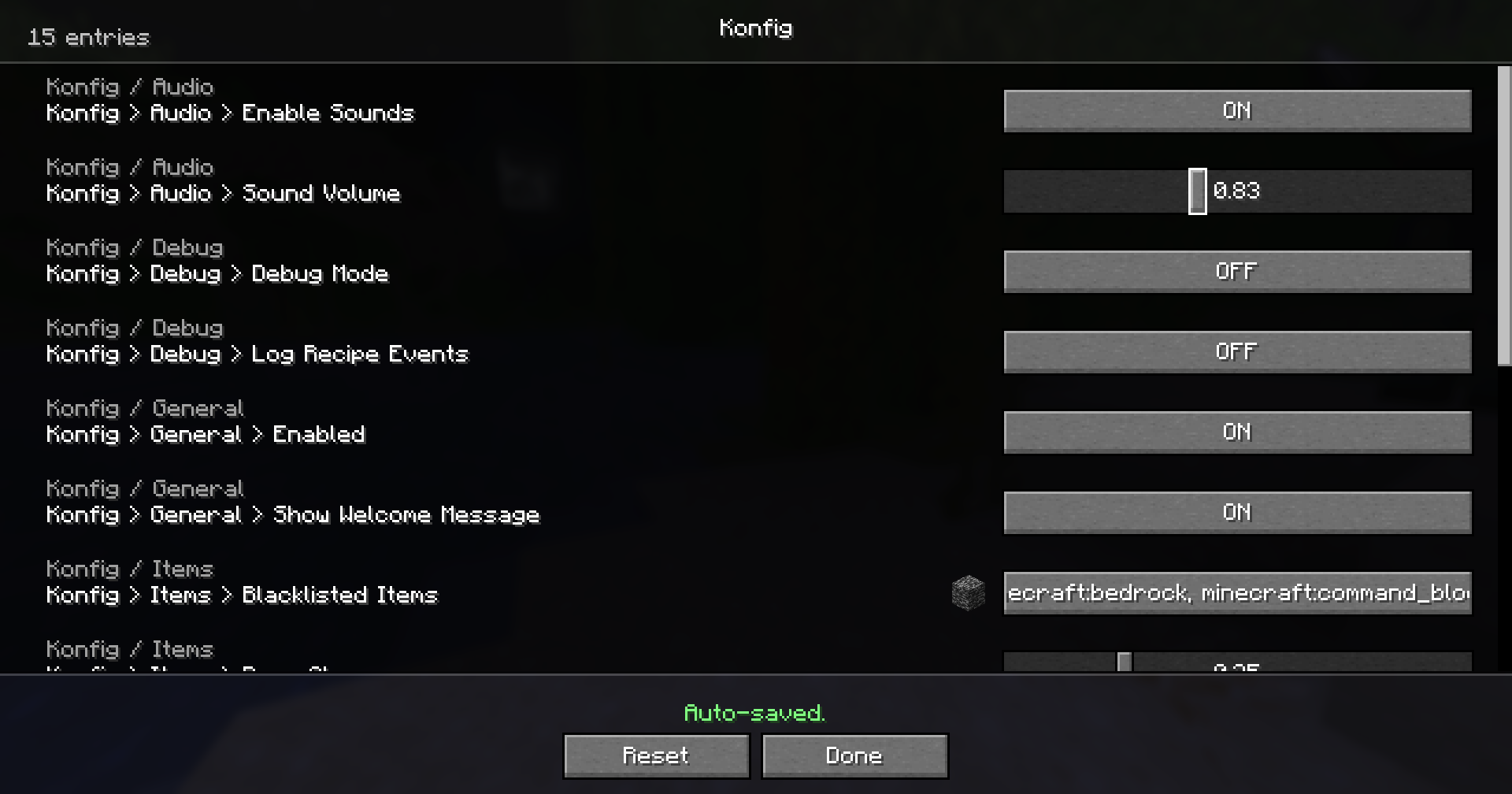
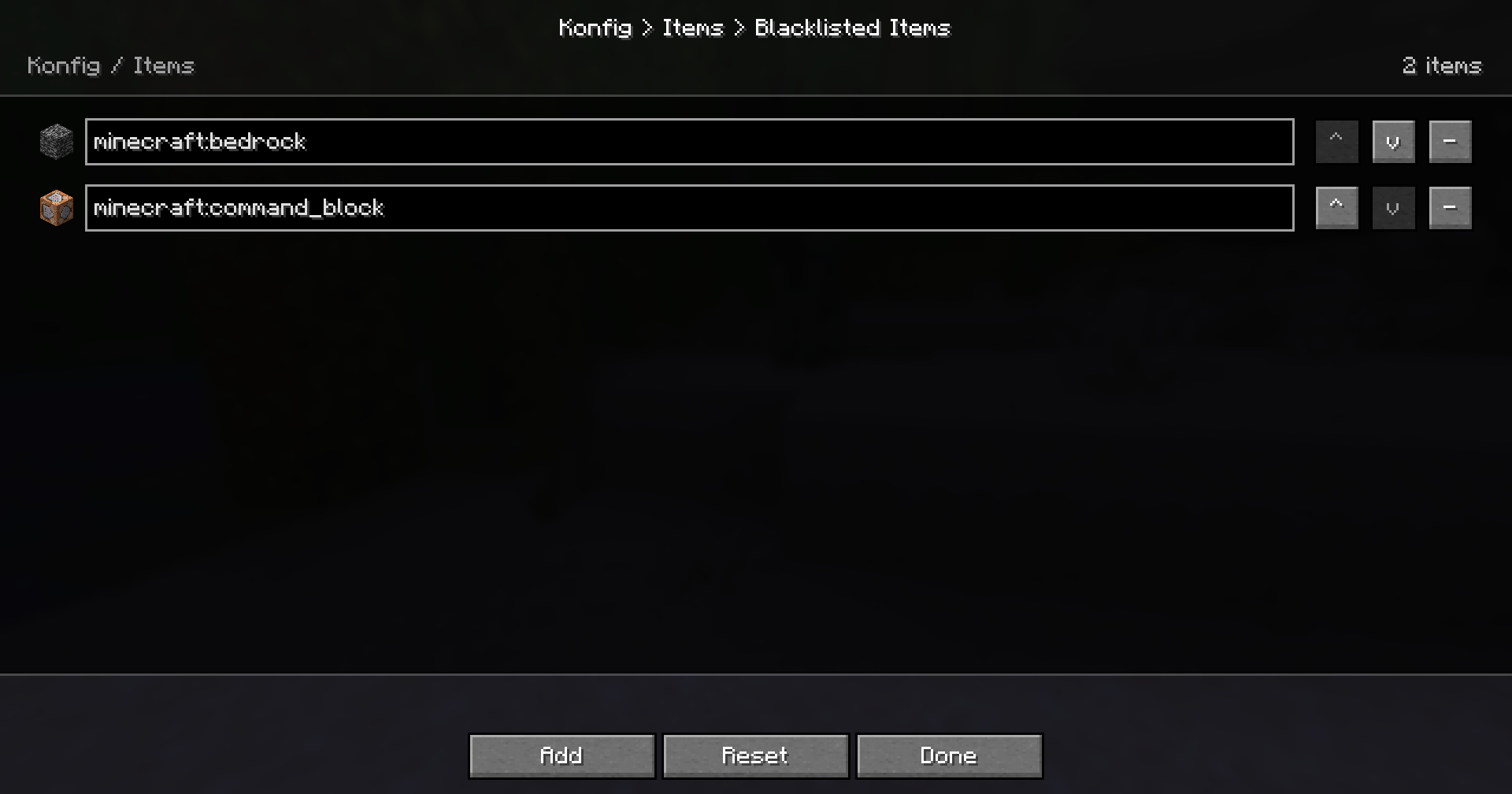
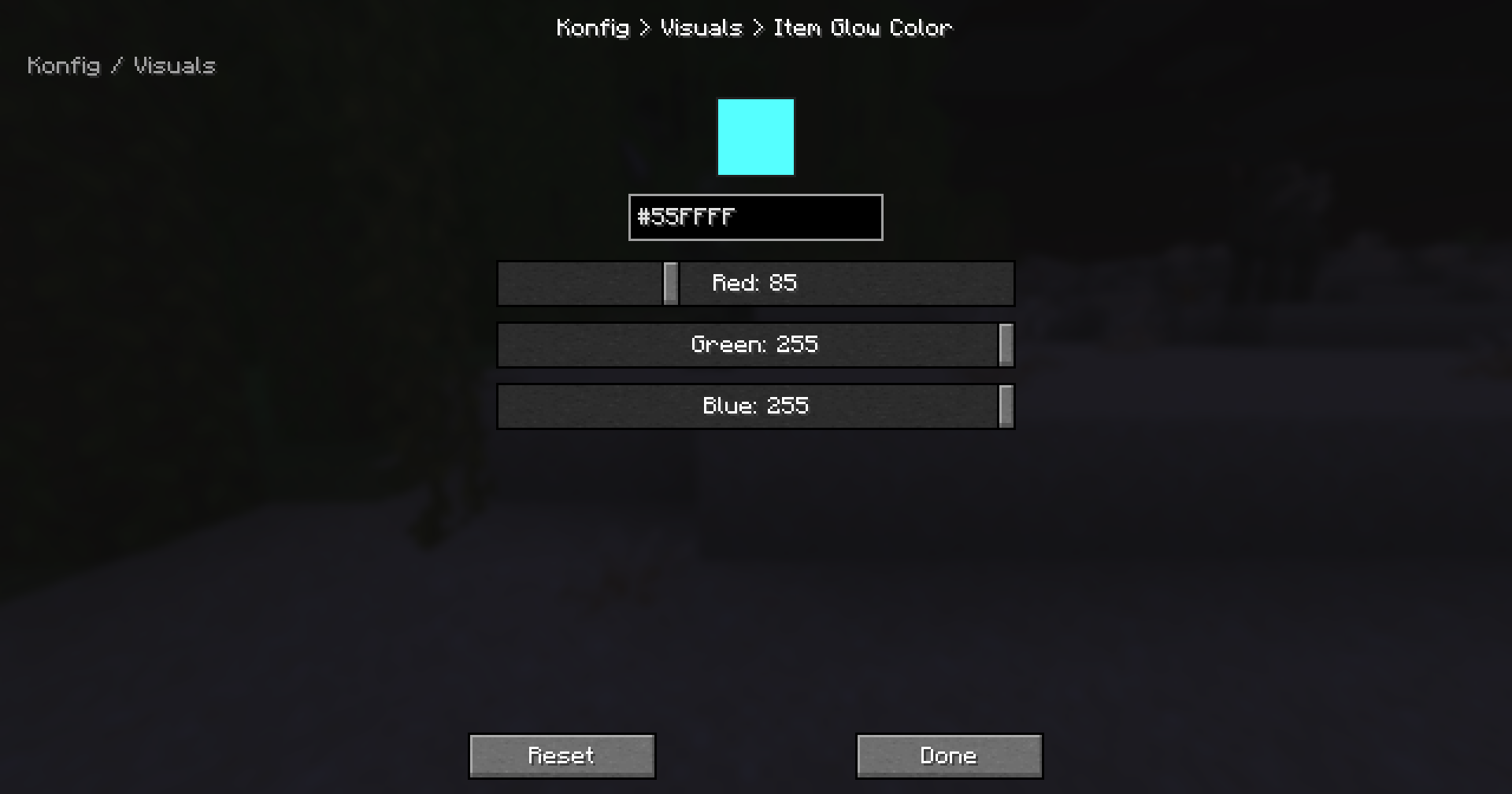
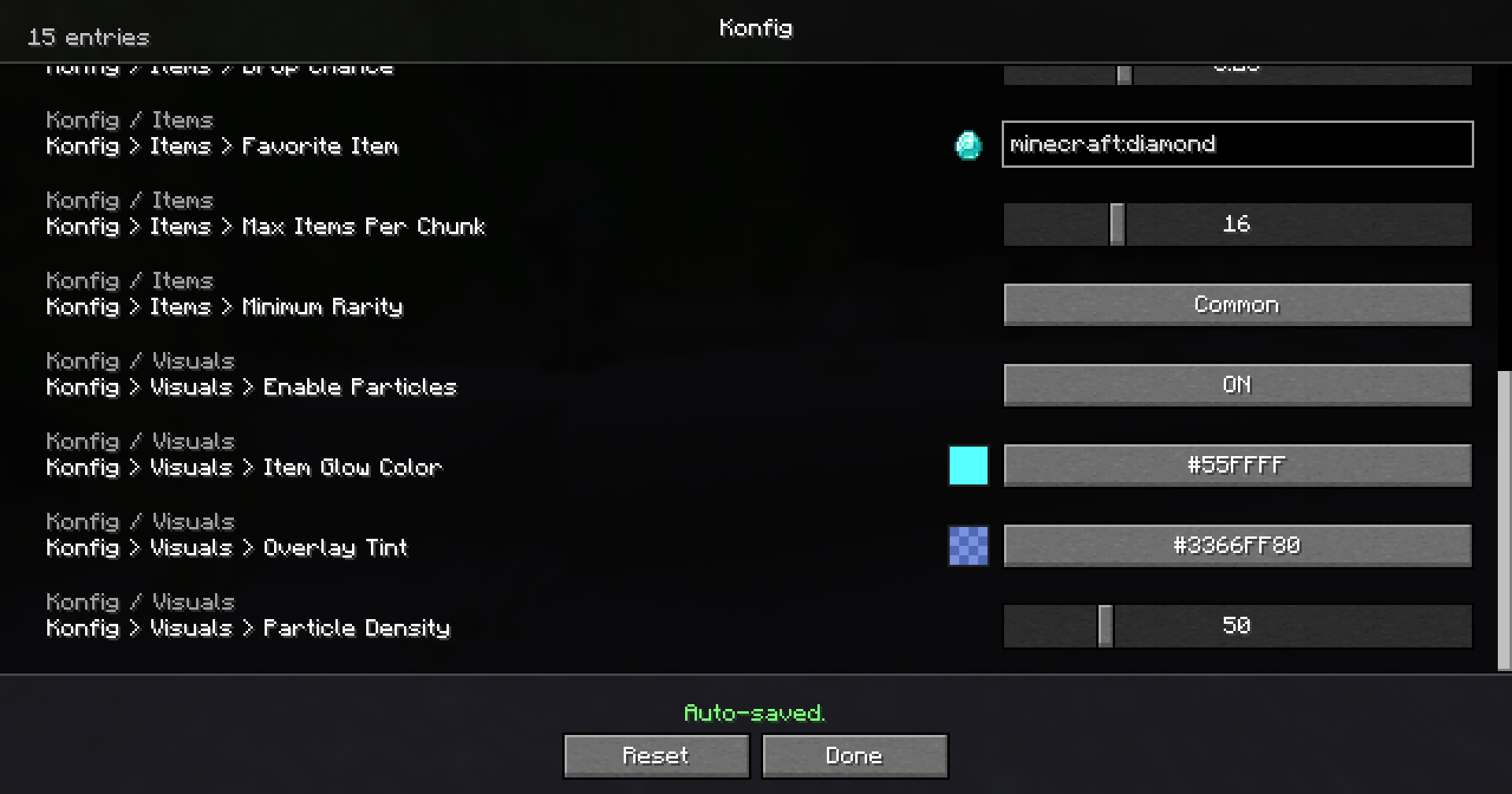
Supported Versions
Konfig 0.4.0 supports every Minecraft line from 1.14.4 through 26.2.
- Fabric starts at
1.14.4 - Forge starts at
1.16.5 - NeoForge starts at
1.21.1
Konfig uses one semantic release across supported Minecraft lines. The +<mc> suffix tells you which Minecraft version the artifact targets, for example 0.4.0+1.21.11 or 0.4.0+26.2.
Quick Example
import com.iamkaf.konfig.api.v1.ConfigBuilder;
import com.iamkaf.konfig.api.v1.ConfigHandle;
import com.iamkaf.konfig.api.v1.ConfigScope;
import com.iamkaf.konfig.api.v1.ConfigValue;
import com.iamkaf.konfig.api.v1.Konfig;
import com.iamkaf.konfig.api.v1.RestartRequirement;
import com.iamkaf.konfig.api.v1.SyncMode;

public final class ExampleConfig {
    public static final ConfigHandle HANDLE;
    public static final ConfigValue<Boolean> ENABLED;
    public static final ConfigValue<Integer> RANGE;

    static {
        ConfigBuilder builder = Konfig.builder("examplemod", "common")
                .scope(ConfigScope.COMMON)
                .syncMode(SyncMode.LOGIN)
                .comment("Example mod config")
                .info(info -> info
                        .header("Example Mod")
                        .inlineText("These settings control shared gameplay behavior.")
                        .url("Documentation", "https://example.invalid/docs"));

        builder.header("Example Mod Settings");
        builder.inlineText("These entries are saved automatically.");
        builder.url("Documentation", "https://example.invalid/docs");

        builder.push("general");
        builder.categoryComment("General gameplay tuning");
        builder.categoryTooltip("General gameplay tuning");
        builder.categoryInfo(info -> info
                .header("General")
                .inlineText("Values in this section affect the whole mod."));

        ENABLED = builder.bool("enabled", true)
                .comment("Master toggle")
                .tooltip("Enable example mod features")
                .sync(true)
                .info(info -> info
                        .header("Master Toggle")
                        .inlineText("Turns the main feature set on or off."))
                .build();

        RANGE = builder.intRange("range", 8, 1, 64)
                .comment("Effect radius")
                .tooltip("Controls the effect radius in blocks")
                .sync(true)
                .restart(RestartRequirement.WORLD)
                .build();

        builder.pop();
        HANDLE = builder.build();
    }
}
Use ConfigValue#get() when reading a value and ConfigValue#set(value) when changing it programmatically.
Comments are written to TOML. Generated-screen hover text is explicit through tooltip(...) and richer info(...) content, so your config files and UI help can say different things when needed.
Dependencies
Add the Kaf Maven repository:
repositories {
    maven { url = "https://maven.kaf.sh" }
}
Use the loader artifact for the Minecraft line you target:
modImplementation "com.iamkaf.konfig:konfig-fabric:<version>"
modImplementation "com.iamkaf.konfig:konfig-forge:<version>"
modImplementation "com.iamkaf.konfig:konfig-neoforge:<version>"
Do not depend on Konfig common directly. Use the loader-specific artifact.
Help Translate Konfig
Want to help translate this mod into your language? Join the community translation project:
🇺🇸 🇪🇸 🇧🇷 🇫🇷 🇩🇪 🇷🇺 🇹🇷 🇯🇵 🇰🇷 🇨🇳
Q&A
Q: Where can I ask something that is not listed here?
A: Make an issue here or join the Discord and shoot me a message.
Q: Can you port it to [MC version/Mod loader]?
A: If enough people request it I'll give it some time, but this really is a 1-man team so it might take a while.
Q: Can I include it in my modpack?
A: Yes, no need to give credit or ask.
More mods by me
 Bonded |
 Kaf's Valentine Special |
 Liteminer |
 Mochila |
 Torch Toss |
|---|
Project description from CurseForge.
Pick your setup
Konfig by Minecraft version and loader
Choose the version and loader you play, then open the matching release.
Minecraft version
26.1.2
3 loader buildsMinecraft version
26.1.1
3 loader buildsMinecraft version
26.1
3 loader buildsMinecraft version
1.21.11
3 loader buildsMinecraft version
1.21.10
3 loader buildsMinecraft version
1.21.9
3 loader buildsMinecraft version
1.21.8
3 loader buildsMinecraft version
1.21.7
3 loader buildsMinecraft version
1.21.6
3 loader buildsMinecraft version
1.21.5
3 loader buildsMinecraft version
1.21.4
3 loader buildsShowing the newest 12 of 38 game versions. Older files are in the list below.
Check the dependencies, then try the file in a copied instance before changing a world you care about.
Recent files
Konfig versions and loaders
konfig-neoforge-0.7.0+26.2
konfig-neoforge-0.7.0+26.2.jar
30 Aug 2026
Client Source doesn’t say Server Source doesn’t say Dependencies No extras listed Listed on Release listing
Check the 26.2 · NeoForge setup NeoForge26.2 release
konfig-forge-0.7.0+26.2
konfig-forge-0.7.0+26.2.jar
30 Aug 2026
Client Source doesn’t say Server Source doesn’t say Dependencies No extras listed Listed on Release listing
Check the 26.2 · Forge setup Forge26.2 release
konfig-fabric-0.7.0+26.2
konfig-fabric-0.7.0+26.2.jar
30 Aug 2026
Client Source doesn’t say Server Source doesn’t say Dependencies No extras listed Listed on Release listing
Check the 26.2 · Fabric setup Fabric26.2 release
konfig-neoforge-0.7.0+26.1.2
konfig-neoforge-0.7.0+26.1.2.jar
30 Aug 2026
Client Source doesn’t say Server Source doesn’t say Dependencies No extras listed Listed on Release listing
Check the 26.1.2 · NeoForge setup NeoForge26.1.2 release
konfig-forge-0.7.0+26.1.2
konfig-forge-0.7.0+26.1.2.jar
30 Aug 2026
Client Source doesn’t say Server Source doesn’t say Dependencies No extras listed Listed on Release listing
Check the 26.1.2 · Forge setup Forge26.1.2 release
konfig-fabric-0.7.0+26.1.2
konfig-fabric-0.7.0+26.1.2.jar
30 Aug 2026
Client Source doesn’t say Server Source doesn’t say Dependencies No extras listed Listed on Release listing
Check the 26.1.2 · Fabric setup Fabric26.1.2 release
konfig-neoforge-0.7.0+26.1.1
konfig-neoforge-0.7.0+26.1.1.jar
30 Aug 2026
Client Source doesn’t say Server Source doesn’t say Dependencies No extras listed Listed on Release listing
Check the 26.1.1 · NeoForge setup NeoForge26.1.1 release
konfig-forge-0.7.0+26.1.1
konfig-forge-0.7.0+26.1.1.jar
30 Aug 2026
Client Source doesn’t say Server Source doesn’t say Dependencies No extras listed Listed on Release listing
Check the 26.1.1 · Forge setup Forge26.1.1 release
konfig-fabric-0.7.0+26.1.1
konfig-fabric-0.7.0+26.1.1.jar
30 Aug 2026
Client Source doesn’t say Server Source doesn’t say Dependencies No extras listed Listed on Release listing
Check the 26.1.1 · Fabric setup Fabric26.1.1 release
konfig-neoforge-0.7.0+26.1
konfig-neoforge-0.7.0+26.1.jar
30 Aug 2026
Client Source doesn’t say Server Source doesn’t say Dependencies No extras listed Listed on Release listing
Check the 26.1 · NeoForge setup NeoForge26.1 release
konfig-forge-0.7.0+26.1
konfig-forge-0.7.0+26.1.jar
30 Aug 2026
Client Source doesn’t say Server Source doesn’t say Dependencies No extras listed Listed on Release listing
Check the 26.1 · Forge setup Forge26.1 release
konfig-fabric-0.7.0+26.1
konfig-fabric-0.7.0+26.1.jar
30 Aug 2026
Client Source doesn’t say Server Source doesn’t say Dependencies No extras listed Listed on Release listing
Check the 26.1 · Fabric setup Fabric26.1 release
Looking for an older file? The official CurseForge project page is in Resources.
 mod
mod CurseForge + Modrinth · Minecraft
Fabric API
Lightweight and modular API providing common hooks and intercompatibility measures utilized by mods using the Fabric toolchain.
 mod
mod CurseForge · Minecraft
ThrexionCore
A Lib mod for my Threxion mods.
 mod
mod CurseForge · Minecraft
PrimeClient
PrimeClient is the custom Client-side Mod made specifically for Pixelmon Prime. It enables the ability to communicate with the server using the PrimeAPI.