KubeJS Needed by neogrid v1.1 for 1.21.1
requiredMatching file found Matched file: KubeJS NeoForge 2101.7.2-build.377
CurseForge · Minecraft mod
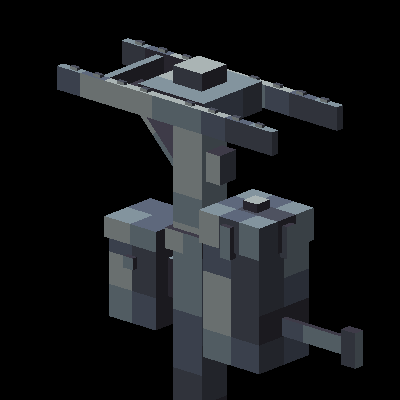
Modern, automated electrical grids for NeoForge.
Quick answer
neogrid v1.1 for 1.21.1 targets 1.21.1 with NeoForge. The project page does not say whether this file belongs on the client, dedicated server, or both. All 3 required mods have matching files.
Where it goes
The project page does not say whether this file belongs on the client, dedicated server, or both.
The source does not explicitly classify this release as client-only or server-only.
neogrid v1.1 for 1.21.1. Change the file and its required mods may change too.
Install KubeJS, Better Advanced Tooltips, Rhino first. We found matching files for this game-version and loader setup. 2 come through another mod in the chain.
2 extra mods were pulled in by other dependencies. Indented rows show who needs each one. We only count dependency files that match this setup. A file for another loader does not fill the gap.
Before you install it
Built for neogrid v1.1 for 1.21.1. Pick another file and the loader, install side or required mods may change.
Use neogrid v1.1 for 1.21.1. It targets 1.21.1 with NeoForge; another release may have different loader, side or dependency requirements.
Install KubeJS, Better Advanced Tooltips, Rhino first. We found matching files for this game-version and loader setup. 2 come through another mod in the chain.
The project page does not say whether this file belongs on the client, dedicated server, or both.
Use the “Get this file” button beside neogrid v1.1 for 1.21.1. It opens that exact file at the source.
About this project

Modern, automated electrical grids for NeoForge.
NeoGrid registers a neogrid:electric_pole block builder type for KubeJS. Place scripts in kubejs/startup_scripts/.
StartupEvents.registry('block', event => {
    event.create('kubejs:my_pole', 'neogrid:electric_pole')
        .transferRate(5000)       // FE/tick, default 1000
        .connectionRange(20)      // blocks, default 10
        .wireColorHex(0xFF3333)   // hex color
        .displayName('My Pole')
})
| Method | Params | Description |
|---|---|---|
transferRate(rate) |
int |
Max energy transfer rate (FE/tick) |
connectionRange(range) |
int |
Auto-connection scan radius (blocks) |
wireColor(r, g, b) |
float, float, float (0.0~1.0) |
Wire color as RGB floats |
wireColorHex(hex) |
int (e.g. 0xFF0000) |
Wire color as hex |
All standard KubeJS BlockBuilder methods (displayName, hardness, resistance, mapColor, tag, etc.) are also available.
See docs/kubejs-integration.md for full examples.
NeoForge 平台的现代化自动化电网模组。
NeoGrid 注册了 neogrid:electric_pole 方块构建器类型。将脚本放在 kubejs/startup_scripts/ 下。
StartupEvents.registry('block', event => {
    event.create('kubejs:my_pole', 'neogrid:electric_pole')
        .transferRate(5000)       // FE/tick,默认 1000
        .connectionRange(20)      // 方块数,默认 10
        .wireColorHex(0xFF3333)   // 十六进制颜色
        .displayName('My Pole')
})
| 方法 | 参数 | 说明 |
|---|---|---|
transferRate(rate) |
int |
最大能量传输速率(FE/tick) |
connectionRange(range) |
int |
自动连接扫描半径(方块数) |
wireColor(r, g, b) |
float, float, float(0.0~1.0) |
RGB 浮点值设置电线颜色 |
wireColorHex(hex) |
int(如 0xFF0000) |
十六进制设置电线颜色 |
所有 KubeJS 标准 BlockBuilder 方法(displayName、hardness、resistance、mapColor、tag 等)均可使用。
详见 docs/kubejs-integration.md。
Project description from CurseForge.
Pick your setup
Choose the version and loader you play, then open the matching release.
Check the dependencies, then try the file in a copied instance before changing a world you care about.
Recent files
neogrid-1.1.jar
14 Mar 2026
9 Mar 2026
Looking for an older file? The official CurseForge project page is in Resources.
 mod
modUniversal Wood Compat: Quark, Twilight Forest, Twigs, Another Furniture, Farmers Delight, Macaw's, Valhelsia, Architects Palette, Deco Blocks, Crayfish FM
 mod
modAllows making any block emit light with Glow Paste!
 mod
modStudy hextech crystals and essences, distil them in brass machines and burn runes into your tools