Minecraft version
Back to mods 
CurseForge · Minecraft mod
Jukebox GUI
This mod lets you manage your jukeboxes with a dedicated GUI.
Choose a version Pick your version below, then grab the matching file.
Quick answer
Which Jukebox GUI release should I use?
Latest stable file jukebox-gui-26.2-4.2.0.jar
Game version 26.2
Loader Fabric
Jukebox GUI jukebox-gui-26.2-4.2.0.jar targets 26.2 with Fabric. The project page does not say whether this file belongs on the client, dedicated server, or both. No extra mods listed for this file.
Where it goes
Is Jukebox GUI required on the client, server, or both?
The project page does not say whether this file belongs on the client, dedicated server, or both.
Client Source doesn’t say
Dedicated server Source doesn’t say
Loader for this release Fabric
Required install it here Optional supported, not mandatory Not supported do not install here Source doesn’t say do not assume
The source does not explicitly classify this release as client-only or server-only.
What else does Jukebox GUI jukebox-gui-26.2-4.2.0.jar need?
jukebox-gui-26.2-4.2.0.jar. Change the file and its required mods may change too.
This file does not list any required mods. Do not add a library just because a different file uses it.
This file does not list any required or optional mods.
Before you install it
Add Jukebox GUI without breaking your instance.
Built for Jukebox GUI jukebox-gui-26.2-4.2.0.jar. Pick another file and the loader, install side or required mods may change.
- 01
Stick to this file
Use jukebox-gui-26.2-4.2.0.jar. It targets 26.2 with Fabric; another release may have different loader, side or dependency requirements.
- 02
Bring the mods it needs
This file does not list any required mods. Do not add a library just because a different file uses it.
- 03
Put it on the correct side
The project page does not say whether this file belongs on the client, dedicated server, or both.
- 04
Pick the file you checked
Use the “Get this file” button beside jukebox-gui-26.2-4.2.0.jar. It opens that exact file at the source.
About this project
What does Jukebox GUI add?
| FEATURES |
|---|
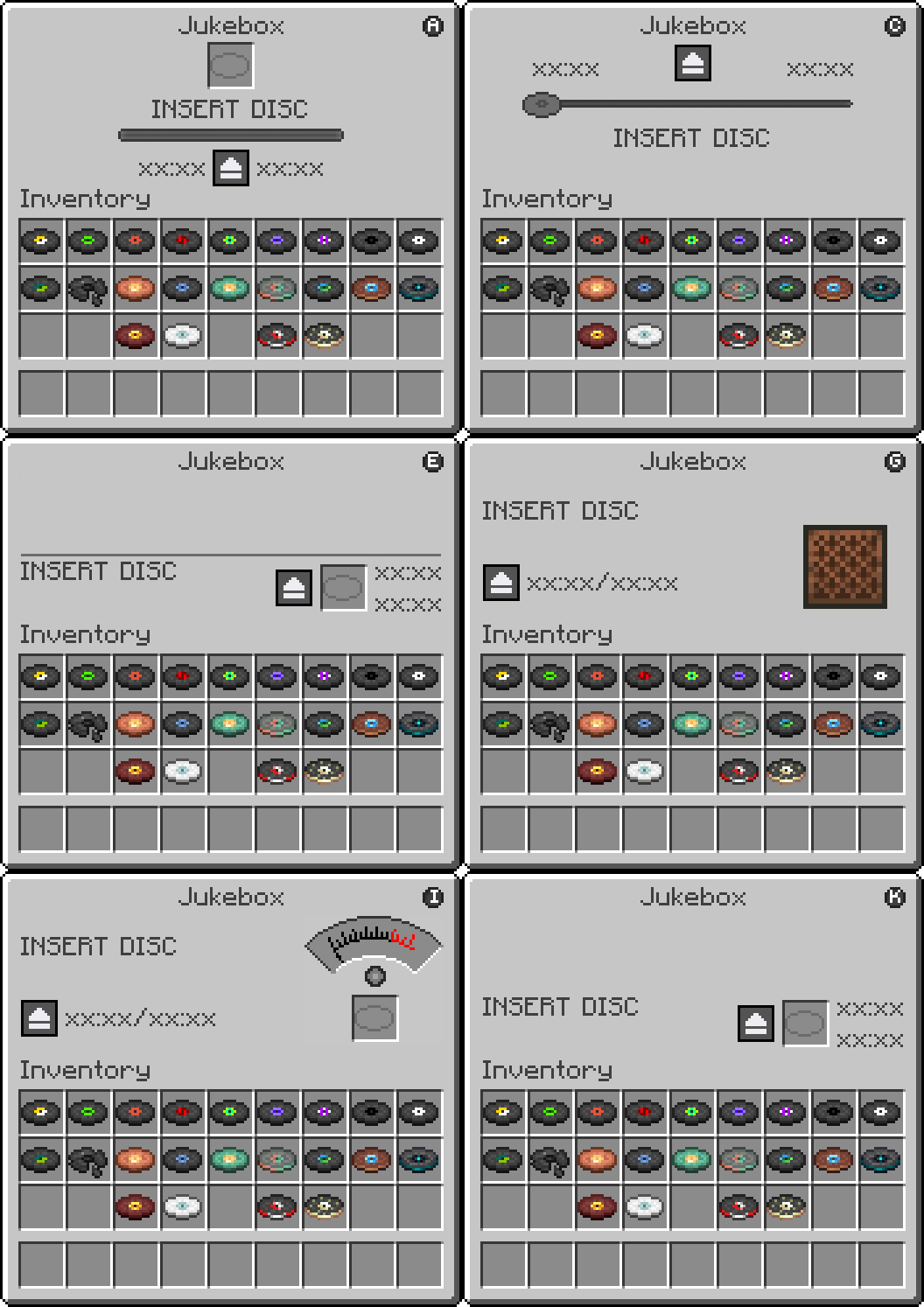
| Jukebox Management Screen | Displays an interactive GUI for the vanilla Jukebox |
|---|---|
| Disc Slot | Insert and eject music discs directly from the interface |
| Song Title Display | Shows the Artist and Title of the currently loaded disc, animates in rainbow colors while playing and turns black when stopped |
| Digital Timer | Displays elapsed time and total song duration in MM:SS format |
| Playback Controls | Pause and resume your music at any time with dedicated control buttons |
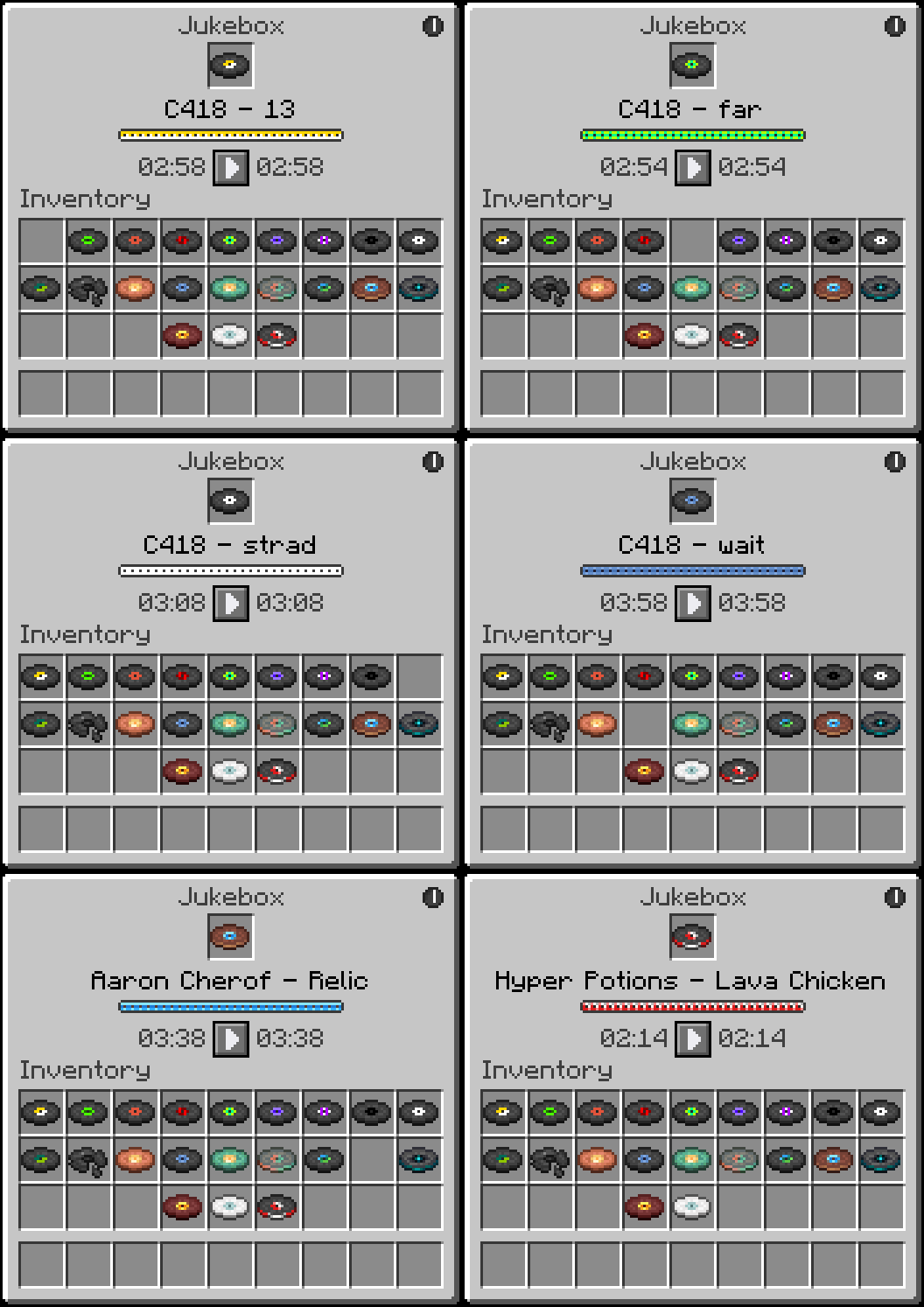
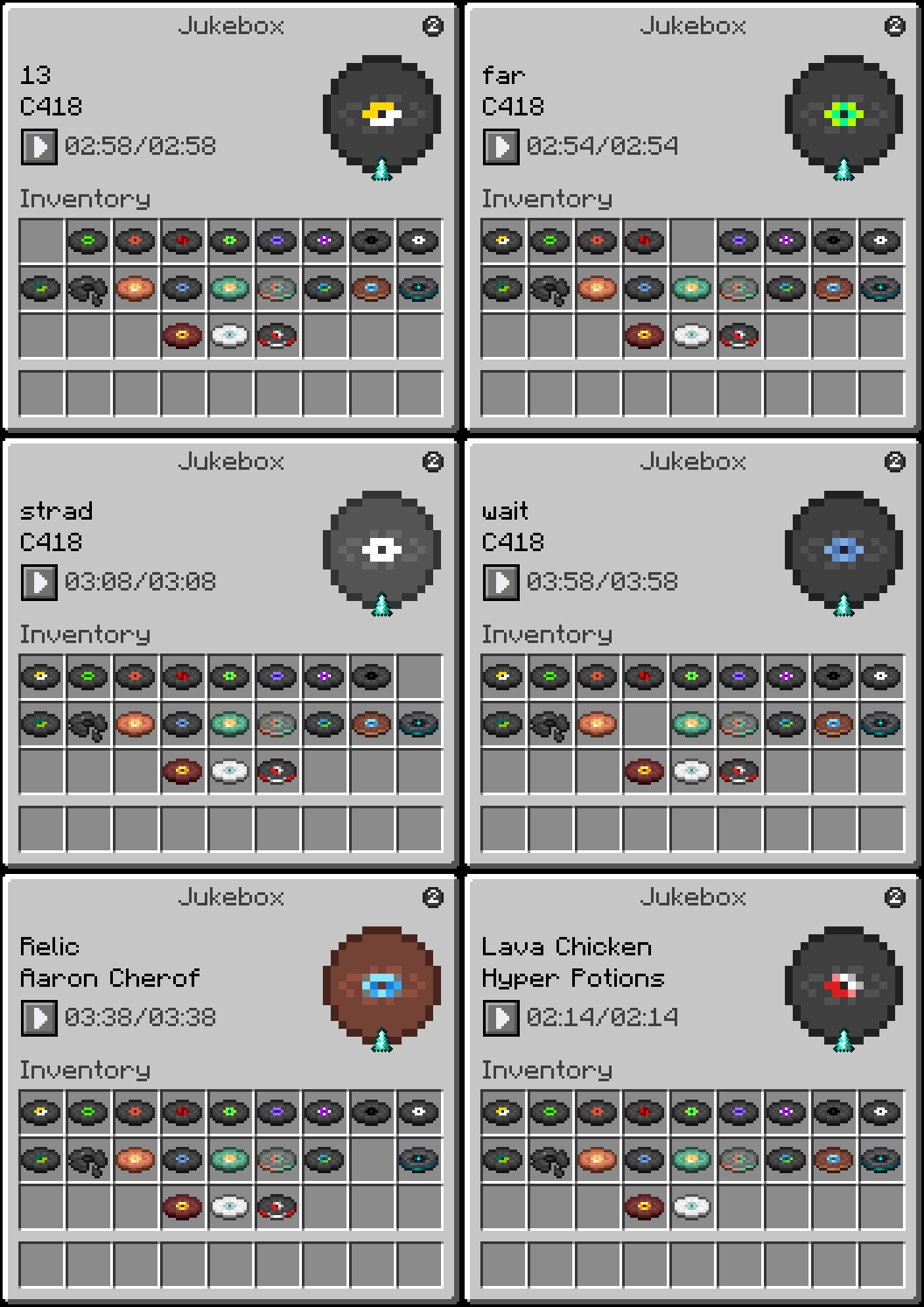
| Themes | 11 visual themes to choose from, each with a unique style and playback display |
| HOW TO USE |
|---|
 a Jukebox while holding nothing or any item to open the JukeboxGUI screen.
- Drag a music disc into the disc slot to start playback.
- Click the pause button to pause the track and freeze the timer. Click the play button to resume from where you left off.
- Click the theme toggle button in the top right corner to switch between themes.
- Click the disc in the slot to eject it and stop playback.
- Close the GUI at any time. Music continues and the timer keeps running in the background.
- Reopen the GUI to see the updated elapsed time.
Regular Right-Click (without sneaking) inserts or ejects discs the vanilla way. The GUI will still reflect the correct playback state when opened afterward.
| REQUIREMENTS |
|---|
- Fabric Loader
- Fabric API
| CLIENT & SERVER |
|---|
Some functionality exists on both the client and server, requiring the mod to be installed on both sides.
| FREE & OPEN SOURCE |
|---|
This is a completely free project. I'm not asking for donations or "buy me a coffee" contributions. If you enjoy the mod, the best way to support it is by:
- Leaving a rating/review
- Sharing it with friends
- Reporting any bugs you find
| GALLERY |
|---|
Theme 1
Theme 2
Project description from CurseForge.
Pick your setup
Jukebox GUI by Minecraft version and loader
Choose the version and loader you play, then open the matching release.
Minecraft version
26.1.2
1 loader buildMinecraft version
26.1.1
1 loader buildMinecraft version
26.1
1 loader buildMinecraft version
1.21.11
1 loader buildMinecraft version
1.21.10
1 loader buildMinecraft version
1.21.9
1 loader buildMinecraft version
1.21.8
1 loader buildMinecraft version
1.21.7
1 loader buildMinecraft version
1.21.6
1 loader buildMinecraft version
1.21.5
1 loader buildMinecraft version
1.21.4
1 loader buildShowing the newest 12 of 16 game versions. Older files are in the list below.
Check the dependencies, then try the file in a copied instance before changing a world you care about.
Recent files
Jukebox GUI versions and loaders
jukebox-gui-26.2-4.2.0.jar
20 Jul 2026
Client Source doesn’t say Server Source doesn’t say Dependencies No extras listed Listed on Release listing
Check the 26.2 · Fabric setup Fabric26.2 release
jukebox-gui-26.1.x-4.2.0.jar
20 Jul 2026
Client Source doesn’t say Server Source doesn’t say Dependencies No extras listed Listed on Release listing
Check the 26.1.2 · Fabric setup Fabric26.126.1.126.1.2 release
jukebox-gui-26.1.x-4.1.0.jar
16 Jun 2026
Client Source doesn’t say Server Source doesn’t say Dependencies No extras listed Listed on Release listing
Check the 26.1.2 · Fabric setup Fabric26.126.1.126.1.2 release
jukebox-gui-26.1.x-4.0.0.jar
24 May 2026
Client Source doesn’t say Server Source doesn’t say Dependencies No extras listed Listed on Release listing
Check the 26.1.2 · Fabric setup Fabric26.126.1.126.1.2 release
jukebox-gui-1.21.9_1.21.11-3.1.0.jar
11 May 2026
Client Source doesn’t say Server Source doesn’t say Dependencies No extras listed Listed on Release listing
Check the 1.21.11 · Fabric setup Fabric1.21.91.21.101.21.11 release
jukebox-gui-1.21.6_1.21.8-3.1.0.jar
11 May 2026
Client Source doesn’t say Server Source doesn’t say Dependencies No extras listed Listed on Release listing
Check the 1.21.8 · Fabric setup Fabric1.21.81.21.61.21.7 release
jukebox-gui-1.21.5-3.1.0.jar
11 May 2026
Client Source doesn’t say Server Source doesn’t say Dependencies No extras listed Listed on Release listing
Check the 1.21.5 · Fabric setup Fabric1.21.5 release
jukebox-gui-1.21.5_1.21.11-3.0.0.jar
23 Apr 2026
Client Source doesn’t say Server Source doesn’t say Dependencies No extras listed Listed on Release listing
Check the 1.21.11 · Fabric setup Fabric1.21.81.21.51.21.6 release
jukebox-gui-1.21.2_1.21.4-3.0.0.jar
23 Apr 2026
Client Source doesn’t say Server Source doesn’t say Dependencies No extras listed Listed on Release listing
Check the 1.21.4 · Fabric setup Fabric1.21.41.21.31.21.2 release
jukebox-gui-1.21_1.21.1-3.0.0.jar
23 Apr 2026
Client Source doesn’t say Server Source doesn’t say Dependencies No extras listed Listed on Release listing
Check the 1.21.1 · Fabric setup 1.21Fabric1.21.1 release
jukeboxgui-2.0.0.jar
28 Mar 2026
Client Source doesn’t say Server Source doesn’t say Dependencies No extras listed Listed on Release listing
Check the 1.21.11 · Fabric setup Fabric1.21.11 release
jukeboxgui-1.0.0.jar
10 Mar 2026
Client Source doesn’t say Server Source doesn’t say Dependencies No extras listed Listed on Release listing
Check the 1.21.11 · Fabric setup Fabric1.21.101.21.11 release
Looking for an older file? The official CurseForge project page is in Resources.
 mod
Modrinth · Minecraft
Numerical HUD
This mod replaces vanilla status bars with clean, animated numerical values and dynamic icons.
 mod
CurseForge · Minecraft
ReignClient
Client companion for the Reign Cobblemon server: phone menus, GTS, Pokébuilder, Poké Radar, rift HUD and a cleaner battle HUD.
 mod
CurseForge · Minecraft
Better UX
Better User Experience, health bar, hunger bar, no more fire all over the screen, customize the HUD how ever you like and more.