Reconnectible Chains Optional for Modulation Fabric 1.21.1 - 3.5.1
optionalMatching file found Matched file: Reconnectible Chains Fabric 1.21.1 - 2.3.3

CurseForge · Minecraft mod
A growing collection of quality-of-life tweaks, bug fixes, and cross-mod integrations for modpack creators!
Quick answer
Modulation Fabric 1.21.1 - 3.5.1 targets 1.21.1 with Fabric. The project page does not say whether this file belongs on the client, dedicated server, or both. All 4 required mods have matching files.
Where it goes
The project page does not say whether this file belongs on the client, dedicated server, or both.
The source does not explicitly classify this release as client-only or server-only.
Modulation Fabric 1.21.1 - 3.5.1 on Fabric. Every mod below is checked against that same setup.
Install YetAnotherConfigLib, YetAnotherConfigLib (YACL), Fabric API, Fabric API first. We found matching files for this game-version and loader setup. 4 come through another mod in the chain.
4 extra mods were pulled in by other dependencies. Indented rows show who needs each one. We only count dependency files that match this setup. A file for another loader does not fill the gap.
Before you install it
Built for Modulation Fabric 1.21.1 - 3.5.1 on Fabric. Pick another file and the loader, install side or required mods may change.
Use Modulation Fabric 1.21.1 - 3.5.1. It targets 1.21.1 with Fabric; another release may have different loader, side or dependency requirements.
Install YetAnotherConfigLib, YetAnotherConfigLib (YACL), Fabric API, Fabric API first. We found matching files for this game-version and loader setup. 4 come through another mod in the chain.
The project page does not say whether this file belongs on the client, dedicated server, or both.
Use the “Get this file” button beside Modulation Fabric 1.21.1 - 3.5.1. It opens that exact file at the source.
About this project



Modulation is a growing collection of handy quality-of-life tweaks, bug fixes, visual improvements, and cross-mod integrations. Instead of cluttering your modpack with a dozen single-feature mods, Modulation packs them all into one highly customizable package.
Everything is completely modular, so you can turn off whatever you don't need and tweak options to match your modpack!
Walk seamlessly through foliage with customizable movement mechanics and visual effects!
base_drag and max_drag).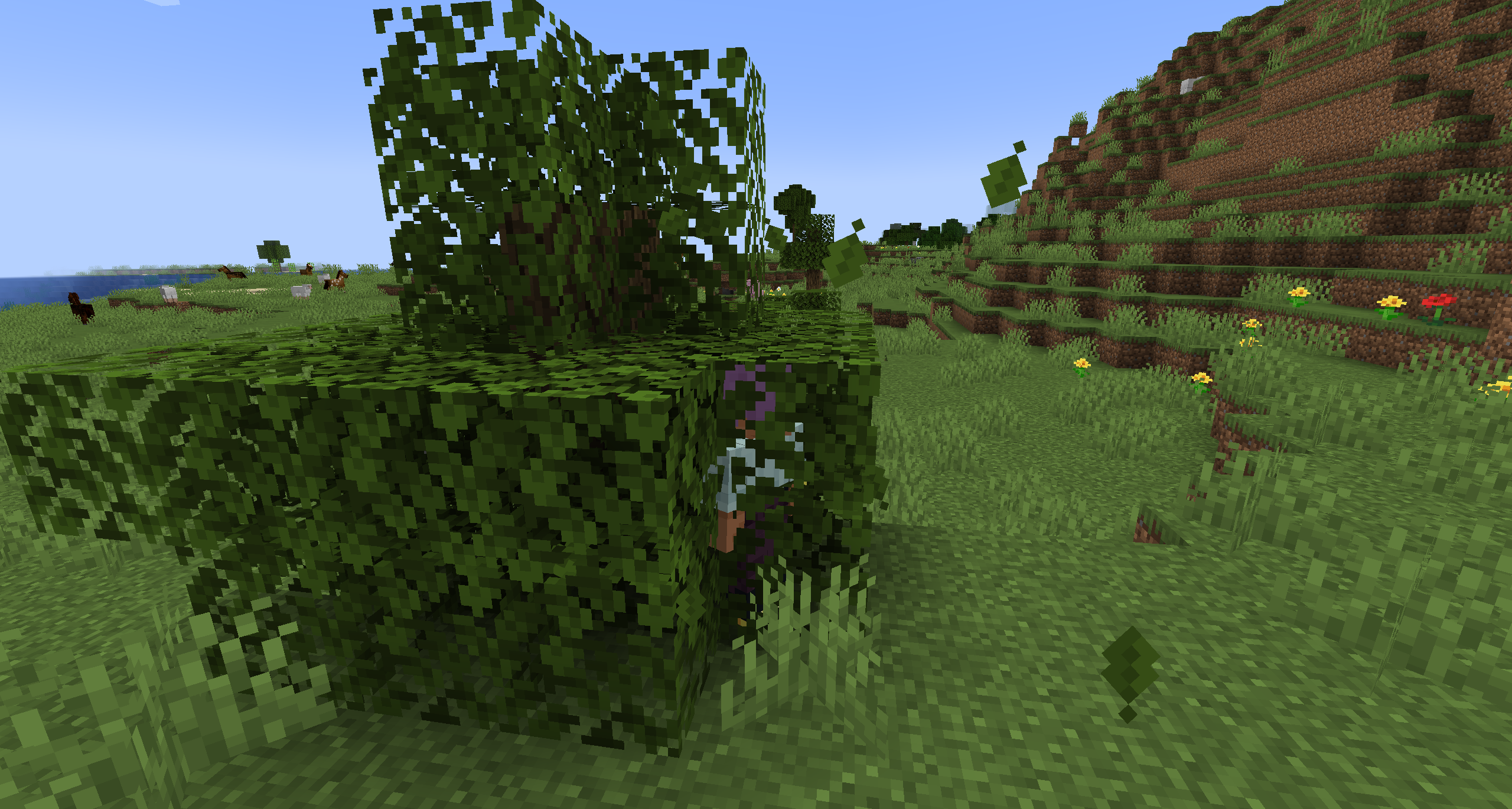
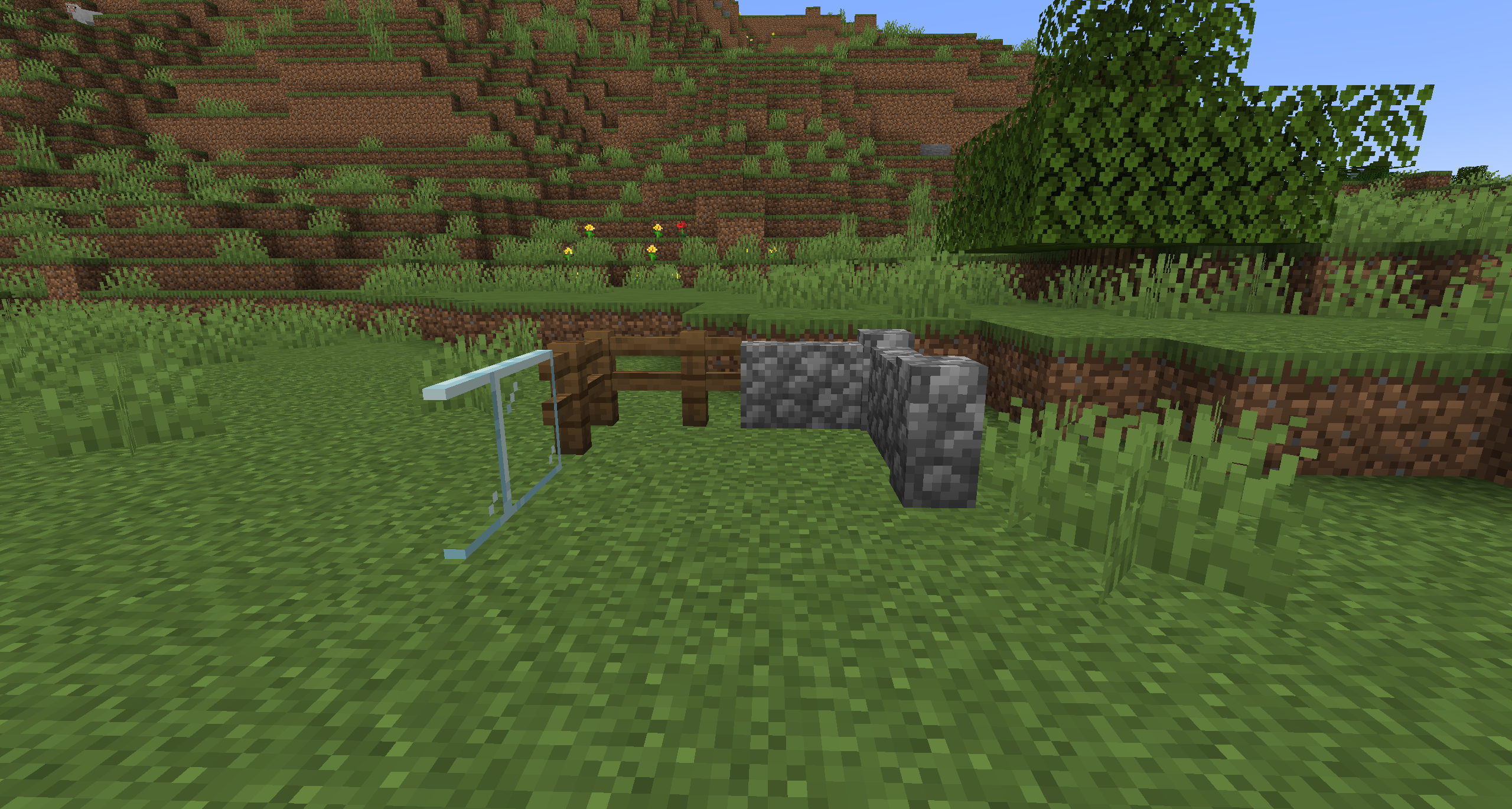
Enhanced fence, wall, and pane connecting logic ported from BetterWalls!
Clear visual indicators and info tooltips for items in your inventory!
modulation:infested, modulation:trapped, and blacklist tags).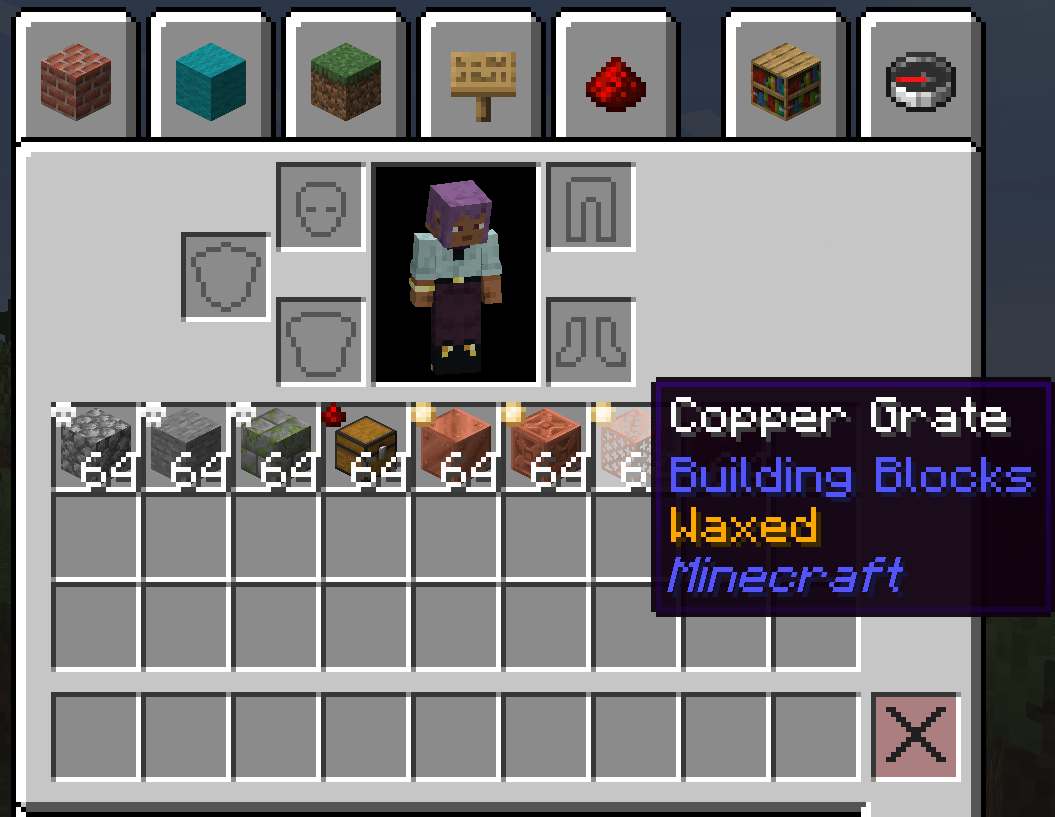
Build and traverse your world with ease using new chain-focused tools! (Requires Connectible Chains)
Upgrade your avatar management experience with Figura!
@a, @p, @s, or @e in /figura load and /figura clear commands, letting you update skins for multiple players simultaneously.figura/avatars folder (both folders and .zip files).User interface and control QoL improvements:
**bold**, *italic*, ~~strikethrough~~, and ~underline~).Small gameplay tweaks that make survival feel more natural. Inspired by Forgery/Fabrication!
Push the cloud layer out to the horizon instead of the vanilla fixed radius. Ported from Extended Clouds!
Fixes for several bugs and performance issues in base Minecraft:
pack.mcmeta datapack filters leaking across different namespaces (MC-271761).Want the full details on each module? Check out our Wiki!


If you are thinking about using the code or assets from Modulation, please note the mod's licensing. All assets of Modulation are all rights reserved by their respective creators, unless specified otherwise. The source code of the mod is available under the MIT license, with the exception of the Vanilla Walls module which is licensed under AGPL-3.0-only.


Project description from CurseForge.
Pick your setup
Choose the version and loader you play, then open the matching release.
Check the dependencies, then try the file in a copied instance before changing a world you care about.
Recent files
modulation-fabric-1.21.1-3.5.1.jar
21 Sept 2026
modulation-fabric-1.21.1-3.5.0.jar
21 Sept 2026
modulation-fabric-1.21.1-3.4.6.jar
18 Sept 2026
modulation-fabric-1.21.1-3.4.5.jar
18 Sept 2026
modulation-fabric-1.21.1-3.4.4.jar
12 Sept 2026
modulation-fabric-1.21.1-3.4.3.jar
12 Sept 2026
modulation-fabric-1.21.1-3.4.2.jar
7 Sept 2026
modulation-fabric-1.21.1-3.4.1.jar
7 Sept 2026
modulation-fabric-1.21.1-3.4.0.jar
7 Sept 2026
modulation-fabric-1.21.1-3.3.2.jar
6 Sept 2026
modulation-fabric-1.21.1-3.3.1.jar
4 Sept 2026
modulation-fabric-1.21.1-3.3.0.jar
4 Sept 2026
Looking for an older file? The official CurseForge project page is in Resources.
 mod
modA lib that provides bedrock animation support and boss mob templates.
 mod
modA guided first-launch setup screen that picks your keybinds, video quality, audio and shader settings for you, with a custom loading screen and title screen.
 mod
modA Utilities mod for Cobblemon Odyssey