Fabric API Needed by WorldEdit Selection Overlay 1.8.0 (Fabric 1.20.4)
requiredMatching file found Matched file: [1.20.4] Fabric API 0.97.3+1.20.4
CurseForge · Minecraft mod
Make your WorldEdit selections visible, readable, and predictable.
Quick answer
WorldEdit Selection Overlay 1.8.0 (Fabric 1.20.4) targets 1.20.4 with Fabric. The project page does not say whether this file belongs on the client, dedicated server, or both. All 1 required mods have matching files.
Where it goes
The project page does not say whether this file belongs on the client, dedicated server, or both.
The source does not explicitly classify this release as client-only or server-only.
WorldEdit Selection Overlay 1.8.0 (Fabric 1.20.4) on Fabric. Every mod below is checked against that same setup.
Install Fabric API first. We found matching files for this game-version and loader setup.
We only count dependency files that match this setup. A file for another loader does not fill the gap.
Before you install it
Built for WorldEdit Selection Overlay 1.8.0 (Fabric 1.20.4) on Fabric. Pick another file and the loader, install side or required mods may change.
Use WorldEdit Selection Overlay 1.8.0 (Fabric 1.20.4). It targets 1.20.4 with Fabric; another release may have different loader, side or dependency requirements.
Install Fabric API first. We found matching files for this game-version and loader setup.
The project page does not say whether this file belongs on the client, dedicated server, or both.
Use the “Get this file” button beside WorldEdit Selection Overlay 1.8.0 (Fabric 1.20.4). It opens that exact file at the source.
About this project
Watch the full overview on YouTube
See your selection. Look inside your build. Check an edit before Enter.
A client-side WorldEdit addon with clear selection shapes, a dimension ruler, block inspection and a live palette editor.
1.8.0 preview: the video also shows upcoming command previews and selection editing. That update is not downloadable yet. Choose an available release under Files / Versions for your exact Minecraft version and loader.
Press B to search materials, compare counts and inspect loaded/unloaded cells. Use filters such as #air, #fluid and #solid.
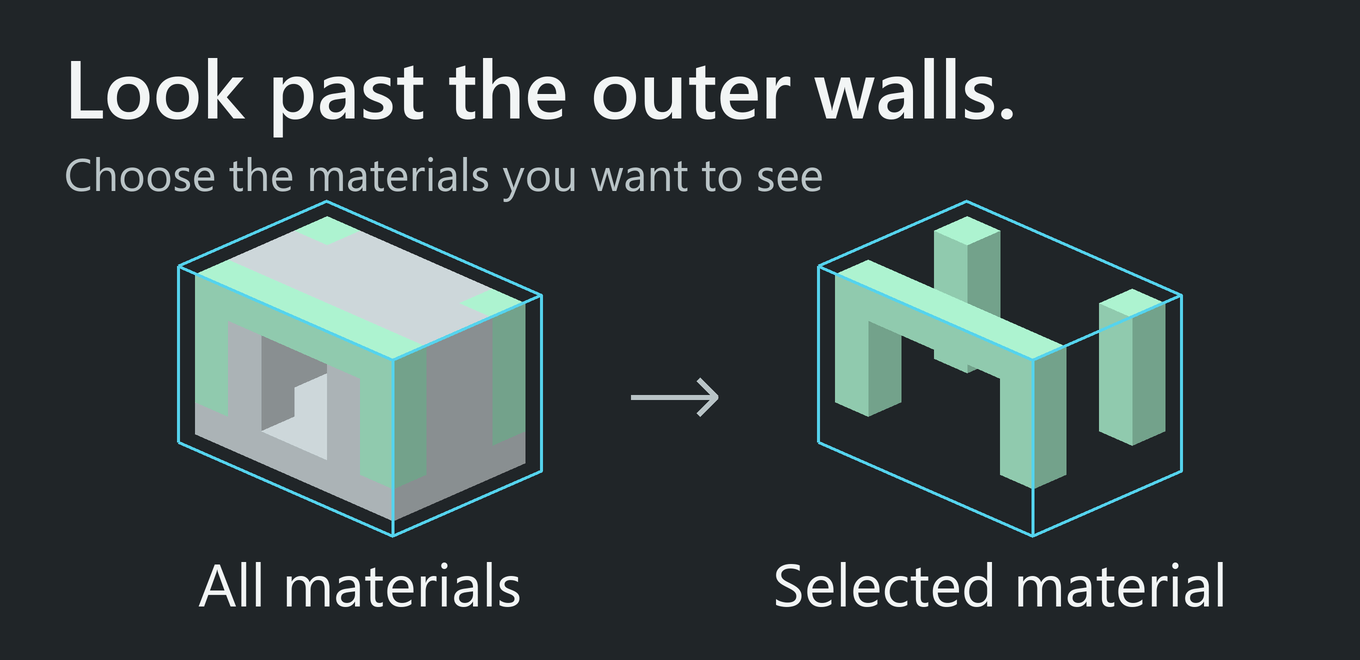
Tick one or several materials to hide the others only inside the selection. Chosen materials stay bright and appear first in the list. Reset the checkboxes to restore the view. Hidden blocks still exist and collide.
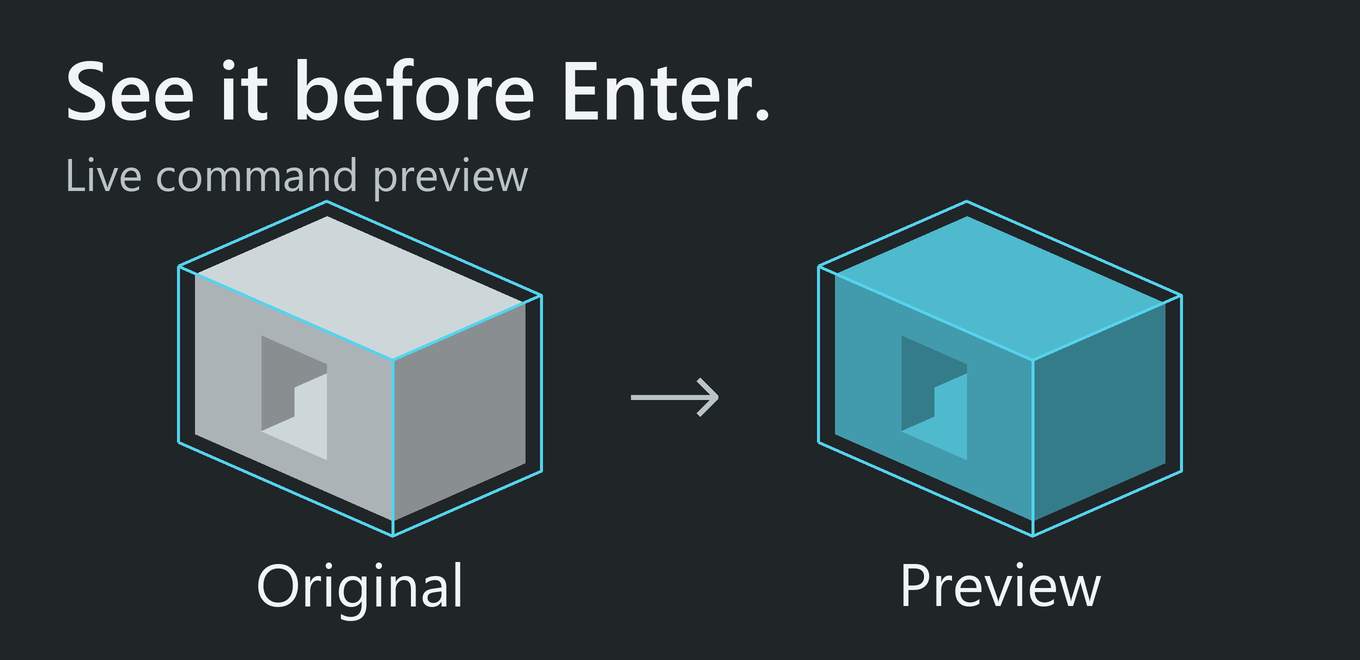
Live command previews. Type a supported command to inspect a textured draft before running it. Change the material or press Escape to return to the original view. Until Enter, the world and WorldEdit history stay unchanged. Includes //set, //replace, shape and surface commands, block states, legacy numeric IDs and percentage mixtures. Random mixtures show a sample, not an exact prediction. Previews use loaded chunks.
Edit selection bounds in the world. Tap G to begin; hold it briefly to choose Resize or Move. Drag corners or faces, or move along X / Y / Z with the mouse wheel. A 3D axis indicator follows your camera. Tap G to apply; Escape cancels. Only cuboid bounds move, not the building. Editing starts off.
Check a copy's orientation. Enable Clipboard Preview to see a copy at its placement position. Typing //rotate or //flip / //mirror previews the orientation without changing the real buffer. Clipboard Preview starts off.
Install the JAR matching your Minecraft version and loader into mods. Fabric also needs Fabric API. Install WorldEdit for local selection data and editing; on servers, WorldEdit CUI supplies the overlay and local inspection, not command simulation or the server clipboard.
The game can launch without WorldEdit. An overlay needs selection data. For 1.8.0, the prepared Fabric and NeoForge builds target 1.21.11 through 26.2; Java 21 is needed for 1.21.11 and Java 25 for 26.x. NeoForge's local WorldEdit on the 26.1 branch needs 26.1.2 or newer.
Default keys: O settings, B inspector, N deselect. In 1.8.0: F8 command preview and G editing. All keybinds are configurable. Recommended GUI scale: 2x.
Showcase: Celestia Town by Fireless007 / leolerenard. Contact: ngocchaub81@gmail.com.
Project description from CurseForge.
Pick your setup
Choose the version and loader you play, then open the matching release.
Check the dependencies, then try the file in a copied instance before changing a world you care about.
Recent files
worldedit_selection_overlay-1.8.0-fabric-1.20.4.jar
13 Nov 2026
11 Oct 2026
7 Jun 2026
6 Jun 2026
5 Jun 2026
30 May 2026
29 May 2026
16 May 2026
16 May 2026
20 Mar 2026
19 Mar 2026
19 Mar 2026
Looking for an older file? The official CurseForge project page is in Resources.
 mod
Client-side mod that links custom Totem of Undying names to sounds from Resource Packs. If a matching sound exists, it plays when the totem activates.
 mod
Server-side player gestures using a resourcepack. Dynamic player textures! No client-side mods required!
 mod
Make your WorldEdit selections visible, readable, and predictable.