Sophisticated Core Needed by Sophisticated Inventory Interactions sophisticatedinventoryinteractions-1.21.1-0.1.15.233.jar
requiredMatching file found Matched file: sophisticatedcore-1.21.1-1.5.18.2431.jar
CurseForge · Minecraft mod
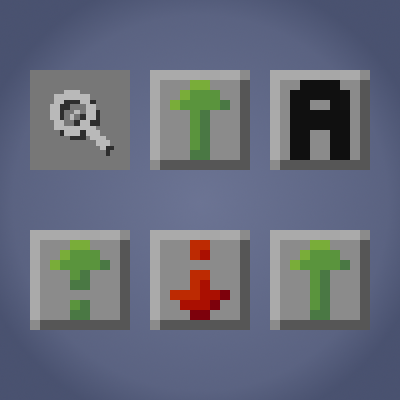
Adds Sophisticated-style search, sort, and transfer controls to vanilla and compatible modded container GUIs, including player-inventory sorting.
Quick answer
Sophisticated Inventory Interactions sophisticatedinventoryinteractions-1.21.1-0.1.15.233.jar targets 1.21.1 with NeoForge. The project page does not say whether this file belongs on the client, dedicated server, or both. All 1 required mods have matching files.
Where it goes
The project page does not say whether this file belongs on the client, dedicated server, or both.
The source does not explicitly classify this release as client-only or server-only.
sophisticatedinventoryinteractions-1.21.1-0.1.15.233.jar. Change the file and its required mods may change too.
Install Sophisticated Core first. We found matching files for this game-version and loader setup.
We only count dependency files that match this setup. A file for another loader does not fill the gap.
Before you install it
Built for Sophisticated Inventory Interactions sophisticatedinventoryinteractions-1.21.1-0.1.15.233.jar. Pick another file and the loader, install side or required mods may change.
Use sophisticatedinventoryinteractions-1.21.1-0.1.15.233.jar. It targets 1.21.1 with NeoForge; another release may have different loader, side or dependency requirements.
Install Sophisticated Core first. We found matching files for this game-version and loader setup.
The project page does not say whether this file belongs on the client, dedicated server, or both.
Use the “Get this file” button beside sophisticatedinventoryinteractions-1.21.1-0.1.15.233.jar. It opens that exact file at the source.
About this project
Sophisticated Inventory Interactions extends Sophisticated-style inventory controls to vanilla containers and compatible modded inventory screens.
The goal is simple: make everyday inventory management faster and more consistent, even outside Sophisticated-native GUIs.
A built-in search field lets you quickly filter visible container contents so you can find what you need without manually scanning rows of slots.
Sort container contents using Sophisticated-style sorting controls, including multiple sort modes:
Sort your player’s main inventory (27 slots) directly from supported screens, including the regular player inventory GUI, while leaving hotbar order unchanged.
Convenient transfer controls are added to supported screens:
The Sophisticated sort keybind is context-aware in supported screens:
On the regular player inventory screen, the keybind triggers player main-inventory sorting.
Optionally remember the current search phrase between supported GUIs, including sharing between Sophisticated and non-Sophisticated inventory screens.
Because modded GUIs can vary a lot, this mod includes screen/menu eligibility controls so pack makers can decide where features should apply and exclude problematic screens when needed.
This mod is designed to expand Sophisticated-style interactions beyond Sophisticated-native inventories while keeping existing Sophisticated behavior intact.
Project description from CurseForge.
Pick your setup
Choose the version and loader you play, then open the matching release.
Check the dependencies, then try the file in a copied instance before changing a world you care about.
Recent files
25 Oct 2026
sophisticatedinventoryinteractions-1.21.1-0.1.15.233.jar
25 Oct 2026
sophisticatedinventoryinteractions-1.20.1-0.1.15.234.jar
25 Oct 2026
25 Oct 2026
sophisticatedinventoryinteractions-26.3-0.1.22.232.jar
25 Oct 2026
sophisticatedinventoryinteractions-26.2-0.1.20.230.jar
25 Oct 2026
sophisticatedinventoryinteractions-26.1.2-0.1.19.231.jar
25 Oct 2026
25 Oct 2026
25 Oct 2026
25 Oct 2026
sophisticatedinventoryinteractions-1.20.1-0.1.14.225.jar
3 Oct 2026
3 Oct 2026
Looking for an older file? The official CurseForge project page is in Resources.
 mod
modBuild friendships with Minecraft villagers through gifts, personal requests, unique personalities, conversations, and better trades.
 mod
modEnchanting your HUD with ArrowCount ,exact enchantment values, advanced tooltips, Armor Status,Armor Durability,Durability Viewer,monster combat stats, Arrow Indicator,The combat & magic sequel to AppleStats, Jade alternative
 mod
modThis mod allows you to apply standard enchantments to saddles and animal armor. Furthermore, specific enchantments grant your mounts unique abilities that cannot be achieved with regular player gear.