Minecraft version
Back to mods 
CurseForge · Minecraft mod
OK Health Indicators
Highly customizable Health Bars & Damage Numbers! Over 100 settings in total!
Choose a version Pick your version below, then grab the matching file.
Quick answer
Which OK Health Indicators release should I use?
Latest stable file okhealthdamage-1.0.3.jar
Game version 1.21, 1.21.1
Loader NeoForge
OK Health Indicators okhealthdamage-1.0.3.jar targets 1.21, 1.21.1 with NeoForge. The project page does not say whether this file belongs on the client, dedicated server, or both. No extra mods listed for this file.
Where it goes
Is OK Health Indicators required on the client, server, or both?
The project page does not say whether this file belongs on the client, dedicated server, or both.
Client Source doesn’t say
Dedicated server Source doesn’t say
Loader for this release NeoForge
Required install it here Optional supported, not mandatory Not supported do not install here Source doesn’t say do not assume
The source does not explicitly classify this release as client-only or server-only.
What else does OK Health Indicators okhealthdamage-1.0.3.jar need?
okhealthdamage-1.0.3.jar. Change the file and its required mods may change too.
This file does not list any required mods. Do not add a library just because a different file uses it.
This file does not list any required or optional mods.
Before you install it
Add OK Health Indicators without breaking your instance.
Built for OK Health Indicators okhealthdamage-1.0.3.jar. Pick another file and the loader, install side or required mods may change.
- 01
Stick to this file
Use okhealthdamage-1.0.3.jar. It targets 1.21, 1.21.1 with NeoForge; another release may have different loader, side or dependency requirements.
- 02
Bring the mods it needs
This file does not list any required mods. Do not add a library just because a different file uses it.
- 03
Put it on the correct side
The project page does not say whether this file belongs on the client, dedicated server, or both.
- 04
Pick the file you checked
Use the “Get this file” button beside okhealthdamage-1.0.3.jar. It opens that exact file at the source.
About this project
What does OK Health Indicators add?
OK Health Indicators adds highly customizable Damage Numbers and Health Bars to the game, with over 100 different configurations.
This mod is needed on the CLIENT and the SERVER.
Damage Numbers
- Text Style: Bold, Italic, Underlined, Font, and Size.
- Text Color per Damage type (Normal, Critical, Death, Healing).
- Custom Text per Damage type.
- Shadow: Mode (Shadow, Outline, None), Color, Opacity.
- Decimal Digits: Toggle, Threshold, Show 0's.
- Other: Lifetime, Spawn Distance, Brightness.
- Spawn Distance: Spawn close to the player, or above the entity.
- Spawn Position: Offset, Random Offset.
- Spawn Animation: Toggle, Drift Offset, Random Drift Offset, Animation Scale.
- Combine Numbers: Damage done in a single tick (Multishot, Shotguns, etc) are shown as a single number.
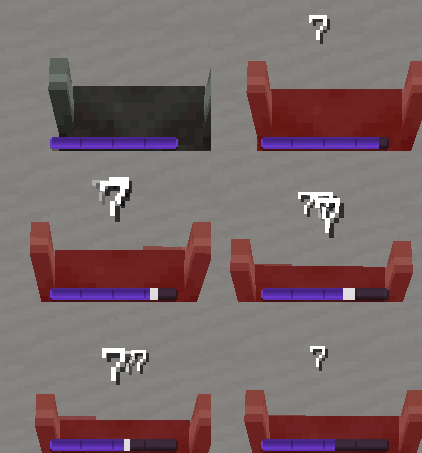 Default |
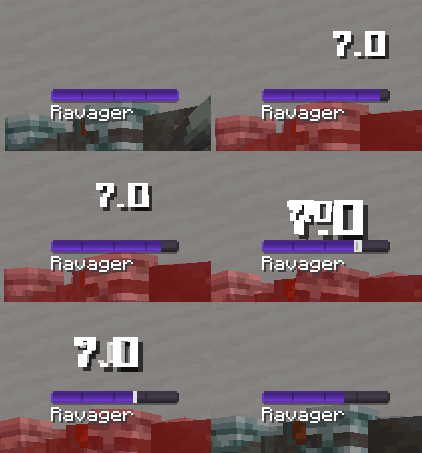 Square Font + Decimals |
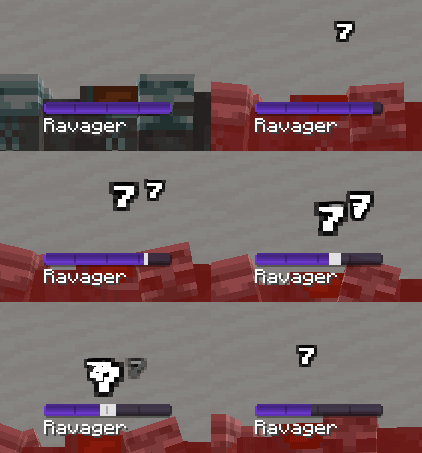 Small Font + Outline |
|---|---|---|
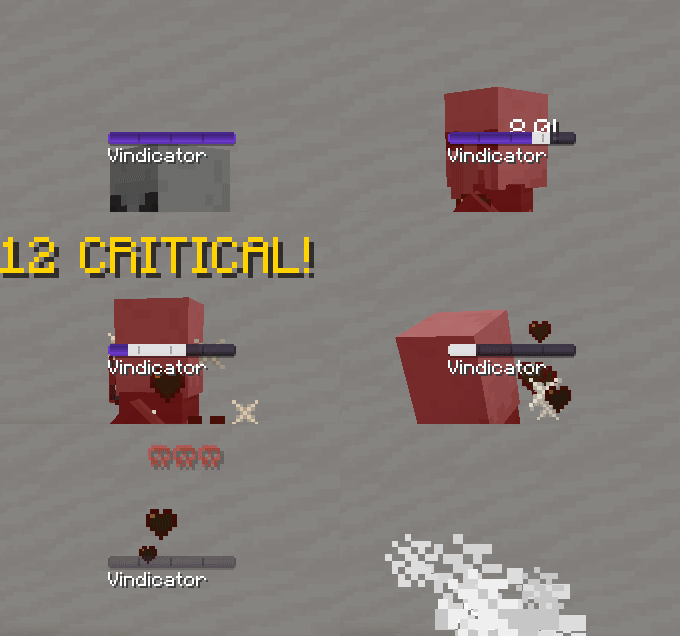 Custom Text per Damage Type |
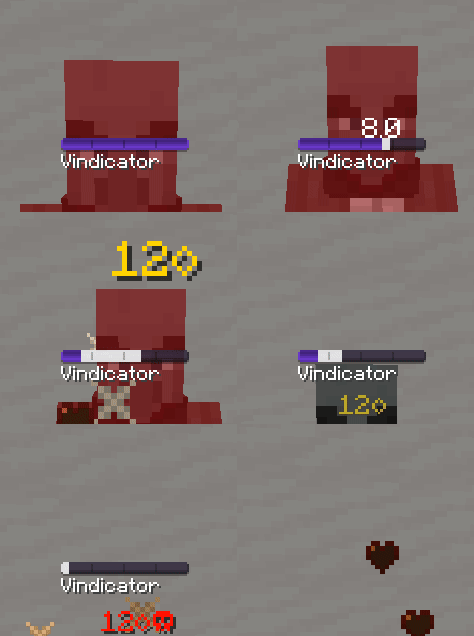 Custom Color per Damage type |
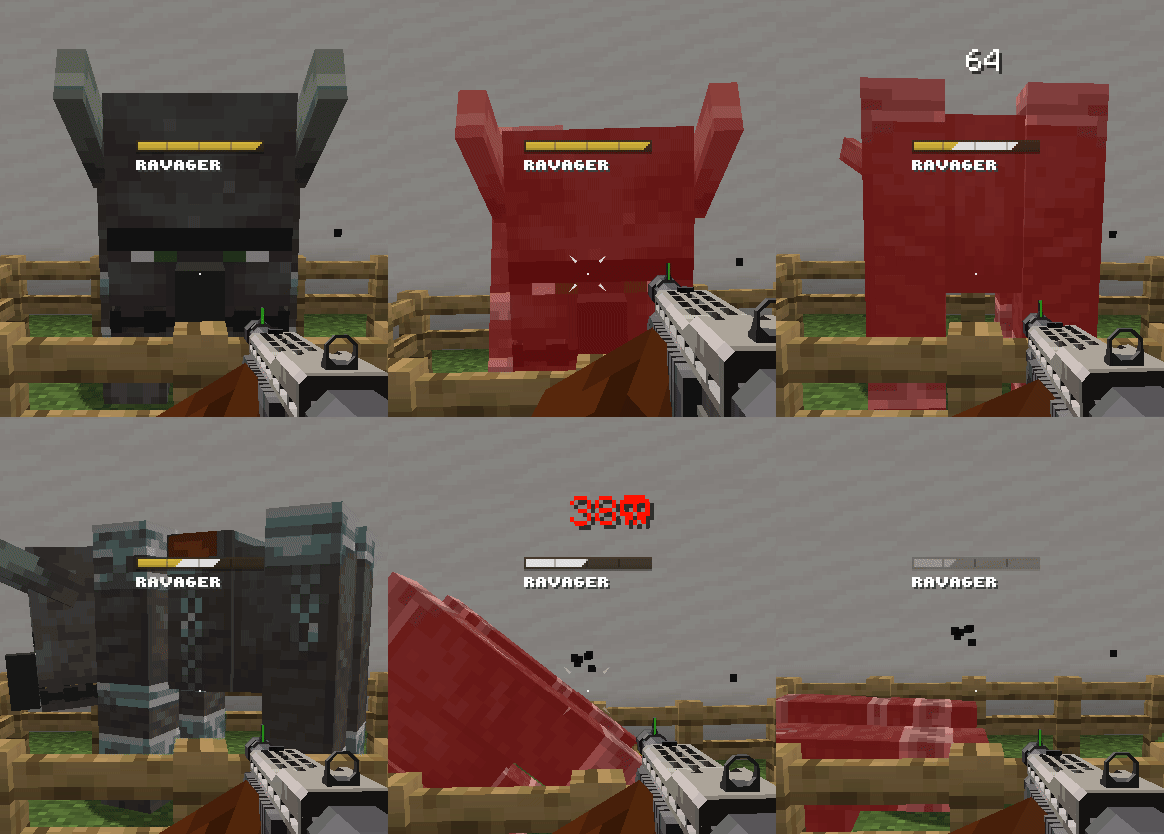 Combine Numbers (Shotgun from TaCZ) |
Health Bars & Boss Bars
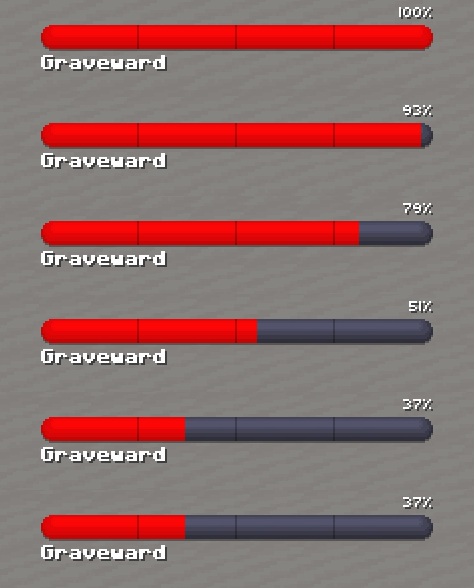
- Animation Mode: Trail, Smooth, None.
- Bar Position: Vertical and Horizontal Offset.
- Bar Customization: Color, Opacity, and 15+ different styles.
- Bar Segments: Toggle, Count, Thickness, Height, Color, Opacity.
- Name and Health Text Style: Bold, Italic, Underlined, Font, Casing, and Position.
- Health Text Style: Min/Max, Percentage, Off.
- Other: Targeting Range, Show Armor Amount in Health.
- Boss Bars: Overrides vanilla's boss bars, can be disabled.
- Boss Bars Stacking: Vertical (Vanilla's), Side-by-Side, Off.
- Boss Detection: By Tag, By Custom Name, By Max Health, Whitelist, Blacklist.
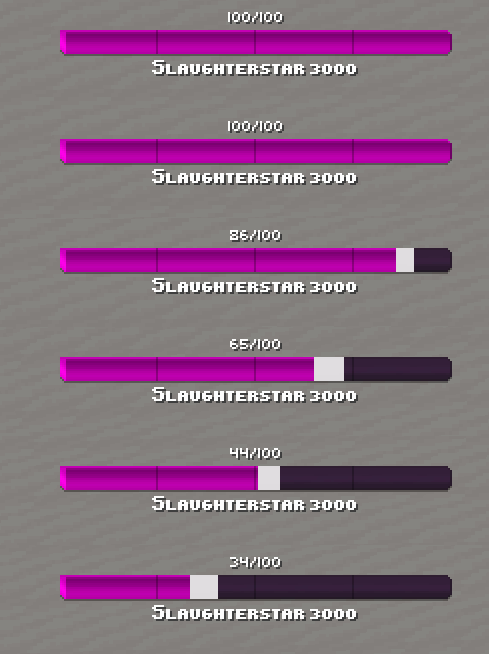 Trail |
 Smooth |
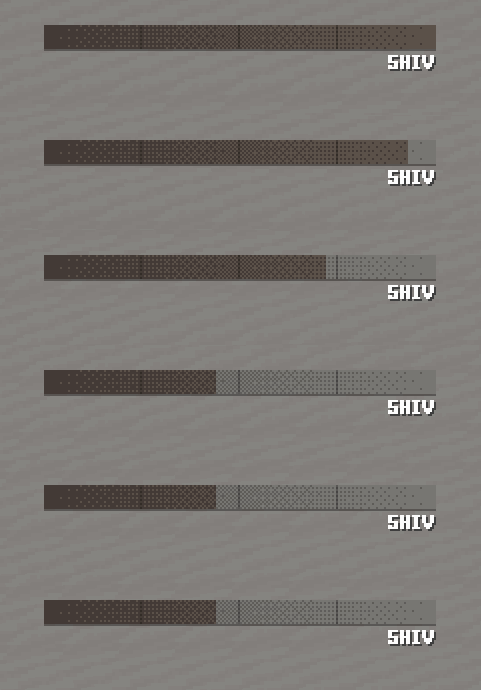 None |
|---|---|---|
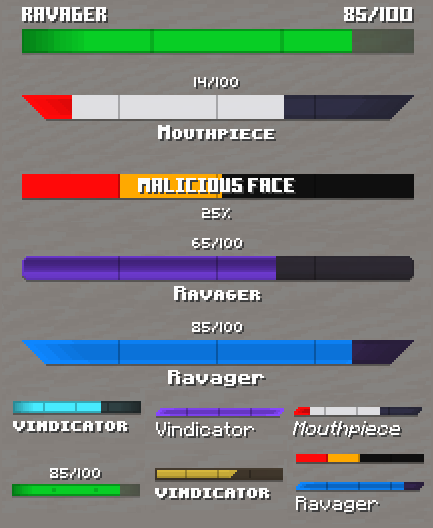 Customization Example |
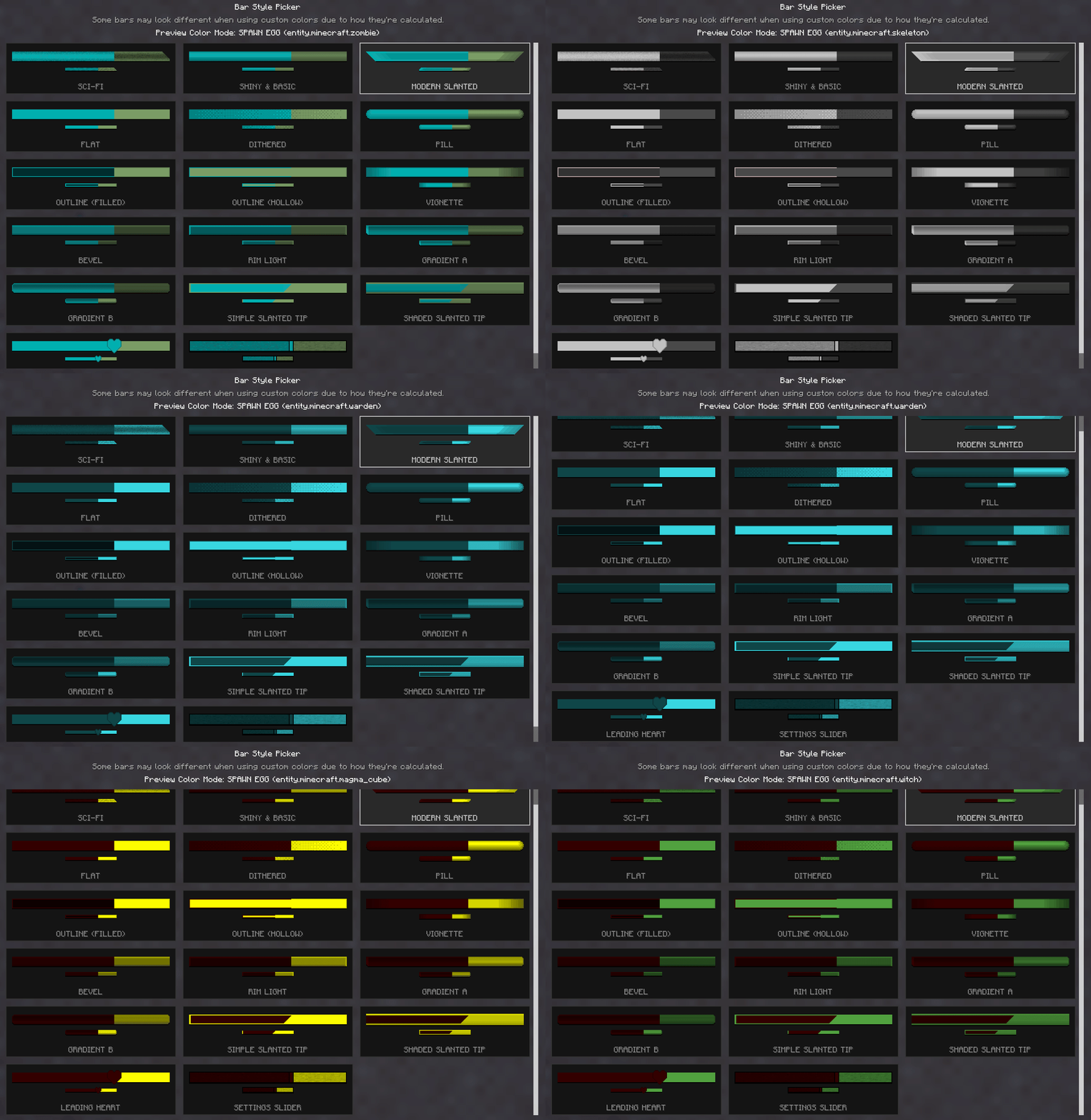 All Available Bar Styles |
Project description from CurseForge.
Pick your setup
OK Health Indicators by Minecraft version and loader
Choose the version and loader you play, then open the matching release.
Minecraft version
1.21
1 loader buildCheck the dependencies, then try the file in a copied instance before changing a world you care about.
Recent files
OK Health Indicators versions and loaders
okhealthdamage-1.0.3.jar
7 Aug 2026
Client Source doesn’t say Server Source doesn’t say Dependencies No extras listed Listed on Release listing
Check the 1.21.1 · NeoForge setup 1.211.21.1NeoForge release
okhealthdamage-1.0.2.jar
6 Aug 2026
Client Source doesn’t say Server Source doesn’t say Dependencies No extras listed Listed on Release listing
Check the 1.21.1 · NeoForge setup 1.211.21.1NeoForge release
okhealthdamage-1.0.1.jar
5 Aug 2026
Client Source doesn’t say Server Source doesn’t say Dependencies No extras listed Listed on Release listing
Check the 1.21.1 · NeoForge setup 1.211.21.1NeoForge release
okhealthdamage-1.0.0.jar
4 Aug 2026
Client Source doesn’t say Server Source doesn’t say Dependencies No extras listed Listed on Release listing
Check the 1.21.1 · NeoForge setup 1.211.21.1NeoForge release
Looking for an older file? The official CurseForge project page is in Resources.
 mod
CurseForge + Modrinth · Minecraft
Velorise Simple Map
An exploration-focused world map and minimap with cave mapping, waypoints and extensive customization.
 mod
CurseForge + Modrinth · Minecraft
PlayerRevive
Revive your friends.
 mod
CurseForge + Modrinth · Minecraft
Ae2 CraftCore
Break the chains of physical patterns! Store your AE2 recipes digitally on storage cells and virtualize your auto-crafting.