Minecraft version
Back to mods 
CurseForge · Minecraft mod
Ultra Easy Menu
UltraEasyMenu is a Fabric and NeoForge mod for the latest versions of Minecraft focused on simple main menu customization.
Choose a version Pick your version below, then grab the matching file.
Quick answer
Which Ultra Easy Menu release should I use?
Latest stable file ultraeasymenu-1.0.9-mc26.3-neoforge.jar
Game version 26.3
Loader NeoForge
Ultra Easy Menu ultraeasymenu-1.0.9-mc26.3-neoforge.jar targets 26.3 with NeoForge. The project page does not say whether this file belongs on the client, dedicated server, or both. No extra mods listed for this file.
Where it goes
Is Ultra Easy Menu required on the client, server, or both?
The project page does not say whether this file belongs on the client, dedicated server, or both.
Client Source doesn’t say
Dedicated server Source doesn’t say
Loader for this release NeoForge
Required install it here Optional supported, not mandatory Not supported do not install here Source doesn’t say do not assume
The source does not explicitly classify this release as client-only or server-only.
What else does Ultra Easy Menu ultraeasymenu-1.0.9-mc26.3-neoforge.jar need?
ultraeasymenu-1.0.9-mc26.3-neoforge.jar. Change the file and its required mods may change too.
This file does not list any required mods. Do not add a library just because a different file uses it.
This file does not list any required or optional mods.
Before you install it
Add Ultra Easy Menu without breaking your instance.
Built for Ultra Easy Menu ultraeasymenu-1.0.9-mc26.3-neoforge.jar. Pick another file and the loader, install side or required mods may change.
- 01
Stick to this file
Use ultraeasymenu-1.0.9-mc26.3-neoforge.jar. It targets 26.3 with NeoForge; another release may have different loader, side or dependency requirements.
- 02
Bring the mods it needs
This file does not list any required mods. Do not add a library just because a different file uses it.
- 03
Put it on the correct side
The project page does not say whether this file belongs on the client, dedicated server, or both.
- 04
Pick the file you checked
Use the “Get this file” button beside ultraeasymenu-1.0.9-mc26.3-neoforge.jar. It opens that exact file at the source.
About this project
What does Ultra Easy Menu add?
UltraEasyMenu
Customize the look of Minecraft's main menu in a easy way, only by putting images in the config folder. You can customize some other features in the config files.
✅ Features
- Change the main-menu background with a PNG image.
- Replace the Minecraft logo with a custom PNG image.
- Customize title-screen button visuals, including normal and hover states.
- Hide the original Minecraft logo and the title-screen splash text.
- Choose whether the original button text remains visible over custom button textures.
- Automatically keep Minecraft's original panorama if no valid background image is available.
UltraEasyMenu is a client-side-only mod. It does not need to be installed on servers.
⚙️ Customization
All images are loaded from the config/ultraeasymenu/ folder in your game directory.
Menu Background
Place your background at:
config/ultraeasymenu/background.png
This file takes priority. If it does not exist, the mod tries the path set through menuBackgroundFilePath in config/ultraeasymenu-client.toml. The path may be absolute or relative to the game directory.
Relative path example:
config/ultraeasymenu/background.png
If the image is missing or invalid, Minecraft's original panorama will be shown.
Custom Logo
Place your logo at:
config/ultraeasymenu/logo.png
When this file is present, it replaces Minecraft's original logo.
Button Textures
Place button textures in:
config/ultraeasymenu/buttons/
You can provide textures based on the button size and state. For example:
200x20.png: normal texture for 200 x 20 pixel buttons.200x20_hovered.png: hover texture for buttons of that size.button.png: fallback texture for buttons without a size-specific texture.
The mod looks for the most specific available texture first, then uses fallback files where appropriate.
📚 Configuration Options
Edit config/ultraeasymenu-client.toml while the game is closed.
menuBackgroundFilePath: alternative background path whenbackground.pngdoes not exist.hideMinecraftLogo: hides Minecraft's original logo. Default value:true.hideSplashText: hides the title-screen splash text. Default value:true.keepButtonText: keeps the original text over a custom button texture. Default value:true.
To hide text on buttons with a custom texture, set keepButtonText=false.
Project description from CurseForge.
Pick your setup
Ultra Easy Menu by Minecraft version and loader
Choose the version and loader you play, then open the matching release.
Minecraft version
26.2
2 loader buildsMinecraft version
26.1.2
2 loader buildsMinecraft version
26.1.1
1 loader buildMinecraft version
26.1
2 loader buildsMinecraft version
1.21.1
1 loader buildMinecraft version
1.20.1
1 loader buildCheck the dependencies, then try the file in a copied instance before changing a world you care about.
Recent files
Ultra Easy Menu versions and loaders
ultraeasymenu-1.0.9-mc26.3-neoforge.jar
19 Sept 2026
Client Source doesn’t say Server Source doesn’t say Dependencies No extras listed Listed on Release listing
Check the 26.3 · NeoForge setup NeoForge26.3 release
ultraeasymenu-1.0.9-mc26.3-fabric.jar
15 Sept 2026
Client Source doesn’t say Server Source doesn’t say Dependencies No extras listed Listed on Release listing
Check the 26.3 · Fabric setup Fabric26.3 release
ultraeasymenu-1.0.9-mc26.1.2-neoforge.jar
9 Sept 2026
Client Source doesn’t say Server Source doesn’t say Dependencies No extras listed Listed on Release listing
Check the 26.1.2 · NeoForge setup NeoForge26.1.2 release
ultraeasymenu-1.0.9-mc26.1.2-fabric.jar
8 Sept 2026
Client Source doesn’t say Server Source doesn’t say Dependencies No extras listed Listed on Release listing
Check the 26.1.2 · Fabric setup Fabric26.1.2 release
ultraeasymenu-1.0.9-mc26.2-neoforge.jar
5 Sept 2026
Client Source doesn’t say Server Source doesn’t say Dependencies No extras listed Listed on Release listing
Check the 26.2 · NeoForge setup NeoForge26.2 release
ultraeasymenu-1.0.9-mc26.2-fabric.jar
4 Sept 2026
Client Source doesn’t say Server Source doesn’t say Dependencies No extras listed Listed on Release listing
Check the 26.2 · Fabric setup Fabric26.2 release
ultraeasymenu-1.0.9-mc1.21.1-neoforge.jar
23 Jul 2026
Client Source doesn’t say Server Source doesn’t say Dependencies No extras listed Listed on Release listing
Check the 1.21.1 · NeoForge setup 1.21.1NeoForge release
ultraeasymenu-1.0.8-mc26.2-neoforge.jar
22 Jun 2026
Client Source doesn’t say Server Source doesn’t say Dependencies No extras listed Listed on Release listing
Check the 26.2 · NeoForge setup NeoForge26.2 release
ultraeasymenu-1.0.8-mc26.2-fabric.jar
17 Jun 2026
Client Source doesn’t say Server Source doesn’t say Dependencies No extras listed Listed on Release listing
Check the 26.2 · Fabric setup Fabric26.2 release
ultraeasymenu-1.0.8-mc1.21.1-neoforge.jar
24 May 2026
Client Source doesn’t say Server Source doesn’t say Dependencies No extras listed Listed on Release listing
Check the 1.21.1 · NeoForge setup 1.21.1NeoForge release
ultraeasymenu-1.0.8-mc26.1.2-neoforge.jar
24 May 2026
Client Source doesn’t say Server Source doesn’t say Dependencies No extras listed Listed on Release listing
Check the 26.1.2 · NeoForge setup NeoForge26.1.2 release
ultraeasymenu-1.0.8-mc26.1.2-fabric.jar
24 May 2026
Client Source doesn’t say Server Source doesn’t say Dependencies No extras listed Listed on Release listing
Check the 26.1.2 · Fabric setup Fabric26.1.2 release
Looking for an older file? The official CurseForge project page is in Resources.
 mod
mod CurseForge · Minecraft
TNT Expansion (+150 new craftable TNT)
Over 150 craftable TNTs for Minecraft, from harmless mini TNTs to nukes, meteors, tornadoes, volcanoes, black holes, and the Brutal Cataclysm. Or leave the world with TNT Error 404: say goodbye to your entire world!
 mod
mod CurseForge · Minecraft
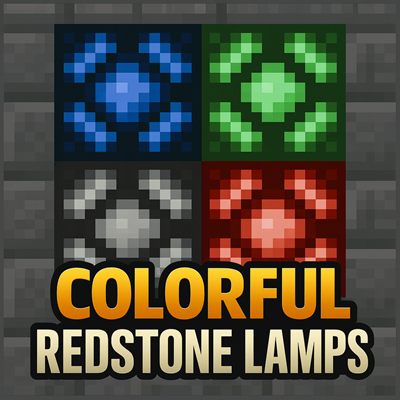
Colorful Redstone Lamps
This mod adds Colorful Redstone Lamps to decorate your World
 mod
mod CurseForge · Minecraft
Iron's Lib
Provides common functionality and content for Iron's mods