Civillis Needed by Civillis Technology Compatibility civilis_technology-1.0.2-universal-1.21.1.jar
requiredMatching file found Matched file: civillis-neoforge-2.0.1-release+mc1.21.1.jar

CurseForge · Minecraft mod
Adds compatibility between Civilis and various tech mods.
Quick answer
Civillis Technology Compatibility civilis_technology-1.0.2-universal-1.21.1.jar targets 1.21.1 with Fabric, NeoForge. The project page does not say whether this file belongs on the client, dedicated server, or both. All 1 required mods have matching files.
Where it goes
The project page does not say whether this file belongs on the client, dedicated server, or both.
The source does not explicitly classify this release as client-only or server-only.
civilis_technology-1.0.2-universal-1.21.1.jar. Change the file and its required mods may change too.
Install Civillis first. We found matching files for this game-version and loader setup.
We only count dependency files that match this setup. A file for another loader does not fill the gap.
Before you install it
Built for Civillis Technology Compatibility civilis_technology-1.0.2-universal-1.21.1.jar. Pick another file and the loader, install side or required mods may change.
Use civilis_technology-1.0.2-universal-1.21.1.jar. It targets 1.21.1 with Fabric, NeoForge; another release may have different loader, side or dependency requirements.
Install Civillis first. We found matching files for this game-version and loader setup.
The project page does not say whether this file belongs on the client, dedicated server, or both.
Use the “Get this file” button beside civilis_technology-1.0.2-universal-1.21.1.jar. It opens that exact file at the source.
About this project
Requires Civilis as a dependency.
Addon for Civilis to add compatibility to most technology mods. Most machines and utility blocks that are signs of a player will now create Civilis' civilized areas, preventing mob spawns in a nearby radius without the use of torches.
Small blocks such as pipes or cables are not supported. Mods such as Create, Applied Energistics 2 and other storage mods are already supported by default in Civilis.
Civilis Magic adds support for most magic mods.
Civilis Minecolonies adds support for Minecolonies buildings to better protect colonies.
Civilis and Civilis Technology are still in development. More mods will be supported in the future. Contributions are welcome via the mod's GitHub repository.
Civilis Technology is an addon made in collaboration with the original Civilis developer.
Feel free to be used in any modpack.
Project description from CurseForge.
Pick your setup
Choose the version and loader you play, then open the matching release.
Check the dependencies, then try the file in a copied instance before changing a world you care about.
Recent files
18 Jun 2026
18 Jun 2026
3 May 2026
3 May 2026
9 Apr 2026
31 Mar 2026
Looking for an older file? The official CurseForge project page is in Resources.
 mod
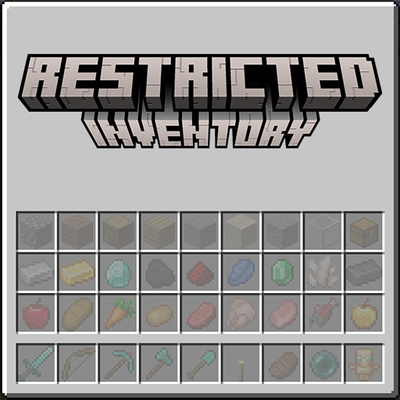
modRestrict player inventory slots to specific items or item tags. Configure which slots accept which items via JSON config — server-wide or per-client. Restricted slots display a visual preview of what belongs there.
 mod
modCrafted wrong item? Uncraft everything with this mod!
 mod
modMadoku Craft: Attributes is a configurable attribute system. It modifies certain attribute mechanics.