Minecraft version
Back to mods 
CurseForge · Minecraft mod
AudioLayer
Load your own MP3 files from a local folder and play them in-game under the `audiolayer` namespace. It also includes built-in KubeJS support for client-side scripting, plus ready-to-use examples for modpack and gameplay integration.
Choose a version Pick your version below, then grab the matching file.
Quick answer
Which AudioLayer release should I use?
Latest stable file Audiolayer NeoForge v1.21.1-0.6.1
Game version 1.21.1
Loader NeoForge
Audiolayer NeoForge v1.21.1-0.6.1 targets 1.21.1 with NeoForge. The project page does not say whether this file belongs on the client, dedicated server, or both. No extra mods listed for this file.
Where it goes
Is AudioLayer required on the client, server, or both?
The project page does not say whether this file belongs on the client, dedicated server, or both.
Client Source doesn’t say
Dedicated server Source doesn’t say
Loader for this release NeoForge
Required install it here Optional supported, not mandatory Not supported do not install here Source doesn’t say do not assume
The source does not explicitly classify this release as client-only or server-only.
What else does Audiolayer NeoForge v1.21.1-0.6.1 need?
Audiolayer NeoForge v1.21.1-0.6.1. Change the file and its required mods may change too.
This file does not list any required mods. Do not add a library just because a different file uses it.
This file does not list any required or optional mods.
Before you install it
Add AudioLayer without breaking your instance.
Built for Audiolayer NeoForge v1.21.1-0.6.1. Pick another file and the loader, install side or required mods may change.
- 01
Stick to this file
Use Audiolayer NeoForge v1.21.1-0.6.1. It targets 1.21.1 with NeoForge; another release may have different loader, side or dependency requirements.
- 02
Bring the mods it needs
This file does not list any required mods. Do not add a library just because a different file uses it.
- 03
Put it on the correct side
The project page does not say whether this file belongs on the client, dedicated server, or both.
- 04
Pick the file you checked
Use the “Get this file” button beside Audiolayer NeoForge v1.21.1-0.6.1. It opens that exact file at the source.
About this project
What does AudioLayer add?
Audiolayer is a NeoForge mod for Minecraft 1.21.1 that lets you load your own MP3 files from a local folder and play them in-game under the audiolayer namespace. It also includes built-in KubeJS support for client-side scripting, plus ready-to-use examples for modpack and gameplay integration.
Features
- Load custom MP3 files from
config/audiolayer/input/ - Stream MP3 directly without converting everything to OGG first
- Stable sound IDs based on folder structure
- In-game commands to list, play, stop, and reload sounds
- Server-compatible sound playback routed to the client
- Built-in KubeJS support for client scripts
- Simple Java API for other mods to integrate with Audiolayer
- Runtime resource pack generated automatically
How it works
Place MP3 files into:
config/audiolayer/input/
Folder names become part of the sound ID. For example:
music/theme.mp3->audiolayer:music.themeui/confirm.mp3->audiolayer:ui.confirm
Use /audiolayer list to see loaded sounds, /audiolayer play <sound_id> to play one, and /audiolayer reload to rescan the folder.
KubeJS Support
Audiolayer includes a built-in KubeJS plugin. When KubeJS is installed, you can control Audiolayer from client scripts without extra setup.
Modpack Use
Modpack authors may freely include Audiolayer in their modpacks.
Notes
Audiolayer is designed for local audio files only. Every player who wants to hear Audiolayer sounds needs the mod and the same audio files locally. KubeJS support works from client scripts only.
Copyright and Audio Responsibility
Audiolayer is a playback tool and does not grant any rights to audio content.
Modpack authors, mod authors, and end users are responsible for ensuring that any audio files they use, bundle, or distribute through Audiolayer are properly licensed or otherwise legally permitted for their intended use.
By using Audiolayer, you confirm that you have the necessary rights to any audio content you load into the mod.
Project description from CurseForge.
Pick your setup
AudioLayer by Minecraft version and loader
Choose the version and loader you play, then open the matching release.
Check the dependencies, then try the file in a copied instance before changing a world you care about.
Recent files
AudioLayer versions and loaders
Audiolayer NeoForge v1.21.1-0.6.1
audiolayer-neoforge-1.21.1-0.6.1.jar
12 Jul 2026
Client Source doesn’t say Server Source doesn’t say Dependencies No extras listed Listed on Release listing
Check the 1.21.1 · NeoForge setup 1.21.1NeoForge release
Audiolayer NeoForge v1.21.1-0.6.0
audiolayer-neoforge-1.21.1-0.6.0.jar
4 May 2026
Client Source doesn’t say Server Source doesn’t say Dependencies No extras listed Listed on Release listing
Check the 1.21.1 · NeoForge setup 1.21.1NeoForge release
Audiolayer NeoForge v1.21.1-0.5.9
audiolayer-neoforge-1.21.1-0.5.9.jar
24 Apr 2026
Client Source doesn’t say Server Source doesn’t say Dependencies No extras listed Listed on Release listing
Check the 1.21.1 · NeoForge setup 1.21.1NeoForge release
Audiolayer NeoForge v1.21.1-0.4.1
audiolayer-neoforge-1.21.1-0.4.1.jar
6 Apr 2026
Client Source doesn’t say Server Source doesn’t say Dependencies No extras listed Listed on Release listing
Check the 1.21.1 · NeoForge setup 1.21.1NeoForge release
Audiolayer NeoForge v1.21.1-0.3.7
audiolayer-neoforge-1.21.1-0.3.7.jar
2 Apr 2026
Client Source doesn’t say Server Source doesn’t say Dependencies No extras listed Listed on Release listing
Check the 1.21.1 · NeoForge setup 1.21.1NeoForge beta
Looking for an older file? The official CurseForge project page is in Resources.
 mod
CurseForge + Modrinth · Minecraft
Field Guide
Discover Plants, Animals and Monsters with a Spyglass. Collect them all and take notes in your personal Field Guide!
 mod
CurseForge + Modrinth · Minecraft
Gouge
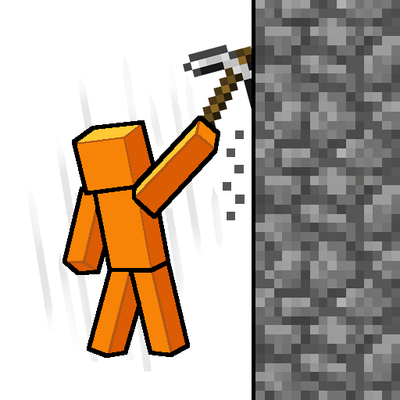
Slam your pickaxe into a wall mid-fall to slow your descent or lock yourself in place before you hit the ground.
 mod
CurseForge · Minecraft
Package : Mekanism
A mod that allows you to compress Mekanism items.