Minecraft version
Back to mods 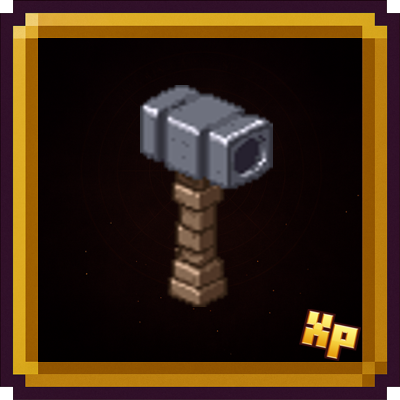
CurseForge · Minecraft mod
XP: DevTools
Adds useful tools that make life easier for modpack and mod creators
Choose a version Pick your version below, then grab the matching file.
Quick answer
Which XP: DevTools release should I use?
Latest stable file devtools-neo-1.21.1-1.0.5
Game version 1.21.1
Loader NeoForge
XP: DevTools devtools-neo-1.21.1-1.0.5 targets 1.21.1 with NeoForge. The project page does not say whether this file belongs on the client, dedicated server, or both. No extra mods listed for this file.
Where it goes
Is XP: DevTools required on the client, server, or both?
The project page does not say whether this file belongs on the client, dedicated server, or both.
Client Source doesn’t say
Dedicated server Source doesn’t say
Loader for this release NeoForge
Required install it here Optional supported, not mandatory Not supported do not install here Source doesn’t say do not assume
The source does not explicitly classify this release as client-only or server-only.
What else does XP: DevTools devtools-neo-1.21.1-1.0.5 need?
devtools-neo-1.21.1-1.0.5. Change the file and its required mods may change too.
This file does not list any required mods. Do not add a library just because a different file uses it.
This file does not list any required or optional mods.
Before you install it
Add XP: DevTools without breaking your instance.
Built for XP: DevTools devtools-neo-1.21.1-1.0.5. Pick another file and the loader, install side or required mods may change.
- 01
Stick to this file
Use devtools-neo-1.21.1-1.0.5. It targets 1.21.1 with NeoForge; another release may have different loader, side or dependency requirements.
- 02
Bring the mods it needs
This file does not list any required mods. Do not add a library just because a different file uses it.
- 03
Put it on the correct side
The project page does not say whether this file belongs on the client, dedicated server, or both.
- 04
Pick the file you checked
Use the “Get this file” button beside devtools-neo-1.21.1-1.0.5. It opens that exact file at the source.
About this project
What does XP: DevTools add?
In its current state, this mod adds a few extra buttons to both the player's inventory and the pause menu. The main purpose of these buttons is to allow you to switch game modes more quickly and directly, without having to go through the traditional menus or use manual commands.
The idea behind the project is to integrate the tools used by the XP team into the game. For now, I’ve only incorporated the tool I use most in my daily work, but the plan is to gradually add all the other features that are part of the team’s workflow. Each tool will be added individually to ensure it fits properly within the mod’s environment and maintains consistency with the overall design.
In other words, this mod isn’t limited to simple quick access to game modes: it’s the start of a modular collection of utilities that reflect the team’s practices and needs. As development progresses, new features will be added to enrich the player’s experience and streamline tasks that normally require more steps or external commands.
Tools
Quick Game Mode Switch Buttons
- These allow you to switch between game modes more quickly. They are located at the top of the inventory or on the pause screen.
Special Hammer (will be in version 1.0.1)
- Clicking + Shift with this tool opens a window where you can choose a loot table, either from vanilla Minecraft or any installed mod.
- Once selected, right-clicking with the hammer will spawn a chest containing that loot table. The chest always faces the player.
Entity ID Scissors
- Right-click any entity to copy its ID to your clipboard (e.g., minecraft:zombie, minecraft:creeper).
- Shift + Right-click to copy the entity's complete NBT data all the internal information about that specific mob (health, equipment, custom name, potion effects, etc.).
Perfect for debugging, creating datapacks, or inspecting entity properties without commands.
🌐 Join Our Discord Community
Do you have new ideas, improvements for my mods, or have you found a bug? This is the perfect place to share them!
In our Discord community you can:
💡 Submit proposals and suggestions for improving the mods.
🛠️ Report problems and bugs so we can fix them together.
🎮 Show your creativity: you're free to use my mods in your own modpacks.
📢 Share your modpack on the server and show the community your unique style.
This space is designed for us to grow together, with respect and enthusiasm for creating mods and modpacks. Your contribution is always welcome!

Project description from CurseForge.
Pick your setup
XP: DevTools by Minecraft version and loader
Choose the version and loader you play, then open the matching release.
Minecraft version
1.20.1
1 loader buildCheck the dependencies, then try the file in a copied instance before changing a world you care about.
Recent files
XP: DevTools versions and loaders
devtools-neo-1.21.1-1.0.5
devtools-neo-1.21.1-1.0.5.jar
26 Jul 2026
Client Source doesn’t say Server Source doesn’t say Dependencies No extras listed Listed on Release listing
Check the 1.21.1 · NeoForge setup 1.21.1NeoForge release
devtools-forge-1.0.7
devtools-forge-1.0.7.jar
25 Jul 2026
Client Source doesn’t say Server Source doesn’t say Dependencies No extras listed Listed on Release listing
Check the 1.20.1 · Forge setup 1.20.1Forge release
devtools-forge-1.0.6
devtools-forge-1.0.6.jar
21 Jun 2026
Client Source doesn’t say Server Source doesn’t say Dependencies No extras listed Listed on Release listing
Check the 1.20.1 · Forge setup 1.20.1Forge release
devtools-forge-1.0.5
devtools-forge-1.0.5.jar
17 May 2026
Client Source doesn’t say Server Source doesn’t say Dependencies No extras listed Listed on Release listing
Check the 1.20.1 · Forge setup 1.20.1Forge release
devtools-forge-1.0.4
devtools-forge-1.0.4.jar
12 Apr 2026
Client Source doesn’t say Server Source doesn’t say Dependencies No extras listed Listed on Release listing
Check the 1.20.1 · Forge setup 1.20.1Forge release
devtools-neo-1.21.1-1.0.4
devtools-neo-1.21.1-1.0.4.jar
11 Apr 2026
Client Source doesn’t say Server Source doesn’t say Dependencies No extras listed Listed on Release listing
Check the 1.21.1 · NeoForge setup 1.21.1NeoForge release
devtools-neo-1.21.1-1.0.3
devtools-neo-1.21.1-1.0.3.jar
10 Apr 2026
Client Source doesn’t say Server Source doesn’t say Dependencies No extras listed Listed on Release listing
Check the 1.21.1 · NeoForge setup 1.21.1NeoForge release
devtools-forge-1.0.3
devtools-forge-1.0.3.jar
10 Apr 2026
Client Source doesn’t say Server Source doesn’t say Dependencies No extras listed Listed on Release listing
Check the 1.20.1 · Forge setup 1.20.1Forge release
devtools-forge-1.0.2
devtools-forge-1.0.2.jar
10 Apr 2026
Client Source doesn’t say Server Source doesn’t say Dependencies No extras listed Listed on Release listing
Check the 1.20.1 · Forge setup 1.20.1Forge release
devtools-neo-1.21.1-1.0.0
devtools-neo-1.21.1-1.0.0.jar
10 Apr 2026
Client Source doesn’t say Server Source doesn’t say Dependencies No extras listed Listed on Release listing
Check the 1.21.1 · NeoForge setup 1.21.1NeoForge release
devtools-1.0.1
devtools-1.0.1.jar
4 Apr 2026
Client Source doesn’t say Server Source doesn’t say Dependencies No extras listed Listed on Release listing
Check the 1.20.1 · Forge setup 1.20.1Forge release
devtools-1.0.0
devtools-1.0.0.jar
3 Apr 2026
Client Source doesn’t say Server Source doesn’t say Dependencies No extras listed Listed on Release listing
Check the 1.20.1 · Forge setup 1.20.1Forge release
Looking for an older file? The official CurseForge project page is in Resources.