Just Enough Items (JEI) Optional for QuickStack & Craft 1.1.0 for Minecraft 1.20.1 (Forge)
optionalMatching file found Matched file: 15.59.0.212 for Forge 1.20.1
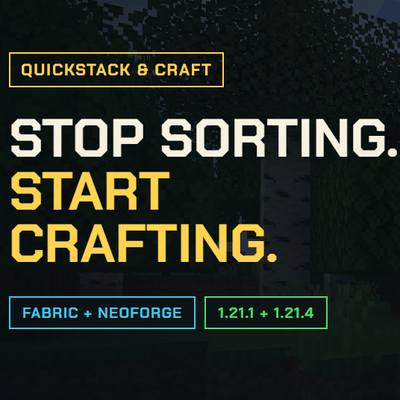
CurseForge · Minecraft mod
All-in-one inventory QoL mod combining quick stack, dump all, slot-based favorites, and craft-from-nearby-storage. Inspired by Terraria's inventory management.
Quick answer
QuickStack & Craft 1.1.0 for Minecraft 1.20.1 (Forge) targets 1.20.1 with Forge. The project page does not say whether this file belongs on the client, dedicated server, or both. 1 required mod needs checking.
Where it goes
The project page does not say whether this file belongs on the client, dedicated server, or both.
The source does not explicitly classify this release as client-only or server-only.
QuickStack & Craft 1.1.0 for Minecraft 1.20.1 (Forge) on 1.20.1 Forge. Every mod below is checked against that same setup.
Install Architectury API, project lhGA9TYQ first. 1 required mod still needs checking for this exact setup. 11 come through another mod in the chain.
11 extra mods were pulled in by other dependencies. Indented rows show who needs each one. We only count dependency files that match this setup. A file for another loader does not fill the gap.
Before you install it
Built for QuickStack & Craft 1.1.0 for Minecraft 1.20.1 (Forge) on 1.20.1 Forge. Pick another file and the loader, install side or required mods may change.
Use QuickStack & Craft 1.1.0 for Minecraft 1.20.1 (Forge). It targets 1.20.1 with Forge; another release may have different loader, side or dependency requirements.
Install Architectury API, project lhGA9TYQ first. 1 required mod still needs checking for this exact setup. 11 come through another mod in the chain.
The project page does not say whether this file belongs on the client, dedicated server, or both.
Use the “Get this file” button beside QuickStack & Craft 1.1.0 for Minecraft 1.20.1 (Forge). It opens that exact file at the source.
About this project
QuickStack & Craft brings Terraria-style inventory management to Minecraft. Send items to nearby storage, restock supplies, protect important slots and craft using ingredients stored around you.
Use the inventory buttons immediately, or assign your own shortcuts. The showcase above covers the original release; the features below describe version 1.1.0.
Successful transfers highlight the storage involved and show an action-bar result. Choose the destination outline color, opacity and duration; restock sources use cyan. Storage filter changes use both color and text.
The animated guide covers inventory actions, nearby crafting, storage filters and controls. Open it from the book in Settings, or hover an inventory button and hold your forward key, W by default. Pause, replay or drag the timeline to revisit a step. The guide also opens on the first inventory opening in each save or server.
Available for Minecraft 1.20.1 on Fabric and Forge, and 1.21.1 / 1.21.4 on Fabric and NeoForge. Use Java 17 for 1.20.1 and Java 21 for 1.21.x.
All builds require Architectury API. Fabric also requires Fabric API.
Optional integrations include JEI, EMI on supported versions, ItemLocks, Sophisticated Backpacks and other supported storage mods. The vanilla recipe book works without a recipe-viewer mod. Applied Energistics 2 and Refined Storage keep their own terminal workflows; there are no dedicated network-storage adapters.
Install on the server and participating clients for full functionality. Clients without the mod can connect, but do not get its controls or features. Item movement is handled by the server, and multiplayer storage-list changes are restricted to operators.
Modpacks may reference official CurseForge or Modrinth releases. Bundling, rehosting, modified releases, public forks and other redistribution currently require written permission under the QuickStackCraft Source Available License. Source availability does not make this an open-source license. Earlier releases retain the terms supplied with them.
Player guide and controls · Report a bug · Source · Discord
Playtesters and feedback are welcome. For bug reports, include your Minecraft version, loader, mod version and steps to reproduce the issue.
I develop and support these mods for free. If you enjoy them, consider throwing a little support my way. It helps me keep making new mods, adding features, fixing bugs and keeping up with Minecraft updates. Every bit helps, and I really appreciate it.
Buy Me a Coffee · Support me on Patreon
This is an unofficial Minecraft mod, not affiliated with or endorsed by Mojang or Microsoft. Provided as is, without warranty, to the extent permitted by law. Third-party components retain their own licenses.
Project description from CurseForge.
Pick your setup
Choose the version and loader you play, then open the matching release.
Check the dependencies, then try the file in a copied instance before changing a world you care about.
Recent files
quickstackcraft-forge-1.1.0+1.20.1.jar
11 Sept 2026
Looking for an older file? The official CurseForge project page is in Resources.
 mod
modThis data pack provides developers with some useful functions and is compatible with all versions of Minecraft (except for those versions where data packs cannot be installed).
 mod
modBrand-new take on thirst, reformation from Thirst Was Taken
 mod
modA mod that provides dynamic player attributes for Tacz.