Minecraft version
Back to mods 
CurseForge · Minecraft mod
ZSTDNET
Use ZSTD to compress and relay traffic between the client and server, aiming to reduce public bandwidth usage in high-redundancy data scenarios.
Choose a version Pick your version below, then grab the matching file.
Quick answer
Which ZSTDNET release should I use?
Latest stable file zstdnet-1.21.1-fabric-1.5.0.jar
Game version 1.21.1
Loader Fabric
zstdnet-1.21.1-fabric-1.5.0.jar targets 1.21.1 with Fabric. The project page does not say whether this file belongs on the client, dedicated server, or both. No extra mods listed for this file.
Where it goes
Is ZSTDNET required on the client, server, or both?
The project page does not say whether this file belongs on the client, dedicated server, or both.
Client Source doesn’t say
Dedicated server Source doesn’t say
Loader for this release Fabric
Required install it here Optional supported, not mandatory Not supported do not install here Source doesn’t say do not assume
The source does not explicitly classify this release as client-only or server-only.
What else does zstdnet-1.21.1-fabric-1.5.0.jar need?
zstdnet-1.21.1-fabric-1.5.0.jar. Change the file and its required mods may change too.
This file does not list any required mods. Do not add a library just because a different file uses it.
This file does not list any required or optional mods.
Before you install it
Add ZSTDNET without breaking your instance.
Built for zstdnet-1.21.1-fabric-1.5.0.jar. Pick another file and the loader, install side or required mods may change.
- 01
Stick to this file
Use zstdnet-1.21.1-fabric-1.5.0.jar. It targets 1.21.1 with Fabric; another release may have different loader, side or dependency requirements.
- 02
Bring the mods it needs
This file does not list any required mods. Do not add a library just because a different file uses it.
- 03
Put it on the correct side
The project page does not say whether this file belongs on the client, dedicated server, or both.
- 04
Pick the file you checked
Use the “Get this file” button beside zstdnet-1.21.1-fabric-1.5.0.jar. It opens that exact file at the source.
About this project
What does ZSTDNET add?
ZstdNet (v1.4.9)
ZstdNet is a Minecraft Java Edition mod that adds built-in Zstandard compression to Minecraft connections. It reduces public bandwidth usage while keeping the normal Minecraft server address and port.
Highlights
- Uses the Minecraft connection directly; no separate proxy or Zstd port is required.
- Works with both
online-mode=trueand offline servers. Vanilla handles account verification and encryption when enabled. - Supports dedicated servers and singleplayer worlds opened to LAN.
- Batches small packets briefly to reduce compression and framing overhead.
- Includes configurable compression levels, connection limits, real IP support through PROXY Protocol v2, an in-game HUD, and local traffic reports.
- Does not compress or manage UDP. Voice chat and other UDP mods keep using their own ports and settings.
- Detects KryptonFNP and safely leaves its compression active instead of replacing a shared compressor and risking a disconnect.
Installation
Install the matching ZstdNet build on the client and server when possible:
- Forge 1.20.1
- Fabric 1.20.1
- NeoForge 1.20.1
- Fabric 1.21.1
- NeoForge 1.21.1
Each Minecraft version and loader requires its corresponding JAR.
Players connect to the normal Minecraft address and port. For a dedicated server, forward FRP, NAT, or other TCP mappings to the port in server.properties. For a LAN world, friends connect to the actual game port shown by Minecraft.
Configuration
The server configuration is generated at:
config/zstdnet-server.properties
Common options include:
enabled=true
level=9
max_conn_per_ip=64
max_req_per_window=50
request_window=10s
ban_duration=1m
trust_proxy_protocol=false
trusted_proxy_ips=127.0.0.1,::1
level controls server-to-client compression and accepts values from 1 to 22. The client compression level is stored in the client configuration. The connection limit settings help reduce connection floods. Old external-proxy options such as auto_takeover, listen, target, and udp_direct_ports are no longer used.
HUD and Reports
Use the following commands in game:
/zstdhud on|off|toggle
/zstdreport today|session|24h|7d|30d
The HUD shows raw traffic, wire traffic, compression ratio, and connection count. Reports are generated locally as self-contained HTML files.
License
MIT License
Project description from CurseForge.
Pick your setup
ZSTDNET by Minecraft version and loader
Choose the version and loader you play, then open the matching release.
Minecraft version
1.20.1
3 loader buildsCheck the dependencies, then try the file in a copied instance before changing a world you care about.
Recent files
ZSTDNET versions and loaders
zstdnet-1.21.1-fabric-1.5.0.jar
3 Oct 2026
Client Source doesn’t say Server Source doesn’t say Dependencies No extras listed Listed on Release listing
Check the 1.21.1 · Fabric setup Fabric1.21.1 release
zstdnet-1.20.1-neoforge-1.4.9.jar
27 Sept 2026
Client Source doesn’t say Server Source doesn’t say Dependencies No extras listed Listed on Release listing
Check the 1.20.1 · NeoForge setup 1.20.1NeoForge release
zstdnet-1.20.1-fabric-1.4.9.jar
27 Sept 2026
Client Source doesn’t say Server Source doesn’t say Dependencies No extras listed Listed on Release listing
Check the 1.20.1 · Fabric setup Fabric1.20.1 release
zstdnet-1.20.1-forge-1.4.9.jar
27 Sept 2026
Client Source doesn’t say Server Source doesn’t say Dependencies No extras listed Listed on Release listing
Check the 1.20.1 · Forge setup 1.20.1Forge release
zstdnet-1.21.1-neoforge-1.4.9.jar
27 Sept 2026
Client Source doesn’t say Server Source doesn’t say Dependencies No extras listed Listed on Release listing
Check the 1.21.1 · NeoForge setup 1.21.1NeoForge release
zstdnet-1.21.1-fabric-1.4.9.jar
27 Sept 2026
Client Source doesn’t say Server Source doesn’t say Dependencies No extras listed Listed on Release listing
Check the 1.21.1 · Fabric setup Fabric1.21.1 release
zstdnet-1.21.1-fabric-1.4.8.jar
28 Aug 2026
Client Source doesn’t say Server Source doesn’t say Dependencies No extras listed Listed on Release listing
Check the 1.21.1 · Fabric setup Fabric1.21.1 release
zstdnet-1.21.1-neoforge-1.4.8.jar
28 Aug 2026
Client Source doesn’t say Server Source doesn’t say Dependencies No extras listed Listed on Release listing
Check the 1.21.1 · NeoForge setup 1.21.1NeoForge release
zstdnet-1.20.1-fabric-1.4.8.jar
28 Aug 2026
Client Source doesn’t say Server Source doesn’t say Dependencies No extras listed Listed on Release listing
Check the 1.20.1 · Fabric setup Fabric1.20.1 release
zstdnet-1.20.1-forge-1.4.8.jar
28 Aug 2026
Client Source doesn’t say Server Source doesn’t say Dependencies No extras listed Listed on Release listing
Check the 1.20.1 · Forge setup 1.20.1Forge release
zstdnet-1.20.1-neoforge-1.4.8.jar
28 Aug 2026
Client Source doesn’t say Server Source doesn’t say Dependencies No extras listed Listed on Release listing
Check the 1.20.1 · NeoForge setup 1.20.1NeoForge release
zstdnet-1.20.1-neoforge-1.4.7.jar
16 Jul 2026
Client Source doesn’t say Server Source doesn’t say Dependencies No extras listed Listed on Release listing
Check the 1.20.1 · NeoForge setup 1.20.1NeoForge release
Looking for an older file? The official CurseForge project page is in Resources.
 mod
mod CurseForge + Modrinth · Minecraft
TaczCurios
TaczCurios adds custom curios (accessories) to the game Tacz.
 mod
mod CurseForge + Modrinth · Minecraft
RTHuds
RTHuds is a modular and modern HUD system that lets players customize how on-screen information is organized and displayed. It focuses on clarity, flexibility, and performance, offering a clean interface suitable for all gameplay styles.
 mod
mod CurseForge + Modrinth · Minecraft
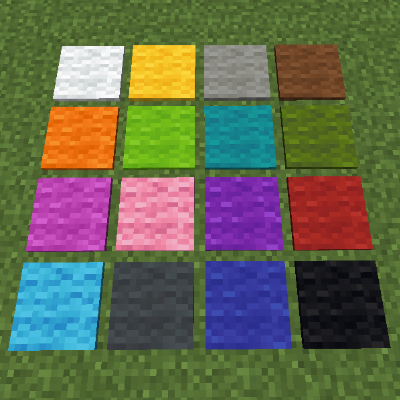
Wool Pressure Plates
Adds silent pressure plates made of wool.