Dirigo Needed by CinderStride – Lava Walker CinderStride 26.1.2-1.1.0 (NeoForge)
requiredMatching file found Matched file: Dirigo 26.1.2-1.3.0 (NeoForge)
CurseForge · Minecraft mod
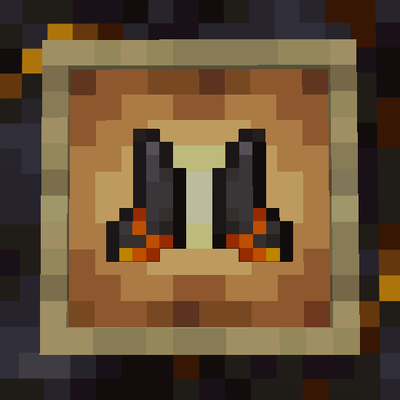
A rare Bastion relic grants Lava Walker boots, letting you walk across lava and turn the Nether’s oceans into your highway.
Quick answer
CinderStride – Lava Walker CinderStride 26.1.2-1.1.0 (NeoForge) targets 26.1, 26.1.1, 26.1.2 with NeoForge. The project page does not say whether this file belongs on the client, dedicated server, or both. All 1 required mods have matching files.
Where it goes
The project page does not say whether this file belongs on the client, dedicated server, or both.
The source does not explicitly classify this release as client-only or server-only.
CinderStride 26.1.2-1.1.0 (NeoForge). Change the file and its required mods may change too.
Install Dirigo first. We found matching files for this game-version and loader setup.
We only count dependency files that match this setup. A file for another loader does not fill the gap.
Before you install it
Built for CinderStride – Lava Walker CinderStride 26.1.2-1.1.0 (NeoForge). Pick another file and the loader, install side or required mods may change.
Use CinderStride 26.1.2-1.1.0 (NeoForge). It targets 26.1, 26.1.1, 26.1.2 with NeoForge; another release may have different loader, side or dependency requirements.
Install Dirigo first. We found matching files for this game-version and loader setup.
The project page does not say whether this file belongs on the client, dedicated server, or both.
Use the “Get this file” button beside CinderStride 26.1.2-1.1.0 (NeoForge). It opens that exact file at the source.
About this project
Walk on lava in Minecraft.
A vanilla friendly mod that adds lava walking boots, similar to Frost Walker but for the Nether.
Hidden in Bastions is a relic that lets you cross lava oceans like they’re solid ground.
Works great with HearthGuard. HearthFires get stronger and mobs really don’t like them.
This update adds a full upgrade path and a few survival improvements that make the boots feel a lot better to use long term.
Early on the boots feel risky. Later on they become something you can rely on.
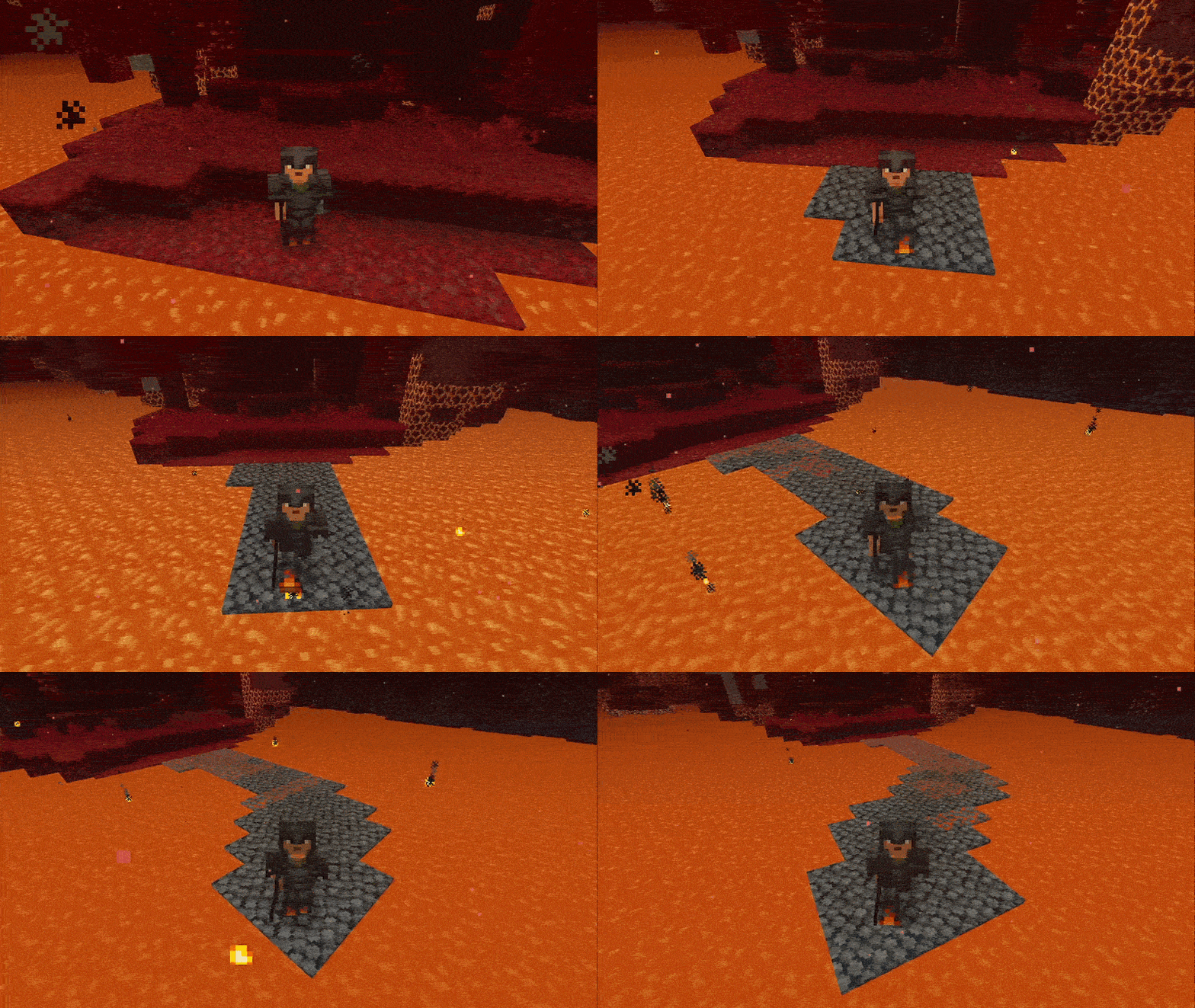
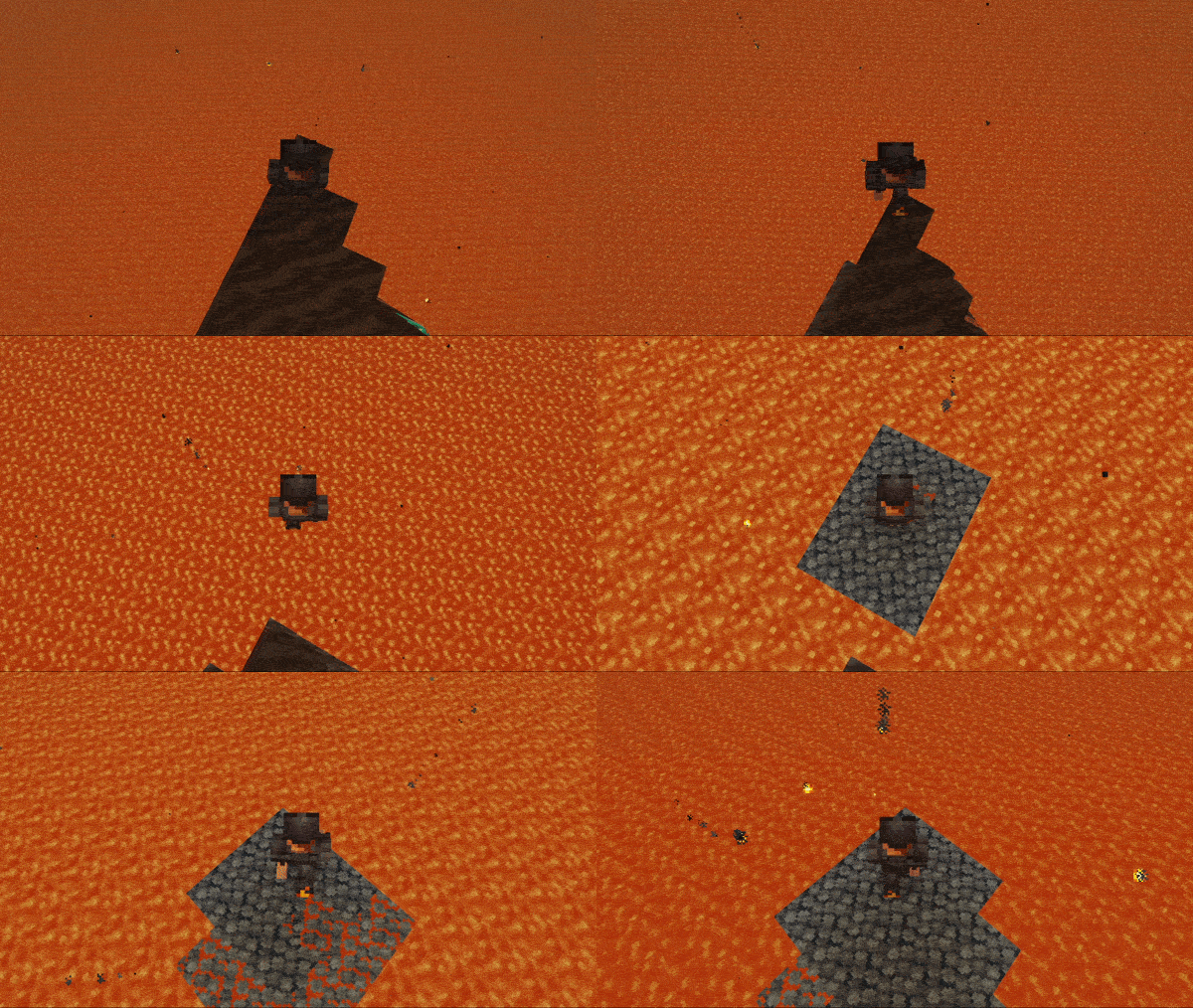
You are meant to keep moving.
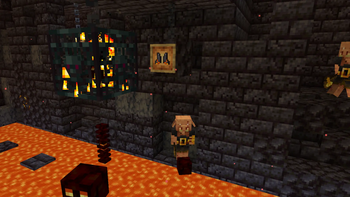
Found in Bastions:
Cinder Shards
Cinder Template
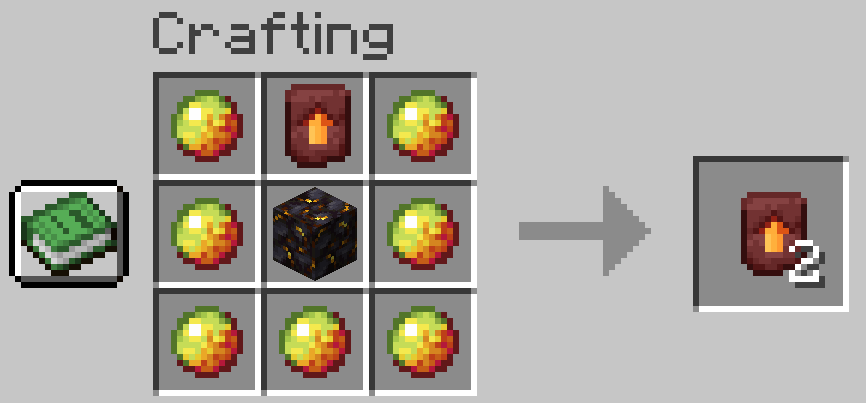
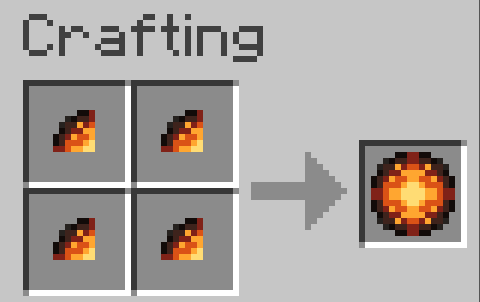
Use a Smithing Table:
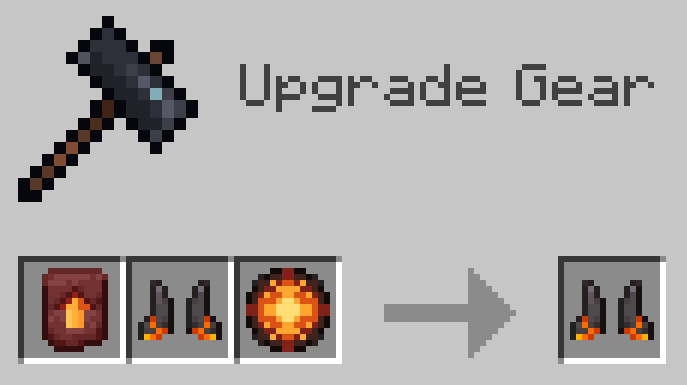
Upgraded boots:
Everything can be adjusted with commands or config.
<details> <summary>Config & Commands</summary>
config/cinderstride/cinderstride.json
Admin permissions required to change values.
</details>
You can include this mod in modpacks.
License: MIT
Source: https://github.com/kingnhcomcast/cinderstride
Permissions: You are welcome to use this mod in your modpack. If you do, feel free to leave a comment and let me know.
If you want support for other minecraft versions or feature requests, leave a comment!
Enjoy!
Project description from CurseForge.
Pick your setup
Choose the version and loader you play, then open the matching release.
Check the dependencies, then try the file in a copied instance before changing a world you care about.
Recent files
cinderstride-neoforge-26.1.2-1.1.0.jar
1 May 2026
cinderstride-fabric-26.1.2-1.1.0.jar
1 May 2026
cinderstride-neoforge-1.21.11-1.1.0.jar
1 May 2026
cinderstride-fabric-1.21.11-1.1.0.jar
1 May 2026
cinderstride-neoforge-1.21.1-1.1.0.jar
1 May 2026
cinderstride-fabric-1.21.1-1.1.0.jar
1 May 2026
cinderstride-neoforge-1.21.1-1.0.0.jar
18 Apr 2026
cinderstride-fabric-1.21.1-1.0.0.jar
18 Apr 2026
cinderstride-neoforge-1.21.11-1.0.0.jar
17 Apr 2026
cinderstride-fabric-1.21.11-1.0.0.jar
17 Apr 2026
cinderstride-neoforge-26.1-1.0.0.jar
17 Apr 2026
cinderstride-fabric-26.1-1.0.0.jar
17 Apr 2026
Looking for an older file? The official CurseForge project page is in Resources.
 mod
Add Dodge move and Parry!
 mod
Fixes overlapping Create Crushing Wheel recipes by removing exact duplicates and giving each unique recipe an equal chance to run.
 mod
An addon for MITE: Modern with tougher mobs and bosses, expanded equipment, gems, Wither Treasures and configurable progression.