Minecraft version
Back to mods 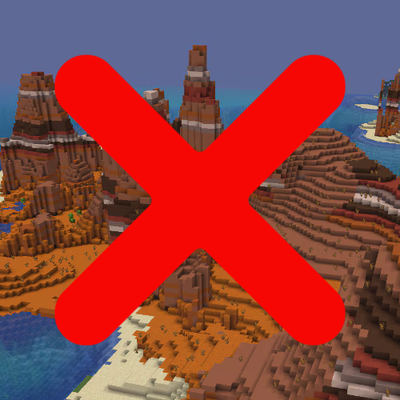
CurseForge · Minecraft mod
Biome Remover
Remove specific biomes from your world generation so they no longer spawn in your Minecraft world, letting you shape each dimension to better match the kind of terrain and exploration experience you want.
Choose a version Pick your version below, then grab the matching file.
Quick answer
Which Biome Remover release should I use?
Latest stable file biomeremover-forge-1.20.1-1.1.1.jar
Game version 1.20.1
Loader Forge
Biome Remover biomeremover-forge-1.20.1-1.1.1.jar targets 1.20.1 with Forge. The project page does not say whether this file belongs on the client, dedicated server, or both. No extra mods listed for this file.
Where it goes
Is Biome Remover required on the client, server, or both?
The project page does not say whether this file belongs on the client, dedicated server, or both.
Client Source doesn’t say
Dedicated server Source doesn’t say
Loader for this release Forge
Required install it here Optional supported, not mandatory Not supported do not install here Source doesn’t say do not assume
The source does not explicitly classify this release as client-only or server-only.
What else does Biome Remover biomeremover-forge-1.20.1-1.1.1.jar need?
biomeremover-forge-1.20.1-1.1.1.jar. Change the file and its required mods may change too.
This file does not list any required mods. Do not add a library just because a different file uses it.
This file does not list any required or optional mods.
Before you install it
Add Biome Remover without breaking your instance.
Built for Biome Remover biomeremover-forge-1.20.1-1.1.1.jar. Pick another file and the loader, install side or required mods may change.
- 01
Stick to this file
Use biomeremover-forge-1.20.1-1.1.1.jar. It targets 1.20.1 with Forge; another release may have different loader, side or dependency requirements.
- 02
Bring the mods it needs
This file does not list any required mods. Do not add a library just because a different file uses it.
- 03
Put it on the correct side
The project page does not say whether this file belongs on the client, dedicated server, or both.
- 04
Pick the file you checked
Use the “Get this file” button beside biomeremover-forge-1.20.1-1.1.1.jar. It opens that exact file at the source.
About this project
What does Biome Remover add?
Biome Remover is a Forge 1.20.1 utility mod that gives server owners, modpack creators, and advanced players direct control over which biomes are allowed to generate in their Minecraft worlds.
The mod scans registered vanilla and modded biomes and lets you disable them individually through an in-game configuration menu. Disabled biomes are removed from world generation, allowing you to reshape each dimension and create a more focused terrain and exploration experience for your pack or server.
With its simple in-game UI, sorting tools, and biome toggle system, Biome Remover makes it easy to clean up unwanted worldgen, remove biomes that do not fit your theme, and keep dimension generation consistent across both vanilla and modded environments.
Features
- Enable or disable individual biomes from world generation
- Supports both vanilla and modded biomes
- In-game config UI with
/biomeremover - Easy sorting and filtering in the biome list
- Per-dimension biome control
- Useful for modpacks, custom overworlds, themed dimensions, and curated exploration
How It Works
Biome Remover is designed to give you control over biome spawning before world generation takes place.
Using the /biomeremover menu, you can browse all detected biomes, sort them, and disable the ones you do not want. Once disabled, those biomes will no longer generate in the world. This allows you to remove terrain styles, climates, or modded biome entries that do not match the experience you want to create.
This makes the mod especially useful for:
- Modpacks that want a more curated biome selection
- Servers that want to remove specific terrain types
- Custom dimension setups with stricter worldgen control
- Packs with multiple biome mods where some biomes feel out of place
About the Mod
Biome Remover was made for Forge 1.20.1 to provide a simple and reliable way to manage biome generation in both vanilla-style and heavily modded worlds.
The focus of the mod is ease of use, compatibility, and practical world customization. It is built to help players and pack creators quickly adjust terrain variety without needing to manually edit complex datapacks or worldgen files.
Bug Reports / Contact
If you find a bug, please report it through one of my communities or social platforms. When reporting a bug, try to include:
- A description of what happened
- Steps to reproduce the issue
- Crash logs or
latest.logif available - A screenshot or video if it helps
You can contact me here:
Minecraft Discord server: https://discord.gg/HBQgpe3Nd8
Main Discord server: https://discord.gg/PmQK5h9
Twitch: https://www.twitch.tv/menoxd
YouTube: https://www.youtube.com/@menoXD
Known Incompatible Mods:
License / Notice
This project is distributed under the license ARR (All rights reserved).
Support
Making mods takes a lot of time and effort, so if you enjoy this project and want to support future development, please consider donating here:
https://streamlabs.com/menoxd/tip
If you do not want to donate, you can still support me by following me on Twitch or subscribing on YouTube:
Twitch: https://www.twitch.tv/menoxd
YouTube: https://www.youtube.com/@menoXD
Project description from CurseForge.
Pick your setup
Biome Remover by Minecraft version and loader
Choose the version and loader you play, then open the matching release.
Minecraft version
1.20.1
2 loader buildsCheck the dependencies, then try the file in a copied instance before changing a world you care about.
Recent files
Biome Remover versions and loaders
biomeremover-forge-1.20.1-1.1.1.jar
18 Sept 2026
Client Source doesn’t say Server Source doesn’t say Dependencies No extras listed Listed on Release listing
Check the 1.20.1 · Forge setup 1.20.1Forge release
biomeremover-neoforge-1.21.1-1.1.1.jar
18 Sept 2026
Client Source doesn’t say Server Source doesn’t say Dependencies No extras listed Listed on Release listing
Check the 1.21.1 · NeoForge setup 1.21.1NeoForge release
biomeremover-neoforge-1.21.1-1.1.jar
16 Sept 2026
Client Source doesn’t say Server Source doesn’t say Dependencies No extras listed Listed on Release listing
Check the 1.21.1 · NeoForge setup 1.21.1NeoForge release
biomeremover-forge-1.20.1-1.1.jar
16 Sept 2026
Client Source doesn’t say Server Source doesn’t say Dependencies No extras listed Listed on Release listing
Check the 1.20.1 · Forge setup 1.20.1ForgeNeoForge release
biomeremover-neoforge-1.21.1-1.0.3.jar
4 Jul 2026
Client Source doesn’t say Server Source doesn’t say Dependencies No extras listed Listed on Release listing
Check the 1.21.1 · NeoForge setup 1.21.1NeoForge release
biomeremover-1.0.3.jar
8 Jun 2026
Client Source doesn’t say Server Source doesn’t say Dependencies No extras listed Listed on Release listing
Check the 1.20.1 · Forge setup 1.20.1ForgeNeoForge release
biomeremover-1.0.2.jar
26 May 2026
Client Source doesn’t say Server Source doesn’t say Dependencies No extras listed Listed on Release listing
Check the 1.20.1 · Forge setup 1.20.1ForgeNeoForge release
biomeremover-1.0.1.jar
24 May 2026
Client Source doesn’t say Server Source doesn’t say Dependencies No extras listed Listed on Release listing
Check the 1.20.1 · Forge setup 1.20.1ForgeNeoForge release
biomeremover-1.0.0.jar
7 May 2026
Client Source doesn’t say Server Source doesn’t say Dependencies No extras listed Listed on Release listing
Check the 1.20.1 · NeoForge setup 1.20.1NeoForge release
biomeremover-1.0.0.jar
19 Apr 2026
Client Source doesn’t say Server Source doesn’t say Dependencies No extras listed Listed on Release listing
Check the 1.20.1 · Forge setup 1.20.1Forge release
Looking for an older file? The official CurseForge project page is in Resources.
 mod
CurseForge + Modrinth · Minecraft
Fowl Play
Adding more birds to your Minecraft world!
 mod
CurseForge · Minecraft
Abyssal Ocean
Adds deep trenches reaching down to -2032 blocks; encounter leviathans and explore abyssal marine life within a realistic, simulated ecosystem—featuring mechanics such as "whale falls" (where dead whales sink to the ocean floor) and more!
 mod
CurseForge · Minecraft
Wanderers Across Worlds
Companions from every world, brought to life in Minecraft, a living party that fights, feels, remembers, and forms bonds of its own. Download characters in-game (no dependencies.)