Just Enough Items (JEI) Optional for Create Aeronautics: Covers aeronauticscovers-1.21.1-NeoForge-1.0.1.jar
optionalMatching file found Matched file: 19.69.0.457 for NeoForge 1.21.1
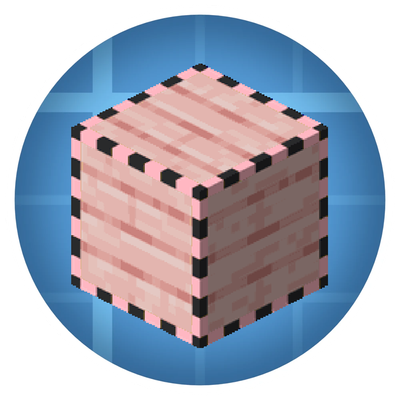
CurseForge · Minecraft mod
Add covers to your Create contraptions and Aeronautics / Simulated physics ships.
Quick answer
Create Aeronautics: Covers aeronauticscovers-1.21.1-NeoForge-1.0.1.jar targets 1.21.1 with NeoForge. The project page does not say whether this file belongs on the client, dedicated server, or both. All 4 required mods have matching files.
Where it goes
The project page does not say whether this file belongs on the client, dedicated server, or both.
The source does not explicitly classify this release as client-only or server-only.
aeronauticscovers-1.21.1-NeoForge-1.0.1.jar. Change the file and its required mods may change too.
Install Cable Facades, Create, Create Aeronautics, Sable first. We found matching files for this game-version and loader setup. 4 come through another mod in the chain.
4 extra mods were pulled in by other dependencies. Indented rows show who needs each one. We only count dependency files that match this setup. A file for another loader does not fill the gap.
Before you install it
Built for Create Aeronautics: Covers aeronauticscovers-1.21.1-NeoForge-1.0.1.jar. Pick another file and the loader, install side or required mods may change.
Use aeronauticscovers-1.21.1-NeoForge-1.0.1.jar. It targets 1.21.1 with NeoForge; another release may have different loader, side or dependency requirements.
Install Cable Facades, Create, Create Aeronautics, Sable first. We found matching files for this game-version and loader setup. 4 come through another mod in the chain.
The project page does not say whether this file belongs on the client, dedicated server, or both.
Use the “Get this file” button beside aeronauticscovers-1.21.1-NeoForge-1.0.1.jar. It opens that exact file at the source.
About this project
Add covers to your Create contraptions and Aeronautics / Simulated physics ships.
Regular Cable Facades only work on static blocks. If you facade a cable and then assemble your ship, the facade falls off. Aeronautics Covers adds a new item, the Cover, that behaves exactly like a facade but survives assembly. Your covers travel with the contraption, render in flight, collide correctly, and come back to normal blocks on disassembly.
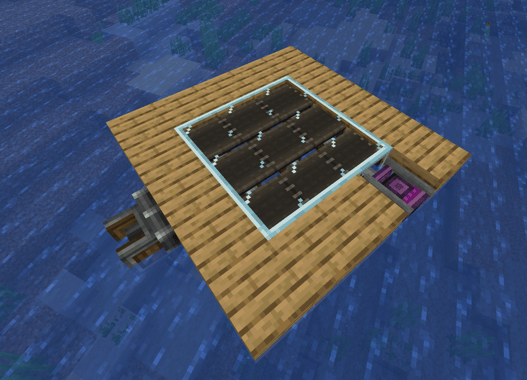
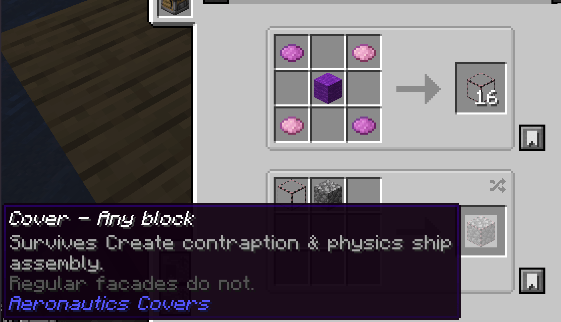
Craft a cover the same way you craft a facade: put a cover and a block in the crafting grid. Right click a cable or any block to apply. Pick it off with the Cable Facades wrench. That is it.
If you want the cover to ride with a contraption, just make sure you use a Cover and not a regular Facade. The creative tab and the pink outline on the item icon tell the two apart.
Support on Discord
If you'd like to support me and the development of my mods, I recommend trying out BisectHosting. Use code "project8gbderam" to get 25% off your first month of a gaming server for new customers. They offer 24/7 support and lightning-fast response times, ensuring you're in great hands and providing exceptional assistance for all your gaming needs. https://www.bisecthosting.com/project8gbderam

Project description from CurseForge.
Pick your setup
Choose the version and loader you play, then open the matching release.
Check the dependencies, then try the file in a copied instance before changing a world you care about.
Recent files
23 Apr 2026
19 Apr 2026
Looking for an older file? The official CurseForge project page is in Resources.
 mod
modAutomate Create trains for mining, hauling, construction, and other tasks with direct movement control, configurable behaviors, and optional integrations.
 mod
modExtra Special Studio presents Dead Air: radio towers become station nodes you tune with built-in T1/T2 radios & cross-dim Link. Collect notes, craft upgrades & panels. Requires Apocalypse Structures, GeckoLib & ESC.
 mod
mod> Build on your Create train while it drives. A Functional Fob makes a carriage's blocks real: place and break them, open chests, run machines. Disassemble and your build stays in the world. Early build — back up first. ---