Female Gender Mod Optional for Have a Bad Day have-a-bad-day-1.1.0.jar
optionalMatching file found Matched file: 5.0.0 for Fabric 26.1.x

CurseForge · Minecraft mod
A mod with the sole purpose of making playing the game unbearable.
Quick answer
Have a Bad Day have-a-bad-day-1.1.0.jar targets 26.1, 26.1.1, 26.1.2 with Fabric, Quilt. The project page does not say whether this file belongs on the client, dedicated server, or both. No extra mods listed for this file.
Where it goes
The project page does not say whether this file belongs on the client, dedicated server, or both.
The source does not explicitly classify this release as client-only or server-only.
have-a-bad-day-1.1.0.jar. Change the file and its required mods may change too.
This file does not list any required mods. Do not add a library just because a different file uses it.
1 extra mod was pulled in by another dependency. Indented rows show who needs each one. We only count dependency files that match this setup. A file for another loader does not fill the gap.
Before you install it
Built for Have a Bad Day have-a-bad-day-1.1.0.jar. Pick another file and the loader, install side or required mods may change.
Use have-a-bad-day-1.1.0.jar. It targets 26.1, 26.1.1, 26.1.2 with Fabric, Quilt; another release may have different loader, side or dependency requirements.
This file does not list any required mods. Do not add a library just because a different file uses it.
The project page does not say whether this file belongs on the client, dedicated server, or both.
Use the “Get this file” button beside have-a-bad-day-1.1.0.jar. It opens that exact file at the source.
About this project

A mod with the sole purpose of making playing the game unbearable.
Have a Bad Day adds blinking and breathing that the player must manually activate regularly.
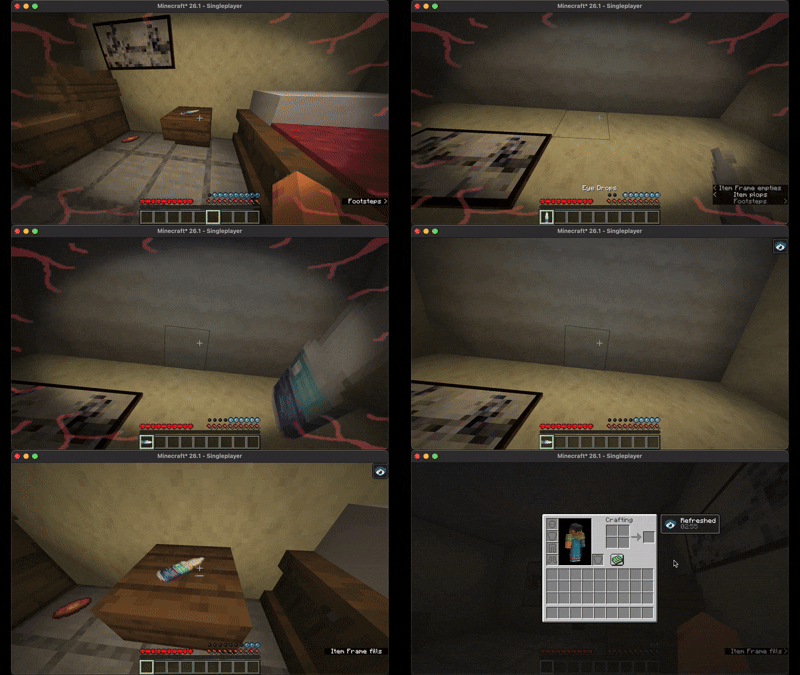
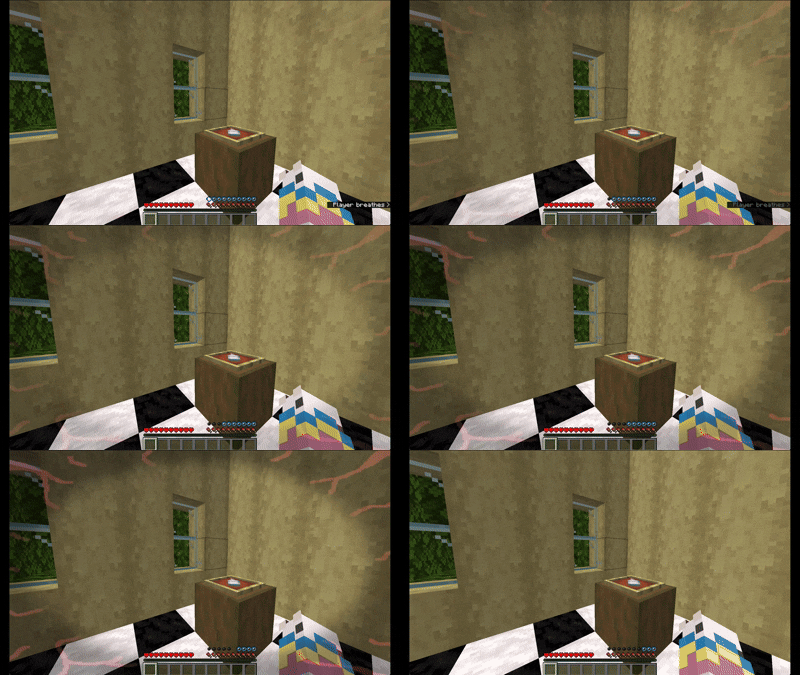
Pressing v to breathe will refill your oxygen bar unless you're underwater or on fire. Pressing b to blink will remove the eye strain overlay and reset the amount of time until you next need to blink.
Eye drops will keep the player from needing to blink for three minutes by giving them the "Refreshed" potion effect. They can be applied by looking up and right-clicking while holding them.
Eye drops can be craft with an iron ingot, any type of dye, a water bottle, and an iron nugget.

There's two gamerules. require_blinking and require_breathing. These can be changed in the world creation screen under the PLAYER category or by using the command /gamerule have-a-bad-day:gamerule true/false.
require_blinking when set to false disables the need to blink, though blinking is still possible.
require_breathing when set to false returns the oxygen bar back to the vanilla system. Breathing is not possible while this is disabled.
Project description from CurseForge.
Pick your setup
Choose the version and loader you play, then open the matching release.
Check the dependencies, then try the file in a copied instance before changing a world you care about.
Recent files
22 Apr 2026
have-a-bad-day-1.0.0.jar
21 Apr 2026
Looking for an older file? The official CurseForge project page is in Resources.
 mod
Changes Jukeboxes to loop music discs, without breaking redstone contraptions
 mod
This mod adds a large collection of construction, industrial, and traffic related blocks.
 mod
A mod that adds First Vollachian General, Cecilus Segmund's Swords, Murasame and Masayume alongside his abilities!