FTB Quests (NeoForge) Needed by UIQuest-neoforge-1.21.1-1.0.4.jar
requiredMatching file found Matched file: [NEOFORGE][1.21.1] FTB Quests 2101.1.39

CurseForge · Minecraft mod
A client-side addon that adds a UI for FTB Quests
Quick answer
UIQuest-neoforge-1.21.1-1.0.4.jar targets 1.21.1 with NeoForge. The project page does not say whether this file belongs on the client, dedicated server, or both. All 4 required mods have matching files.
Where it goes
The project page does not say whether this file belongs on the client, dedicated server, or both.
The source does not explicitly classify this release as client-only or server-only.
UIQuest-neoforge-1.21.1-1.0.4.jar. Change the file and its required mods may change too.
Install FTB Quests (NeoForge), Architectury API, FTB Teams (NeoForge), FTB Library (NeoForge) first. We found matching files for this game-version and loader setup. 15 come through another mod in the chain.
15 extra mods were pulled in by other dependencies. Indented rows show who needs each one. We only count dependency files that match this setup. A file for another loader does not fill the gap.
Before you install it
Built for UIQuest-neoforge-1.21.1-1.0.4.jar. Pick another file and the loader, install side or required mods may change.
Use UIQuest-neoforge-1.21.1-1.0.4.jar. It targets 1.21.1 with NeoForge; another release may have different loader, side or dependency requirements.
Install FTB Quests (NeoForge), Architectury API, FTB Teams (NeoForge), FTB Library (NeoForge) first. We found matching files for this game-version and loader setup. 15 come through another mod in the chain.
The project page does not say whether this file belongs on the client, dedicated server, or both.
Use the “Get this file” button beside UIQuest-neoforge-1.21.1-1.0.4.jar. It opens that exact file at the source.
About this project
Due to issues in my life, this mod won't be updated for about 2 years (6.27.2026)
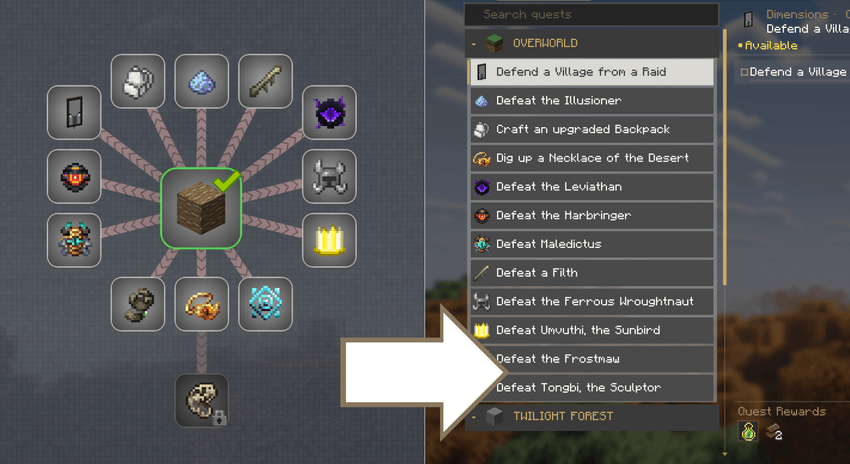
(Example quest content from BMC 5 modpack)
If you've ever found FTB Quests's mind-map style UI overwhelming, this mod is here to help.
This Mod an alternative UI synced with FTB Quests, making it easier to browse and progress your quests.
GUI
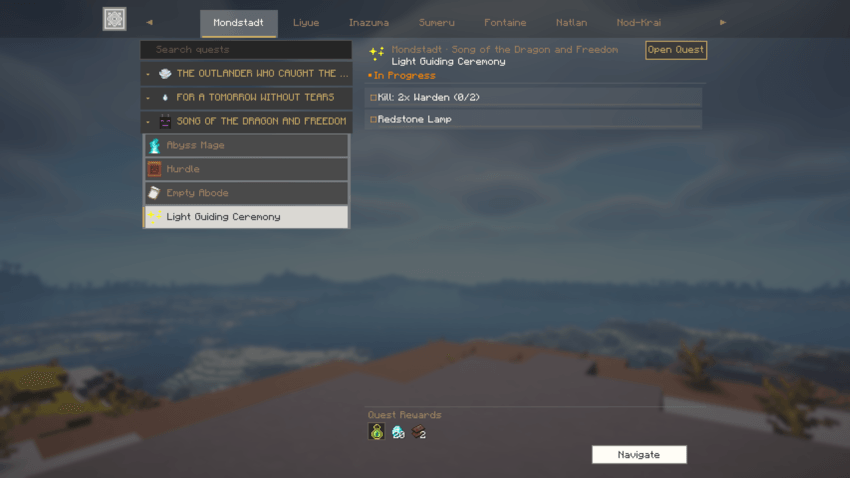
Press the Quest GUI key (default: J) to open the list-based UI. You can see the chapter and the available quests currently available at a glance, as well as more information about goals and rewards
Quest Navigating
Select any quest in the GUI to navigate it on your HUD. Upon completing a quest, the next one is automatically navigated — this behavior can be configured in the settings
HUD
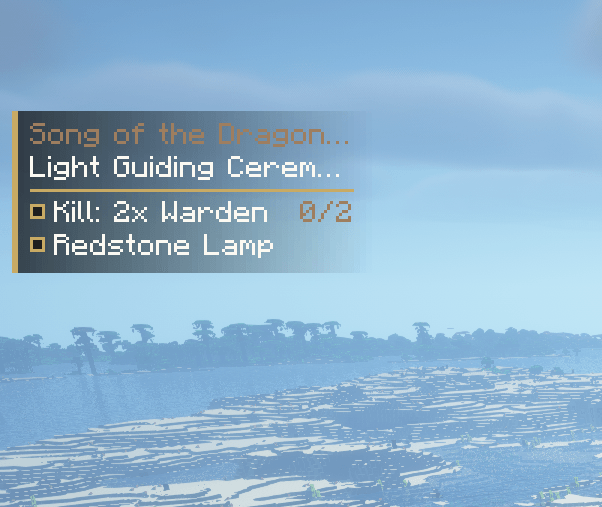
Displays a compact overlay showing your currently tracked quest. Press the Action key (default: K) to open a popup for submitting items, claiming rewards, and more
Settings
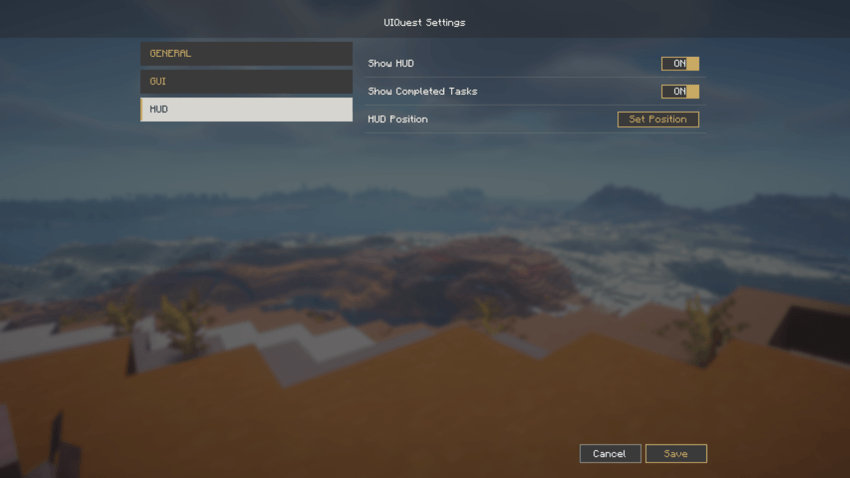
Customize GUI and HUD display options directly from the in game settings menu
Required
Note: This mod has not been fully tested for compatibility with all FTB Quests features. Some functionality may break or conflict when used alongside FTB Quests addon mods.
Project description from CurseForge.
Pick your setup
Choose the version and loader you play, then open the matching release.
Check the dependencies, then try the file in a copied instance before changing a world you care about.
Recent files
10 May 2026
10 May 2026
4 May 2026
28 Apr 2026
24 Apr 2026
22 Apr 2026
Looking for an older file? The official CurseForge project page is in Resources.
 mod
A lightweight Tinkers' Construct addon featuring tools, new materials, and exclusive projectile traits.
 mod
An addon for Productive Bees and Mekanism
 mod
Sets the default spawn point to be inside a custom structure!