Minecraft version
Back to mods 
CurseForge · Minecraft mod
Modern GUI
A mod framework for graphical elements, layouts, Modern features like search dropdowns, hover tips, and various chart element (line, bar, pie) and modes.
Choose a version Pick your version below, then grab the matching file.
Quick answer
Which Modern GUI release should I use?
Latest stable file modern_gui-1.1.0.jar
Game version 1.21.1
Loader NeoForge
Modern GUI modern_gui-1.1.0.jar targets 1.21.1 with NeoForge. The project page does not say whether this file belongs on the client, dedicated server, or both. No extra mods listed for this file.
Where it goes
Is Modern GUI required on the client, server, or both?
The project page does not say whether this file belongs on the client, dedicated server, or both.
Client Source doesn’t say
Dedicated server Source doesn’t say
Loader for this release NeoForge
Required install it here Optional supported, not mandatory Not supported do not install here Source doesn’t say do not assume
The source does not explicitly classify this release as client-only or server-only.
What else does Modern GUI modern_gui-1.1.0.jar need?
modern_gui-1.1.0.jar. Change the file and its required mods may change too.
This file does not list any required mods. Do not add a library just because a different file uses it.
This file does not list any required or optional mods.
Before you install it
Add Modern GUI without breaking your instance.
Built for Modern GUI modern_gui-1.1.0.jar. Pick another file and the loader, install side or required mods may change.
- 01
Stick to this file
Use modern_gui-1.1.0.jar. It targets 1.21.1 with NeoForge; another release may have different loader, side or dependency requirements.
- 02
Bring the mods it needs
This file does not list any required mods. Do not add a library just because a different file uses it.
- 03
Put it on the correct side
The project page does not say whether this file belongs on the client, dedicated server, or both.
- 04
Pick the file you checked
Use the “Get this file” button beside modern_gui-1.1.0.jar. It opens that exact file at the source.
About this project
What does Modern GUI add?
Modern GUI is a reusable client-side GUI framework for Minecraft mods, built to make complex interfaces easier to create, scale, theme, and maintain.
It provides a retained layout system with automatic measuring, clipping, scrolling, focus handling, keyboard navigation, popovers, tooltips, responsive scaling, reusable widgets, and polished default chart components. The goal is to let mod developers build modern dashboard-style screens without manually fighting coordinates, GUI scale, text overflow, or layout bugs.
Main features include:
- responsive layout containers for rows, columns, grids, cards, scroll areas, and tabs
- automatic GUI scaling through an independent virtual UI space
- built-in themes, density modes, spacing tokens, borders, and semantic colors
- default-ready widgets such as buttons, text fields, search fields, dropdowns, sliders, toggles, checkboxes, tables, and lists
- interactive chart components including line, bar, pie, donut, multi-series, and dual-axis charts
- default hover states, tooltips, legends, focus behavior, keyboard navigation, and scroll handling
- developer validation screens and inspector tools for testing layout, input, and component behavior
To use it, create a Modern GUI screen, compose widgets using the provided layout containers, apply a theme or density profile, and let the framework handle measurement, rendering, scaling, clipping, input, focus, and interaction defaults.
Advanced behavior can still be customized through component options, chart options, theme tokens, and layout constraints when a screen needs explicit control.
Screens are built as component trees. A Modern screen owns a root container, the root container owns layout containers, and layout containers own widgets.
Example structure:
ModernScreen
└── RootContainer
├── Header / Toolbar
├── TabBar
└── ScrollContainer
└── ContentContainer
├── Card
│ ├── Text
│ ├── Button
│ └── Chart
├── Table
└── Form Inputs
Instead of placing every widget with fixed coordinates, you compose layouts using rows, columns, grids, cards, tabs, scroll areas, and popovers. The framework measures components, assigns bounds, clips rendering, routes input, manages focus, handles scrolling, and applies theme/density defaults automatically.
Project description from CurseForge.
Pick your setup
Modern GUI by Minecraft version and loader
Choose the version and loader you play, then open the matching release.
Check the dependencies, then try the file in a copied instance before changing a world you care about.
Recent files
Modern GUI versions and loaders
modern_gui-1.1.0.jar
16 Jul 2026
Client Source doesn’t say Server Source doesn’t say Dependencies No extras listed Listed on Release listing
Check the 1.21.1 · NeoForge setup 1.21.1NeoForge release
MGUI 1.0.8
modern_gui-1.0.8.jar
1 Jul 2026
Client Source doesn’t say Server Source doesn’t say Dependencies No extras listed Listed on Release listing
Check the 1.21.1 · NeoForge setup 1.21.1NeoForge release
MGUI Release 1.0.6
modern_gui-1.0.6.jar
5 Jun 2026
Client Source doesn’t say Server Source doesn’t say Dependencies No extras listed Listed on Release listing
Check the 1.21.1 · NeoForge setup 1.21.1NeoForge release
MGUI Release 1.0.7
modern_gui-1.0.7.jar
4 Jun 2026
Client Source doesn’t say Server Source doesn’t say Dependencies No extras listed Listed on Release listing
Check the 1.21.1 · NeoForge setup 1.21.1NeoForge release
MGUI Release 1.0.6
modern_gui-1.0.6.jar
31 May 2026
Client Source doesn’t say Server Source doesn’t say Dependencies No extras listed Listed on Release listing
Check the 1.21.1 · NeoForge setup 1.21.1NeoForge release
MGUI Release 1.0.5
modern_gui-1.0.5.jar
24 May 2026
Client Source doesn’t say Server Source doesn’t say Dependencies No extras listed Listed on Release listing
Check the 1.21.1 · NeoForge setup 1.21.1NeoForge release
MGUI Release 1.0.4
modern_gui-1.0.4.jar
22 May 2026
Client Source doesn’t say Server Source doesn’t say Dependencies No extras listed Listed on Release listing
Check the 1.21.1 · NeoForge setup 1.21.1NeoForge release
MGUI Release 1.0.3
modern_gui-1.0.3.jar
22 May 2026
Client Source doesn’t say Server Source doesn’t say Dependencies No extras listed Listed on Release listing
Check the 1.21.1 · NeoForge setup 1.21.1NeoForge release
MGUI Release 1.0.2.patch
modern_gui-1.0.2.jar
21 May 2026
Client Source doesn’t say Server Source doesn’t say Dependencies No extras listed Listed on Release listing
Check the 1.21.1 · NeoForge setup 1.21.1NeoForge release
MGUI Release 1.0.2
modern_gui-1.0.2.jar
20 May 2026
Client Source doesn’t say Server Source doesn’t say Dependencies No extras listed Listed on Release listing
Check the 1.21.1 · NeoForge setup 1.21.1NeoForge release
MGUI Release 1.0
modern_gui-1.0.jar
18 May 2026
Client Source doesn’t say Server Source doesn’t say Dependencies No extras listed Listed on Release listing
Check the 1.21.1 · NeoForge setup 1.21.1NeoForge release
Modern GUI Release 0.4.2
modern_gui-0.4.2.jar
12 May 2026
Client Source doesn’t say Server Source doesn’t say Dependencies No extras listed Listed on Release listing
Check the 1.21.1 · NeoForge setup 1.21.1NeoForge release
Looking for an older file? The official CurseForge project page is in Resources.
 mod
mod CurseForge + Modrinth · Minecraft
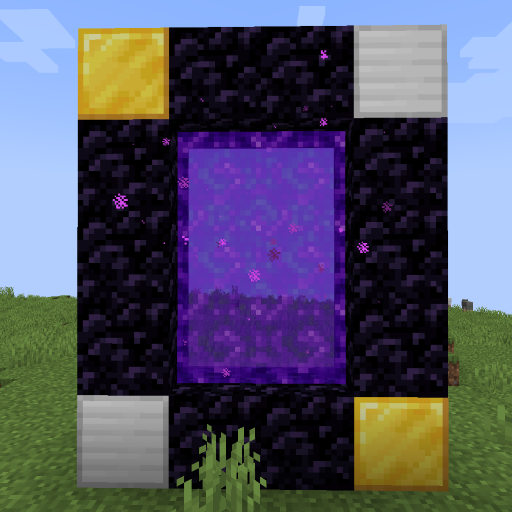
World Portal
Create custom world portal to travel between dimensions.
 mod
mod CurseForge · Minecraft
Create: Cardboard Things
Fun addon that adds 9 cardboard-based items with unique mechanics.
 mod
mod CurseForge · Minecraft
ParCool! ~ Minecraft Parkour ~
A Mod which add Cool actions and facilities for Parkour