Minecraft version
Back to mods 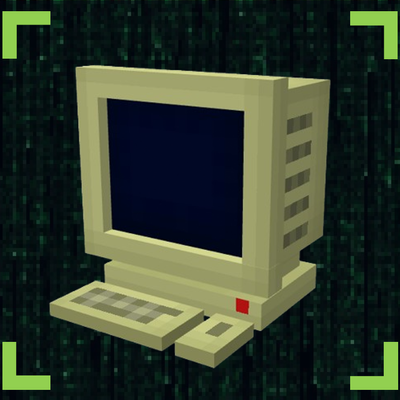
CurseForge · Minecraft mod
Computer Terminal
A text editor with printing inside Minecraft
Choose a version Pick your version below, then grab the matching file.
Quick answer
Which Computer Terminal release should I use?
Latest stable file computercraft-1.2.0.jar
Game version 1.20.1
Loader Forge
Computer Terminal computercraft-1.2.0.jar targets 1.20.1 with Forge. The project page does not say whether this file belongs on the client, dedicated server, or both. No extra mods listed for this file.
Where it goes
Is Computer Terminal required on the client, server, or both?
The project page does not say whether this file belongs on the client, dedicated server, or both.
Client Source doesn’t say
Dedicated server Source doesn’t say
Loader for this release Forge
Required install it here Optional supported, not mandatory Not supported do not install here Source doesn’t say do not assume
The source does not explicitly classify this release as client-only or server-only.
What else does Computer Terminal computercraft-1.2.0.jar need?
computercraft-1.2.0.jar. Change the file and its required mods may change too.
This file does not list any required mods. Do not add a library just because a different file uses it.
This file does not list any required or optional mods.
Before you install it
Add Computer Terminal without breaking your instance.
Built for Computer Terminal computercraft-1.2.0.jar. Pick another file and the loader, install side or required mods may change.
- 01
Stick to this file
Use computercraft-1.2.0.jar. It targets 1.20.1 with Forge; another release may have different loader, side or dependency requirements.
- 02
Bring the mods it needs
This file does not list any required mods. Do not add a library just because a different file uses it.
- 03
Put it on the correct side
The project page does not say whether this file belongs on the client, dedicated server, or both.
- 04
Pick the file you checked
Use the “Get this file” button beside computercraft-1.2.0.jar. It opens that exact file at the source.
About this project
What does Computer Terminal add?
Computer Terminal by DariusXX
Inspired by Scribble
Computer Terminal is a simple and lightweight (hopefully) mod that allows you to type text into a computer that automatically saves. It also allows you to print the text on a document/paper which cannot be edited, good for documentation or roleplay!
Please report any bugs in the comments! I'm fine with criticism too
Features:
- Rich text editor (bold, italic, underline, color, very close to MS Word)
- Computer block with stylish editor, i tried ok?
- Print button
- Uneditable printed paper
- 50 lines of space inside the editor
1.1.0 (Check changelog)
- Databases
- Public/Private databases with per-computer permissions
- Admin USB item allows creation/permission management
- You can store and print documents from databases
- /ccdb command to manage databases (delete them/edit them)
- Ps. the command does NOT manage permissions for the computers, use the Admin USB.
TODO:
- Make one person allowed at a computer (one at a time)
- Make some sort of password system for computers
- Add folders for databases
Project description from CurseForge.
Pick your setup
Computer Terminal by Minecraft version and loader
Choose the version and loader you play, then open the matching release.
Check the dependencies, then try the file in a copied instance before changing a world you care about.
Recent files
Computer Terminal versions and loaders
computercraft-1.2.0.jar
30 Apr 2026
Client Source doesn’t say Server Source doesn’t say Dependencies No extras listed Listed on Release listing
Check the 1.20.1 · Forge setup 1.20.1Forge release
computercraft-1.1.1.jar
29 Apr 2026
Client Source doesn’t say Server Source doesn’t say Dependencies No extras listed Listed on Release listing
Check the 1.20.1 · Forge setup 1.20.1Forge release
computercraft-1.1.0.jar
29 Apr 2026
Client Source doesn’t say Server Source doesn’t say Dependencies No extras listed Listed on Release listing
Check the 1.20.1 · Forge setup 1.20.1Forge release
computerterminal-1.0.0.jar
computercraft-1.0.0.jar
25 Apr 2026
Client Source doesn’t say Server Source doesn’t say Dependencies No extras listed Listed on Release listing
Check the 1.20.1 · Forge setup 1.20.1Forge release
Looking for an older file? The official CurseForge project page is in Resources.
 mod
CurseForge · Minecraft
Academy generation reborn
Esper abilities, a fixed Academy City, survival portals, drivable vehicles, tactical guardians and twelve titans.
 mod
CurseForge · Minecraft
BlockClover X Epic Fight
This Mod makes Block Clover compatible with Epic Fight mod.
 mod
CurseForge · Minecraft
[How About] Glowing Cave Plants
Adds a bunch of glowing plants to the caves