Minecraft version
Back to mods 
CurseForge · Minecraft mod
TidyInv
Smart, fast, server-friendly inventory sorting with 7 modes, vertical sort, locked slots, profiles, chest presets, deposit/restock/dump/take buttons, in-game config GUI, and a public API. Works in your inventory and in any chest, barrel or shulker.
Choose a version Pick your version below, then grab the matching file.
Quick answer
Which TidyInv release should I use?
Latest stable file TidyInv 26.2-1.0.0-fabric
Game version 26.2
Loader Fabric
TidyInv 26.2-1.0.0-fabric targets 26.2 with Fabric. The project page does not say whether this file belongs on the client, dedicated server, or both. No extra mods listed for this file.
Where it goes
Is TidyInv required on the client, server, or both?
The project page does not say whether this file belongs on the client, dedicated server, or both.
Client Source doesn’t say
Dedicated server Source doesn’t say
Loader for this release Fabric
Required install it here Optional supported, not mandatory Not supported do not install here Source doesn’t say do not assume
The source does not explicitly classify this release as client-only or server-only.
What else does TidyInv 26.2-1.0.0-fabric need?
TidyInv 26.2-1.0.0-fabric. Change the file and its required mods may change too.
This file does not list any required mods. Do not add a library just because a different file uses it.
This file does not list any required or optional mods.
Before you install it
Add TidyInv without breaking your instance.
Built for TidyInv 26.2-1.0.0-fabric. Pick another file and the loader, install side or required mods may change.
- 01
Stick to this file
Use TidyInv 26.2-1.0.0-fabric. It targets 26.2 with Fabric; another release may have different loader, side or dependency requirements.
- 02
Bring the mods it needs
This file does not list any required mods. Do not add a library just because a different file uses it.
- 03
Put it on the correct side
The project page does not say whether this file belongs on the client, dedicated server, or both.
- 04
Pick the file you checked
Use the “Get this file” button beside TidyInv 26.2-1.0.0-fabric. It opens that exact file at the source.
About this project
What does TidyInv add?
TidyInv — Smart Inventory Sorting
Tired of dragging items around every time you open a chest? TidyInv sorts your inventory and any container in one click — or one keypress. Lightweight, server-friendly, and packed with quality-of-life features for Minecraft.
Overview
- 7 sort modes — Category, Name, Quantity, Rarity, By Mod, By Tag, Smart Affinity
- Vertical sort — column-first layout, perfect for organized chests
- 5 chest presets — Food, Tools, Building, Combat, Storage
- 4 sort profiles — Default, Mining, PvP, Building (saved to disk)
- Quick chest actions — Sort, Vertical Sort, Deposit, Restock, Dump All, Take All
- Locked slots — pin items in place with a visual indicator and tooltip
- In-game config GUI — press
Kto open, no JSON editing needed - Full command support —
/tidyinv …for everything - 6 languages — English, Spanish (ES / MX), Portuguese (BR), French, German
- Public API — other mods can register custom containers and categorizers
- Server-side sorting with anti-spam cooldown — safe for multiplayer
Keybinds
| Key | Action |
|---|---|
R |
Sort current inventory or chest |
K |
Open config menu |
| unbound | Quick Deposit |
| unbound | Quick Restock |
All keybinds can be reassigned in Minecraft's Controls menu.
Chest buttons
When you open any chest, six buttons appear on the right side of the GUI:
| Icon | Action |
|---|---|
| Three bars | Sort the chest |
| Vertical bars | Sort vertically (column-first) |
| Right arrow | Deposit — only items that already exist in the chest |
| Left arrow | Restock — only items you already carry |
| Double down arrow | Dump All — moves everything to the chest (locked slots stay) |
| Double up arrow | Take All — pulls everything from the chest into your inventory |
> Buttons follow the chest GUI when it shifts (e.g. when the recipe book opens).
Sort modes
| Mode | Description |
|---|---|
| Category | Weapons, tools, armor, food, combat, blocks, redstone, materials, misc |
| Name | Alphabetical by registry ID |
| Quantity | Largest stacks first |
| Rarity | Epic → Rare → Uncommon → Common |
| By Mod | Groups items by namespace (vanilla first) |
| By Tag | Groups items by their first tag (ores, logs, wool…) |
| Smart Affinity | Items with shared tags cluster together |
Chest presets
Open a chest and run /tidyinv preset <name>:
| Preset | Priority |
|---|---|
food |
FOOD → MATERIALS |
tools |
TOOLS → WEAPONS → ARMOR → MATERIALS |
building |
BLOCKS → REDSTONE → MATERIALS |
combat |
WEAPONS → ARMOR → FOOD → COMBAT |
storage |
General (default category order) |
Commands
/tidyinv sort [category|name|quantity|rarity|by_mod|by_tag|affinity]/tidyinv preset <food|tools|building|combat|storage>/tidyinv lock <slot 0-35>/tidyinv unlock <slot 0-35>/tidyinv profile list|switch <name>|next|current/tidyinv deposit/tidyinv restock/tidyinv dump/tidyinv take
Config
Press K in-game, or edit JSON files inside your config/ folder:
tidyinv.json— general optionstidyinv_locked_slots.json— locked slot indicestidyinv_profiles.json— sort profiles
In-game options:
- Default sort mode
- Show / hide chest buttons
- Sound ON / OFF
- ActionBar messages ON / OFF
- Lock hotbar by default
- Cooldown slider (0–40 ticks)
- Clear all locked slots
- Cycle between profiles
Public API
Other mods can extend TidyInv to support their own containers and item categories:
<pre><code>import com.luix1604.tidyinv.api.TidyInvAPI; import com.luix1604.tidyinv.sort.ItemCategory;
// Register a custom sortable container TidyInvAPI.registerContainerPredicate(menu -> menu instanceof MyCustomMenu);
// Register a custom item categorizer TidyInvAPI.registerCategorizer(stack -> { if (stack.getItem() instanceof MyMagicItem) return ItemCategory.MATERIALS; return null; // fall through to default }); </code></pre>
Compatibility
| Minecraft | Loaders | Java | Latest |
|---|---|---|---|
| 26.1.2 | Fabric · Forge · NeoForge | 25 | 1.5.2 |
| 1.21.1 | Fabric · Forge · NeoForge | 21 | 1.1.2 |
| 1.20.2 | NeoForge | 17 | 1.1.1 |
| 1.20.1 | Fabric · Forge | 17 | 1.1.1 |
> NeoForge does not exist for MC 1.20.1 (its first release shipped on 1.20.2). For Fabric or Forge on that MC era, use the 1.20.1 build.
> Mojang dropped the 1. prefix starting with 26.1 (released early 2026). The canonical ordering is 1.21.11 → 26.1 → 26.1.1 → 26.1.2.
Designed to be compatible with most other mods. Containers from other mods are auto-detected, and modders can register their own via the public API.
Installation
- Install the loader matching your setup (Fabric / Forge / NeoForge) for your Minecraft version.
- For Fabric, also install Fabric API.
- Drop the matching
tidyinv-<mc>-<version>-<loader>.jarinto yourmods/folder. - Launch the game. Press
Kin-game to open the config.
Source & Issues
GitHub: github.com/Luis1604/TidyInv
Each Minecraft version lives in its own branch. Per-version CHANGELOG.md files document everything that has shipped on that branch.
If you run into a bug, please open an issue on GitHub with your Minecraft version, loader, and the modlist you're using.
License
MIT License — free to use, modify and distribute.
Author
Luix1604 — luix1604
Project description from CurseForge.
Pick your setup
TidyInv by Minecraft version and loader
Choose the version and loader you play, then open the matching release.
Minecraft version
26.1.2
3 loader buildsMinecraft version
1.21.1
3 loader buildsMinecraft version
1.20.2
1 loader buildMinecraft version
1.20.1
2 loader buildsCheck the dependencies, then try the file in a copied instance before changing a world you care about.
Recent files
TidyInv versions and loaders
TidyInv 26.2-1.0.0-neoforge
tidyinv-26.2-1.0.0-neoforge.jar
23 Jun 2026
Client Source doesn’t say Server Source doesn’t say Dependencies No extras listed Listed on Release listing
Check the 26.2 · NeoForge setup NeoForge26.2 beta
TidyInv 26.2-1.0.0-fabric
tidyinv-26.2-1.0.0-fabric.jar
23 Jun 2026
Client Source doesn’t say Server Source doesn’t say Dependencies No extras listed Listed on Release listing
Check the 26.2 · Fabric setup Fabric26.2 release
TidyInv 26.2-1.0.0-forge
tidyinv-26.2-1.0.0-forge.jar
23 Jun 2026
Client Source doesn’t say Server Source doesn’t say Dependencies No extras listed Listed on Release listing
Check the 26.2 · Forge setup Forge26.2 release
TidyInv 1.20.1-1.1.1-fabric
tidyinv-1.20.1-1.1.1-fabric.jar
27 Apr 2026
Client Source doesn’t say Server Source doesn’t say Dependencies No extras listed Listed on Release listing
Check the 1.20.1 · Fabric setup Fabric1.20.1 release
TidyInv 1.20.1-1.1.1-forge
tidyinv-1.20.1-1.1.1-forge.jar
27 Apr 2026
Client Source doesn’t say Server Source doesn’t say Dependencies No extras listed Listed on Release listing
Check the 1.20.1 · Forge setup 1.20.1Forge release
TidyInv 1.20.2-1.1.1-neoforge
tidyinv-1.20.2-1.1.1-neoforge.jar
27 Apr 2026
Client Source doesn’t say Server Source doesn’t say Dependencies No extras listed Listed on Release listing
Check the 1.20.2 · NeoForge setup 1.20.2NeoForge release
TidyInv 1.21.1-1.1.2-fabric
tidyinv-1.21.1-1.1.2-fabric.jar
27 Apr 2026
Client Source doesn’t say Server Source doesn’t say Dependencies No extras listed Listed on Release listing
Check the 1.21.1 · Fabric setup Fabric1.21.1 release
TidyInv 1.21.1-1.1.2-neoforge
tidyinv-1.21.1-1.1.2-neoforge.jar
27 Apr 2026
Client Source doesn’t say Server Source doesn’t say Dependencies No extras listed Listed on Release listing
Check the 1.21.1 · NeoForge setup 1.21.1NeoForge release
TidyInv 1.21.1-1.1.2-forge
tidyinv-1.21.1-1.1.2-forge.jar
27 Apr 2026
Client Source doesn’t say Server Source doesn’t say Dependencies No extras listed Listed on Release listing
Check the 1.21.1 · Forge setup Forge1.21.1 release
TidyInv 26.1.2-1.5.2-fabric
tidyinv-26.1.2-1.5.2-fabric.jar
27 Apr 2026
Client Source doesn’t say Server Source doesn’t say Dependencies No extras listed Listed on Release listing
Check the 26.1.2 · Fabric setup Fabric26.1.2 release
TidyInv 26.1.2-1.5.2-neoforge
tidyinv-26.1.2-1.5.2-neoforge.jar
27 Apr 2026
Client Source doesn’t say Server Source doesn’t say Dependencies No extras listed Listed on Release listing
Check the 26.1.2 · NeoForge setup NeoForge26.1.2 release
TidyInv 26.1.2-1.5.2-forge
tidyinv-26.1.2-1.5.2-forge.jar
27 Apr 2026
Client Source doesn’t say Server Source doesn’t say Dependencies No extras listed Listed on Release listing
Check the 26.1.2 · Forge setup Forge26.1.2 release
Looking for an older file? The official CurseForge project page is in Resources.
 mod
CurseForge · Minecraft
Op Villagers Java
VillagersOP turns every Minecraft villager into a loot box! Each villager gets random, absurdly generous trades: Every villager is different. Now Officially PortedFor Java!
 mod
CurseForge · Minecraft
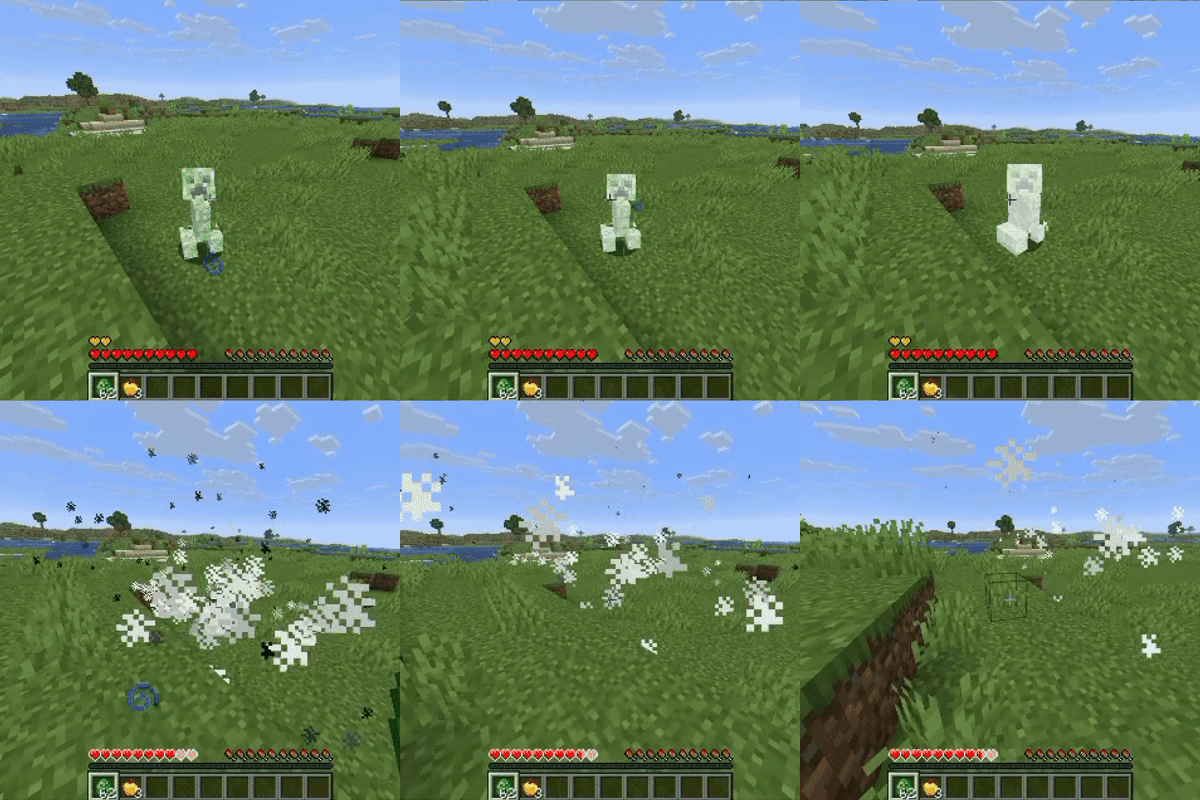
Boomless Creepers
Stop grieving about griefing. Creepers keep the blast, you keep your builds.
 mod
CurseForge · Minecraft
Pet's Protection
Protects all the tamed pets like a guardian angle!